
Introduction
Thank you for choosing the Nuvance Mini Powerbank 10000mAh. This manual provides essential information for the safe and efficient use of your power bank. Please read it thoroughly before use and retain it for future reference.
Product Overview
The Nuvance Mini Powerbank is a portable external battery designed to charge your electronic devices on the go. With a 10,000mAh capacity and multiple ports, it offers a convenient solution for keeping your smartphones, tablets, smartwatches, and earphones powered.
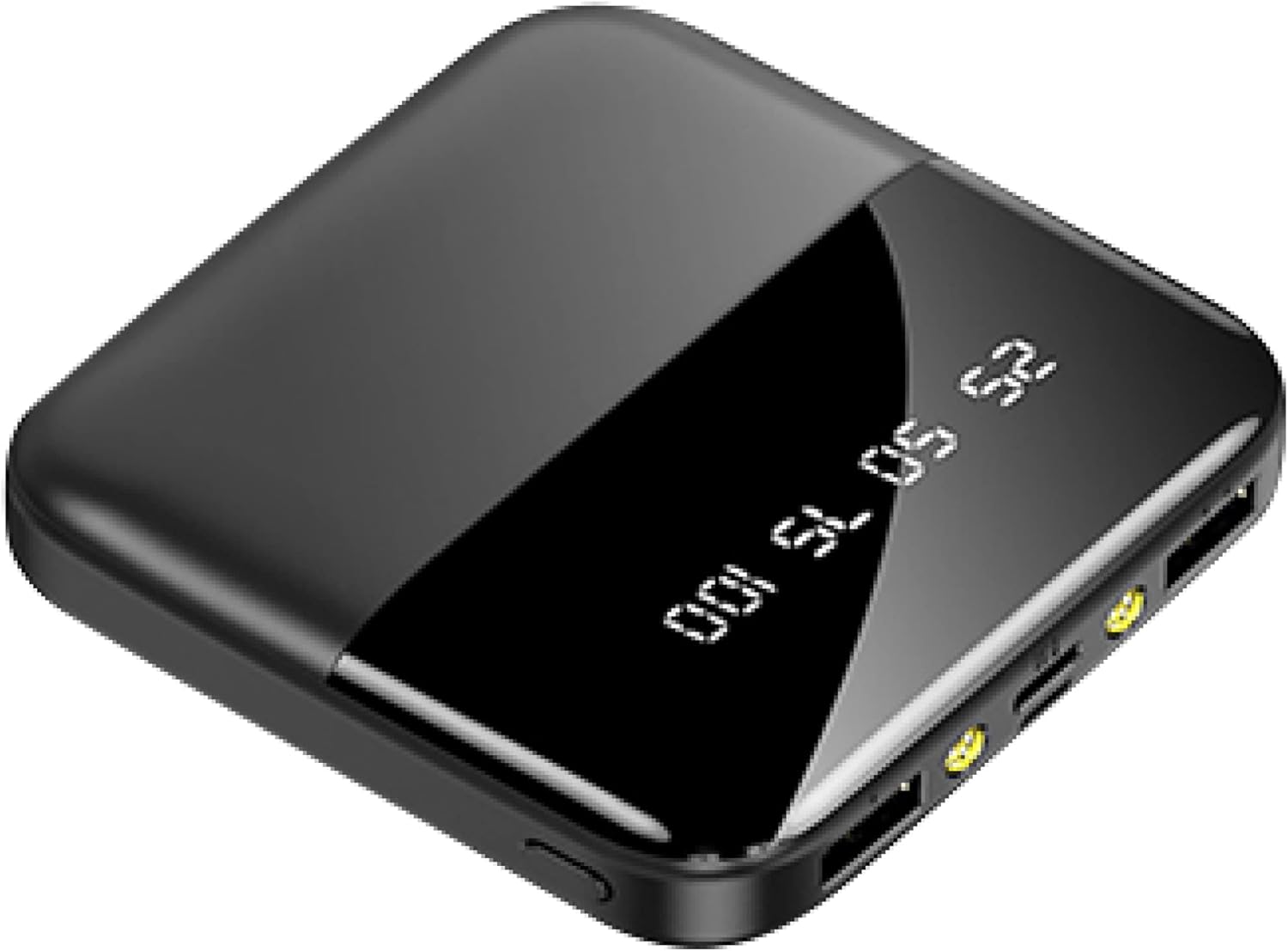
Image: Nuvance Mini Powerbank 10000mAh, black, showing its compact design and digital display.
Key Features:
- 10,000 mAh capacity for extended power.
- Compact and portable design for easy carrying.
- Multiple output ports (2x USB-A, 1x USB-C) for charging up to three devices simultaneously.
- Digital battery indicator to show remaining power.
- Integrated protection against short circuits, overcharging, overcurrent, and total discharge.
- Built-in phone holder for convenient media viewing while charging.
- Powerful flashlight with 2 built-in LED lights.

Image: Nuvance Mini Powerbank held in a hand, illustrating its compact size of 8cm by 8cm.
Package Contents
Please check the package for the following items:
- 1x Nuvance Mini Powerbank 10000mAh
- 1x USB Charging Cable
Specifications
| Brand | NV Nuvance |
| Model Name | Mini Power Bank |
| Capacity | 10,000 mAh |
| Number of Ports | 3 (2x USB-A Output, 1x USB-C Input/Output, 1x Micro USB Input) |
| Charging Output | 10W (with cable) |
| Compatible Devices | Computer, Smartphone, Smartwatch, Tablet, Earphones |
| Color | Black |
| Connector Type | Micro USB (input), USB-C (input/output), USB-A (output) |

Image: Diagram showing the comprehensive interface of the Nuvance Mini Powerbank with labeled ports: On/Off button, USB output, Micro-USB input, USB-C input, USB output.
Setup
Initial Charging of the Power Bank:
- Connect the provided USB charging cable to the Micro USB or USB-C input port on the power bank.
- Connect the other end of the USB cable to a compatible USB wall adapter (not included) or a computer's USB port.
- The digital display on the power bank will show the charging progress. Charge the power bank fully before first use.
- Once fully charged (display shows 100), disconnect the power bank from the charging source.

Image: Nuvance Mini Powerbank connected to two devices with charging cables, illustrating simultaneous charging capability.
Operating Instructions
Charging Your Devices:
- Connect your device's charging cable to one of the USB output ports (USB-A or USB-C) on the power bank.
- Connect the other end of the cable to your device.
- The power bank will automatically begin charging your device. The digital display will show the remaining battery percentage of the power bank.
- To charge multiple devices, connect them to the available output ports. The power bank supports charging up to three devices simultaneously.
- Once your device is fully charged, disconnect it from the power bank.

Image: Illustration showing the Nuvance Mini Powerbank charging an iPad/tablet, smartphone, and smartwatch, indicating charging capacities for each device type.
Using the Flashlight:
- Press and hold the On/Off button to turn the flashlight on or off.
- The power bank features two built-in LED lights for illumination.
Using the Built-in Phone Holder:
- Gently pull out the integrated stand from the side of the power bank.
- Place your smartphone into the stand for convenient hands-free viewing while charging.

Image: Nuvance Mini Powerbank with a smartphone resting in its built-in stand, displaying a video on the phone screen.
Maintenance
- Keep the power bank dry and away from moisture.
- Do not expose the power bank to extreme temperatures (hot or cold).
- Clean the power bank with a soft, dry cloth. Do not use harsh chemicals or abrasive materials.
- Store the power bank in a cool, dry place when not in use.
- Recharge the power bank at least once every three months to maintain battery health, even if not used.
Troubleshooting
| Problem | Possible Cause | Solution |
|---|---|---|
| Power bank not charging. | Low battery; faulty cable; faulty adapter; loose connection. | Ensure the power bank is connected to a working power source with the provided cable. Try a different cable or adapter. Check connections. |
| Device not charging from power bank. | Power bank battery is empty; faulty device cable; device not compatible; power bank in standby. | Recharge the power bank. Try a different charging cable for your device. Ensure your device is compatible. Press the On/Off button to activate the power bank. |
| Slow charging. | Using a non-fast charging cable/adapter; multiple devices charging simultaneously; device's charging input limit. | Use a fast-charging compatible cable and adapter. Charging multiple devices may reduce individual charging speed. Check your device's charging specifications. |
| Flashlight not working. | Power bank battery is empty; flashlight not activated correctly. | Recharge the power bank. Press and hold the On/Off button to activate the flashlight. |
Safety Information
- Do not disassemble, modify, or repair the power bank yourself.
- Avoid dropping, hitting, or subjecting the power bank to strong impacts.
- Keep away from fire, water, and corrosive liquids.
- Do not use the power bank if it is damaged or shows signs of swelling.
- Keep out of reach of children.
- Dispose of the power bank responsibly according to local regulations.
- The power bank has integrated protection against short circuits, overcharging, overcurrent, and total discharge to ensure safe operation.

Image: Collage image showing the Nuvance Mini Powerbank's LED display, a person using its flashlight in the dark, and an internal view highlighting safety protection circuits.
Warranty and Support
For warranty information or technical support, please refer to the retailer where you purchased the Nuvance Mini Powerbank or visit the official Nuvance website. Please have your purchase receipt and product model information ready when contacting support.