
PHILIPS PSG6066/20
Philips PerfectCare 6000 Series PSG6066/20 Steam Generator Iron
User Manual
1. Introduction
Welcome to the user manual for your Philips PerfectCare 6000 Series PSG6066/20 Steam Generator Iron. This appliance is designed to make your ironing experience efficient and effortless, providing powerful steam for excellent results. Please read this manual carefully before first use to ensure safe and optimal operation of your steam generator iron. Keep this manual for future reference.

Image 1.1: The Philips PerfectCare 6000 Series PSG6066/20 Steam Generator Iron, showcasing its compact design and integrated water tank.
2. Important Safety Instructions
When using electrical appliances, basic safety precautions should always be followed to reduce the risk of fire, electric shock, and injury to persons. Read all instructions before using this appliance.
- Always plug the iron into a grounded outlet.
- Do not immerse the iron or its base in water or other liquids.
- Do not leave the iron unattended while it is connected to the mains or while it is on an ironing board.
- Keep the iron and its cord out of reach of children.
- The iron is not intended for use by persons (including children) with reduced physical, sensory or mental capabilities, or lack of experience and knowledge, unless they have been given supervision or instruction concerning use of the iron by a person responsible for their safety.
- Do not operate any appliance with a damaged cord or plug, or after the appliance malfunctions or has been dropped or damaged in any manner.
- Use the iron only for its intended use.
- The soleplate and the base of the iron can become extremely hot and cause burns. Avoid direct contact.
- Always place the iron on a stable, heat-resistant surface.
3. Product Overview and Components
Familiarize yourself with the different parts of your Philips PerfectCare 6000 Series Steam Generator Iron.

Image 3.1: A detailed view of the Philips PerfectCare 6000 Series Steam Generator Iron, highlighting the iron unit, steam generator base, and the transparent 1.8L water tank.
- Iron Unit: The handheld part with the soleplate.
- Soleplate: The heated surface that glides over fabrics (Stainless Steel).
- Steam Trigger: Activates continuous steam or steam boost.
- Temperature Control Dial/Button: (This model features OptimalTEMP technology, so no manual temperature setting is needed).
- Water Tank: Removable 1.8 liter tank for water.
- Steam Generator Base: Houses the water tank and steam generation system.
- Steam Supply Hose: Connects the iron unit to the base.
- Power Cord: Connects the appliance to the electrical outlet.
- Calc-Clean Container: (If applicable, for descaling process).
4. Setup and First Use
4.1 Unpacking
Carefully remove the steam generator iron from its packaging. Retain the packaging for storage or in case of return. Ensure all components listed in Section 3 are present and undamaged.
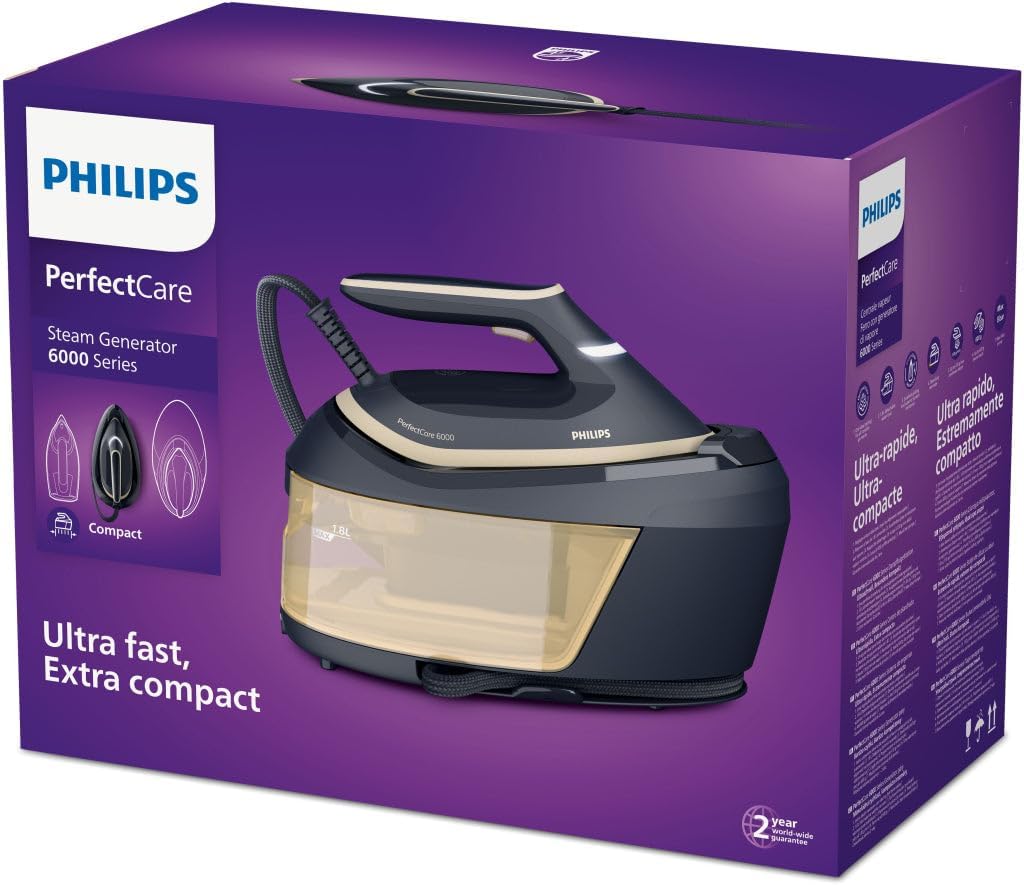
Image 4.1: The Philips PerfectCare 6000 Series Steam Generator Iron shown in its retail packaging, indicating it is new and ready for unboxing.
4.2 Filling the Water Tank
- Ensure the appliance is unplugged from the power outlet.
- Remove the water tank from the steam generator base.
- Fill the water tank with tap water up to the 'MAX' indication. For optimal performance and to prolong the life of your appliance, Philips recommends using demineralized or distilled water, especially in areas with hard water.
- Replace the water tank securely into the base.
4.3 Initial Power-On
- Place the steam generator iron on a stable, heat-resistant surface, such as an ironing board designed for steam generators.
- Unwind the power cord and plug it into a grounded wall socket.
- Press the power button. The iron will start heating up. The indicator light will flash during heating and remain steady when ready for use. This usually takes a few minutes.
5. Operating Instructions
5.1 Ironing with Steam
Your Philips PerfectCare 6000 Series features OptimalTEMP technology, meaning you do not need to adjust the temperature for different fabrics. It is safe for all ironable fabrics.
- Once the iron is ready (indicator light is steady), press and hold the steam trigger under the handle to release continuous steam.
- Move the iron smoothly over the fabric.
- For stubborn creases, press the steam trigger twice quickly for a powerful steam boost (600 g/minute).
- Release the steam trigger to stop steaming.
5.2 Dry Ironing
To iron without steam, simply do not press the steam trigger. The iron will still heat to the optimal temperature for your fabric.
5.3 Vertical Steaming
The powerful steam output allows for vertical steaming of hanging garments, curtains, and delicate fabrics.
- Hold the iron in a vertical position, a few centimeters away from the garment.
- Press the steam trigger to release steam.
- Stretch the garment lightly with your free hand for best results.
6. Care and Maintenance
6.1 Cleaning the Iron
- Always unplug the iron and allow it to cool down completely before cleaning.
- Wipe the soleplate with a damp cloth and a non-abrasive cleaner if necessary.
- Clean the exterior of the steam generator base with a damp cloth.
- Do not use abrasive scouring pads, vinegar, or other chemicals to clean the soleplate or the appliance.
6.2 Descaling (Calc-Clean)
Regular descaling is crucial to maintain optimal steam performance and extend the lifespan of your appliance. Your iron may have an integrated descaling system or indicator.
- When the Calc-Clean light flashes, it's time to descale.
- Ensure the water tank is empty.
- Place the iron on the Calc-Clean container (if provided) or a suitable heat-resistant container.
- Press and hold the Calc-Clean button for 2 seconds until you hear short beeps.
- The iron will start the descaling process, which takes approximately 2 minutes. Steam and hot water will be discharged from the soleplate.
- When the process is complete, the iron will stop steaming and the Calc-Clean light will turn off.
- Wipe the soleplate with a cloth.
6.3 Storage
After use, unplug the appliance and allow it to cool down completely. Empty the water tank. Secure the iron to its base and wrap the steam hose and power cord neatly. Store the appliance in a dry, safe place.
7. Troubleshooting
If you encounter problems with your Philips PerfectCare 6000 Series Steam Generator Iron, consult the table below before contacting customer support.
| Problem | Possible Cause | Solution |
|---|---|---|
| No steam is coming out. | Water tank is empty. Appliance is not heated up. Steam trigger not pressed. | Fill the water tank. Wait until the 'iron ready' light is steady. Press the steam trigger. |
| Water drips from the soleplate. | Iron not hot enough. Steam boost used too frequently. | Wait until the 'iron ready' light is steady. Allow a few seconds between steam boosts. |
| White flakes coming from the soleplate. | Calcification (limescale build-up). | Perform the Calc-Clean procedure as described in Section 6.2. |
| Iron does not heat up. | Not plugged in. Power button not pressed. | Ensure the power cord is securely plugged into a grounded outlet. Press the power button. |
| Calc-Clean light flashes frequently. | Appliance needs descaling. | Perform the Calc-Clean procedure. |
8. Technical Specifications
- Model: PSG6066/20
- Brand: PHILIPS
- Power: 2400 Watts
- Steam Pressure: 8 bars
- Continuous Steam Output: 130 g/minute
- Steam Boost: 600 g/minute
- Water Tank Capacity: 1.8 liters
- Soleplate Material: Stainless Steel
- Features: OptimalTEMP Technology, Automatic Shut-off, High Pressure Steam
- Color: Black
- Dimensions (L x W x H): 24 x 69 x 2.5 cm (approximate, for iron unit)
- Weight: 1.2 Kilograms (approximate, for iron unit)
- Recommended Use: Removing Creases
- Model Year: 2020
9. Warranty Information
This Philips appliance comes with a standard manufacturer's warranty. Please refer to the warranty card included in your product packaging for specific terms and conditions, including the warranty period and coverage details. Keep your proof of purchase for warranty claims.
Spare Parts Availability: 2 Years from the date of purchase.
10. Customer Support
For further assistance, product registration, or to report an issue, please visit the official Philips support website or contact their customer service. You can usually find contact details on the Philips website or in the warranty documentation.
Online Support: www.philips.com/support
Please have your product model number (PSG6066/20) and serial number ready when contacting support.
Ask a question about this manual
Ask about setup, troubleshooting, compatibility, parts, safety, or missing instructions. Manuals+ will review the question and use this page’s manual context to help answer it.