Introduction
Welcome to the user manual for your TENAMIC Electronic Digital Security Safe Box. This compact and durable safe is designed to provide secure storage for your valuables in various environments such as offices, hotels, and homes. Constructed from solid steel with an anti-corrosion and anti-wear powder coating, it features a pry-resistant steel door and concealed hinges for enhanced security. This manual will guide you through the setup, operation, and maintenance of your new safe.
Product Features
- Stronger Material: Made of solid steel with anti-corrosion and anti-wear powder coating, featuring a pry-resistant steel door and concealed hinges.
- Reliable Locking System: Electronic keypad for setting a personal password, with emergency key access.
- Better Configuration: Includes an interior carpet to prevent scratches and a plastic cover over the keyhole for discretion.
- Necessary Alarm System: Activates a warning beep after 3 continuously wrong entries (20 seconds) and a longer alarm after another 3 wrong entries (5 minutes). Alarm can be stopped by emergency key or battery removal.
- Compact Size: Exterior Size: 6.7" x 9.1" x 6.7". Interior size: 6.5" x 8.9" x 6.5".
Package Contents
- 1 x Cabinet Safe
- 2 x Mounting Screws
- 2 x Emergency Keys
- 1 x User Manual
Specifications
| Feature | Detail |
|---|---|
| Brand | Tenamic |
| Product Dimensions | 6.7"D x 9.1"W x 6.7"H |
| Lock Type | Electronic Lock |
| Color | Blue |
| Capacity | 0.23 Cubic Feet |
| Material | Alloy Steel |
| Special Feature | Alarm System |
| Mounting Type | Wall Mount |
| Control Type | Key Control |
| Item Weight | 5.5 Pounds |
| Model Number | TE17 BLUE |
| Batteries Required | Yes (4 x AA, not included) |
Setup
1. Battery Installation
The safe requires four AA batteries (not included) for the electronic keypad to function. The battery compartment is located on the inside of the safe door.

Image: Inside of the safe door showing the battery compartment.
Open the safe using the emergency key (if it's new, it might be unlocked or you'll need the key). Locate the battery compartment cover on the inside of the door. Remove the cover and insert four AA batteries, ensuring correct polarity. Replace the cover.
2. Setting Your Personal Code
With the safe door open, press the red reset button located inside the safe door, near the battery compartment. The keypad will beep, indicating it's ready to accept a new code. Enter your desired 3-8 digit code, then press the "E" button to confirm. Test the new code with the door open before closing it.
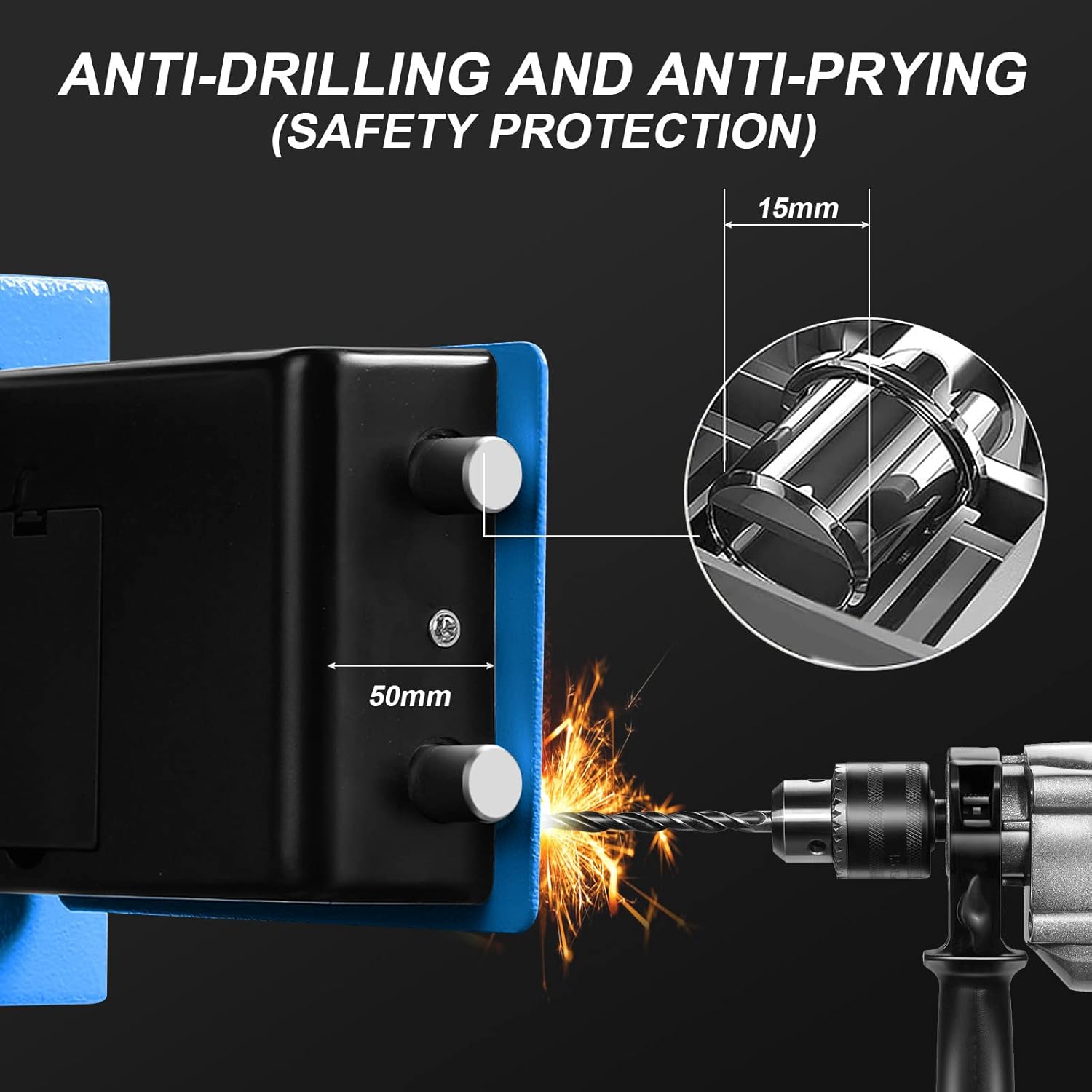
Image: Safe keypad displaying an example initial password.
3. Mounting the Safe (Optional)
For added security, the safe can be mounted to a wall or floor using the provided mounting screws.

Image: Installation tutorial for fixing bolts to mount the safe.
Locate the pre-drilled holes on the back or bottom of the safe. Mark the drilling points on your desired surface. Drill pilot holes and secure the safe using the mounting screws.
Operating Instructions
Opening the Safe with Digital Code
Enter your personal 3-8 digit code on the keypad. Press the "E" button. If the code is correct, the green light will illuminate. Within 5 seconds, turn the knob clockwise to open the door.

Image: The TENAMIC safe box with its door open, showcasing its interior capacity.
Opening the Safe with Emergency Key
In case you forget your code or the batteries run out, use one of the provided emergency keys. Insert the key into the hidden keyhole (usually behind the plastic cover on the keypad). Turn the key counter-clockwise and simultaneously turn the knob clockwise to open the door.
Important: Do not store emergency keys inside the safe.
Closing and Locking the Safe
Close the safe door firmly. Turn the knob counter-clockwise to engage the locking bolts. The safe is now locked.
Alarm System
The TENAMIC safe box is equipped with an alarm system for enhanced security.
- Wrong Entry Alarm: If 3 incorrect codes are entered consecutively, the safe will activate a warning beep for 20 seconds.
- Extended Alarm: If another 3 incorrect codes are entered consecutively after the initial warning, the alarm will sound for 5 minutes.
- Stopping the Alarm: The alarm can be stopped by opening the safe with the emergency key or by removing the batteries.
Maintenance
Battery Replacement
When the battery indicator light on the keypad starts to flash or the safe does not respond, it's time to replace the batteries. Follow the "Battery Installation" steps in the Setup section. Always use four new AA batteries.
Cleaning
Wipe the exterior of the safe with a soft, damp cloth. Avoid using abrasive cleaners or solvents that could damage the finish.
Interior Protection
The safe includes an interior carpet to protect your valuables from scratches. Ensure it is properly placed before storing items.
Troubleshooting
| Problem | Possible Cause | Solution |
|---|---|---|
| Safe does not open with code | Incorrect code entered; Low batteries | Re-enter correct code; Replace batteries; Use emergency key |
| Keypad not responding | Dead batteries | Replace batteries |
| Alarm sounds | Multiple incorrect code entries | Enter correct code; Use emergency key; Remove batteries to reset |
| Door does not close properly | Obstruction in the door frame; Bolts not fully retracted | Check for obstructions; Ensure knob is turned fully to retract bolts |
If you encounter issues not listed here, please contact customer support.
Customer Support
If you have any questions about the product or require assistance, please feel free to contact us. We are committed to providing excellent customer service and will do our best to solve any problems you may encounter.
Contact information can typically be found on the product packaging or the manufacturer's official website.