1. Introduction
Thank you for choosing the FECiDA Desk Grow Light. This manual provides essential information for the safe and efficient operation of your new grow light. Please read these instructions carefully before use and retain them for future reference.
2. Product Features
- UV-IR Included Ideal Full Spectrum: This desktop grow light includes 3000K, 5000K, 660nm, UV-IR LEDs. 3000K and 5000K diodes provide more reddish and blueish light. 660nm and IR light is especially useful during bloom, where it speeds up flowering time and boost yields. 395nm UV light can make your plants health. The light looks fairly natural sunlight.
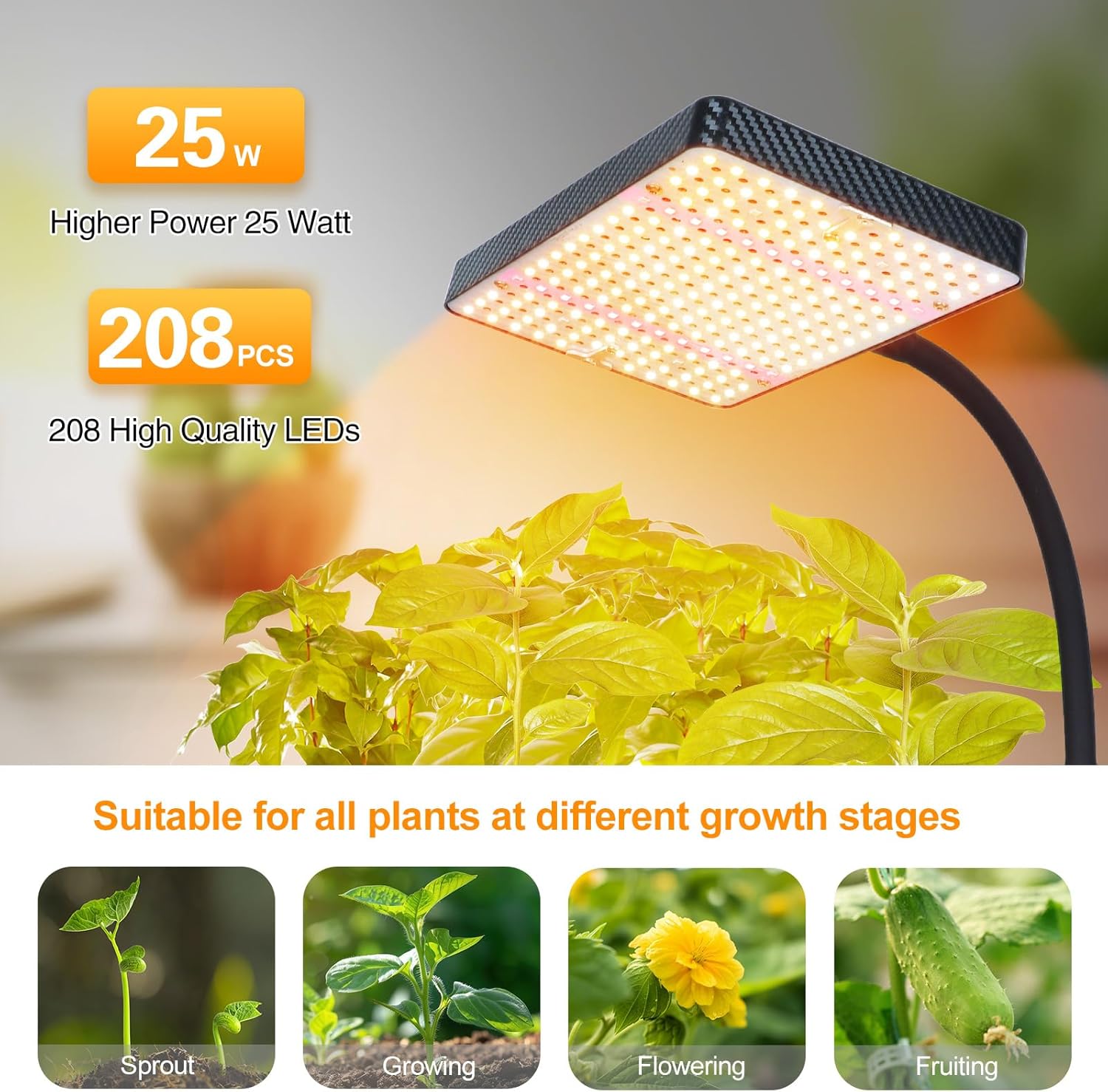
- 2000 Lumen & Bright Enough: This tabletop grow light for indoor plant seedlings, seed starting and vegetables is designed with 208pcs high quality LEDs. 2000 Lumen brightness, 200W Incandescent Lamps Equivalent, only consumes 25 watt home electricity, running enough sunlight for your houseplant growing healthy.
- On/Off Switch & Daisy Chain Function: This desk grow lamp for indoor plants is designed with an input plug and an output outlet. You can connect multiple lights (max 4 units) together by daisy chain function, requiring only one outlet.
- Stable Base and Adjustable Height Stand: This desk grow light comes with a base and stand, allowing you to place it on a desk and adjust the lamp head height according to your application from 16” to 24”.
3. Package Contents
The FECiDA Desk Grow Light package includes:
- 1 x TableTop Grow Light (LED panel with flexible gooseneck)
- 1 x Stable Metal Base
- 1 x Adjustable Telescopic Rod
- 1 x Power Cable with On/Off Switch
- User Manual
4. Setup Instructions
Follow these steps for quick and easy assembly:
- Step 1: Install the telescopic rod to the base. Screw the bottom end of the telescopic rod into the stable metal base until secure.
- Step 2: Screw the gooseneck to the telescopic rod. Attach the flexible gooseneck arm to the top of the telescopic rod.
- Step 3: Connect the light panel. Fix the LED light panel to the gooseneck with the provided nut, ensuring it is firmly attached.
- Step 4: Plug in the power cable. Insert the female end of the power cable into the socket at the bottom of the lamp head. Plug the male end into a standard 110V AC outlet.

Figure 1: Installation Steps for the Grow Light

Figure 2: Adjustable Height Feature
5. Operating Instructions
5.1 Power On/Off
To turn the grow light on or off, use the inline push button switch located on the power cable.
5.2 Adjusting Height and Angle
- Height Adjustment: The telescopic rod allows height adjustment from 16 inches to 24 inches. Rotate the metal connector on the rod to loosen, adjust to the desired height, and then tighten to secure.
- Angle Adjustment: The flexible gooseneck allows you to bend and position the light panel to direct light precisely onto your plants.
5.3 Daisy Chain Function
The grow light features an input plug and an output outlet, enabling you to connect multiple units (up to 4 for On/Off models) using a single power source. Use the power cable provided to link lights together.
Figure 3: Daisy Chain Connection Example
5.4 Recommended Usage
This grow light is suitable for all stages of plant growth, including sprouting, growing, flowering, and fruiting. Adjust the height of the light according to the plant's growth stage and light intensity requirements. Refer to the PPFD chart for guidance:
| Height from Plant | PPFD (µmol/m²/s) | Lux (cp) |
|---|---|---|
| 6 inches | 540 | 3250 |
| 12 inches | 160 | 1050 |
| 18 inches | 87 | 525 |
| 24 inches | 40 | 250 |

Figure 4: PPFD and Brightness Guide
6. Maintenance
To ensure optimal performance and longevity of your FECiDA Desk Grow Light:
- Keep the light panel clean from dust and debris. Use a soft, dry cloth to wipe the surface.
- Ensure proper ventilation around the light to prevent overheating.
- Regularly check the power cable for any signs of damage. If damaged, discontinue use and contact customer support.
7. Troubleshooting
If you encounter any issues with your grow light, please refer to the following common solutions:
- Light not turning on: Check if the power cable is securely plugged into both the lamp head and the wall outlet. Ensure the inline switch is in the 'On' position.
- Unstable stand: Ensure all connections (base to rod, rod to gooseneck) are tightened properly. Place the light on a flat, stable surface.
- Reduced light output: Clean the LED panel surface to remove any dust accumulation that might be blocking light.
For further assistance, please contact FECiDA customer support.
8. Specifications
| Feature | Specification |
|---|---|
| Model Number | Zinqolay |
| Wattage | 25 watts |
| Light Source Type | LED (208 individual LEDs) |
| Spectrum | Full Spectrum (3000K, 5000K, 660nm, UV-IR) |
| Brightness | 2000 Lumen |
| Height Adjustment | 16" - 24" |
| Control Method | Push Button (On/Off) |
| Connectivity Protocol | Wired (Daisy Chain up to 4 units) |
| Product Dimensions | 0.79"D x 5.12"W x 8.27"H |
| Item Weight | 930 Grams |
| Base Material | Aluminum |
| Indoor/Outdoor Usage | Indoor |
| Voltage | 110 Volts (AC) |
| Color | Black Case, Sunlike Light |
9. Warranty and Support
FECiDA provides a 12-month warranty for this product. If you experience any issues or have questions, please contact FECiDA customer service through Amazon online message, email, or social media. We aim to respond within 24 hours and resolve your problem as soon as possible.
10. Visual Aids
Product Images