
1. Introduction
Thank you for choosing the PetTec Cam Free Wireless Pet Camera. This device allows you to monitor your pets and home with high-quality Full HD 1080p video, day and night. Featuring a powerful 9,000 mAh battery for extended operation, two-way audio, motion detection, and easy Wi-Fi connectivity, the PetTec Cam Free provides peace of mind whether you are at home or away.
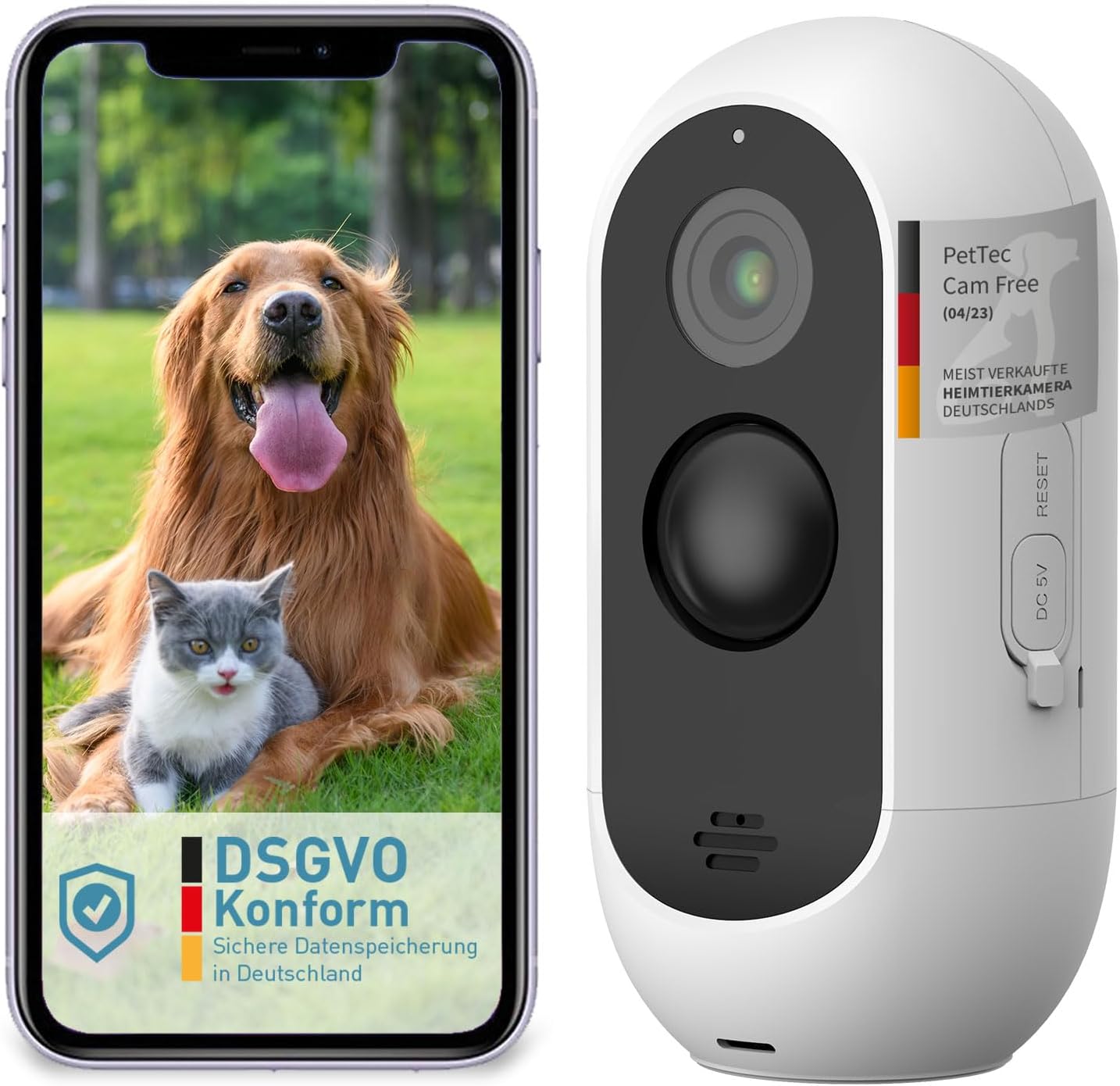
Image: The PetTec Cam Free camera shown alongside a smartphone displaying its app interface with a dog and cat.
2. Safety Information
- Do not expose the camera to extreme temperatures or direct sunlight for prolonged periods.
- Ensure the camera is securely mounted to prevent accidental falls.
- Keep the device away from water and moisture, despite its weather-resistant design, to ensure longevity.
- Use only the specified charging cable and power adapter.
- Do not attempt to disassemble or repair the camera yourself. Contact customer support for assistance.
3. Package Contents
Please check the box for the following items:
- PetTec Cam Free Wireless Pet Camera
- Mounting Bracket and Screws
- USB Charging Cable
- User Manual (this document)
4. Setup
4.1 Charging the Camera
Before first use, fully charge the camera using the provided USB cable and a 5V power adapter. The camera features a 9,000 mAh battery, offering up to 9 months of battery life depending on usage.
4.2 App Installation
Download the official PetTec app from your smartphone's app store (App Store for iOS or Google Play Store for Android). Search for "PetTec" and install the application.
4.3 Device Pairing and Wi-Fi Connection
- Open the PetTec app and create an account or log in.
- Follow the in-app instructions to add a new device.
- Power on your PetTec Cam Free. The camera will enter pairing mode.
- Select your 2.4GHz Wi-Fi network and enter the password when prompted by the app.
- The app will guide you through scanning a QR code with the camera to complete the connection.
4.4 Mounting the Camera
The PetTec Cam Free can be mounted on a wall or placed on a flat surface. For outdoor use, ensure it is positioned to capture the desired area while being protected from direct harsh weather if possible, though it is weather-resistant (IP65).

Image: The PetTec Cam Free camera mounted on an exterior wall, demonstrating its compact and discreet design.

Image: Illustrations showing the PetTec Cam Free monitoring an outdoor area, a garden, and a house entrance, highlighting versatile placement options.
5. Operating the Camera
5.1 Live View
Once connected, open the PetTec app and select your camera to view the live feed. You can monitor your pet and surroundings in real-time.

Image: A user interacting with the PetTec app on a smartphone, demonstrating remote monitoring capabilities.
5.2 Motion Detection and Alerts
The camera features automatic motion detection with adjustable sensitivity. You can configure the app to send notifications to your smartphone when motion is detected, ensuring you are always aware of activity.

Image: The PetTec Cam Free camera with icons representing internal alarm, motion sensor, and adjustable sensitivity settings.
5.3 Two-Way Audio
Use the two-way audio feature to communicate with your pet or deter unwanted visitors. The app allows you to speak through the camera's speaker and hear sounds from the camera's microphone.
5.4 Night Vision
The PetTec Cam Free automatically switches to night vision mode in low-light conditions, providing clear black-and-white footage up to 10 meters (33 feet).

Image: A collage showing examples of camera footage, including a night vision view of pets indoors and a daytime view of pets outdoors.
5.5 Digital Zoom
Pinch to zoom on the live view or recorded footage within the app to get a closer look at specific areas.
5.6 Internal Alarm
Activate the internal alarm through the app to emit a loud sound (up to 95 dB) as a deterrent or to get attention.
5.7 Multi-Camera Management
If you have multiple PetTec cameras, you can manage and view all of them within a single PetTec app interface.
6. Maintenance
- Cleaning: Use a soft, dry cloth to clean the camera lens and body. Do not use harsh chemicals or abrasive cleaners.
- Battery Care: To maximize battery life, avoid fully discharging the battery frequently. Charge the camera regularly, especially if it will be stored for an extended period.
7. Troubleshooting
- Camera not connecting to Wi-Fi: Ensure your Wi-Fi network is 2.4GHz. Check Wi-Fi password. Move camera closer to router. Reset camera if necessary.
- Poor image quality: Clean the camera lens. Ensure sufficient lighting. Check Wi-Fi signal strength.
- Battery draining quickly: Reduce motion detection sensitivity or frequency of alerts. Ensure camera is not in an area with constant motion.
- No audio: Check volume settings on your phone and within the app. Ensure microphone and speaker are not obstructed.
8. Specifications

Image: A diagram highlighting the camera's features such as 3MP resolution, 10m night vision, 120° wide-angle lens, motion sensor, internal alarm, up to 9 months battery life, and IP65 weather resistance.
| Feature | Specification |
|---|---|
| Video Recording Resolution | 1080p Full HD |
| Effective Video Resolution | 1080 Pixels |
| Wireless Communication Technology | Wi-Fi |
| Night Vision Range | 10 Meters |
| Battery Capacity | 9,000 mAh (up to 9 months battery life) |
| Water Resistance Level | IP65 (Waterproof) |
| Special Features | Motion Detector, Two-Way Audio, Internal Alarm |
| Dimensions (L x W x H) | 5.9 x 5.9 x 11.6 cm |
| Weight | 460 grams |
| Power | 1.5 Watts |
| Material | Plastic |
| Model Number | 16167 |
9. Warranty and Support
For warranty information and technical support, please refer to the PetTec official website or contact their customer service directly. Keep your purchase receipt as proof of purchase.
