
Introduction
This manual provides comprehensive instructions for the assembly, operation, and maintenance of your CubiCubi Electric Standing Desk. Designed for ergonomic comfort and versatility, this desk allows for seamless transitions between sitting and standing positions, promoting a healthier work environment. Please read this manual thoroughly before assembly and use to ensure proper function and safety.
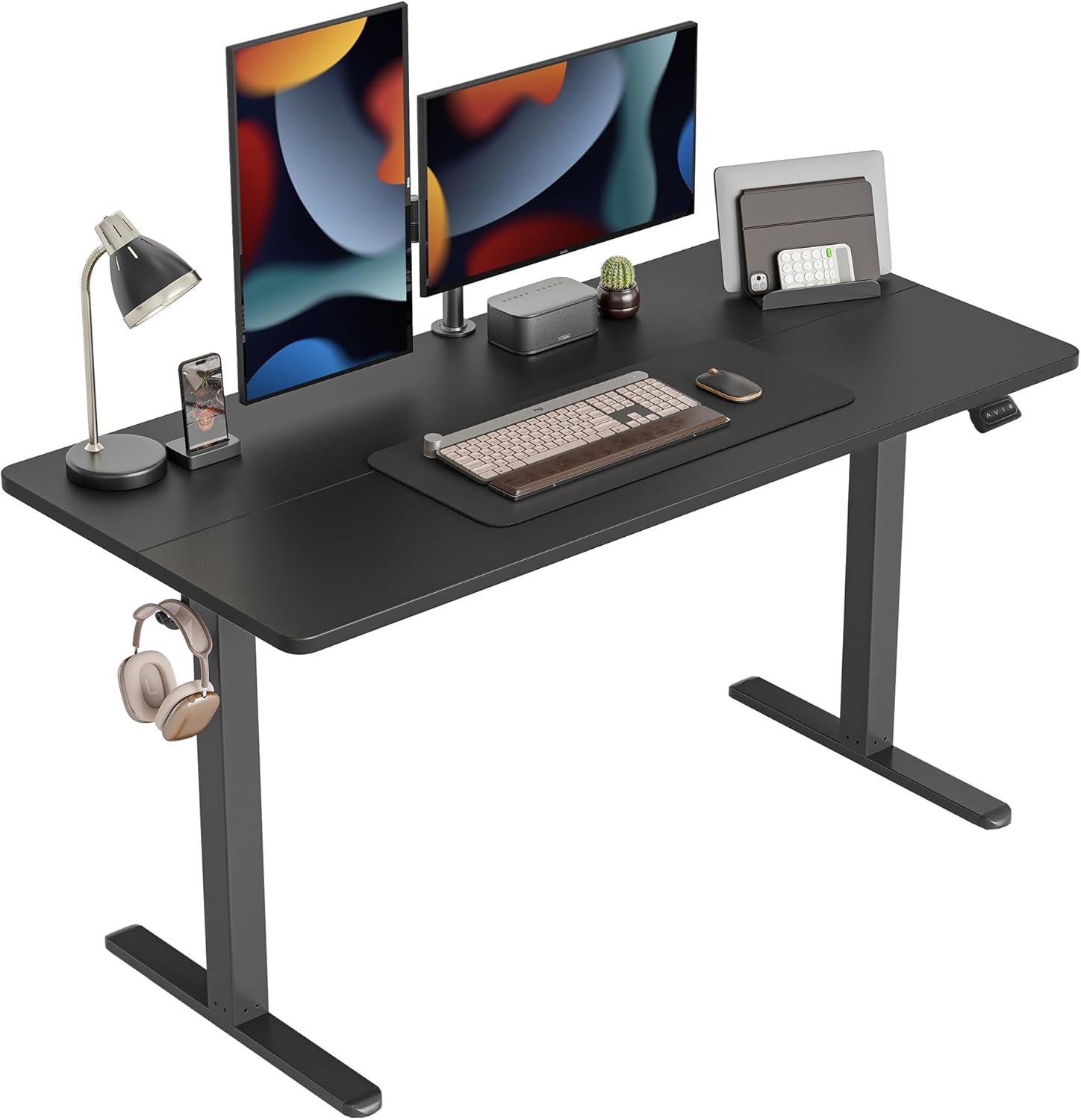
Figure 1: CubiCubi Electric Standing Desk setup with dual monitors and office accessories.
Safety Information
For your safety and to prevent damage to the product, please adhere to the following guidelines:
- This desk is designed to be sturdy and easy to install.
- It has a maximum weight recommendation of 176 pounds. Do not exceed this weight limit.
- The minimum height adjustment is 27.4 inches.
- Always ensure the desk is properly assembled and anchored, if necessary, to prevent tipping or other stability concerns.
- Keep children and pets away from the desk during operation to prevent injury.
- Ensure no obstacles are in the path of the desk's movement (up or down) to avoid collisions. The desk features anti-collision technology, but caution is still advised.
- Do not attempt to disassemble or repair the motor or control system yourself. Contact customer service for assistance.
Setup and Assembly
The CubiCubi Electric Standing Desk is designed for straightforward assembly. All necessary tools and detailed instructions are included. It is recommended to have a helper for certain steps due to the weight of components.
Assembly Video Guide
Video 1: Detailed assembly instructions for the CubiCubi Electric Standing Desk. This video covers unboxing, frame assembly, and attaching the desktop.
Step-by-Step Assembly Instructions
- Unpack Components: Carefully remove all parts from the packaging. Lay out all components and hardware, verifying against the included parts list. It is advisable to place the packaging box on the floor to protect the desktop surface during assembly.

Figure 2: All desk components laid out for assembly.
- Assemble the Legs and Crossbar: Attach the two leg pillars (labeled A and B) to the main crossbar. Ensure the motor faces upwards and the side with four bigger holes on the crossbar faces towards the end of the pillars. Do not fully tighten screws until all components are aligned.

Figure 3: Illustration of the sturdy steel frame and anti-collision technology.
- Attach the Feet: Secure the feet to the bottom of each leg pillar. Tighten all screws once the frame is fully assembled and stable.
- Connect the Desktop Halves: If your desktop comes in two pieces, align them and insert the wooden dowels and metal plates to secure them together. Ensure a tight fit to minimize any seam gap.
- Mount the Desktop to the Frame: Carefully place the assembled desktop upside down on a soft, clean surface. Position the assembled leg frame onto the desktop, aligning the pre-drilled holes. Secure the frame to the desktop using the provided screws.
- Install Control Panel and Cable Management: Attach the control panel to the underside of the desk, ensuring it is on the same side as the motor for easy connection. Use the provided cable ties and clips to manage and secure all cables neatly, preventing tangles and ensuring smooth operation.

Figure 4: Cable management features and accessory hooks.
- Initial Setup and Reset: Before first use, peel off any protective film from the control panel. Press and hold the "Up" and "Down" buttons simultaneously for 5 seconds to reset the desk. The display will show a small dot or "RST" indicating a successful reset. This calibrates the desk for accurate height adjustments.
Operating Instructions
Your CubiCubi Electric Standing Desk offers intuitive controls for effortless height adjustment.
Control Panel Functions

Figure 5: The desk's control panel for height adjustment and memory settings.
- Up (▲) and Down (▼) Buttons: Press and hold these buttons for momentary control to raise or lower the desk to your desired height.
- Memory Presets (1, 2, 3): Your desk features 3 preset buttons. To save a height:
- Adjust the desk to your preferred height using the Up/Down buttons.
- Press and hold one of the preset buttons (1, 2, or 3) for 3 seconds until you hear a beep or see a confirmation on the display. The height is now saved.
- Anti-Collision Technology: The desk is equipped with a built-in sensor that detects collisions during movement. If an obstacle is encountered, the desk will automatically stop and move slightly in the opposite direction to prevent damage.

Figure 6: Demonstrating the wide height adjustment range from sitting to standing positions.
Maintenance
Regular maintenance ensures the longevity and optimal performance of your CubiCubi Electric Standing Desk.
- Cleaning: Wipe the desktop and frame with a soft, damp cloth. Avoid harsh chemicals or abrasive cleaners that could damage the finish.
- Cable Management: Periodically check that all cables are securely fastened and not pinched or tangled. Proper cable management prevents wear and tear on the wiring.
- Screw Tightness: Over time, screws may loosen. Periodically check and tighten all assembly screws to maintain desk stability.
- Motor and Mechanism: The electric lift system is designed to be maintenance-free. Do not lubricate or attempt to open the motor housing.
Troubleshooting
If you encounter any issues with your CubiCubi Electric Standing Desk, refer to the following common troubleshooting steps:
| Problem | Possible Cause | Solution |
|---|---|---|
| Desk does not move or respond to controls. | Power cable disconnected, motor cable disconnected, or system needs reset. |
|
| Desk moves unevenly or makes unusual noises. | Loose screws, uneven load, or internal mechanism issue. |
|
| Anti-collision feature triggers too often. | Obstacles in the path or sensitivity setting. |
|
| Gap or seam visible on the desktop. | Common with two-piece desktops. | This is a characteristic of multi-piece desktops. A desk pad can be used to create a smooth, continuous surface for writing or mouse movement. |
Specifications
| Feature | Detail |
|---|---|
| Brand | CubiCubi |
| Model Number | CB-DJ |
| Product Dimensions | 55"W x 24"D x 27.16"H (Minimum) |
| Height Adjustment Range | 27.4 inches to 45.5 inches |
| Maximum Weight Capacity | 176 lbs (80 kg) |
| Material | Alloy Steel (Base), Wood (Top) |
| Color | Black |
| Special Features | Electric Height Adjustable, Anti-Collision Technology, 3 Memory Presets, Cable Management, Accessory Hooks |
| Assembly Required | Yes (Tools included) |

Figure 7: Desk dimensions overview.
Warranty and Support
CubiCubi is committed to providing quality products and excellent customer service.
- Warranty: This product comes with a limited warranty. Please refer to your purchase documentation for specific warranty terms and conditions.
- Customer Service: For any issues regarding product quality, missing parts, or problems during use, please contact our professional after-sales service team. We are available 24 hours a day to assist you and are happy to send replacement parts if needed.
- Contact Information: Please refer to the contact details provided on your product packaging or the official CubiCubi website for the most up-to-date support information.


