
1. Introduction
Thank you for choosing the Cubiker 55 x 24 Inch Electric Standing Desk. This manual provides detailed instructions for the assembly, operation, and maintenance of your new height-adjustable desk. Please read this manual thoroughly before assembly and use to ensure proper function and safety.
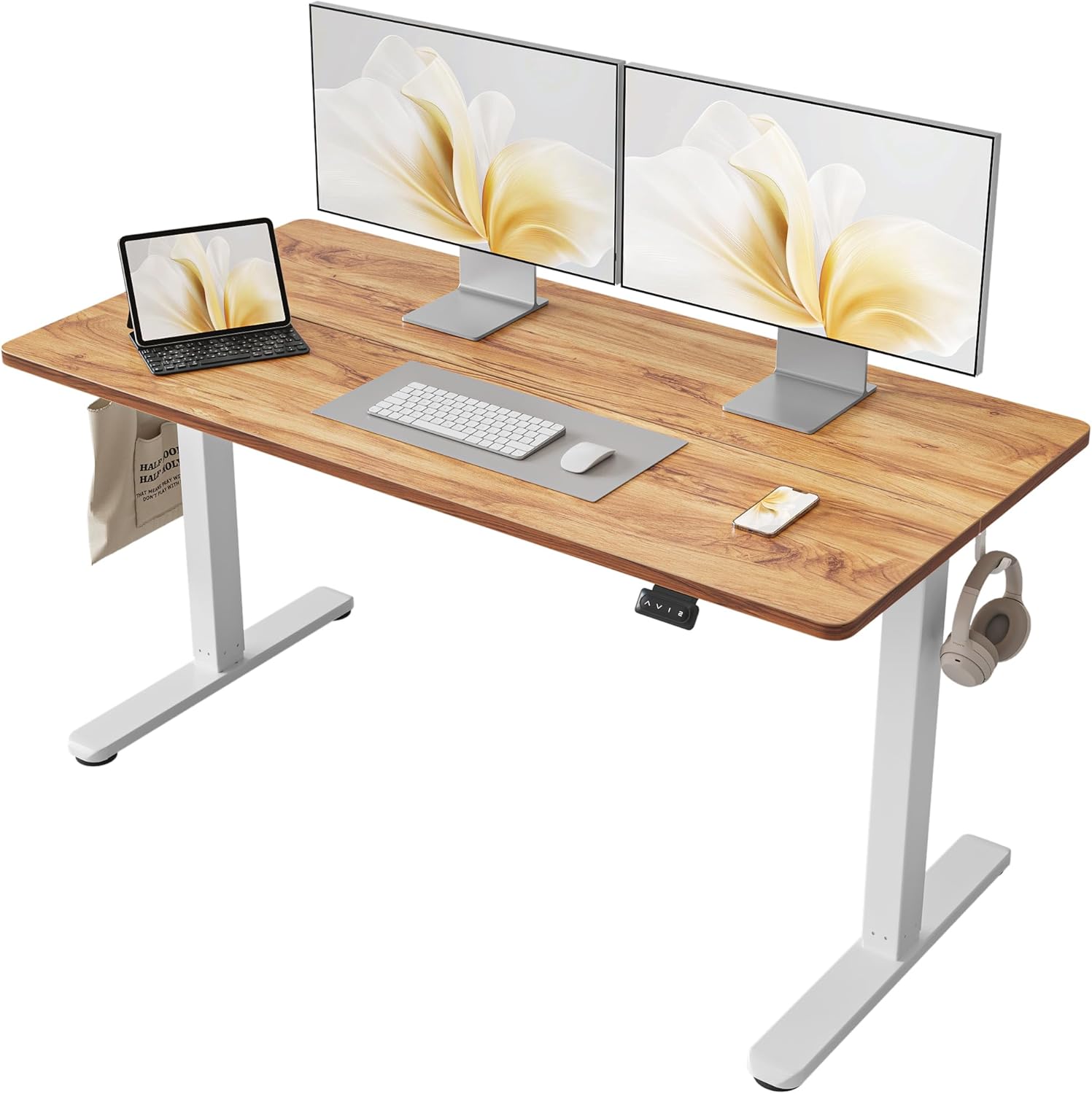
Image 1.1: The Cubiker 55 x 24 Inch Electric Standing Desk in a home office setup, featuring a light rustic brown desktop and white frame, equipped with two monitors, a laptop, keyboard, and mouse.
2. Safety Information
Please observe the following safety guidelines to prevent injury or damage to the product:
- This desk has a maximum weight capacity of 155 pounds (70 kg). Do not exceed this limit.
- The desk is equipped with anti-collision technology. This sensor detects obstacles in the path of the desk's movement to prevent damage. However, always ensure the path is clear during height adjustments.
- For safe assembly, it is recommended that one person assemble the desk using the provided instructions and tools.
- Always ensure the desk is stable. If necessary, anchor it properly according to local safety standards.
- Keep children and pets away from the desk during operation.
- Do not sit or stand on the desk.
- Ensure all cables are managed to prevent entanglement during height adjustments.
3. Package Contents
Verify that all components are present before beginning assembly:
- Desktop (Splice Board, Light Rustic Brown)
- Desk Frame (White Alloy Steel)
- Electric Lifting Mechanism
- Multi-Function Intelligent Keypad
- Storage Hooks (x2)
- Feet Pads (x4) or Optional Wheels (x4)
- Assembly Instructions with Diagram
- Basic Assembly Tools

Image 3.1: Detailed view of the desk's rounded corners, two included hooks for accessories, and four feet pads for stability.
4. Setup and Assembly
Follow the detailed assembly instructions provided in the package. It is recommended to assemble the desk on a soft surface, such as the packaging foam, to prevent scratches.
- Unpack all components and verify against the package contents list.
- Attach the lifting columns to the desktop.
- Install the feet pads or optional wheels to the base of the lifting columns.
- Mount the multi-function intelligent keypad to the underside of the desktop in a convenient location.
- Connect all necessary cables according to the diagram in the assembly instructions.
- Attach the storage hooks to the sides of the desk if desired.
- Ensure all screws are tightened securely before use.
For visual guidance, refer to the assembly instructions with diagrams included in your package. A detailed installation video may also be available from the manufacturer for reference.
5. Operating Instructions
5.1 Height Adjustment
The Cubiker Electric Standing Desk allows for smooth height adjustment from 28.3 inches to 46.5 inches. Use the up (^) and down (v) buttons on the control panel for momentary adjustments.

Image 5.1: The multi-function intelligent keypad with up/down arrows and memory preset buttons (1, 2, 3, 4).
5.2 Memory Presets
The control panel features four memory preset buttons (1, 2, 3, 4) to save your preferred sitting and standing heights. To set a memory preset:
- Adjust the desk to your desired height using the up (^) or down (v) buttons.
- Press the "M" button (or similar memory set button, if present, otherwise assume direct press on 1-4).
- Immediately press one of the number buttons (1, 2, 3, or 4) to save the current height to that preset.
To recall a saved height, simply press the corresponding number button (1, 2, 3, or 4). The desk will automatically move to the saved position.
5.3 Anti-Collision Technology
The desk is equipped with an anti-collision sensor. If an obstacle is detected during height adjustment, the desk will automatically stop and reverse slightly to prevent damage. Ensure the area around the desk is clear to avoid unnecessary activation of this feature.

Image 5.2: Visual representation of the anti-collision feature, where the desk detects an object and adjusts its movement.
5.4 Reset Function
To reset the desk's height settings, press and hold the DOWN button for 5 seconds. This will typically reset the desk to its lowest position and clear any stored memory presets.
6. Maintenance
Regular maintenance ensures the longevity and optimal performance of your desk:
- Cleaning: Wipe the desktop and frame with a soft, damp cloth. Avoid harsh chemicals or abrasive cleaners that could damage the finish.
- Cable Management: Periodically check and organize cables to prevent tangling or damage, especially during height adjustments.
- Inspection: Regularly inspect all screws and connections to ensure they are tight. Retighten if necessary.
- Motor Care: The industrial-grade steel frame and lift system are designed for reliable long-term operation (tested 50,000 times). No special motor maintenance is typically required.
7. Troubleshooting
If you encounter issues with your Cubiker Standing Desk, refer to the following common solutions:
| Problem | Possible Cause | Solution |
|---|---|---|
| Desk does not move. | Power cable disconnected, motor overload, or control panel issue. | Check power connections. Unplug and replug the desk. Perform a reset (hold DOWN button for 5 seconds). Reduce weight on the desk. |
| Desk moves unevenly or makes unusual noises. | Loose connections, uneven weight distribution, or an obstruction. | Ensure all screws are tightened. Distribute weight evenly on the desktop. Check for obstructions under the desk. |
| Anti-collision sensor frequently activates. | Obstacles in the desk's path. | Ensure the area around and under the desk is clear of objects during height adjustments. |
| Memory presets are not working. | Presets not saved correctly or system error. | Re-save your desired heights to the memory presets. Perform a system reset if necessary. |
If problems persist, please contact Cubiker customer support for assistance.
8. Specifications
- Brand: Cubiker
- Model: B0BLCBRBVZ
- Product Dimensions: 24"D x 55"W x 27.16"H
- Color: Light Rustic Brown (Desktop), White (Frame)
- Style: Modern
- Base Material: Alloy Steel
- Top Material Type: Wood
- Finish Type: Laminated
- Minimum Height: 28.3 inches
- Maximum Height: 46.5 inches
- Lifting Mechanism: Electric
- Special Features: Ergonomic, Sturdy, Easy installation, Height adjustable, Anti-Collision Technology
- Maximum Weight Recommendation: 155 Pounds
- Required Assembly: Yes
- Included Components: Assembly Instructions with Diagram, Standing Desk, Storage Hooks, Basic Assembly Tools

Image 8.1: Key dimensions of the Cubiker Standing Desk, illustrating its width, depth, and adjustable height range.
9. Warranty and Support
Warranty: The Cubiker Electric Standing Desk comes with a Full Warranty. Please refer to the warranty card included in your package for specific terms and conditions.
Customer Support: For any questions during assembly, use, or if you require technical support, please do not hesitate to contact Cubiker customer service. Contact information can typically be found on the product packaging or the official Cubiker website.
You can also find additional support and information by visiting the Cubiker Store on Amazon.