
1. Introduction
Thank you for choosing the SMARTDEVIL Mini Portable Humidifier. This device is designed to effectively moisturize dry air, providing a comfortable environment for your home, office, or travel. Its compact size, quiet operation, and versatile features make it an ideal personal air humidifier. Please read this manual thoroughly before use to ensure proper operation and maintenance.
2. Safety Information
To ensure safe operation and prevent damage, please observe the following precautions:
- Always use clean tap water. Do not use pure water, distilled water, or bottled water, as this can lead to water accumulation at the mist outlet and affect performance.
- Do not add essential oils, perfumes, or other chemical substances to the water tank, as they can corrode the unit and void the warranty.
- Keep the humidifier on a stable, flat surface to prevent tipping.
- Do not block the mist outlet.
- Unplug the humidifier from the power source before cleaning or refilling.
- Keep out of reach of children and pets.
- Do not immerse the unit in water or other liquids.
- If the unit is damaged or malfunctions, do not attempt to repair it yourself. Contact customer support.
3. Product Overview
The SMARTDEVIL Mini Portable Humidifier is designed for ease of use and efficiency. Below are the main components:
- Mist Outlet: Where the fine mist is released.
- Water Tank: Holds up to 500ml of water.
- Cotton Swab (Filter): Absorbs water for mist generation.
- Power Button: Controls power and mist modes.
- USB Power Port: For connecting the power cable.
- Night Light: Provides soft illumination.

Figure 1: SMARTDEVIL Mini Portable Humidifier and included cotton filters. The humidifier is white with a clear base and top, featuring "H2O HUMIDIFIER" and "SMARTDEVIL" branding. Two white cylindrical cotton filters are shown next to the unit.
4. Setup Guide
- Unpack the Humidifier: Carefully remove all components from the packaging.
- Prepare the Cotton Swab: Before first use, or after replacing, remove the cotton swab from its holder. Soak the cotton swab completely in water for 1 to 2 minutes. This is crucial for proper mist generation. Reinsert the soaked cotton swab firmly into its holder.
- Fill the Water Tank: Open the top cover of the humidifier. Fill the water tank with clean tap water up to the MAX fill line. Do not overfill.
- Close the Cover: Securely close the top cover.
- Connect Power: Plug the USB power cable into the humidifier's USB port and connect the other end to a compatible USB power source (e.g., computer, power bank, USB wall adapter).
5. Operating Instructions
5.1 Power and Mist Modes
- First Press: Press the power button once to turn on the humidifier in Continuous Spray Mode. The mist will be continuously released. This mode provides approximately 6.5 hours of operation.
- Second Press: Press the power button a second time to switch to Intermittent Spray Mode. The humidifier will spray mist for 3 seconds, then pause for 3 seconds, repeating this cycle. This mode provides approximately 8 hours of operation.
- Third Press: Press the power button a third time to turn off the humidifier.

Figure 2: Illustration of the two mist modes. The left image shows continuous mist output (Constant Spray, 6.5H, 60ml/h), while the right image shows intermittent mist output (Intermittent Spray, 8H, 30ml/h). A person and a dog are shown sleeping peacefully in the background, indicating comfort.
5.2 Night Light Function
- Press and Hold (1.5s): Press and hold the power button for 1.5 seconds to activate the Constant Light Mode. The night light will illuminate steadily.
- Press and Hold Again (1.5s): Press and hold the power button for another 1.5 seconds to switch to Breathing Light Mode. The light will gently fade in and out.
- Press and Hold a Third Time (1.5s): Press and hold the power button for a third time for 1.5 seconds to turn off the night light.

Figure 3: The humidifier providing soft, warm light in a bedroom setting. A person is shown sleeping, and the humidifier emits a gentle glow, illustrating the constant light, breathing light, and eye-caring features.
5.3 Automatic Shut-off
For safety and energy efficiency, the humidifier is equipped with an automatic shut-off feature:
- In Continuous Spray Mode, the humidifier will automatically shut off after approximately 6.5 hours.
- In Intermittent Spray Mode, the humidifier will automatically shut off after approximately 8 hours.
- The humidifier will also shut off automatically if the water level is too low (waterless automatic power off).
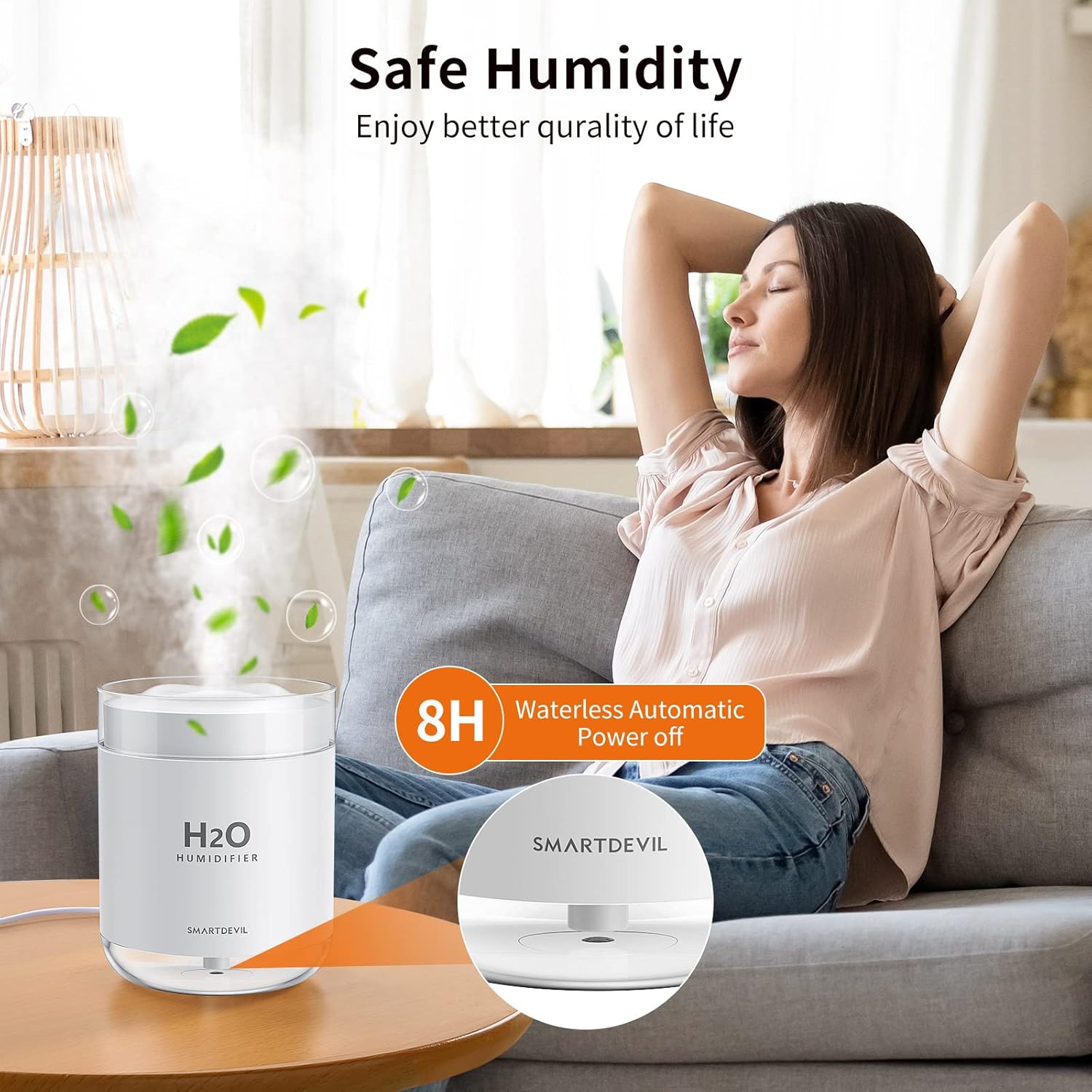
Figure 4: A person relaxing on a couch with the humidifier on a nearby table, emphasizing "Safe Humidity" and the "8H Waterless Automatic Power off" feature, ensuring safety and peace of mind.
6. Maintenance
Regular maintenance ensures optimal performance and extends the lifespan of your humidifier.
6.1 Cleaning the Water Tank
- Unplug the humidifier from the power source.
- Empty any remaining water from the tank.
- Wipe the inside of the water tank with a soft, damp cloth. For stubborn mineral deposits, use a small amount of white vinegar diluted with water, then rinse thoroughly.
- Do not use abrasive cleaners or harsh chemicals.
- Allow the tank to air dry completely before refilling or storing.
6.2 Replacing the Cotton Swab
The cotton swab (filter) should be replaced regularly, typically every 1-3 months, depending on usage and water quality. Signs that the swab needs replacement include reduced mist output or no mist at all.
- Unplug the humidifier and remove the top cover.
- Carefully pull out the cotton swab holder from the base of the mist outlet.
- Remove the old cotton swab and insert a new one, ensuring it is fully seated.
- Remember to soak the new cotton swab in water for 1-2 minutes before reinserting the holder into the humidifier.
- Reassemble the humidifier.
7. Troubleshooting
If you encounter issues with your humidifier, please refer to the following common problems and solutions:
| Problem | Possible Cause | Solution |
|---|---|---|
| No mist or very little mist |
|
|
| Humidifier not turning on |
|
|
| Unusual odor from mist |
|
|

Figure 5: The humidifier operating in a room with plants, illustrating its role in providing "Hygienic Air" and alleviating symptoms like dry skin, allergy symptoms, and dry throat.
8. Specifications
| Brand | SMARTDEVIL |
| Model Number | J13 |
| Color | White |
| Dimensions (L x W x H) | 9.5 x 9.5 x 12.9 cm |
| Weight | 310 grams |
| Water Tank Capacity | 500 Milliliters |
| Power | 2 Watts |
| Voltage | 5 Volts |
| Material | Acrylonitrile Butadiene Styrene (ABS) |
| Max Runtime | 8 hours (Intermittent Mode) |
| Noise Level | <28 dB |
| Operation Mode | Ultrasonic |

Figure 6: A mother and child reading, with the humidifier operating quietly nearby, illustrating its low noise level (under 28dB) suitable for quiet environments like bedrooms or offices.
9. Warranty and Support
SMARTDEVIL offers a 365-day warranty for this product. Our commitment includes:
- A hassle-free return policy within 365 days.
- Two free replacements for quality-related issues, such as no spray or reduced mist.
For any questions, concerns, or assistance, please contact our customer support team. We are available 24/7 to provide individual support via Amazon's messaging system.
Please retain your purchase receipt for warranty claims.

Figure 7: Hands holding the illuminated humidifier in a dark setting, suggesting it makes "The Perfect Gift" and that "It's good to be home" with its comforting presence.