1. Introduction
This manual provides detailed instructions for the installation, operation, and maintenance of your SIXIN Rechargeable WiFi Tubular Roller Blind Motor, Model SX-ZM15-US. This motor is designed for use with roller shades, roman, sheer horizontals, and woven wood shades, specifically for tubes with a Φ25mm inner diameter. It features WiFi connectivity for smart home integration with Tuya App, Amazon Alexa, and Google Home, as well as RF remote control capabilities.
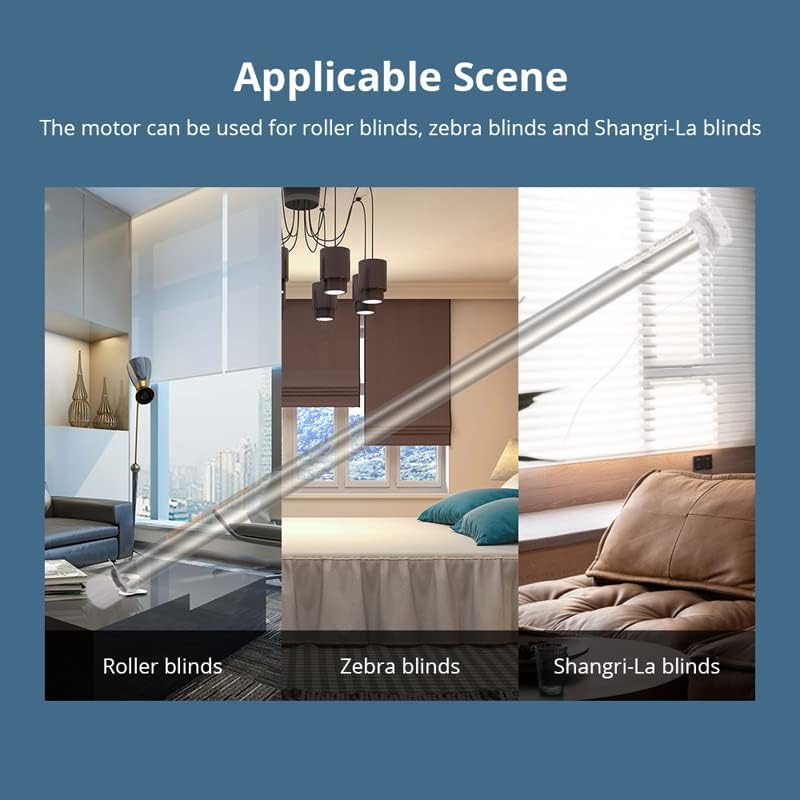
Figure 1: Applicable Blind Types
The motor is compatible with roller blinds, zebra blinds, and Shangri-La blinds, offering versatile application for various window coverings.
2. Package Contents
Please verify that all items listed below are included in your package. If any items are missing or damaged, please contact customer support.
- 1 x Tubular Motor (for Φ25mm tube)
- 1 x Remote Control
- 1 x USB Charging Cable
- 1 x WiFi Dongle
- Tube install brackets and accessories
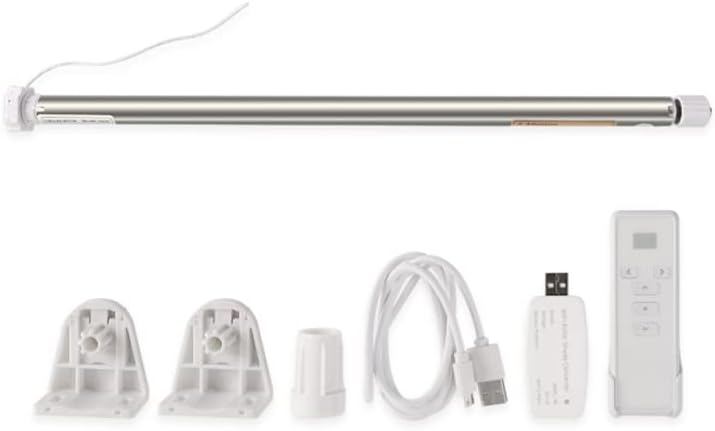
Figure 2: Package Contents
This image displays the complete set of components included in the product package, featuring the motor, remote, charging cable, WiFi dongle, and mounting hardware.
3. Setup and Installation
Follow these steps to properly install and set up your tubular roller blind motor.
- Prepare the Tube: Ensure your roller blind tube has an inner diameter of Φ25mm for this specific motor model.
- Insert the Motor: Carefully insert the tubular motor into the roller blind tube.
- Mount the Brackets: Securely attach the provided tube install brackets to your window frame or wall, ensuring they are level and properly aligned.
- Mount the Blind: Place the roller blind assembly with the motor into the mounted brackets.
- Connect WiFi Dongle: Connect the WiFi dongle to the motor. The dongle enables WiFi connectivity for smart control. No additional hub is required for WiFi models.
- Initial Charge: Before first use, ensure the motor's built-in 800mAh Li-battery is fully charged using the provided USB charging cable.
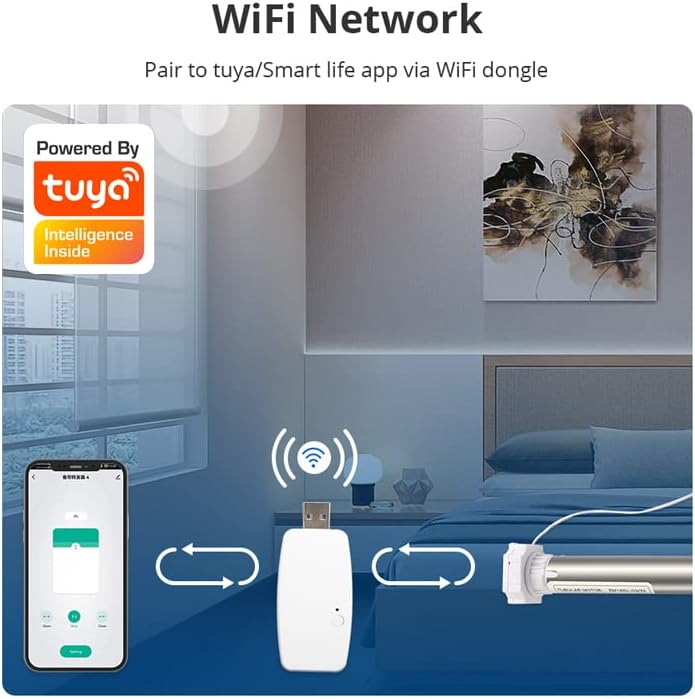
Figure 3: WiFi Network Connection
This diagram shows how to connect the WiFi dongle to the motor and pair it with the Tuya/Smart Life app on your smartphone for network integration.
4. Operating Instructions
4.1. Remote Control Operation
The motor includes a built-in RF remote control for direct operation. Use the remote to raise, lower, or stop the roller blind. The remote also supports group control for multiple blinds.

Figure 4: Remote Control Usage
This image demonstrates the use of the portable RF remote control to operate multiple roller blinds simultaneously, indicating upward movement.
4.2. App Control (Tuya / Smart Life)
Download the Tuya or Smart Life app on your mobile phone to control the motor. Through the app, you can:
- Control motor direction (up/down).
- Set upper and lower limits for blind movement.
- Create schedules for automatic opening and closing.
- Monitor the status of your blinds.

Figure 5: App Control Interface
Screenshots display the control page for operating the blind (open, stop, close) and the settings page for adjusting motor direction, limits, and schedules within the Tuya and Smart Life applications.
4.3. Voice Control (Alexa / Google Home)
The motor supports voice control via Amazon Alexa and Google Home when integrated through the Tuya App. Once connected, you can use voice commands such as "Alexa, open the roller shade" or "Hey Google, close the blinds."
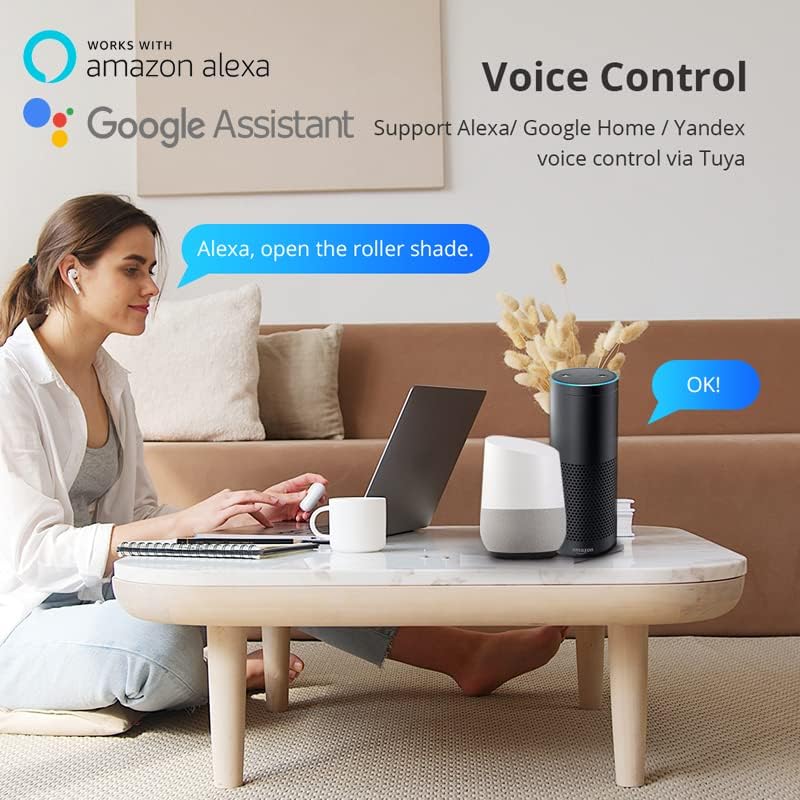
Figure 6: Voice Control Integration
This image illustrates the voice control functionality, showing a user interacting with Amazon Alexa and Google Assistant to operate the roller shade.
4.4. Setting Limits
It is essential to set the upper and lower limits for the blind's movement to prevent damage and ensure proper operation. These limits define the maximum upward and downward travel of the blind. A third position limit can also be set for intermediate stops.
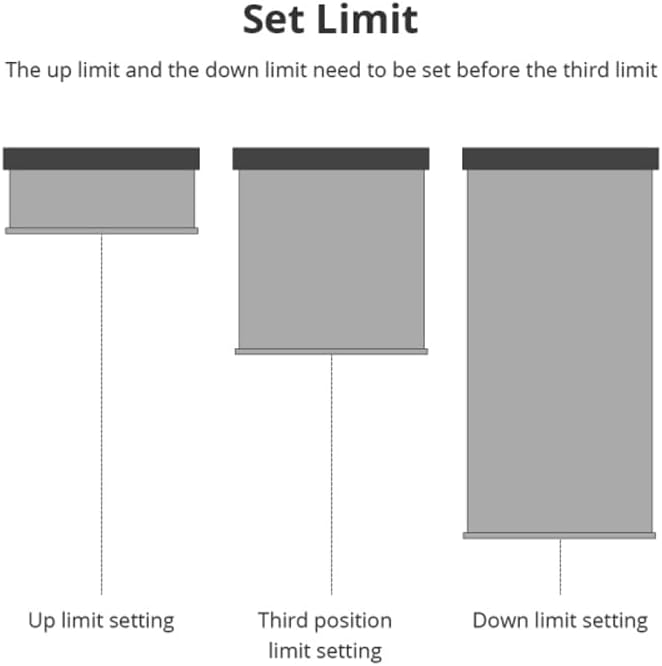
Figure 7: Limit Setting Procedure
This diagram visually explains the process of setting the upper limit, lower limit, and an optional third position limit for the roller blind's movement.
5. Maintenance
The motor is equipped with a built-in 800mAh Li-battery, designed to operate for approximately 3 months on a single charge. Recharge the motor using the provided USB charging cable when the battery level is low. You can use a standard phone charger or a power bank for convenience.
Keep the motor and its components clean and free from dust. Avoid exposing the motor to excessive moisture or extreme temperatures.
6. Troubleshooting
If you encounter issues with your motor, please refer to the following common solutions:
- Motor Not Responding:
- Check if the battery is charged. Recharge if necessary.
- Ensure the remote control battery is functional.
- Verify the WiFi dongle is properly connected and the motor is within WiFi range.
- Blind Not Moving to Correct Limits:
- Recalibrate the upper and lower limits using the app or remote control.
- Ensure there are no obstructions preventing the blind from reaching its set limits.
- Difficulty with App/Voice Control:
- Confirm your WiFi network is active and stable (2.4GHz).
- Ensure the Tuya/Smart Life app is updated to the latest version.
- Re-link the motor with your smart home assistant (Alexa/Google Home) if connectivity issues persist.
For further assistance, please contact customer support.
7. Specifications
| Parameter | Value |
|---|---|
| Model Number | SX-ZM15-US |
| Input | DC 5V/2A |
| Rated Power | 5W |
| Battery Capacity | 7.4V/800mAh Li-battery |
| Torque | 0.3 N.m |
| Rated RPM | 33 RPM |
| Running Noise | 34-40 dB |
| Max Load | 2 KG (for 17mm tube, similar for 25mm tube) |
| Connectivity | WiFi 2.4GHz, RF Remote Control |
| Compatible Tube Diameter | Φ25mm (also compatible with 17mm and 28mm variants) |
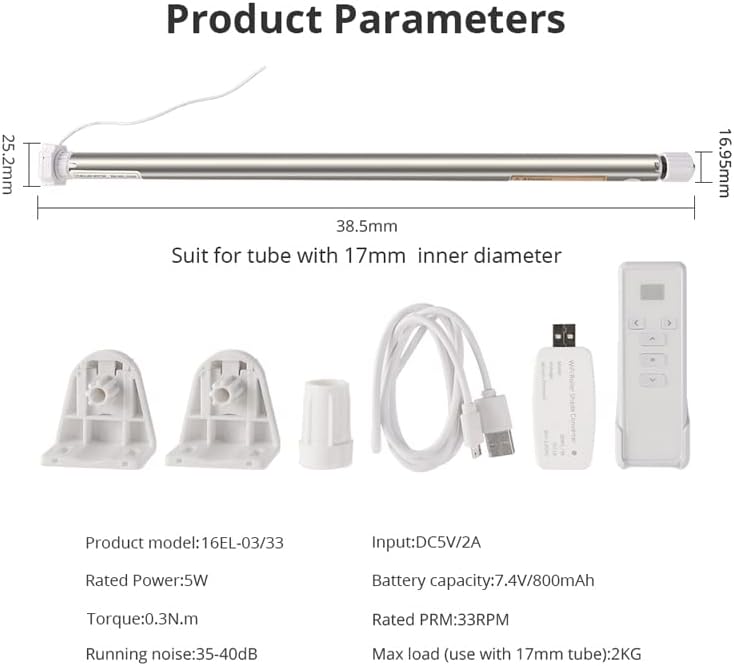
Figure 8: Product Dimensions and Parameters
This image provides a visual representation of the motor's dimensions and a summary of its key technical specifications.
8. Warranty and Support
For any issues, questions, or concerns regarding your SIXIN Rechargeable WiFi Tubular Roller Blind Motor, please contact the seller service directly. This includes inquiries about product compatibility, installation, operation, or any other technical support needs.
Contact information for the seller can typically be found on your purchase receipt or the product page where you acquired the item.


