
Contixo F19
Contixo F19 Drone User Manual
Model: F19 | Brand: Contixo
Introduction
The Contixo F19 Drone is a versatile RC quadcopter designed for both novice and experienced users. It features a 1080p HD FPV camera, offering clear aerial views and recording capabilities. Equipped with advanced functionalities such as 4-way obstacle avoidance, altitude hold, and intelligent flight modes like Follow Me and Waypoint Fly, the F19 provides a stable and engaging flight experience. Its foldable design ensures portability, and with two included batteries, users can enjoy extended flight times.
What's in the Box
Verify that all components are present in your Contixo F19 Drone package:

Image: All components included in the Contixo F19 Drone package, laid out for inspection. This includes the F19 drone, remote controller, two flight batteries, eight propellers, a USB-A to Micro-USB charging cable, sixteen spare screws, an instruction manual, a screwdriver, and a landing pad.
- F19 Drone (x1)
- Flight Battery (x2)
- Remote Control (x1)
- Carrying Case (x1)
- Propeller (x8)
- USB-A to Micro-USB Charging Cable (x1)
- Spare Screw (x16)
- Instruction Manual (x1)
- Screwdriver (x1)
- Landing Pad (x1)
Setup
Follow these steps to prepare your Contixo F19 Drone for its first flight:
- Unfold the Drone: Gently unfold the drone arms until they lock into position. Ensure all four arms are fully extended.

Image: The Contixo F19 drone shown in its compact, folded state and its expanded, ready-to-fly configuration, alongside its remote controller and two flight batteries.
- Install Batteries: Insert the charged flight battery into the drone's battery compartment. Ensure it clicks securely into place. For the remote control, insert the required batteries.

Image: The Contixo F19 drone positioned on a landing pad, with its remote control and two flight batteries displayed next to it, ready for setup.
- Power On: Press and hold the power button on the drone until the indicator lights illuminate. Turn on the remote control using its power switch.
- Connect to Mobile App: Download and install the "WIFI_UAV" app on your smartphone. Go to your phone's Wi-Fi settings and connect to the drone's Wi-Fi network (e.g., "Contixo F19_D206C6"). Open the app and allow necessary permissions (e.g., location).
Video: A step-by-step guide demonstrating how to link the Contixo F19 Drone with its remote control and connect it to a smartphone via Wi-Fi for live FPV viewing and control.
- Calibration: Follow the in-app instructions or manual for compass and gyroscope calibration to ensure stable flight.
Operating the Drone
The Contixo F19 Drone offers various features for an enhanced flying experience:
Basic Flight Controls
- One Key Take Off/Landing: Press the designated button on the remote for automatic take-off or landing.
- Altitude Hold: The drone maintains a stable altitude, allowing for easier control and clearer aerial photography.
- Headless Mode: In this mode, the drone's orientation is relative to the pilot, simplifying control regardless of the drone's front direction.
- 360° Flips: Execute impressive aerial stunts with a single button press.

Image: Visual representation of the Contixo F19 drone's effortless control features, including Altitude Hold for stable hovering, One Key Takeoff/Landing for simplified operation, 360° Flips for aerial acrobatics, and Headless Mode for intuitive directional control.
Advanced Features
- 4-Way Obstacle Avoidance: The drone is equipped with 360-degree environmental perception and laser obstacle avoidance, automatically stopping when obstacles are detected.
- 1080P HD FPV Camera: Capture high-resolution pictures and stable video with the 1080P camera, featuring a 90-degree wide-angle and 90-degree manual adjustable lens. FPV transmission works up to 100ft.
- Intelligent Functions:
- Follow Me: The drone can trace and follow automatically based on a set path.
- Waypoint Fly: Plan a flight path on the app, and the drone will automatically follow it.
- Gesture Selfie: Pose to the camera to initiate photo or video capture without needing to press a button.
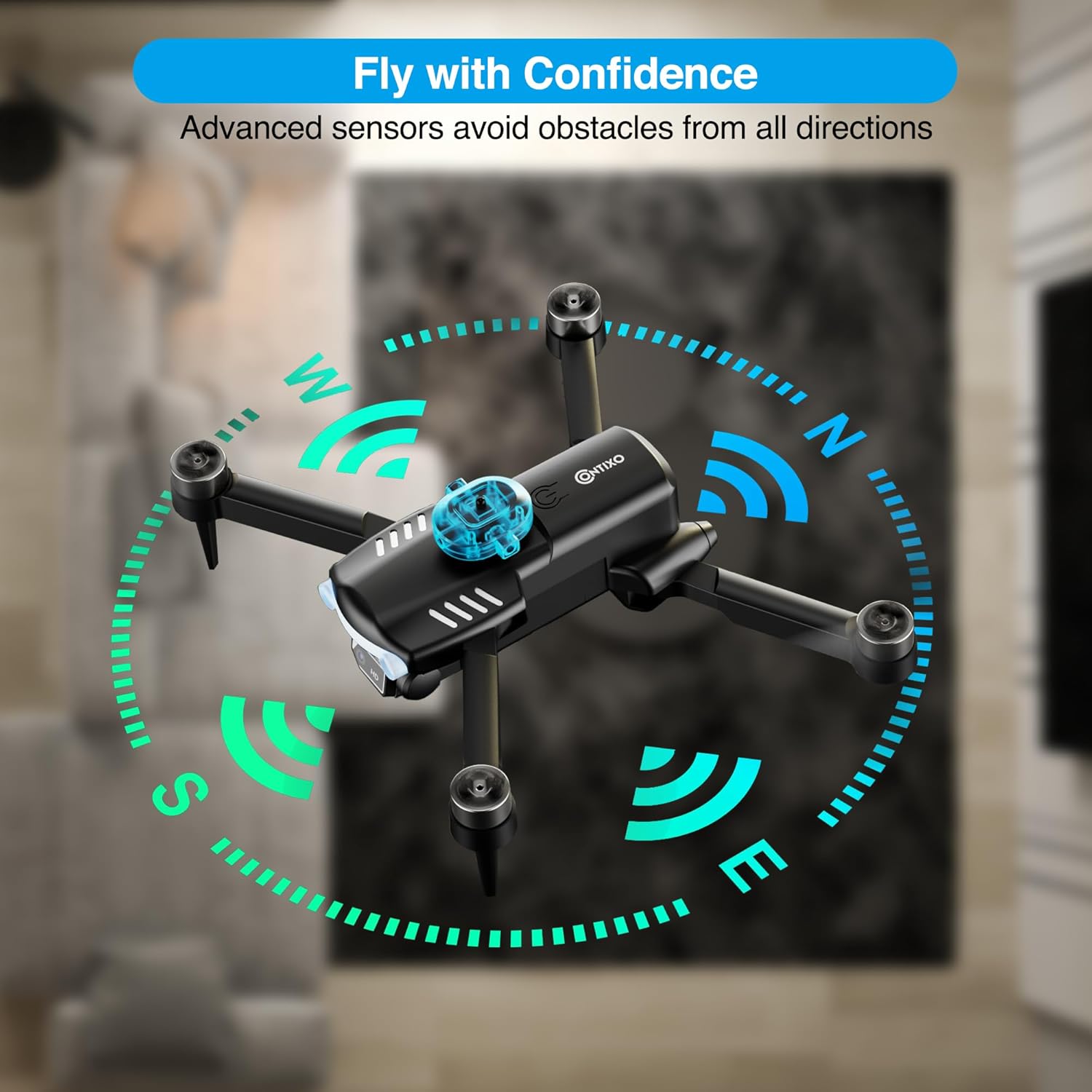
Image: The Contixo F19 drone illustrating its advanced sensors that enable obstacle avoidance from all directions, enhancing flight safety.

Image: Details of the Contixo F19 drone's 1080P HD camera, highlighting its 90-degree adjustable wide-angle lens and showcasing the high-resolution video quality compared to standard definitions.

Image: Illustration of the Contixo F19 drone's creative aerial modes, including Follow Me, Waypoint Fly, and Gesture Selfie, demonstrating how these features enhance user interaction and capture capabilities.
Power System
- Brushless Motors: Operate at high efficiency, providing maximum control and durability.
- Intelligent Battery: Comes with two batteries, providing a total flight time of approximately 20 minutes.

Image: Detailed view of the Contixo F19 drone's brushless motors, emphasizing their high efficiency, and the intelligent battery design, highlighting the extended flight time provided by two included batteries.
Maintenance
Proper maintenance ensures the longevity and optimal performance of your Contixo F19 Drone:
- Battery Care:
- Always use the provided charging cable.
- Do not overcharge or over-discharge the batteries.
- Store batteries in a cool, dry place away from direct sunlight.
- If not used for extended periods, charge batteries to about 50% capacity.
- Propeller Inspection: Regularly check propellers for any signs of damage (cracks, bends). Replace damaged propellers immediately using the provided spares and screwdriver.
- Cleaning: Use a soft, dry cloth to clean the drone body and camera lens. Avoid using harsh chemicals or liquids.
- Motor Care: Keep motors free from dust, sand, and debris. Avoid landing on sandy or dusty surfaces to prevent motor damage.
- Storage: When not in use, fold the drone and store it in its carrying case to protect it from damage.
Troubleshooting
If you encounter issues with your Contixo F19 Drone, refer to the following common solutions:
| Problem | Possible Cause | Solution |
|---|---|---|
| Drone does not power on. | Battery not charged or improperly installed. | Ensure battery is fully charged and correctly inserted. |
| Remote control not connecting. | Improper pairing sequence or low remote battery. | Follow the pairing instructions in the manual. Replace remote batteries if needed. |
| Unstable flight/drifting. | Drone not calibrated or strong winds. | Perform compass and gyroscope calibration. Avoid flying in strong winds. |
| FPV image lag or disconnection. | Weak Wi-Fi signal or interference. | Ensure phone is connected to drone's Wi-Fi. Reduce distance between drone and phone. Avoid areas with high Wi-Fi interference. |
| Propellers not spinning. | Propellers obstructed or motor issue. | Check for obstructions. Ensure drone is powered on and paired. If issue persists, contact support. |
Specifications
| Feature | Detail |
|---|---|
| Brand | Contixo |
| Model Name | F19 |
| Special Feature | Foldable |
| Age Range (Description) | Adult |
| Color | Black |
| Video Capture Resolution | 1080p |
| Connectivity Technology | Wi-Fi |
| Skill Level | Beginner |
| Item Weight | 109 Grams (3.84 ounces) |
| Battery Capacity | 1800 Milliamp Hours |
| Video Capture Format | MP4 |
| Remote Control Technology | IR |
| Control Type | Remote Control |
| Media Type | SD |
| Maximum Range | 30.5 Meters |
| Material | ABS, Plastic |
| Battery Cell Composition | Lithium Polymer |
| Are Batteries Included | Yes |
| Supported Image Format | JPEG |
| Video Output Resolution | 1080p |
| Rechargeable Battery Included | Yes |
| Product Dimensions | 8.86"L x 2.6"W x 9.17"H |
| UPC | 850001962506 |
Warranty and Support
Contixo is committed to customer satisfaction. For any product-related inquiries, technical assistance, or warranty claims, please refer to the contact information provided in your product packaging or visit the official Contixo website. Contixo aims to ensure 100% customer satisfaction and welcomes feedback to constantly improve their products and services.
For additional support, you may also refer to the Contixo Store on Amazon.
Ask a question about this manual
Ask about setup, troubleshooting, compatibility, parts, safety, or missing instructions. Manuals+ will review the question and use this page’s manual context to help answer it.