
Introduction
The Philips Sonicare ProtectiveClean 4100 Electric Rechargeable Toothbrush is designed to provide effective plaque control and improve gum health. This manual outlines the proper use and care of your toothbrush to ensure optimal performance and longevity.

Figure 1: Philips Sonicare ProtectiveClean 4100 Electric Rechargeable Toothbrush with its components and highlighted features.
Product Features
- Plaque Control: Designed to effectively remove plaque and support gum health.
- Automatic Operation: Provides consistent and thorough cleaning.
- Medium Firmness Brush Head: Offers comfortable and effective cleaning.
- Electric Rechargeable Power: Convenient and sustainable power source.
- Pressure Sensor: Alerts you when brushing too hard to protect gums and teeth.
- 2-Minute SmarTimer: Ensures recommended brushing time.
- QuadPacer: Guides you to brush each quadrant of your mouth evenly.
- Brush Head Replacement Reminder: Indicates when to replace the brush head for optimal cleaning.
- Long-lasting Battery: Provides up to 14 days of use on a single charge.

Figure 2: Key features of the ProtectiveClean 4100, including battery life, QuadPacer, and brush head reminder.
Getting Started
1. Initial Charging
Before first use, charge your Philips Sonicare toothbrush for at least 24 hours. Place the handle on the charging base. The battery indicator light will flash to show it is charging. A full charge provides up to 14 days of regular use.
2. Attaching the Brush Head
Align the brush head with the handle so the bristles face the same direction as the front of the handle. Push the brush head down firmly onto the metal shaft until it clicks into place. To remove, pull the brush head straight up from the handle.
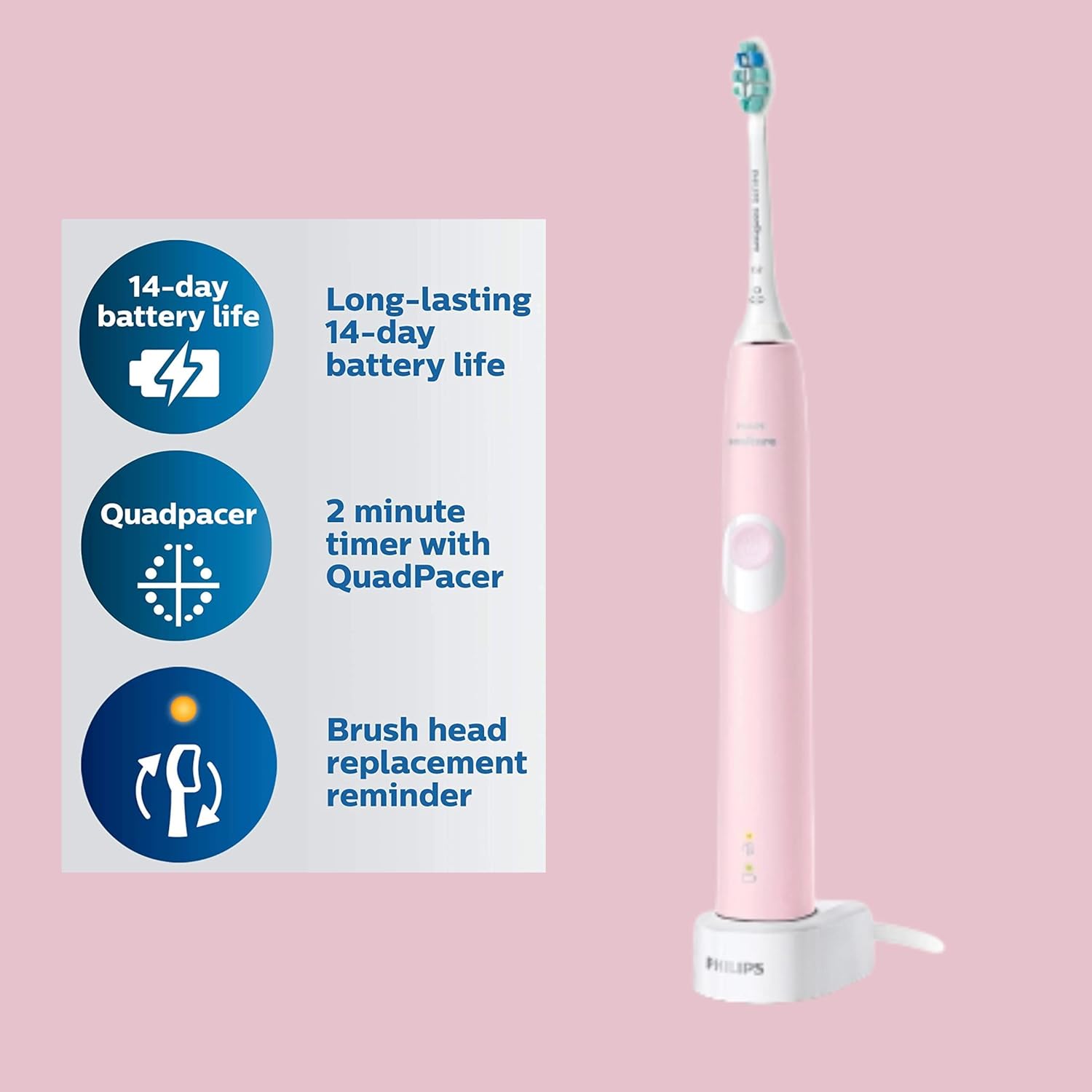
Figure 3: The toothbrush on its charging base, indicating charging status and features.
How to Use
1. Brushing Technique
- Wet the bristles and apply a small amount of toothpaste.
- Place the toothbrush bristles against your teeth at a slight angle towards the gumline.
- Press the power button to turn on the toothbrush.
- Gently move the brush head slowly across your teeth in small back-and-forth motions, allowing the sonic vibrations to do the work. Do not scrub.
- The QuadPacer will beep and pause briefly every 30 seconds to indicate when to move to the next quadrant of your mouth.
- The SmarTimer will automatically turn off the toothbrush after 2 minutes of brushing.
2. Pressure Sensor
Your Philips Sonicare toothbrush is equipped with a pressure sensor. If you apply too much pressure while brushing, the handle will vibrate differently to alert you. Reduce pressure immediately to protect your gums and teeth from damage.

Figure 4: The pressure sensor helps protect your teeth and gums by alerting you to excessive force.

Figure 5: Visual representation of the pressure sensor alert when brushing too hard.
Maintenance
1. Cleaning
- After each use, rinse the brush head and bristles thoroughly under running water.
- Wipe the handle with a damp cloth. Do not immerse the handle in water.
- Clean the charging base regularly with a damp cloth. Ensure it is unplugged before cleaning.
2. Brush Head Replacement
For optimal results, replace your Philips Sonicare brush head every 3 months, or sooner if the bristles become splayed or worn. The brush head replacement reminder light on your handle will also indicate when it's time for a new brush head.
Troubleshooting
- Toothbrush not turning on: Ensure the battery is charged. Place the handle on the charger for at least 24 hours.
- Reduced brushing power: This may indicate a low battery. Recharge the toothbrush.
- Brush head feels loose: Ensure the brush head is firmly pushed onto the metal shaft until it clicks. If it continues to feel loose, the brush head may be worn and require replacement.
- Pressure sensor constantly activating: Review your brushing technique to ensure you are not applying excessive pressure.
Specifications
- Model Number: Phi0304
- Power Source: Battery Powered (Rechargeable)
- Item Firmness Description: Medium
- Package Dimensions: 8.66 x 4.33 x 2.52 inches
- Item Weight: 9.91 ounces
- Manufacturer: Philips
Safety Information
- Choking hazard: Keep out of reach of children under 3 years. Not intended for use as a toy.
- Do not use for purposes other than oral hygiene.
- Battery may pose a fire risk if damaged or improperly handled. Do not disassemble or modify the battery. Follow instructions for proper use and charging.
Official Product Video
Video: Everything you need to know about the Philips Sonicare 4100 Electric Toothbrush. This video provides a detailed overview of the toothbrush's features and benefits.
Warranty and Support
For warranty information and customer support, please refer to the documentation included with your product or visit the official Philips website. Keep your purchase receipt as proof of purchase for any warranty claims.


