
1. Introduction
Thank you for purchasing the GiveBest Portable Space Heater. This manual provides important information regarding the safe operation, installation, maintenance, and troubleshooting of your new heater. Please read this manual thoroughly before using the product and retain it for future reference.

The GiveBest Space Heater is designed to provide warmth and comfort in various indoor environments.
2. Important Safety Instructions
WARNING: Read all instructions before using this heater. Failure to follow these instructions may result in electric shock, fire, or serious injury.
- Do not use this heater outdoors. It is designed for indoor use only.
- This heater is hot when in use. To avoid burns, do not let bare skin touch hot surfaces.
- Keep combustible materials, such as furniture, pillows, bedding, papers, clothes, and curtains at least 3 feet (0.9 m) from the front of the heater and keep them away from the sides and rear.
- Extreme caution is necessary when any heater is used by or near children or invalids and whenever the heater is left operating and unattended.
- Always unplug heater when not in use.
- Do not operate any heater with a damaged cord or plug or after the heater malfunctions, has been dropped or damaged in any manner. Return heater to authorized service facility for examination, electrical or mechanical adjustment, or repair.
- Do not run cord under carpeting. Do not cover cord with throw rugs, runners, or similar coverings. Arrange cord away from traffic area and where it will not be tripped over.
- To disconnect heater, turn controls to OFF, then remove plug from outlet.
- Do not insert or allow foreign objects to enter any ventilation or exhaust opening as this may cause an electric shock or fire, or damage the heater.
- To prevent a possible fire, do not block air intakes or exhaust in any manner. Do not use on soft surfaces, like a bed, where openings may become blocked.
- A heater has hot and arcing or sparking parts inside. Do not use it in areas where gasoline, paint, or flammable vapors or liquids are used or stored.
- Use this heater only as described in this manual. Any other use not recommended by the manufacturer may cause fire, electric shock, or injury to persons.
- Always plug heaters directly into a wall outlet/receptacle. Never use with an extension cord or relocatable power tap (outlet/power strip).
Safety Features:
- Overheat Protection: The heater will automatically shut off if it overheats.
- Tip-Over Shut-off: The heater will automatically shut off if it is accidentally tipped over.
- 24H Unattended Auto Off: For enhanced safety, the heater is designed to automatically power off after 24 hours of continuous operation without user interaction.

The heater incorporates multiple safety features for reliable operation.
3. Product Overview
The GiveBest PTC-906E is a portable ceramic space heater designed for efficient and safe indoor heating. It features a digital display and multiple operating modes.
Key Features:
- Instant and Stable Heating: Utilizes PTC ceramic heating elements for rapid and consistent warmth.
- 4 Operating Modes: Includes 1500W (High), 750W (Low), ECO (Economical), and Fan-only modes.
- Digital Thermostat: Allows precise temperature control.
- 12-Hour Programmable Timer: For scheduled operation.
- Quiet Operation: Produces less than 45 decibels of noise, suitable for bedrooms.
- Portable Design: Compact size (6.1"D x 7.7"W x 10.1"H) and lightweight (3.67 lbs) with a built-in carry handle.

The heater's front view, highlighting the digital display and heating element.

Compact dimensions and integrated carry handle for easy portability.

The heater provides rapid warmth, reaching desired temperatures quickly.

Designed for low-noise operation, making it suitable for use in quiet environments like bedrooms.
4. Setup
- Unpack: Carefully remove the heater from its packaging. Retain the packaging for off-season storage.
- Placement: Place the heater on a firm, level surface. Ensure there are no obstructions within 3 feet (0.9 m) of the front, sides, and rear of the heater. Do not place it on soft surfaces like rugs or carpets that could block air vents.
- Power Connection: Plug the power cord directly into a 120V AC, 60Hz wall outlet. Do not use extension cords or power strips.
5. Operating Instructions
Control Panel:
The heater features a digital control panel with buttons for power, mode selection, temperature adjustment, and timer settings. The LED display shows the current temperature or timer setting.
Power On/Off:
- Press the Power button to turn the heater ON or OFF.
Mode Selection:
Press the Mode button to cycle through the available modes:
- High Heat (1500W): Provides maximum heating output.
- Low Heat (750W): Provides reduced heating output for energy saving.
- ECO Mode: Automatically adjusts heating power (High or Low) to maintain a set temperature, optimizing energy consumption.
- Fan Mode: Operates as a fan without heat, circulating air.

ECO mode automatically adjusts heating to maintain a comfortable and energy-efficient temperature.
Temperature Adjustment:
- In High, Low, or ECO modes, use the Temperature Up (+) and Temperature Down (-) buttons to set your desired room temperature. The digital display will show the set temperature.
Timer Function:
- Press the Timer button to activate the 12-hour programmable timer.
- Each press will increase the timer setting by 1 hour, up to a maximum of 12 hours.
- The heater will automatically turn off once the set time has elapsed.
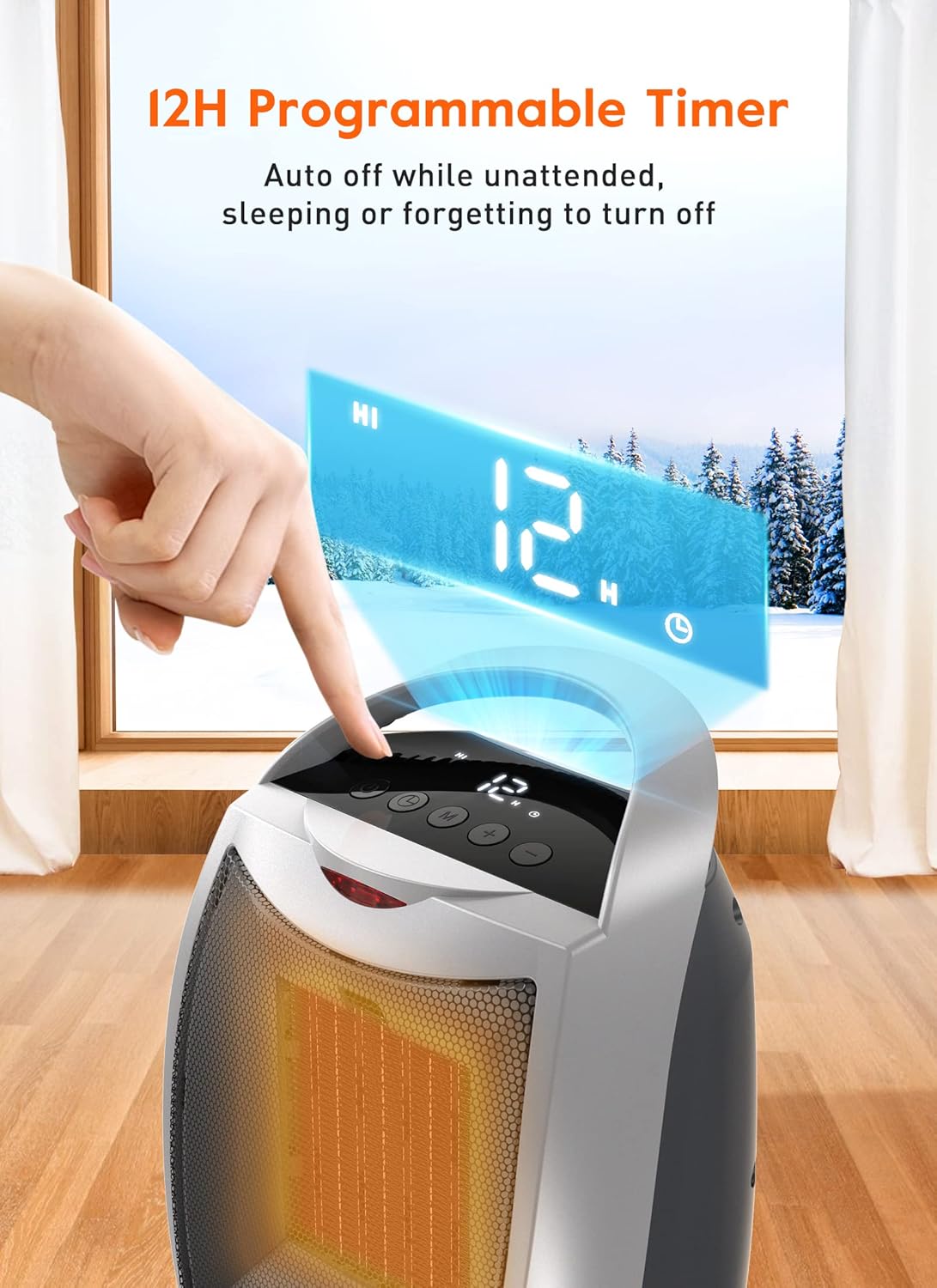
The 12-hour programmable timer allows for automatic shut-off.
6. Maintenance
WARNING: Always unplug the heater and allow it to cool completely before cleaning or performing any maintenance.
Cleaning:
- Use a soft, damp cloth to wipe the exterior surfaces of the heater. Do not use abrasive cleaners or solvents.
- Gently vacuum the air intake and exhaust grilles to remove dust and lint. Ensure no water enters the heater's interior.
- Do not immerse the heater in water or spray water directly onto it.
Storage:
- Store the heater in its original packaging in a cool, dry place when not in use.
- Avoid placing heavy objects on top of the heater during storage.
7. Troubleshooting
If your heater is not operating correctly, please refer to the following common issues and solutions:
| Problem | Possible Cause | Solution |
|---|---|---|
| Heater does not turn on. | No power, tip-over switch activated, overheat protection activated. | Ensure plug is securely in outlet. Check circuit breaker. Place heater on a flat, stable surface. Allow heater to cool down for 30 minutes if it overheated. |
| Heater produces no heat. | Fan mode selected, temperature setting too low. | Switch to High, Low, or ECO heat mode. Increase the desired temperature setting. |
| Heater makes unusual noise. | Dust/debris in fan, loose component. | Unplug and clean air grilles. If noise persists, discontinue use and contact customer support. |
| Heater shuts off unexpectedly. | Overheat protection, tip-over switch, 24H auto off, timer elapsed. | Check for obstructions blocking airflow. Ensure heater is upright. Check timer settings. Allow to cool if overheated. |
If the problem persists after attempting these solutions, please contact GiveBest customer support.
8. Specifications
| Feature | Specification |
|---|---|
| Brand | GiveBest |
| Model Number | PTC-906E |
| Color | Silver - Digital |
| Product Dimensions | 6.1"D x 7.8"W x 10.1"H |
| Item Weight | 3 pounds |
| Heating Coverage | Up to 200 sq.ft |
| Burner Type | High-efficient PTC Ceramic |
| Fuel Type | Electric |
| Voltage | 120 Volts (AC) |
| Number of Speeds | 2 (High/Low heat) + Fan |
| Special Features | Digital Display, Energy Efficient, On Off Timer, Overheat Protection, Tip-over Protection, 24H Unattended Auto Off, Portable, Digital Thermostat |
| Indoor/Outdoor Usage | Indoor |
| UPC | 630128804275 |
9. Warranty and Support
GiveBest products are manufactured to high-quality standards. For information regarding warranty coverage, please refer to the warranty card included with your purchase or visit the official GiveBest website.
If you have any questions, concerns, or require technical assistance, please contact GiveBest customer support through the retailer where the product was purchased or via the contact information provided on the official GiveBest website.