
Introduction
This manual provides comprehensive instructions for the PERFASCIN MSD-CD07VD replacement remote control. This remote is designed to be compatible with various Mitsubishi Air Conditioner models, including MP07A, MP-04A, MP04B, MP-07A, MSH-CB12VD, KF-23G/H, and KFR-36G/H. Please read this manual carefully to ensure proper use and to maximize the functionality of your remote control.
Product Overview
The PERFASCIN MSD-CD07VD is an infrared (IR) remote control designed for ease of use with compatible Mitsubishi air conditioning units. It features a standard button layout for common air conditioner functions.

Figure 1: Front view of the remote control, displaying the screen and button layout.

Figure 2: Angled view of the remote control, showing its ergonomic shape.
Setup: Battery Installation
The remote control requires two AAA alkaline batteries (not included) for operation. No programming or pairing is needed; simply install the batteries to begin use.
- Locate the battery compartment on the back of the remote control.
- Slide the battery compartment cover downwards to open it.
- Insert two 1.5V AAA alkaline batteries, ensuring the positive (+) and negative (-) terminals align correctly with the markings inside the compartment.
- Slide the battery compartment cover back into place until it clicks securely.

Figure 3: Back of the remote control with the battery cover removed, revealing the battery slots.
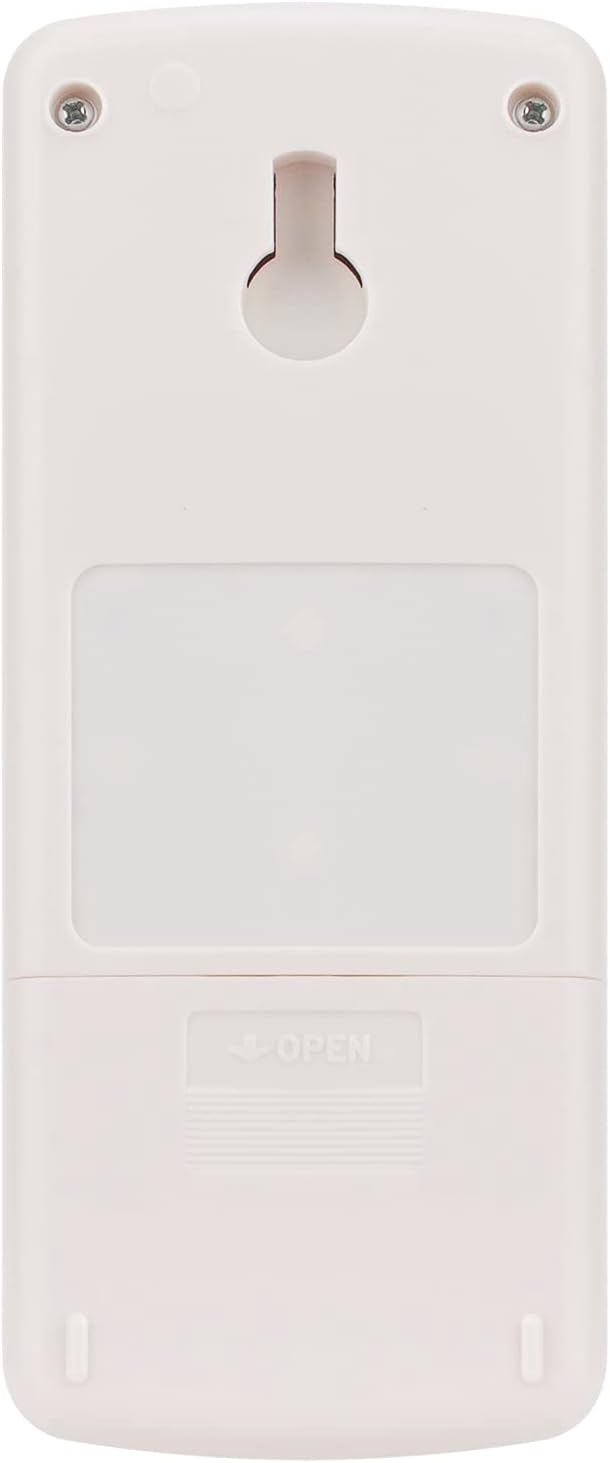
Figure 4: Back of the remote control with the battery cover closed.
The remote control is now ready for use.
Operating Instructions
Point the remote control directly at the air conditioner's receiver. The maximum effective range is approximately 33 feet (10 meters).
- ON/OFF Button: Press to turn the air conditioner on or off.
- MODE Button: Cycles through operating modes such as Cool, Heat, Fan, Dry, and Auto.
- FAN Button: Adjusts the fan speed (e.g., Low, Medium, High, Auto).
- Temperature Adjustment Buttons (▲/▼): Increases or decreases the set temperature.
- VANE Button: Controls the direction of the air swing (if supported by your AC unit).
- TIME Button: Used for setting timer functions (e.g., On Timer, Off Timer).
- SELECT Button: Used in conjunction with timer or other advanced settings.
- RESET Button: A small recessed button, typically used to reset the remote to factory defaults. Use a pointed object (like a pen tip) to press.
- Special Functions (if present):
- I FEEL COOL / TOO WARM / TOO COOL: These buttons may offer quick adjustments based on perceived comfort.
- ECONO COOL: Activates energy-saving cooling mode.
- POWERFUL COOL: Activates maximum cooling power for a short period.
- FAN-DRY: Combines fan operation with dehumidification.
Maintenance
- Cleaning: Wipe the remote control with a soft, dry cloth. Do not use liquid cleaners or abrasive materials.
- Battery Replacement: Replace batteries when the remote's response becomes sluggish or the display dims. Always replace both batteries at the same time with new AAA alkaline batteries.
- Storage: If the remote control will not be used for an extended period, remove the batteries to prevent leakage and damage.
- Avoid Exposure: Do not expose the remote control to direct sunlight, high temperatures, or high humidity.
Troubleshooting
| Problem | Possible Cause | Solution |
|---|---|---|
| Remote not responding. | Dead or incorrectly installed batteries. | Replace batteries with new 1.5V AAA alkaline batteries, ensuring correct polarity. |
| Remote has short range or intermittent response. | Weak batteries; Obstruction between remote and AC unit; Remote sensor on AC unit is blocked. | Replace batteries. Ensure a clear line of sight to the AC unit. Check and clear any obstructions on the AC unit's sensor. |
| Air conditioner does not respond to specific buttons. | Button malfunction; AC unit does not support the function. | Try pressing the button firmly. Confirm your specific AC model supports the function. If the issue persists, the remote may be faulty. |
If troubleshooting steps do not resolve the issue, please contact customer support.
Specifications
- Brand: PERFASCIN
- Model Number: MSD-CD07VD
- Compatible Devices: Mitsubishi Air Conditioners (models including MP07A, MP-04A, MP04B, MP-07A, MSH-CB12VD, KF-23G/H, KFR-36G/H)
- Connectivity Technology: Infrared (IR)
- Power Supply: 2 x 1.5V AAA Alkaline Batteries (not included)
- Maximum Range: Approximately 33 feet (10 meters)
- Controller Type: Button Control
- Special Feature: Ergonomic design
- Color: black
- Item Weight: 2.3 Ounces
- Item Dimensions (L x W x H): 3.5" x 1" x 0.2"
Warranty and Support
This product is a replacement remote control and typically comes with a standard manufacturer's warranty. For specific warranty details or technical support, please refer to the seller's information or contact PERFASCIN customer service directly.
If you have any queries regarding the compatibility or functionality of this remote control, please contact the seller for professional assistance.