
Introduction
This manual provides detailed instructions for the operation and maintenance of your TaIYanG Bluetooth Keyboard. Please read this manual thoroughly before using the product to ensure proper function and longevity.
The TaIYanG Bluetooth Keyboard is a versatile wireless Bluetooth keyboard designed for broad compatibility with various devices, including iPads, iPhones, Android tablets, and Windows devices. It features a sleek, ultra-slim design, comfortable and quiet typing experience, and a long-lasting rechargeable battery.
Package Contents
Please check the package contents carefully. If any items are missing or damaged, please contact customer support.
- 1 x TaIYanG Bluetooth Keyboard
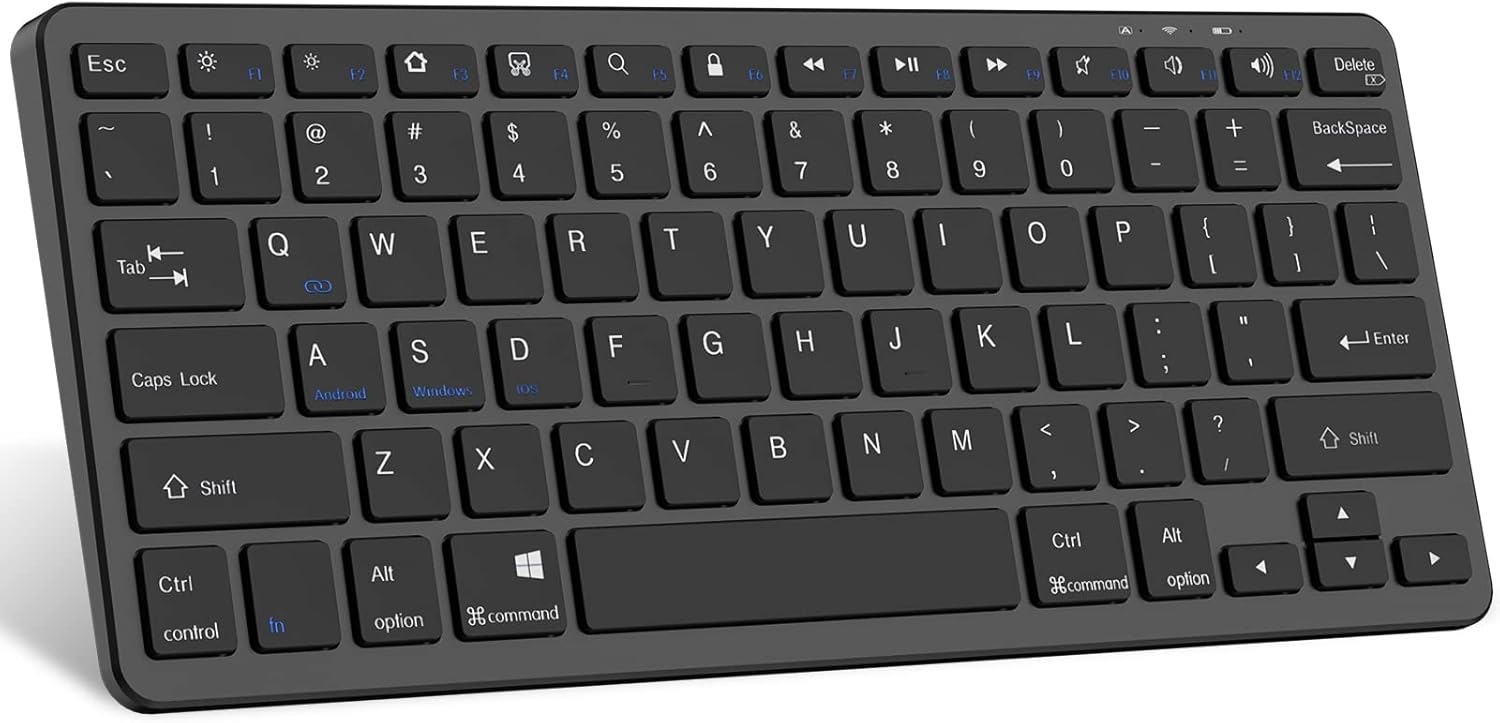
Image: The TaIYanG Bluetooth Keyboard, showing its full layout.
Setup Guide
1. Charging the Keyboard
Before first use, fully charge the keyboard. Connect the included charging cable to the keyboard's charging port and to a USB power source. The charging indicator light will illuminate during charging and turn off when fully charged.
- Charging Time: Approximately 2 hours
- Battery Life: Up to 10 days of constant work, 3 months standby.

Image: The TaIYanG Bluetooth Keyboard connected to a charging cable, illustrating its rechargeable battery feature.
2. Bluetooth Pairing
- Turn on the keyboard by sliding the power switch to the "ON" position. The Bluetooth indicator light will start blinking.
- On your device (iPad, tablet, phone), go to Settings > Bluetooth and turn Bluetooth ON.
- Your device will search for available Bluetooth devices. Select "Bluetooth Keyboard" or a similar name from the list.
- If prompted, enter the pairing code displayed on your device using the keyboard and press Enter.
- Once paired, the Bluetooth indicator light on the keyboard will stop blinking and remain solid, or turn off, indicating a successful connection.

Image: The TaIYanG Bluetooth Keyboard positioned next to an iPad and an iPhone, highlighting its broad compatibility with various devices.
Operating Instructions
System Switching Hotkeys
The keyboard features dedicated hotkeys to switch between different operating systems for optimized functionality:
- Fn + A: Switch to Android system
- Fn + S: Switch to Windows system
- Fn + D: Switch to iOS/iPadOS system
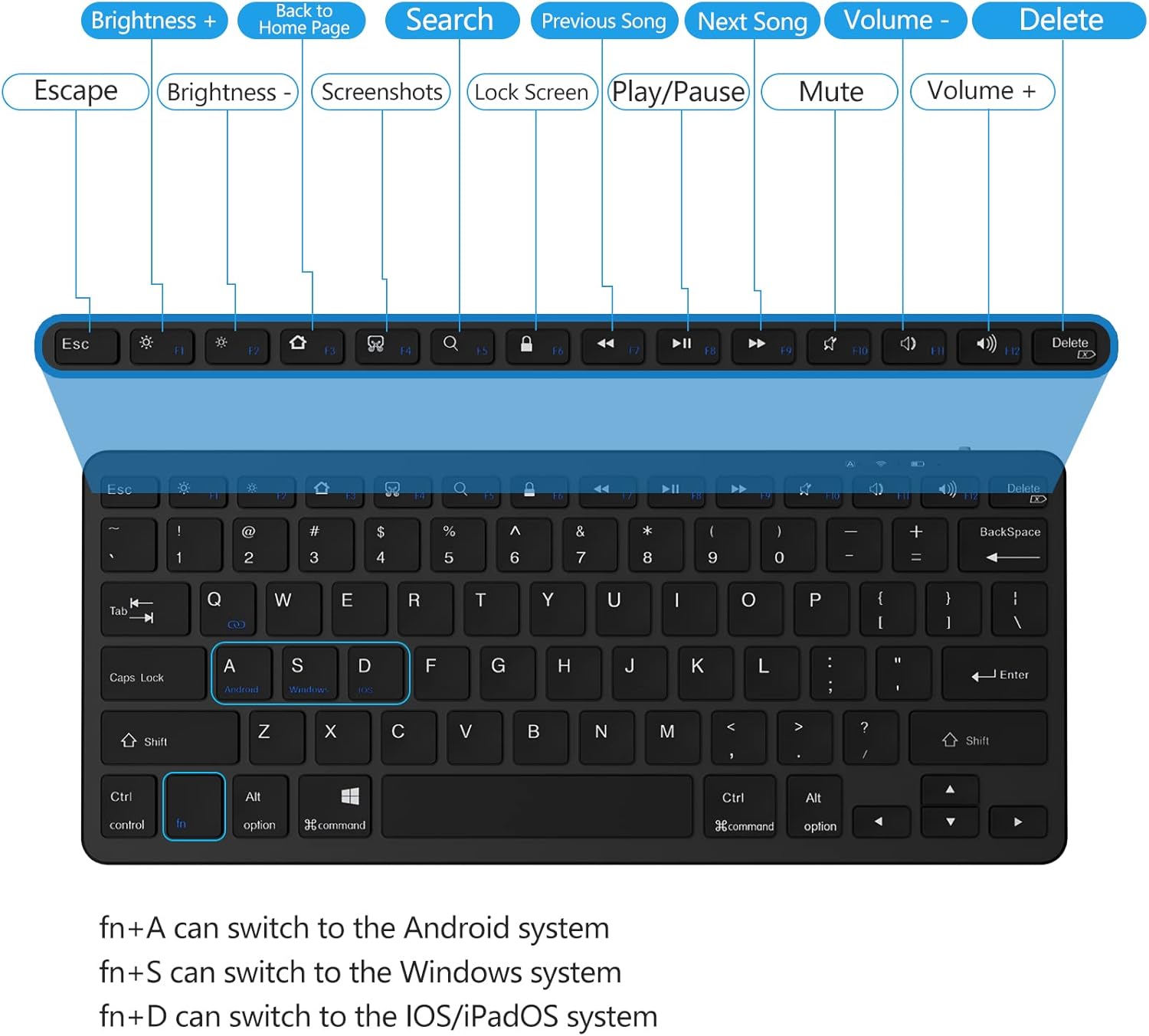
Image: A detailed view of the keyboard layout, highlighting the function keys and their corresponding actions for different operating systems.
Function Keys (Hotkeys)
The top row of keys provides quick access to various functions when used with the Fn key (for some functions, or directly for others depending on the OS mode):
| Key | Function |
|---|---|
| Esc | Escape |
| F1 | Brightness Down |
| F2 | Brightness Up |
| F3 | Virtual Keyboard / Screenshot (iOS) |
| F4 | Search |
| F5 | Home Screen |
| F6 | Lock Screen |
| F7 | Previous Track |
| F8 | Play/Pause |
| F9 | Next Track |
| F10 | Mute |
| F11 | Volume Down |
| F12 | Volume Up |
| Delete | Delete |
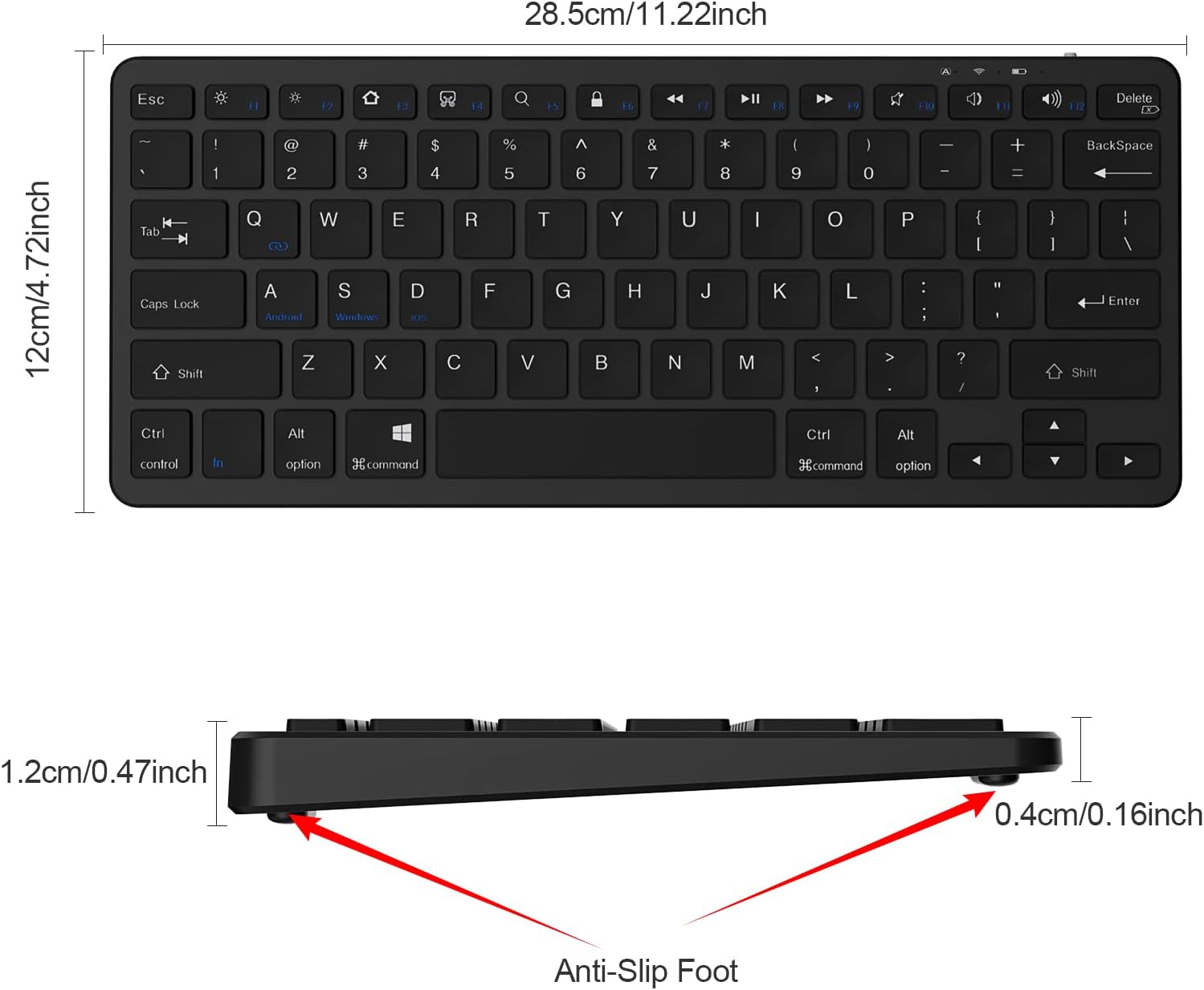
Image: A user's hands typing on the TaIYanG Bluetooth Keyboard, demonstrating its comfortable and quiet typing experience.
Maintenance
Cleaning
- Use a soft, lint-free cloth to clean the keyboard surface.
- For stubborn dirt, slightly dampen the cloth with water or a mild cleaning solution. Do not spray liquids directly onto the keyboard.
- Avoid using harsh chemicals, abrasives, or solvents.
Storage
- Store the keyboard in a cool, dry place away from direct sunlight and extreme temperatures.
- If storing for an extended period, ensure the keyboard is fully charged before storage and recharge it every few months to maintain battery health.
Troubleshooting
| Problem | Solution |
|---|---|
| Keyboard does not turn on. | Ensure the power switch is in the "ON" position. Charge the keyboard for at least 30 minutes. |
| Keyboard does not pair with device. |
|
| Keys are not responding or typing incorrectly. |
|
| Keyboard disconnects frequently. |
|
Specifications
| Feature | Detail |
|---|---|
| Model Number | 281 BT Keyboard |
| Connectivity Technology | Bluetooth |
| Product Dimensions | 11.1 x 4.72 x 0.39 inches (11"L x 4.7"W x 0.2"H) |
| Item Weight | 12.3 ounces |
| Battery Type | 1 Lithium Polymer battery (included) |
| Operating Distance | Up to 10 meters (33 feet) |
| Key Lifespan | Over 3 million times continuously |
| Auto Sleep Feature | After 10 minutes of inactivity |
| Compatible Devices | iPad 10th / 10.2-inch, iPad Air, iPad Pro 11/12.9, iPad 9.7-inch, iPad Mini, iPhone, Android Tablets (e.g., Samsung Galaxy Tab), Windows devices |
Warranty and Support
For warranty information and customer support, please refer to the official TaIYanG website or contact their customer service directly. Keep your purchase receipt for warranty claims.
Return Policy: 30-day refund/replacement (as per Amazon's buybox winner information).
Manufacturer: TaIYanG
Seller: TAIYANG Direct
For further assistance, you may visit the TaIYanG Store on Amazon.
