
OMA 1012EB, 7200EB
OMA Home Treadmill User Manual
Models: 1012EB, 7200EB
1. Introduction
This user manual provides essential information for the safe and effective operation, assembly, and maintenance of your OMA Home Treadmill. Please read this manual thoroughly before using the treadmill to ensure proper function and to prevent injury.
The OMA Home Treadmill is designed for home fitness, offering a convenient way to perform walking, jogging, and running exercises. It features a powerful motor, a multi-functional LED display, and a foldable design for space-saving storage.
2. Important Safety Instructions
WARNING: To reduce the risk of serious injury, read all instructions before using this equipment.
- Always consult with a physician before starting any exercise program.
- Keep children and pets away from the treadmill during operation.
- Place the treadmill on a flat, stable surface with adequate clearance around it.
- Wear appropriate athletic footwear and clothing.
- Do not operate the treadmill if it is damaged or malfunctioning.
- Always use the safety key/clip. Attach it to your clothing before starting the treadmill.
- Do not step on or off the treadmill while the belt is moving.
- Unplug the treadmill from the power outlet when not in use or before cleaning/maintenance.
- Maximum user weight capacity: 300 lbs (136 kg).
3. Setup and Assembly
Your OMA Home Treadmill requires some assembly. Please follow these steps carefully. It is recommended to have two people for assembly.
3.1 Unpacking
- Carefully remove all components from the packaging.
- Verify that all parts listed in the hardware kit and included components are present. (Included Components: User Manual, Belt Lubricant, Hardware Kit, OMA Treadmill)
- Place all packing materials back into the box for future storage or disposal.
3.2 Assembly Steps
Refer to the detailed assembly diagrams provided in the separate assembly guide (if applicable) or the included user manual for specific instructions. General steps include:
- Attach the uprights to the base frame.
- Secure the console to the uprights.
- Connect all necessary electrical cables.
- Ensure all bolts and nuts are tightened securely.
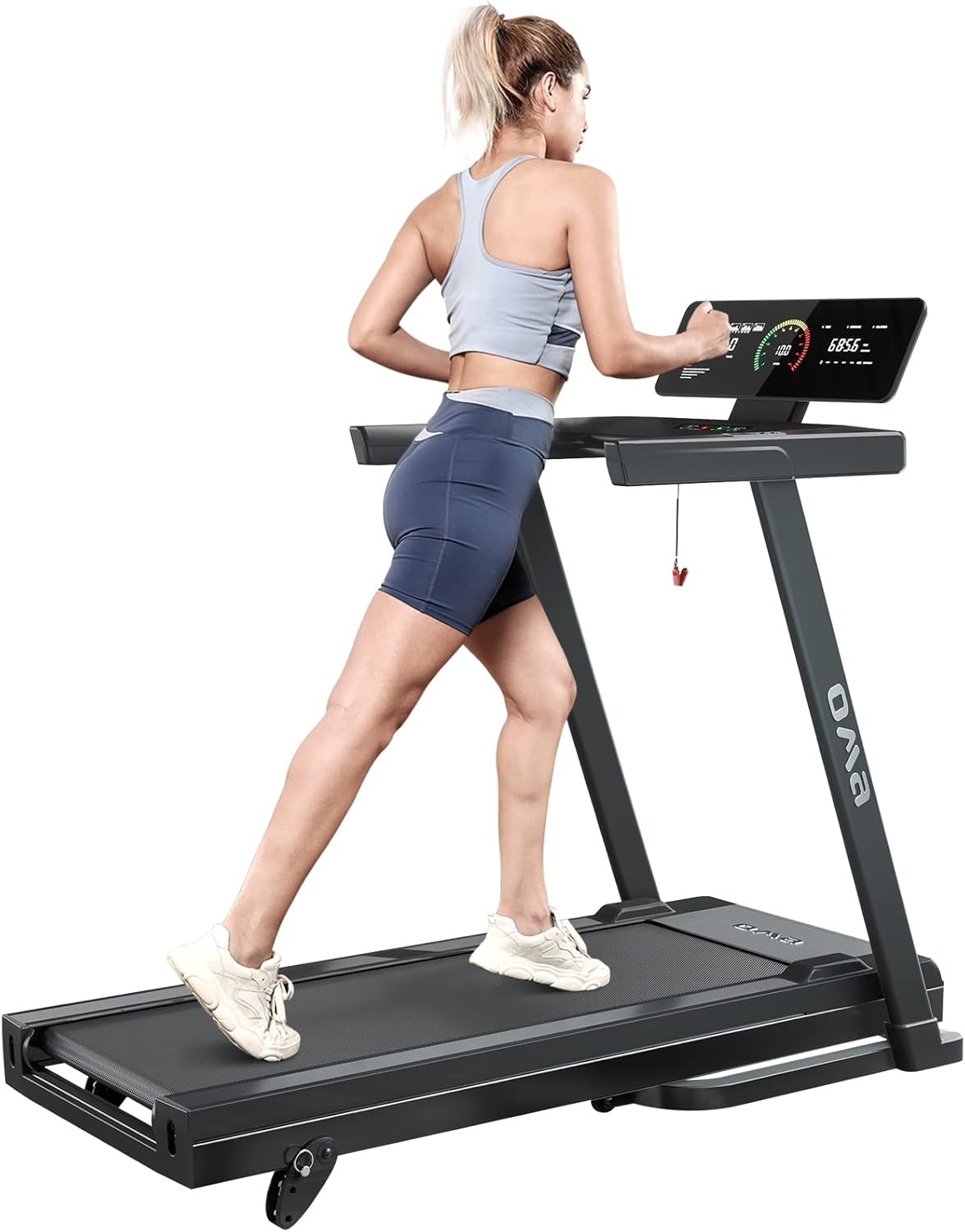
Image: A woman running on the OMA Home Treadmill, demonstrating its operational setup.

Image: The OMA Home Treadmill in its folded position, illustrating its space-saving design and transport wheels for easy mobility.
4. Operating Instructions
4.1 Powering On
- Plug the power cord into a grounded electrical outlet.
- Attach the safety key to the designated slot on the console and clip the other end to your clothing. The treadmill will not operate without the safety key in place.
4.2 Console Features and Display
The multi-functional LED display provides real-time feedback on your workout. It tracks speed, time, distance, calories burned, and pulse.

Image: Overhead view of the OMA Home Treadmill's multi-functional console, highlighting quick access buttons, device holder, water bottle holder, heart rate sensors, and start/stop/speed adjustment buttons.

Image: Close-up of the intuitive LED display on the OMA Home Treadmill, showing metrics such as distance, speed, time, calories, and pulse.
4.3 Motor Information
The treadmill is equipped with a powerful 2.5 HP ultra-quiet motor, allowing for consistent running without disturbing others. It provides a speed range of 0.6-10 mph.

Image: Diagram illustrating the durable and powerful 2.5 HP motor of the OMA Home Treadmill, designed for quiet operation.
4.4 Starting a Workout
- Stand on the side rails of the treadmill.
- Press the "Start" button. The belt will begin to move at a low speed.
- Carefully step onto the moving belt.
- Adjust the speed using the "+" and "-" buttons on the console or handlebars. Speed range: 0.6-10 mph.
4.5 Preset Programs
The treadmill features 36 preset programs designed to vary your workout intensity. Select a program using the "Program" button on the console. Each program has a unique speed and time profile.
4.6 Manual Incline Adjustment
The OMA Home Treadmill offers 3 levels of manual incline adjustment. To change the incline, you must stop the treadmill and manually adjust the incline mechanism at the rear of the treadmill. Refer to the assembly guide for detailed instructions on adjusting the incline.

Image: The OMA Home Treadmill highlighting its sturdy steel frame structure and the 3 levels of manual incline control.
4.7 Stopping a Workout
- Press the "Stop" button to gradually slow down and stop the belt.
- In case of emergency, pull the safety key to immediately stop the treadmill.
5. Maintenance and Care
Regular maintenance ensures the longevity and safe operation of your treadmill.
5.1 Cleaning
- Wipe down the console and other surfaces with a damp cloth after each use. Do not use abrasive cleaners.
- Keep the area around the treadmill clean and free of dust and debris.
5.2 Belt Lubrication
The running belt requires periodic lubrication to reduce friction and extend its lifespan. Use the provided belt lubricant. Frequency depends on usage, typically every 3-6 months for moderate use.
- Unplug the treadmill.
- Loosen the rear roller bolts slightly to lift the belt.
- Apply a thin layer of lubricant to the center of the deck, underneath the belt.
- Tighten the rear roller bolts.
- Run the treadmill at a low speed for a few minutes to distribute the lubricant.
5.3 Belt Adjustment
If the running belt becomes off-center or slips, it may need adjustment. Refer to the specific instructions in your detailed user manual for adjusting belt tension and alignment using the rear roller bolts.

Image: Close-up of the OMA Home Treadmill's 6-layer anti-slip running belt, highlighting its shock absorption and cushioning properties for joint protection.
6. Troubleshooting
This section addresses common issues you might encounter with your treadmill. For problems not listed here, please contact customer support.
| Problem | Possible Cause | Solution |
|---|---|---|
| Treadmill does not power on. | Power cord not plugged in; Safety key not in place; Circuit breaker tripped. | Ensure power cord is securely plugged in; Insert safety key fully; Check household circuit breaker. |
| Running belt slips or hesitates. | Belt tension too loose; Belt needs lubrication. | Adjust belt tension (refer to manual); Lubricate the running belt. |
| Unusual noise during operation. | Loose parts; Motor issue; Belt friction. | Check all assembly bolts for tightness; Lubricate belt; Contact customer support if noise persists. |
7. Product Specifications
| Feature | Specification |
|---|---|
| Model Numbers | 1012EB, 7200EB |
| Motor Horsepower | 2.5 HP |
| Speed Range | 0.6 - 10 mph |
| Maximum Weight Capacity | 300 lbs (136 kg) |
| Running Belt Size | 16.5'' x 45.3'' |
| Display Type | LED |
| Preset Programs | 36 |
| Incline Levels | 3 (Manual) |
| Frame Material | Alloy Steel |
| Foldable | Yes |
| Product Dimensions (Unfolded) | 139.7 x 122.94 x 68.58 cm (55" x 48.4" x 27.8") |
| Product Dimensions (Folded) | Approx. 123 x 83.5 x 70.6 cm (48.8" x 32.9" x 27.8") |
| Item Weight | 45 kg (99 lbs) |
| Power Source | Corded Electric |

Image: Diagram illustrating the dimensions of the OMA Home Treadmill in both unfolded and folded configurations.
8. Warranty and Support
For warranty information and customer support, please refer to the specific warranty card included with your product or contact OMA customer service directly. OMA has over 20 years of experience in fitness product manufacturing.
Manufacturer: OMA
Ask a question about this manual
Ask about setup, troubleshooting, compatibility, parts, safety, or missing instructions. Manuals+ will review the question and use this page’s manual context to help answer it.