
Introduction
The RYOBI 18V ONE+ 1/2" Drill/Driver is a versatile and powerful tool designed for a wide range of drilling and driving applications. It is an integral part of the RYOBI 18V ONE+ System, allowing compatibility with over 260 cordless tools on the same battery platform. This manual provides essential information for the safe and effective operation, setup, maintenance, and troubleshooting of your drill/driver.

Figure 1: The RYOBI 18V ONE+ 1/2" Drill/Driver PCL206B.
Safety Information
Always observe basic safety precautions when using power tools to reduce the risk of fire, electric shock, and personal injury.
- Eye Protection: Always wear eye protection that is marked to comply with ANSI Z87.1.
- Work Area: Keep your work area clean and well-lit. Cluttered or dark areas invite accidents.
- Electrical Safety: Do not expose power tools to rain or wet conditions. Avoid body contact with grounded surfaces.
- Personal Safety: Stay alert, watch what you are doing, and use common sense. Do not use the tool while tired or under the influence of drugs, alcohol, or medication.
- Tool Use and Care: Do not force the power tool. Use the correct power tool for your application. Disconnect the battery pack from the power tool before making any adjustments, changing accessories, or storing power tools.
- Battery Care: Use only with specified battery packs. Do not incinerate the battery pack even if it is severely damaged.
Product Features
- Powerful Motor: Provides up to 515 in-lbs. of torque for demanding applications.
- 2-Speed Gearbox: Offers speeds up to 1,750 RPM for fast drilling and driving.
- 24-Position Clutch: Allows precise torque adjustment to control the depth of screws and fasteners.
- 1/2" Keyless Ratcheting Chuck: Ensures secure bit retention for various drilling and driving needs.
- On-Board LED Worklight: Illuminates the work area for increased visibility in low-light conditions.
- ONE+ System Compatibility: Works with all RYOBI 18V ONE+ batteries and chargers.
Setup
Battery Installation and Removal
The RYOBI 18V ONE+ 1/2" Drill/Driver operates on an 18V ONE+ battery (sold separately). Ensure the battery is fully charged before use.
- To Install: Align the ribs on the battery with the grooves in the tool's handle. Slide the battery into the handle until it latches securely.
- To Remove: Depress the latch button on the battery pack and pull the battery out of the handle.
Installing and Removing Drill Bits
- To Install: Rotate the chuck counter-clockwise until the jaws are open wider than the bit shank. Insert the bit into the chuck as far as it will go. Rotate the chuck clockwise to tighten the jaws securely around the bit.
- To Remove: Rotate the chuck counter-clockwise to loosen the jaws and remove the bit.
Operating Instructions
Powering On/Off
The drill/driver is activated by the trigger switch located on the handle. The LED worklight will illuminate when the trigger is pressed.
- To Turn On: Squeeze the trigger switch. The speed increases with increased pressure on the trigger.
- To Turn Off: Release the trigger switch.
Adjusting Torque and Clutch
The 24-position clutch allows you to select the appropriate torque setting for your task, preventing over-driving screws or damaging materials.
- Rotate the clutch adjustment collar to the desired setting. Lower numbers are for driving small screws or into soft materials. Higher numbers are for driving large screws or into hard materials.
- For drilling, set the collar to the drill icon (typically the highest setting) for maximum torque.
Changing Speed
The drill/driver features a 2-speed gearbox for optimal performance in different applications.
- Speed 1 (Low): For high torque applications such as driving screws or drilling large holes.
- Speed 2 (High): For fast drilling of small holes.
- To change speed, slide the speed selector switch located on top of the drill. Ensure the tool is stopped before changing speeds.
Using the LED Worklight
The integrated LED worklight automatically illuminates the work surface when the trigger is pressed, providing improved visibility.
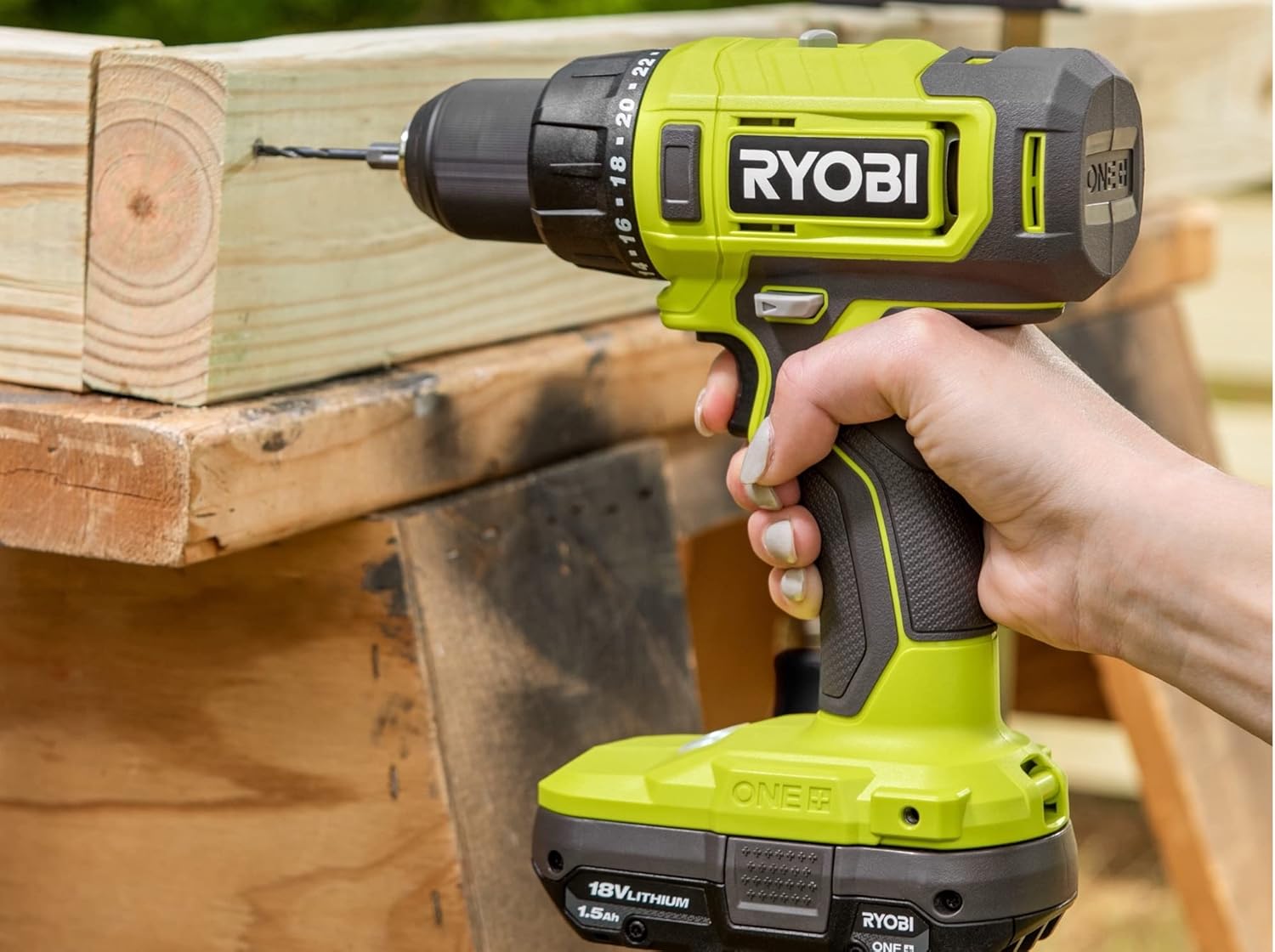
Figure 2: The RYOBI drill in use, demonstrating its drilling capability.

Figure 3: The RYOBI drill being used with a Kreg jig for precise woodworking.
Maintenance
Regular maintenance ensures optimal performance and extends the life of your tool.
- Cleaning: Keep the tool's air vents clear and free of debris. Use a clean, dry cloth to wipe down the tool. Do not use solvents or harsh chemicals.
- Storage: Store the tool and battery in a cool, dry place, away from direct sunlight and excessive heat.
- Inspection: Periodically inspect the chuck, bits, and power cord (if applicable) for wear or damage. Replace worn parts as needed.
Troubleshooting
| Problem | Possible Cause | Solution |
|---|---|---|
| Tool does not start | Battery not charged or improperly installed | Charge battery; ensure battery is fully seated in tool. |
| Loss of power during operation | Battery low; tool overloaded | Recharge battery; reduce load on tool. |
| Bit slips in chuck | Chuck not tightened; bit shank worn | Tighten chuck securely; replace worn bit. |
| Tool overheats | Continuous heavy use; blocked vents | Allow tool to cool; clear air vents. |
Specifications
| Feature | Detail |
|---|---|
| Brand | RYOBI |
| Model Number | ZRPCL206B |
| Power Source | Battery Powered |
| Voltage | 18V |
| Maximum Rotational Speed | 1750 RPM |
| Maximum Torque | 515 Inch Pounds |
| Number of Speeds | 2 |
| Chuck Size | 1/2 inch |
| Item Weight | 3.21 pounds |
| Product Dimensions | 10"L x 4"W x 10"H |
| Included Components | Drill/Driver, Operator's Manual (Battery and charger sold separately) |
Warranty and Support
The RYOBI 18V ONE+ 1/2" Drill/Driver is backed by a RYOBI 3-Year Manufacturer's Warranty. For warranty claims or technical support, please refer to the contact information provided with your product packaging or visit the official RYOBI website.
For additional assistance, please contact customer support:
- Website: www.ryobitools.com
- Phone: Refer to your product documentation for regional support numbers.