
Introduction
Thank you for choosing the VIVOSUN AeroLight A150SE LED Grow Light. This manual provides essential information for the safe and efficient operation of your device. The AeroLight A150SE is designed to provide optimal lighting and air circulation for plant growth, featuring a full-spectrum LED array, an integrated circulatory fan, and smart control capabilities via the VIVOSUN App and GrowHub E25 controller.
What's in the Box
- 150W Economic LED Grow Light
- GrowHub E25 Controller
Product Features
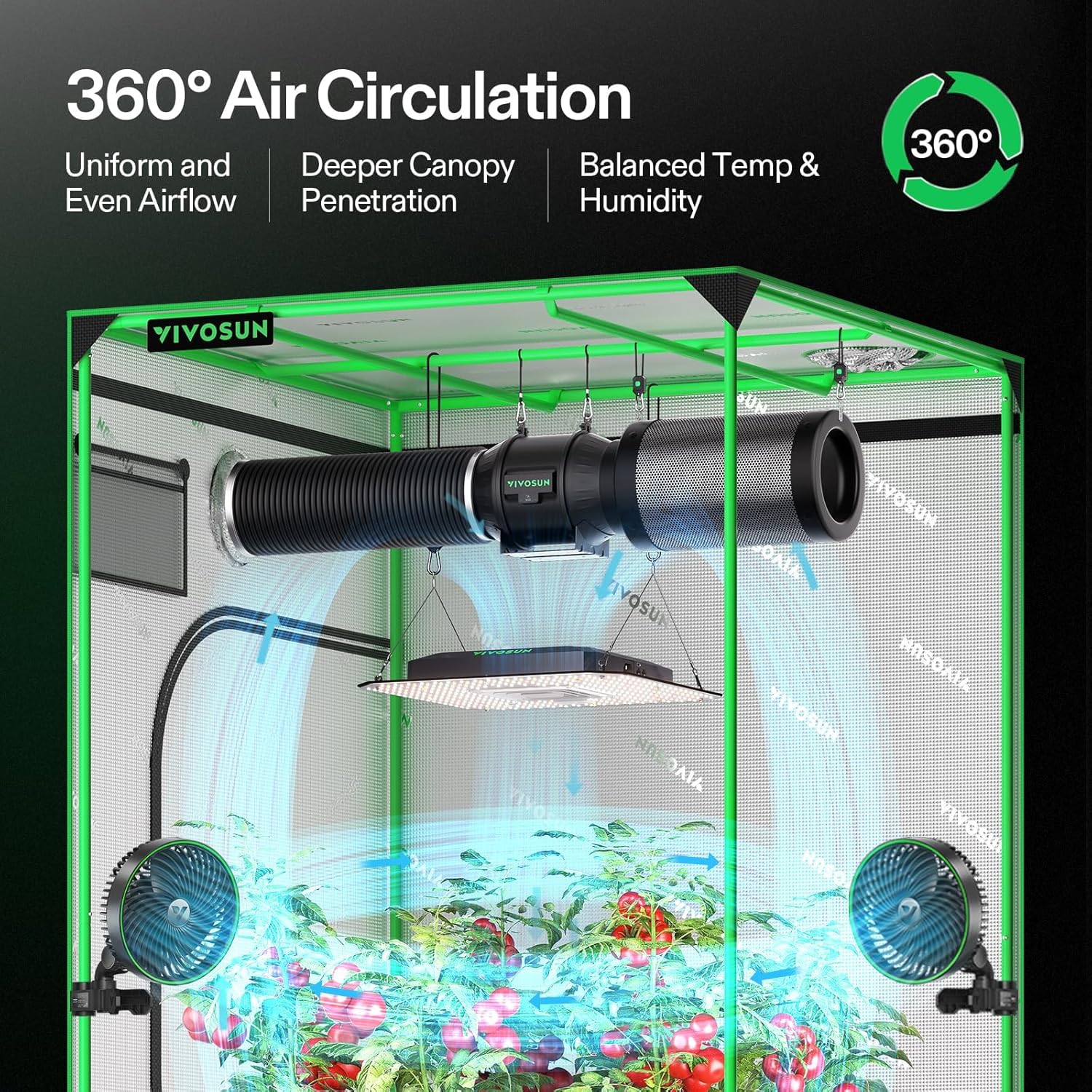
- Integrated Circulatory Fan: Enhances canopy airflow, balances temperature and humidity within the grow space.
- Full-Spectrum Sunlike Lighting: Provides an optimal light spectrum (380-780nm, 660nm, 3000K, 5000K) suitable for all stages of plant growth, from germination to flowering.
- Dimmable Driver: Allows adjustment of light intensity from 25% to 100%.
- Smart Control: Connects with the VIVOSUN Smart Grow System via the GrowHub E25, enabling monitoring and control through the VIVOSUN App.
- Programmable Operation: Design custom Grow Recipes for automated plant care.
- Easy Mounting: Features pre-installed hanging hooks for secure and flexible positioning above the plant canopy or on tent poles.
Setup Instructions
- Unpack Components: Carefully remove the AeroLight A150SE and GrowHub E25 from their packaging. Inspect all components for any damage.
- Mount the Grow Light: Use the pre-installed hanging hooks to suspend the AeroLight A150SE securely above your plant canopy. Ensure the light is level and at the desired height. The light can also be mounted to tent poles for flexible positioning.
- Connect the GrowHub E25: Plug the GrowHub E25 controller into the AeroLight A150SE. Ensure a secure connection.
- Power Connection: Connect the power cord to the GrowHub E25 and then to a suitable power outlet.
- App Integration: Download the VIVOSUN App from your device's app store. Follow the in-app instructions to connect your GrowHub E25 and AeroLight A150SE to your Wi-Fi network.

Operating Instructions
The AeroLight A150SE is primarily controlled through the VIVOSUN App via the GrowHub E25. Ensure your device is properly connected and powered on before proceeding.
Basic Operation via GrowHub E25
- Power On/Off: Use the button on the GrowHub E25 to manually turn the light on or off.
- Intensity Adjustment: The GrowHub E25 allows for basic intensity adjustments. For precise control, use the VIVOSUN App.
Advanced Operation via VIVOSUN App
- Light Intensity: Adjust the dimmable driver from 25% to 100% via the app interface.
- Spectrum Control: Select specific light spectrums optimized for different growth stages (e.g., seedling, vegetative, flowering).
- Fan Speed: Control the speed of the integrated circulatory fan to manage airflow, temperature, and humidity.
- Scheduling: Set custom on/off times and intensity levels for automated operation.
- Grow Recipes: Utilize pre-programmed or custom Grow Recipes to automate the entire growth cycle.


Smart Control & App
The VIVOSUN AeroLight A150SE integrates seamlessly with the VIVOSUN Smart Grow System, allowing comprehensive control and monitoring through the VIVOSUN App.
- Remote Access: Control your AeroLight from anywhere using your smartphone.
- Data Tracking: Monitor and display relevant data such as temperature, humidity, and light intensity to optimize performance.
- Automated Adjustments: Set the system to automatically adjust light intensity, airflow, and air circulation in response to environmental changes.
- Grow Recipes: Access and implement pre-programmed or custom Grow Recipes designed by professional growers for various plant types and growth stages.
Maintenance
Regular maintenance ensures the longevity and optimal performance of your AeroLight A150SE.
- Cleaning: Periodically wipe the light surface and fan blades with a soft, dry cloth to remove dust and debris. Ensure the device is unplugged before cleaning. Do not use harsh chemicals or abrasive materials.
- Fan Inspection: Check the integrated fan for any obstructions or unusual noises. The EC motor with dual ball bearings is designed for long-lasting, quiet performance.
- Cable Check: Regularly inspect power cords and connections for any signs of wear or damage. Replace any damaged cables immediately.

Troubleshooting
If you encounter issues with your AeroLight A150SE, refer to the following common troubleshooting steps:
- Light Not Turning On:
- Ensure the power cord is securely plugged into both the GrowHub E25 and the power outlet.
- Verify that the GrowHub E25 is properly connected to the AeroLight.
- Check if the power outlet is functional by plugging in another device.
- App Connectivity Issues:
- Ensure your smartphone is connected to a 2.4GHz Wi-Fi network (5GHz networks are not supported).
- Restart your Wi-Fi router and the GrowHub E25.
- Confirm that the VIVOSUN App is updated to the latest version.
- If issues persist, try re-pairing the GrowHub E25 with the app according to the in-app instructions.
- Fan Not Operating:
- Check fan settings in the VIVOSUN App to ensure it is enabled and set to a desired speed.
- Inspect the fan for any physical obstructions.
For further assistance, please contact VIVOSUN customer support.
Specifications
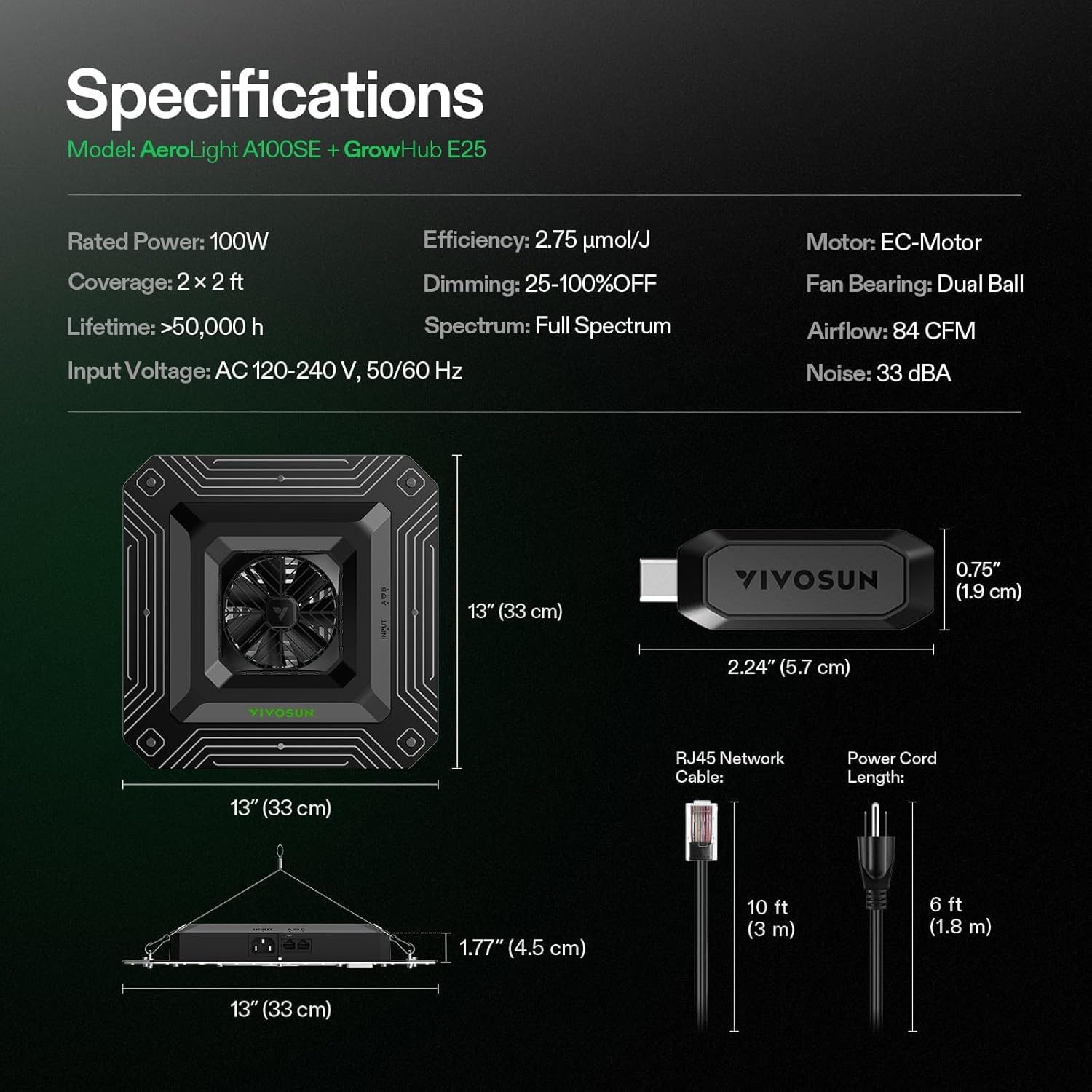
| Feature | Specification |
|---|---|
| Model Number | VSA150SE-E25 |
| Rated Power | 150W |
| Efficiency | 2.75 µmol/J |
| Dimming Range | 25-100% OFF |
| Spectrum | Full Spectrum (380-780nm, 660nm, 3000K, 5000K) |
| Input Voltage | AC 120-240 V, 50/60 Hz |
| Fan Motor | EC-Motor |
| Fan Bearing | Dual Ball |
| Airflow | 84 CFM |
| Noise Level | 33 dBA |
| Item Weight | 3.14 kg |
| Dimensions (L x W x H) | 13"L x 13"W x 1.77"H |
| Material | Aluminum |

Warranty & Support
The VIVOSUN AeroLight A150SE comes with a 3-year after-sales service warranty. This warranty covers manufacturing defects and ensures product reliability under normal use.
For technical support, warranty claims, or any questions regarding your product, please contact VIVOSUN customer service. You can find contact information on the official VIVOSUN website or through your purchase platform.
Visit the VIVOSUN Store on Amazon for more products and information.


