
1. Introduction
Thank you for choosing the Philips Azur 8000 Series Steam Iron. This appliance is designed to provide powerful and efficient ironing results, ensuring your clothes are perfectly smooth with ease. Featuring a 3000W power output for quick heat-up, up to 80g/min continuous steam, and a 260g turbo steam boost, this iron tackles even the most stubborn creases. Its advanced technology ensures no burns on ironable fabrics, and the auto shut-off feature provides added safety. Please read this instruction manual carefully before first use and retain it for future reference.
2. Important Safety Instructions
Always follow basic safety precautions when using electrical appliances to reduce the risk of fire, electric shock, and personal injury.
- Ensure the voltage indicated on the iron corresponds to your local mains voltage before connecting.
- Do not immerse the iron, power cord, or plug in water or any other liquid.
- Always unplug the iron from the power outlet when filling or emptying the water tank, and when not in use.
- Do not leave the iron unattended while it is connected to the mains.
- Keep the iron and its cord out of reach of children.
- Use the iron only for its intended household use as described in this manual.
- Do not operate the iron with a damaged cord or plug, or if the iron has been dropped or damaged.
- Place the iron on a stable, heat-resistant surface when resting.
- The soleplate can become extremely hot. Avoid direct contact with hot surfaces.
3. Product Overview
Familiarize yourself with the components of your Philips Azur 8000 Series Steam Iron.

- A. Soleplate: The heated surface that glides over fabric.
- B. Water Tank: Reservoir for water used to generate steam.
- C. Water Filling Inlet: Opening to fill the water tank.
- D. Steam Trigger/Button: Activates steam output.
- E. Turbo Steam Boost Button: Provides an extra burst of steam.
- F. Spray Nozzle: Emits a fine mist of water.
- G. Power Cord: Connects the iron to the electrical outlet.
- H. Calc-Clean Button/Lever: Used for descaling the iron.
4. Setup and First Use
Follow these steps to prepare your iron for use.
- Unpacking: Remove all packaging materials and labels from the iron.
- First Use Preparation: It is normal for a small amount of smoke or odor to be produced during the first use as the heating elements burn off manufacturing residues. This will disappear after a short time.
- Filling the Water Tank:
- Ensure the iron is unplugged.
- Open the water filling inlet.
- Fill the water tank with tap water up to the 'MAX' indication. Do not overfill.
- Close the water filling inlet securely.

Figure 4.1: Filling the water tank of the iron.
5. Operating the Iron
The Philips Azur 8000 Series Steam Iron features OptimalTEMP technology, eliminating the need for temperature settings. It is safe on all ironable fabrics.
- Power On: Plug the iron into a grounded wall socket. The iron will begin to heat up.
- Ironing with Steam:
- Once the iron is hot (indicator light stops blinking), you can start ironing.
- Hold the iron horizontally and press the steam trigger for continuous steam. The iron provides up to 80g/min of continuous steam.
- For stubborn creases, press the turbo steam boost button for a powerful burst of 260g steam.

Figure 5.1: Ironing blue fabric with steam. 
Figure 5.2: Ironing red fabric with steam. - Vertical Steaming:
- The iron can be used for vertical steaming of hanging garments, curtains, or delicate fabrics.
- Hold the iron in a vertical position, close to the fabric, and press the steam trigger.
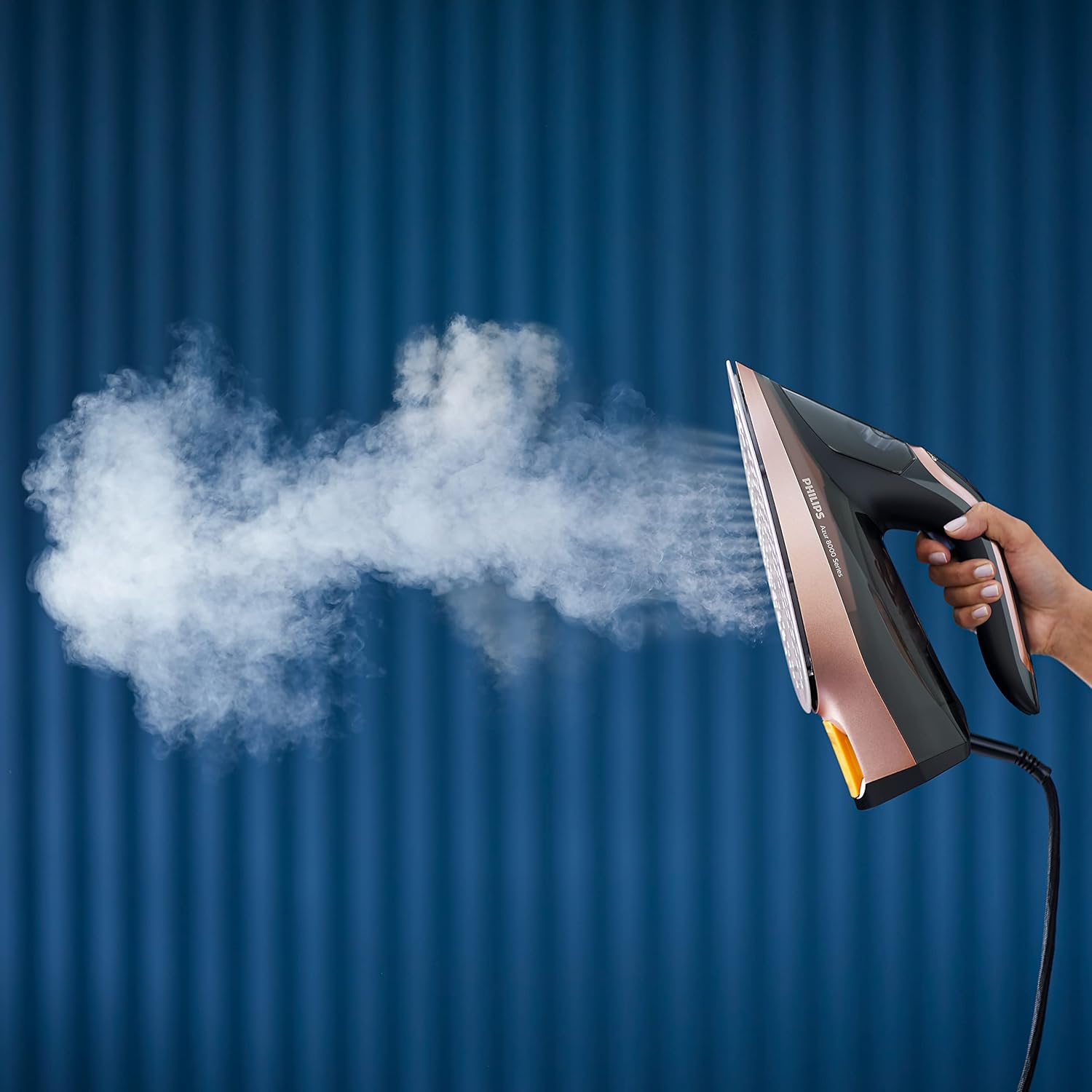
Figure 5.3: Using the iron for vertical steaming. - Auto Shut-off: For safety and energy saving, the iron automatically switches off if left motionless for a certain period. If left on its soleplate, it shuts off after 30 seconds. If left on its heel rest, it shuts off after 8 minutes. To restart, simply pick up the iron or move it.
6. Maintenance and Cleaning
Regular maintenance ensures optimal performance and extends the life of your iron.
- Cleaning the Soleplate:
- After use, allow the iron to cool down completely.
- Wipe the soleplate with a damp cloth and a non-abrasive cleaner if necessary.
- Do not use abrasive scouring pads or harsh cleaners as they can damage the soleplate.
- Calc-Clean Function: The iron is equipped with a built-in descaling function to remove scale particles from the steam chamber. Perform this function regularly, especially if you live in a hard water area.

Figure 6.1: The calc-clean feature on the soleplate. - Fill the water tank to the MAX level.
- Plug in the iron and let it heat up until the indicator light goes out.
- Unplug the iron.
- Hold the iron over a sink, press and hold the calc-clean button/lever (if applicable, refer to specific model instructions for exact location), and shake the iron gently. Hot water and steam will come out, carrying scale particles.
- Continue until the water tank is empty.
- Plug in the iron again and let it heat up to dry the soleplate.
- Storage:
- After use, unplug the iron and allow it to cool down completely.
- Empty any remaining water from the tank.
- Store the iron upright on its heel rest in a safe, dry place.
7. Troubleshooting
If you encounter issues with your iron, refer to the following common problems and solutions.
| Problem | Possible Cause | Solution |
|---|---|---|
| Iron does not heat up. | Not plugged in; power outage; auto shut-off activated. | Check power connection; check circuit breaker; move the iron to reactivate. |
| No steam or insufficient steam. | Water tank empty; iron not hot enough; calc-clean needed. | Fill water tank; wait for indicator light to stop blinking; perform calc-clean. |
| Water leaking from soleplate. | Iron not hot enough for steam; overfilled water tank; calc build-up. | Wait for iron to heat up fully; do not overfill; perform calc-clean. |
| White flakes coming from soleplate. | Scale build-up. | Perform calc-clean procedure. |
8. Specifications
| Feature | Detail |
|---|---|
| Brand | Philips |
| Model Number | DST8041/86 |
| Power / Wattage | 3000 watts |
| Voltage | 240 Volts |
| Continuous Steam Output | Up to 80 g/min |
| Turbo Steam Boost | 260 g |
| Water Tank Capacity | 350 ml |
| Auto Shutoff | Yes |
| Product Dimensions | 31.2 x 12.7 x 0.1 cm |
| Item Weight | 300 g |
9. Warranty and Support
This Philips appliance comes with a standard manufacturer's warranty. Please refer to the warranty card included in your product packaging for specific terms and conditions, including the warranty period and coverage details.
For technical assistance, product registration, or to find a service center, please visit the official Philips website or contact Philips customer support in your region. Keep your purchase receipt as proof of purchase for warranty claims.


