
FINTIE EPAS013
Fintie Rotating Case Instruction Manual
Model: EPAS013
Brand: FINTIE
1. Introduction
Thank you for choosing the Fintie Rotating Case. This protective stand cover is designed to enhance your iPad experience by offering robust protection, versatile viewing options, and convenient features. Crafted from premium synthetic leather with a dual-layer hard interior cover, it safeguards your device against scratches and impacts. The unique 360-degree rotating structure allows for flexible landscape and portrait viewing, while the auto wake/sleep function helps conserve battery life. A built-in pencil holder ensures your Apple Pencil is always within reach.

Figure 1: Fintie Rotating Case (Black) with iPad
2. Compatibility
This Fintie Rotating Case is exclusively designed for the following iPad models:
- iPad (A16) 11th Generation 11 Inch 2025 (Model Numbers: A3354 / A3355 / A3356)
- iPad 10th Generation 10.9 Inch 2022 (Model Numbers: A2696 / A2757 / A2777 / A3162)
Important: Not compatible with any other iPad models.

Figure 2: Compatible iPad Models and How to Find Your Model Number
To verify your iPad's model number, go to Settings > General > About, and locate the 'Model Number' field.
3. What's in the Box
- 1 x Fintie Rotating iPad Case
4. Setup Instructions
4.1 Installing Your iPad
- Align your iPad with the hard interior cover of the case.
- Gently snap the left side of your iPad into the mount first.
- Then, carefully snap the right side into place until your iPad is securely seated.
4.2 Auto Wake/Sleep Function
The case features an automatic wake or sleep function. Simply open the cover to wake your iPad, and close it to put your device to sleep, helping to conserve battery life.
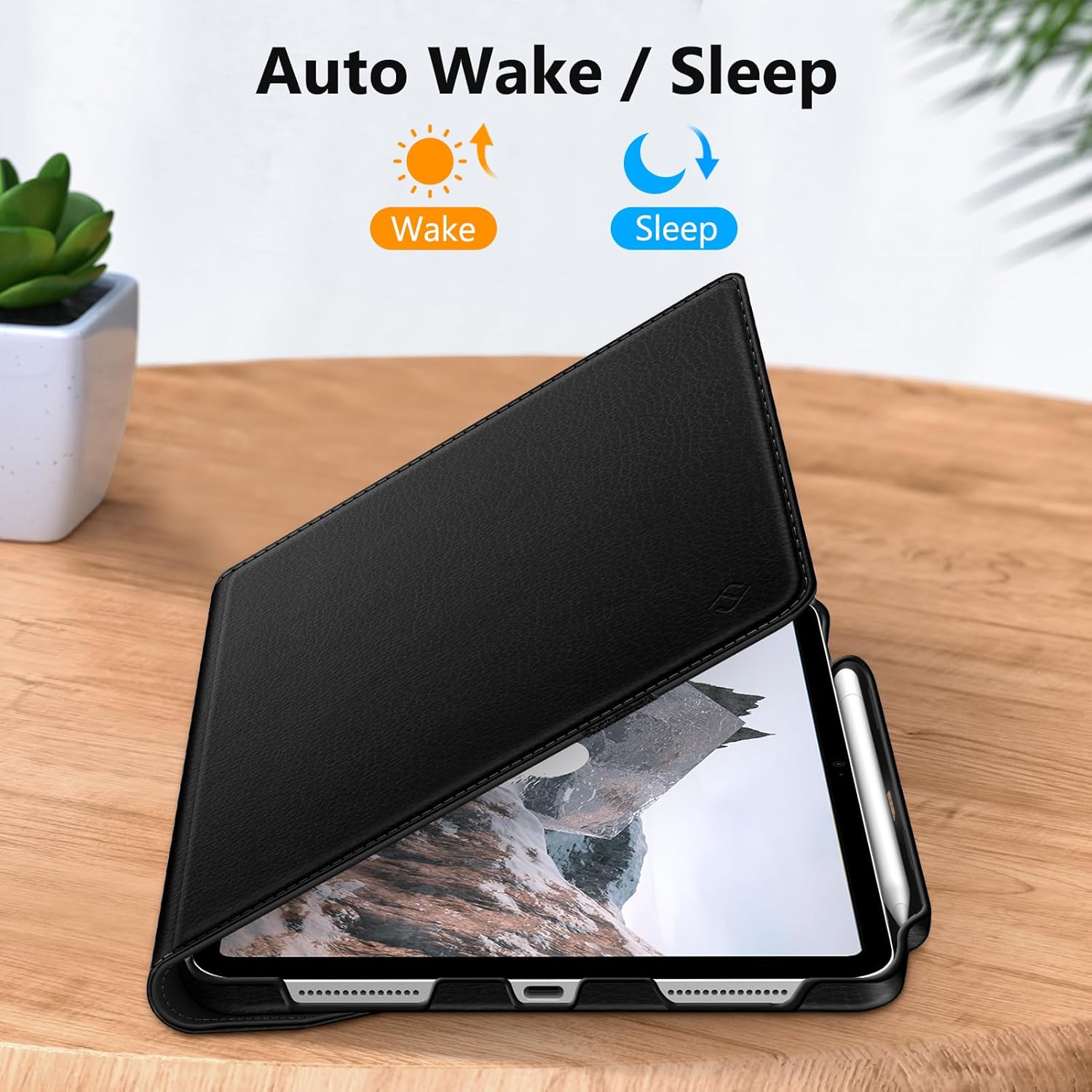
Figure 3: Auto Wake/Sleep Feature
5. Operating Instructions
5.1 360-Degree Rotating Stand
The case's innovative 360-degree rotating structure allows you to effortlessly switch between landscape and portrait viewing orientations. This provides optimal flexibility for watching videos, typing, or video calls.

Figure 4: 360-Degree Rotating Stand
5.2 Adjustable Viewing Angles
Utilize the two anti-slip grooves on the cover to set your iPad at multiple stable viewing angles. This ensures a comfortable experience for various activities, from reading to drawing.

Figure 5: Adjustable Viewing Angles
5.3 Built-in Apple Pencil Holder
The case includes dedicated slots for your Apple Pencil (USB-C or 1st Gen), allowing you to securely store and easily access your pencil whenever needed. (Apple Pencil not included)

Figure 6: Built-in Apple Pencil Holder
5.4 Secure Closure
An elastic band is integrated into the design to hold your iPad securely closed when you are on the go, providing extra protection and preventing accidental openings.
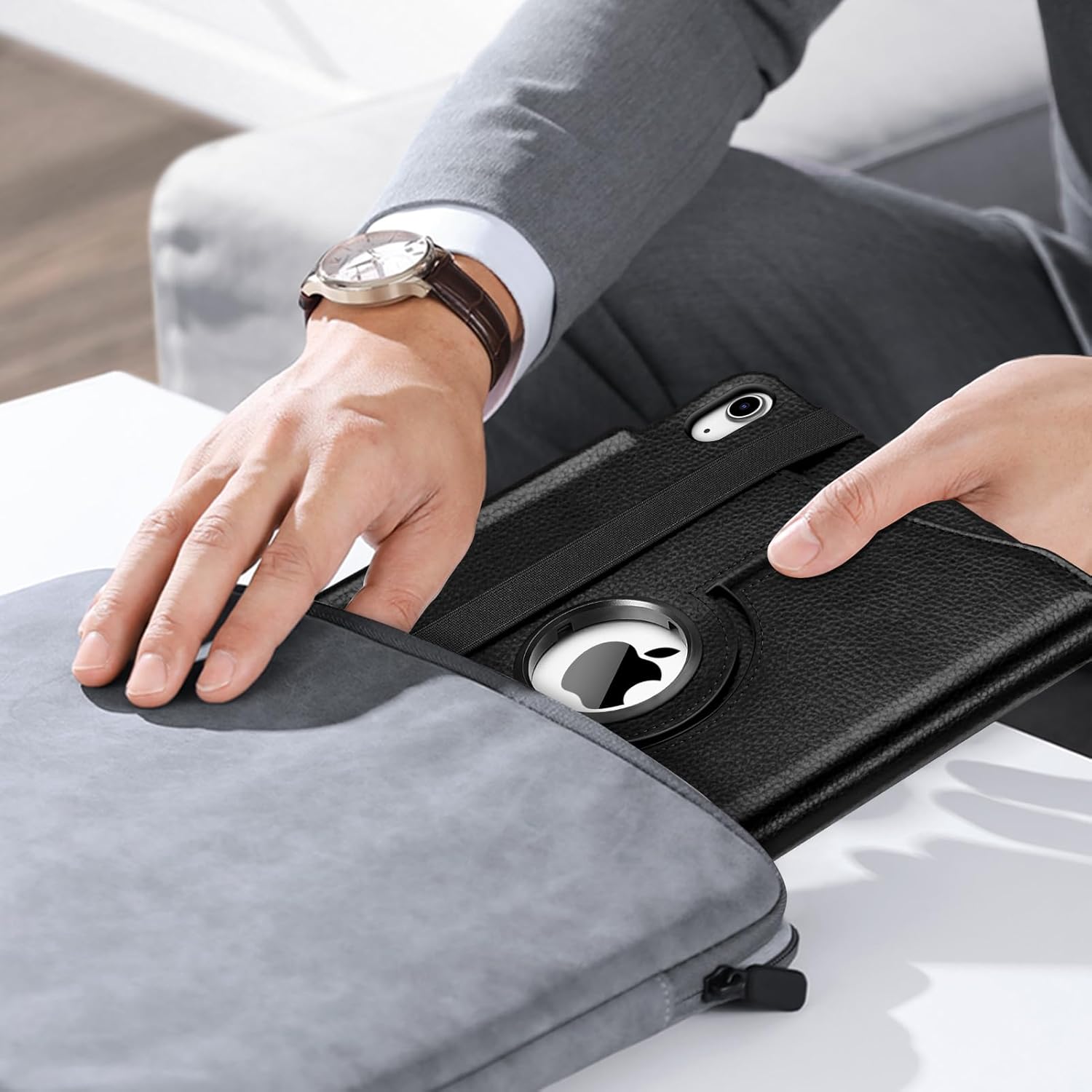
Figure 7: Secure Closure and Portability
5.5 Precise Cutouts
The case features precise cutouts that allow full access to all ports, buttons, and the camera without needing to remove your iPad from the case.

Figure 8: Precise Cutouts
5.6 Product Overview Video
Video 1: Official Fintie product overview demonstrating the case's features, including installation, rotation, and pencil holder.
6. Maintenance
To keep your Fintie Rotating Case in optimal condition, follow these simple care instructions:
- Wipe the exterior with a soft, damp cloth to remove dust and smudges.
- Avoid using harsh chemicals or abrasive cleaners, as these may damage the material.
- Keep the case away from extreme temperatures and direct sunlight to prevent material degradation.
- Ensure the case is dry before re-installing your iPad.
7. Troubleshooting
7.1 iPad Does Not Sit Securely in Stand Grooves
If your iPad tends to slip out of the stand grooves, especially in portrait mode, ensure it is firmly seated in the deeper groove. Some users find that adjusting the angle slightly can improve stability. The anti-slip grooves are designed to provide support, but external factors like uneven surfaces or excessive pressure can affect stability.
7.2 Auto Wake/Sleep Not Working
Ensure your iPad is correctly aligned within the case and that the cover is fully closed. The magnets responsible for this feature need proper contact. If the issue persists, check your iPad's settings to ensure 'Lock/Unlock' (or 'Cover Lock/Unlock') is enabled under 'Display & Brightness' or 'General' settings.
8. Specifications
| Feature | Detail |
|---|---|
| Product Dimensions | 10.04 x 7.68 x 0.79 inches |
| Item Weight | 12.6 ounces |
| ASIN | B0BK86M85J |
| Item Model Number | EPAS013 |
| Special Features | Heavy Duty Protection, Auto Sleep/Wake, Rotating, Landscape and Portrait Viewing |
| Form Factor | Case |
| Color | Black |
| Manufacturer | FINTIE |
| Country of Origin | China |
| Compatible Devices | iPad (A16) 11th Generation 11 Inch 2025, iPad 10th Generation 10.9 Inch 2022 |
| Shell Type | Hard |
9. Warranty and Support
This Fintie product is covered by one or more of the following US Patent Nos. 8,746,449; 8,783,458; 9,170,611; 10,139,861.
For any questions, concerns, or support needs regarding your Fintie Rotating Case, please contact Fintie customer service through the retailer's platform or visit the official Fintie website for assistance.
Ask a question about this manual
Ask about setup, troubleshooting, compatibility, parts, safety, or missing instructions. Manuals+ will review the question and use this page’s manual context to help answer it.