
Introduction
This manual provides essential instructions for the proper setup, operation, and maintenance of your All States Agratronix Grain Moisture Tester AG-Mac Plus. This device is designed for accurate measurement of grain moisture and test weight, featuring direct readout for 20 different grain scales, a non-compaction design, and automatic temperature compensation. Please read this manual thoroughly before using the device.
Setup
1. Unpacking and Inspection
Carefully remove the AG-Mac Plus tester from its packaging. Inspect the device for any signs of damage that may have occurred during transit. Retain all packaging materials for future storage or shipping.
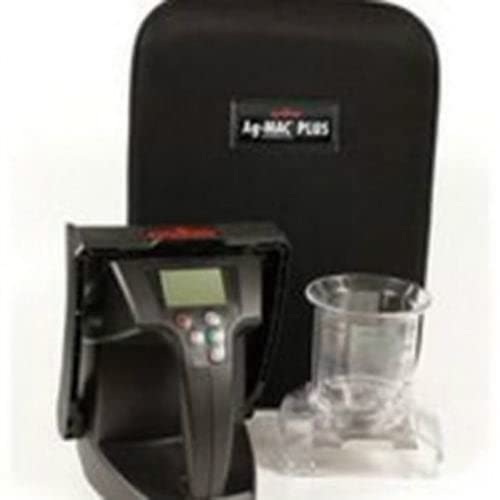
This image shows the durable black carrying case designed to protect your All States Agratronix Grain Moisture Tester AG-Mac Plus during transport and storage. It features a top handle and an adjustable shoulder strap for convenience.
2. Battery Installation
- Locate the battery compartment on the device.
- Open the battery compartment cover.
- Insert four (4) AA batteries, ensuring correct polarity (+/-) as indicated inside the compartment.
- Close the battery compartment cover securely.
3. Initial Power-On
Press the power button to turn on the device. The LCD display should illuminate, indicating the device is ready for operation.
Operating Instructions
1. Selecting Grain Scales
The AG-Mac Plus offers direct readout for 20 different grain scales. Refer to the device's interface or accompanying quick-start guide for specific instructions on how to navigate and select the appropriate grain type for your measurement.
2. Taking a Moisture Measurement
- Ensure the selected grain scale matches the grain type being tested.
- Fill the testing chamber with the grain sample. The non-compaction design ensures consistent sample density without manual packing.
- Close the chamber securely.
- Initiate the measurement process as per the device's on-screen prompts.
- The LCD display will show the moisture content with a resolution of 0.1%.
3. Displaying Grain Test Weight
The device automatically calculates and displays the grain test weight without requiring pre-weighing of the sample. This value will appear on the LCD display alongside the moisture content.
4. Automatic Temperature Compensation
The AG-Mac Plus features automatic temperature compensation, which adjusts readings based on the grain's temperature, ensuring accuracy across a temperature range of 40°F to 113°F.
5. USB Compatibility
The device includes USB compatibility for data transfer. Connect the tester to a computer using a compatible USB cable (not included) to access stored measurement data. Refer to the manufacturer's website or software documentation for specific instructions on data retrieval and analysis.
Maintenance
1. Cleaning
To ensure accurate readings and prolong the life of your tester, regularly clean the grain chamber and exterior. Use a soft, dry cloth to wipe down the device. For the grain chamber, use a brush or compressed air to remove any residual grain or dust. Do not use abrasive cleaners or immerse the device in water.
2. Battery Replacement
When the battery indicator on the LCD display shows low power, replace all four AA batteries simultaneously. Refer to the 'Battery Installation' section for detailed steps.
3. Storage
When not in use for extended periods, remove the batteries to prevent leakage. Store the AG-Mac Plus in its protective carrying case in a cool, dry place, away from direct sunlight and extreme temperatures.
Troubleshooting
- Device Does Not Power On: Check if the batteries are correctly installed and fully charged. Replace batteries if necessary. Ensure the power button is pressed firmly.
- Inaccurate Readings: Verify that the correct grain scale is selected. Ensure the grain chamber is clean and free of debris. Check if the grain sample is within the specified moisture and temperature ranges.
- Display Issues: If the LCD display is dim or flickering, replace the batteries. If the issue persists, contact customer support.
- USB Connection Problems: Ensure the USB cable is securely connected to both the device and the computer. Verify that the necessary drivers or software are installed on your computer.
Specifications
| Feature | Specification |
|---|---|
| Model Number | 160636 |
| Grain Scales | 20 different types (direct readout) |
| Moisture Range | 6% - 45% (depending on grain tested) |
| Display Resolution | 0.1% |
| Temperature Range | 40°F - 113°F (4°C - 45°C) |
| Power Source | 4 AA batteries |
| Connectivity | USB compatible |
| Design | Non-compaction |
| Dimensions | 18 x 12 x 10 inches |
| Item Weight | 7 pounds |
| Manufacturer | All States |
Warranty and Support
For warranty information, please refer to the documentation included with your purchase or contact your retailer. For technical support, service, or replacement parts, please contact All States customer service directly. Keep your purchase receipt and model number (160636) readily available when seeking support.