
1. Introduction
The Dynascan LP-50 is a professional PMR446 walkie-talkie designed for robust communication in various environments. This device combines professional performance with extreme durability, featuring an IP67 certification for protection against dust and water immersion. It is suitable for use in construction, industrial settings, and event security. This manual provides essential information for the safe and efficient operation of your Dynascan LP-50.
2. Package Contents
Please check the box for the following items:
- Dynascan LP-50 PMR Radio Station
- Li-Ion Battery (2000 mAh)
- Charging Cradle
- USB-C Charging Cable
- Belt Clip
- Antenna
3. Product Features
The Dynascan LP-50 offers a range of features designed for reliable and efficient communication:
- IP67 Water and Dust Protection: Fully protected against dust and capable of immersion in water, making it ideal for demanding outdoor and industrial environments.
- Long-Lasting Battery: Equipped with a high-capacity 2000 mAh Li-Ion battery for extended operation.
- Flexible Charging: Rechargeable via the included desktop charging cradle or directly via the USB-C port.
- Clear and Secure Communication: Features 16 programmable channels with 50 CTCSS sub-tones and 105 DCS codes to minimize interference and ensure private exchanges.
- LCD Screen and Ergonomics: Backlit display shows channel, battery level, and signal status. Front buttons provide quick access to essential functions.
- Professional Functions: Includes VOX (Voice Operated Transmit) for hands-free operation, an emergency SOS function, keypad lock, and a voice guide for simplified handling.
- Frequency Range: PMR446 (446.00625 MHz – 446.19375 MHz).
- Maximum Range: Up to 10 kilometers (depending on terrain and conditions).
4. Setup
4.1. Battery Installation
- Ensure the walkie-talkie is powered off.
- Locate the battery compartment cover on the back of the device.
- Slide the latch or unscrew the fasteners to remove the cover.
- Insert the Li-Ion battery, ensuring the contacts align correctly with the terminals inside the compartment.
- Replace the battery cover and secure it firmly to maintain the IP67 seal.
4.2. Charging the Battery
The LP-50 offers two charging methods:
- Using the Charging Cradle: Place the walkie-talkie into the desktop charging cradle. Ensure the charging contacts on the radio align with those on the cradle. The charging indicator light will illuminate.
- Using USB-C: Connect the USB-C charging cable directly to the USB-C port on the side of the walkie-talkie. Connect the other end to a compatible USB power adapter (not included) or a computer USB port.
A full charge typically takes approximately 3-4 hours. The battery icon on the LCD will indicate charging status.
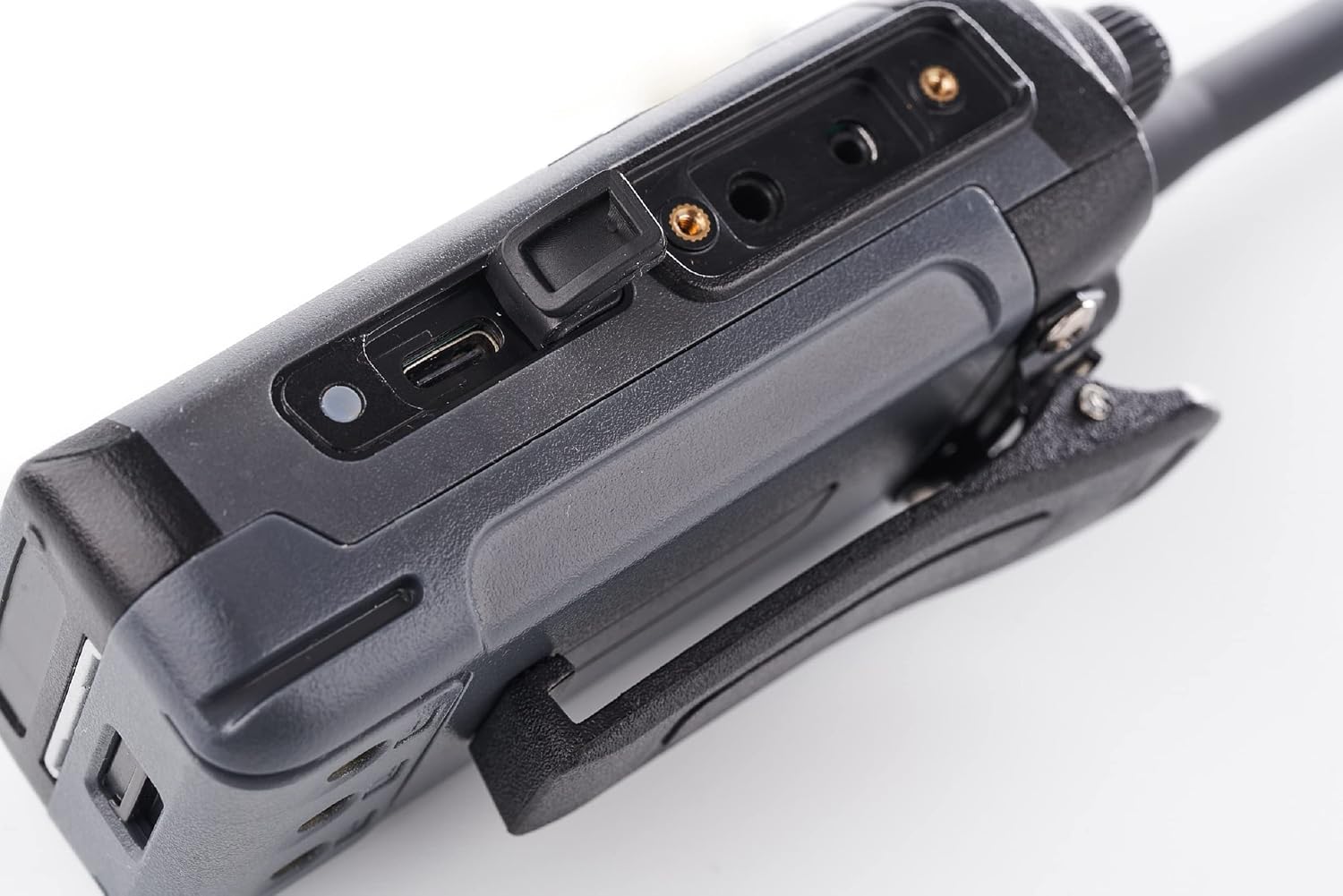
Image: Close-up of the Dynascan LP-50 walkie-talkie showing the USB-C charging port with its protective cover open. This port allows for direct charging without the cradle.
4.3. Attaching the Antenna
- Screw the antenna clockwise into the connector on the top of the walkie-talkie until it is finger-tight. Do not overtighten.
4.4. Attaching the Belt Clip
- Align the belt clip with the screw holes on the back of the walkie-talkie.
- Secure the belt clip using the provided screws.

Image: Side view of the Dynascan LP-50 walkie-talkie with the belt clip attached, showing how it can be worn.
5. Operating Instructions
5.1. Powering On/Off
To power on the walkie-talkie, rotate the Power/Volume knob (top-left knob) clockwise until you hear a click and the LCD screen illuminates. To power off, rotate the knob counter-clockwise until it clicks off.
5.2. Adjusting Volume
After powering on, continue rotating the Power/Volume knob clockwise to increase the volume and counter-clockwise to decrease it.
5.3. Channel Selection
Use the Channel Selector knob (top-right knob) to select one of the 16 available channels. The selected channel number will be displayed on the LCD screen.

Image: Front view of the Dynascan LP-50 walkie-talkie, highlighting the LCD screen which displays the current channel (e.g., CHAN16 016) and the two control knobs at the top for power/volume and channel selection.
5.4. Transmitting and Receiving
- To Transmit: Press and hold the PTT (Push-To-Talk) button located on the side of the walkie-talkie. Speak clearly into the microphone. Release the PTT button to stop transmitting.
- To Receive: Ensure the PTT button is not pressed. The walkie-talkie will automatically receive signals on the selected channel.
5.5. VOX Function (Voice Operated Transmit)
The VOX function allows for hands-free transmission. When activated, the radio will automatically transmit when it detects your voice. Refer to the device's menu or specific button functions (if available) to enable/disable VOX. Adjust VOX sensitivity as needed to prevent accidental transmissions or missed voice activation.
5.6. SOS Function
The SOS function is an emergency alert feature. When activated, the radio may emit an alarm tone or transmit a distress signal to other radios on the same channel. Consult your device's specific button assignments or menu for activating the SOS function.
5.7. Keypad Lock
To prevent accidental changes to settings or channel selection, the keypad lock function can be activated. This typically involves pressing and holding a designated button (e.g., the 'Menu' or 'Lock' button) for a few seconds. Repeat the action to unlock the keypad.
5.8. CTCSS/DCS Codes
CTCSS (Continuous Tone-Coded Squelch System) and DCS (Digitally Coded Squelch) codes are used to filter out unwanted conversations. When a CTCSS/DCS code is set, you will only hear transmissions from radios using the same channel and the same CTCSS/DCS code. This enhances communication privacy. These codes are typically set via the radio's menu system.
6. Maintenance
6.1. Cleaning
Clean the radio's exterior with a soft, damp cloth. Do not use harsh chemicals, solvents, or abrasive cleaners. Ensure all port covers (e.g., USB-C, accessory port) are securely closed to maintain the IP67 rating.
6.2. Battery Care
- Avoid fully discharging the battery frequently.
- Charge the battery regularly, even if the radio is not in use, to maintain its lifespan.
- Do not expose the battery to extreme temperatures.
6.3. Storage
When storing the walkie-talkie for extended periods, remove the battery and store both the radio and battery in a cool, dry place. Ensure the battery is partially charged (around 50%) before storage.
6.4. IP67 Rating
While the device is IP67 rated (dustproof and protected against temporary immersion in water up to 1 meter for 30 minutes), it is not designed for continuous underwater use. Always ensure all port covers and the battery compartment are properly sealed before exposing the device to water or dusty environments.
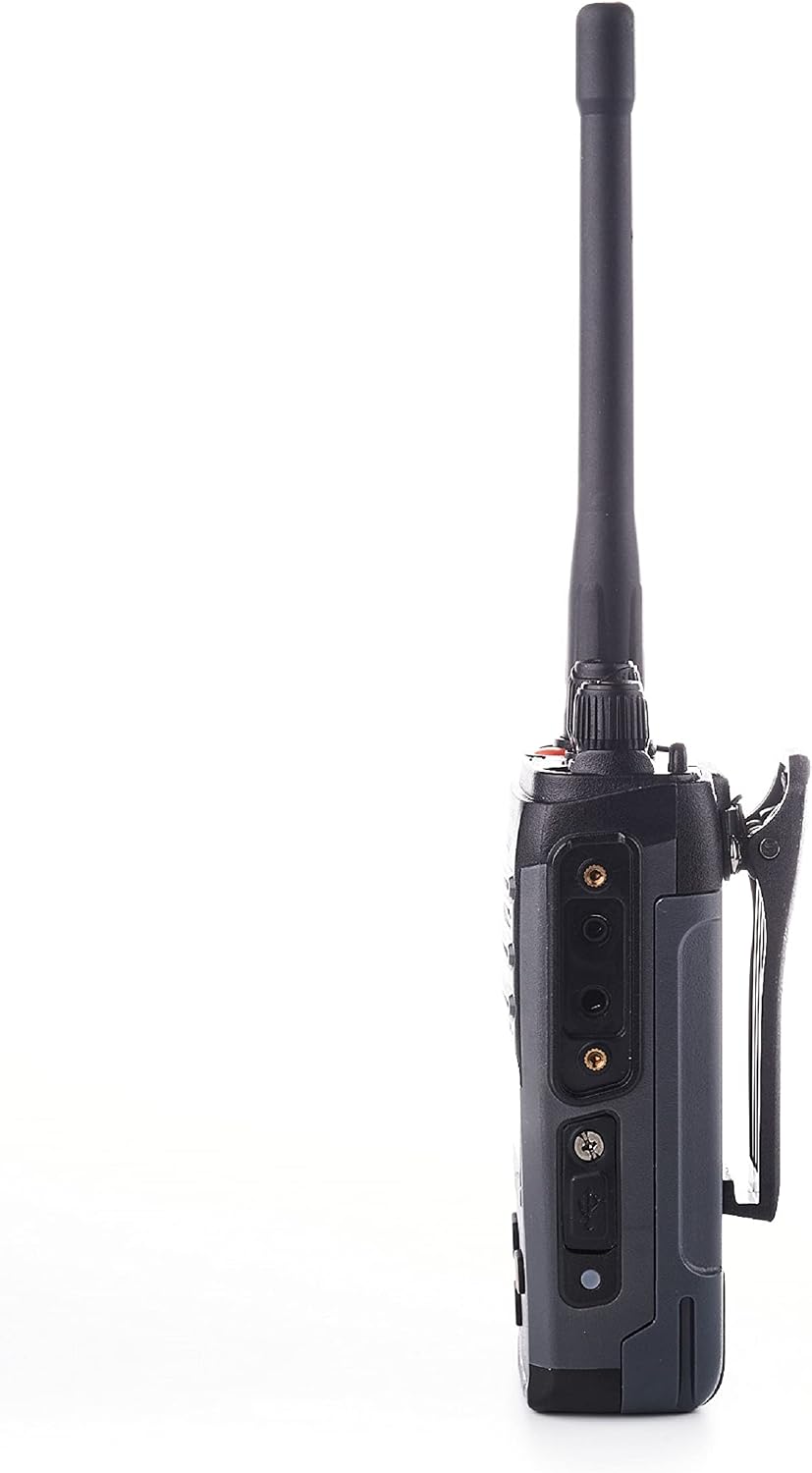
Image: Side view of the Dynascan LP-50 walkie-talkie showing the accessory port with its protective cover. This cover must be securely closed to maintain the device's IP67 rating.
7. Troubleshooting
If you encounter issues with your Dynascan LP-50, refer to the following common problems and solutions:
| Problem | Possible Cause | Solution |
|---|---|---|
| Radio does not power on | Battery is low or not installed correctly. | Charge the battery. Ensure the battery is correctly inserted and secured. |
| Cannot transmit or receive | Incorrect channel selected. Out of range. Battery low. | Verify both radios are on the same channel and CTCSS/DCS code. Move closer to the other radio. Charge the battery. |
| Poor audio quality or static | Weak signal. Interference. Antenna loose. | Move to an open area. Check for sources of interference. Ensure antenna is securely attached. |
| Keypad is unresponsive | Keypad lock is active. | Deactivate the keypad lock (refer to section 5.7). |
| Battery life is shorter than expected | Battery degradation. Frequent transmission. | Ensure proper battery care (section 6.2). Consider replacing the battery if it's old. |
8. Specifications
| Feature | Specification |
|---|---|
| Brand | Dynascan |
| Model Number | PNI-LP-50 |
| Frequency Range | 446.00625 MHz ~ 446.19375 MHz (PMR446) |
| Number of Channels | 16 |
| CTCSS Tones | 50 |
| DCS Codes | 105 |
| IP Rating | IP67 (Dustproof, Water-resistant) |
| Battery Type | Li-Ion |
| Battery Capacity | 7.4 V / 2000 mAh |
| Charging Method | Desktop Cradle, USB-C |
| Maximum Range | 10 Kilometers (environment dependent) |
| Weight (with battery) | 236 g |
| Dimensions (with antenna) | 220 x 55 x 33 mm |
| Compatible Accessories | Kenwood-type audio accessories |
9. Warranty Information
The Dynascan LP-50 walkie-talkie comes with a 2-year warranty from the date of purchase. This warranty covers manufacturing defects and malfunctions under normal use. Please retain your proof of purchase for warranty claims. The warranty does not cover damage caused by misuse, accidents, unauthorized modifications, or failure to follow the instructions in this manual.
10. Support
For further assistance, technical support, or warranty claims, please contact your Dynascan retailer or authorized service center. Ensure you have your product model number (LP-50) and proof of purchase available when seeking support.


