
1. Introduction
This manual provides comprehensive instructions for the setup, operation, and maintenance of your Depusheng R4 Professional UHF Wireless Microphone System. This system features a metal body receiver and four handheld microphones, designed for clear audio transmission in various settings such as home karaoke, church events, and performances.
2. Package Contents
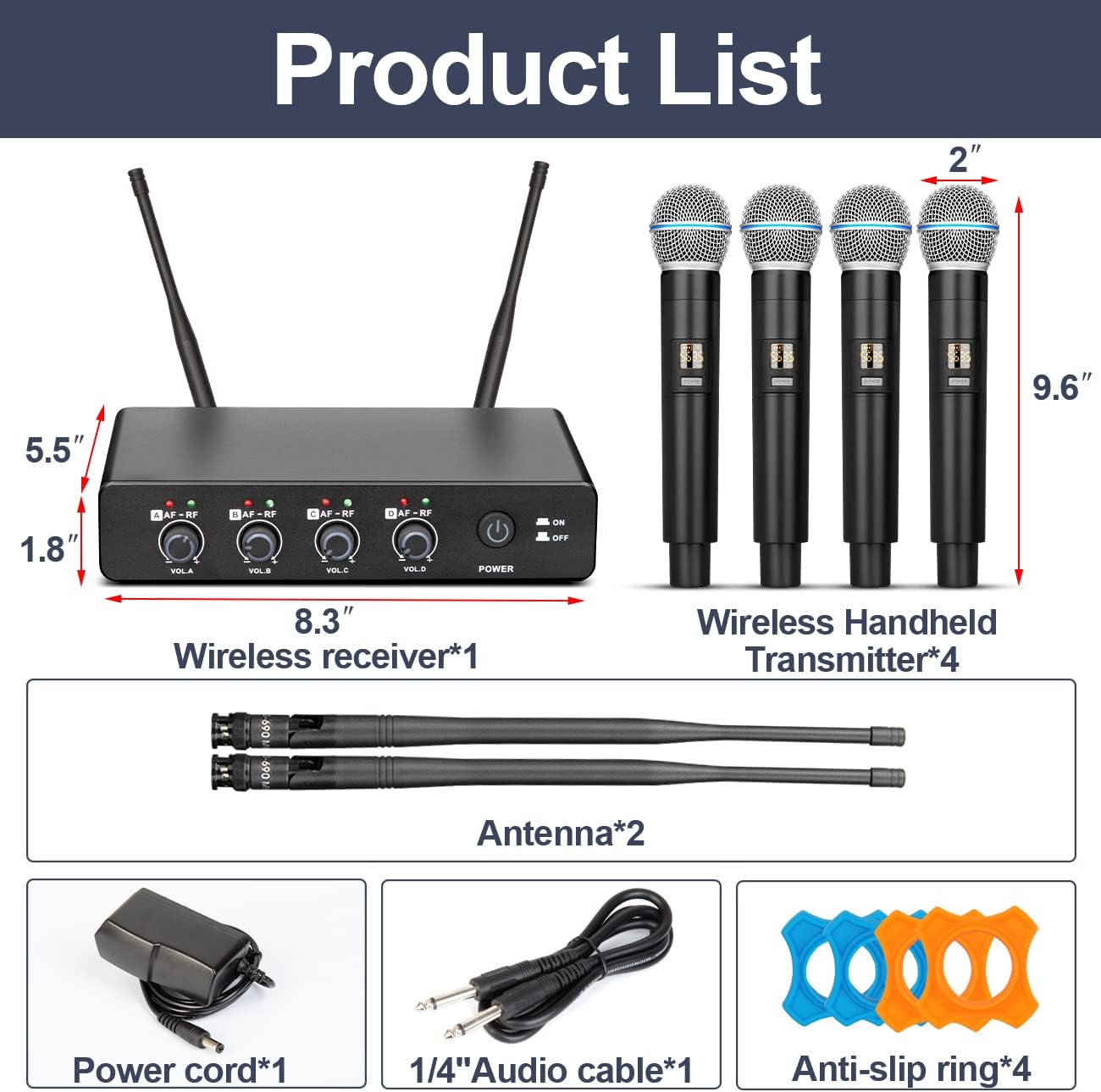
Verify that all items listed below are included in your package:
- 1 x Wireless Receiver
- 4 x Wireless Handheld Microphones
- 2 x Antennas
- 1 x Power Adapter
- 1 x 6.35mm Audio Cable
- 4 x Anti-slip Rings
3. Product Overview
3.1. UHF Wireless Receiver
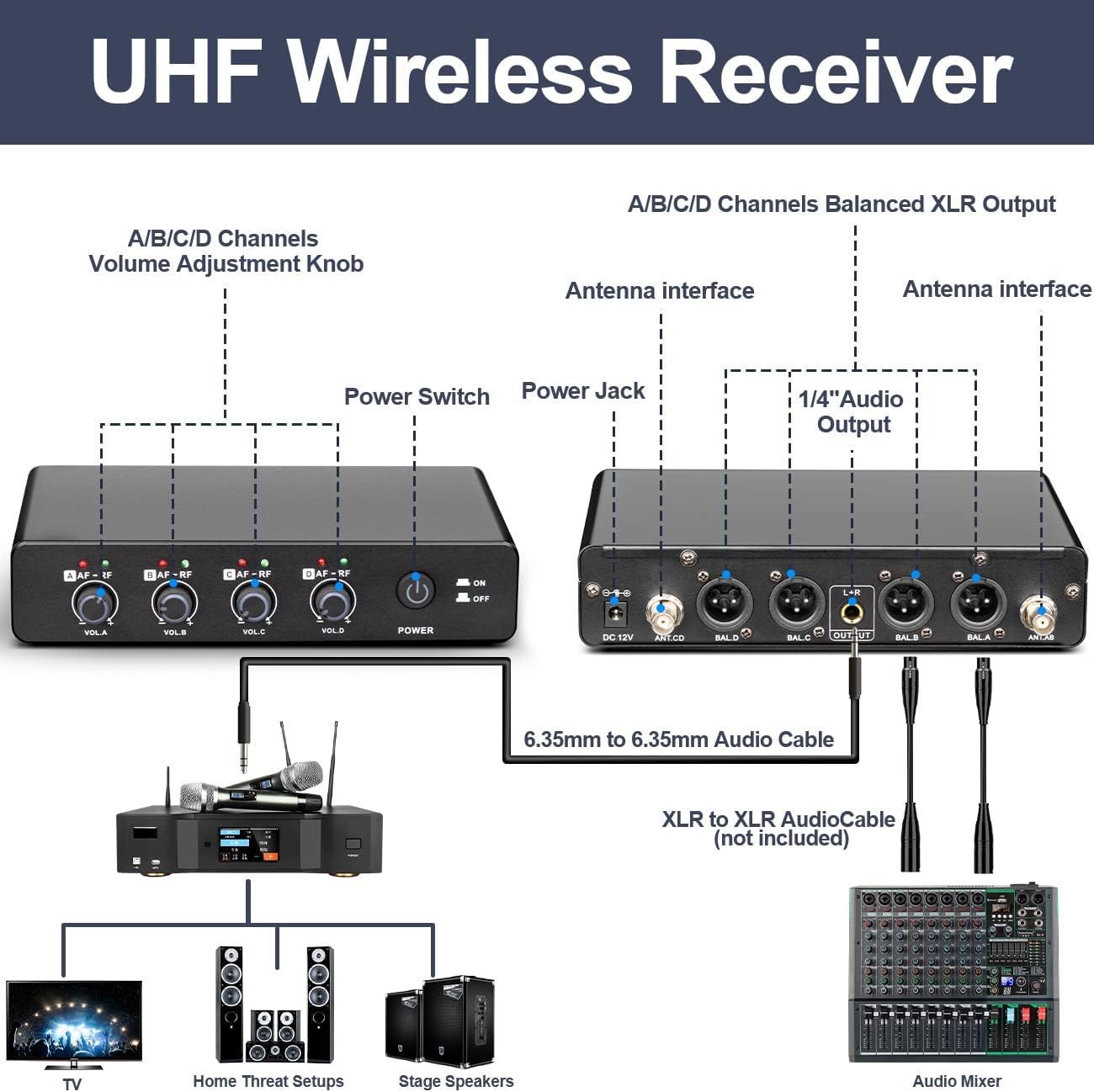
The receiver adopts a dual-antenna design for stable signal reception of four microphone signals, with an unobstructed reception range of up to 50 meters and strong anti-interference capability. The receiver is constructed from metal, ensuring durability.


3.2. Handheld Microphones
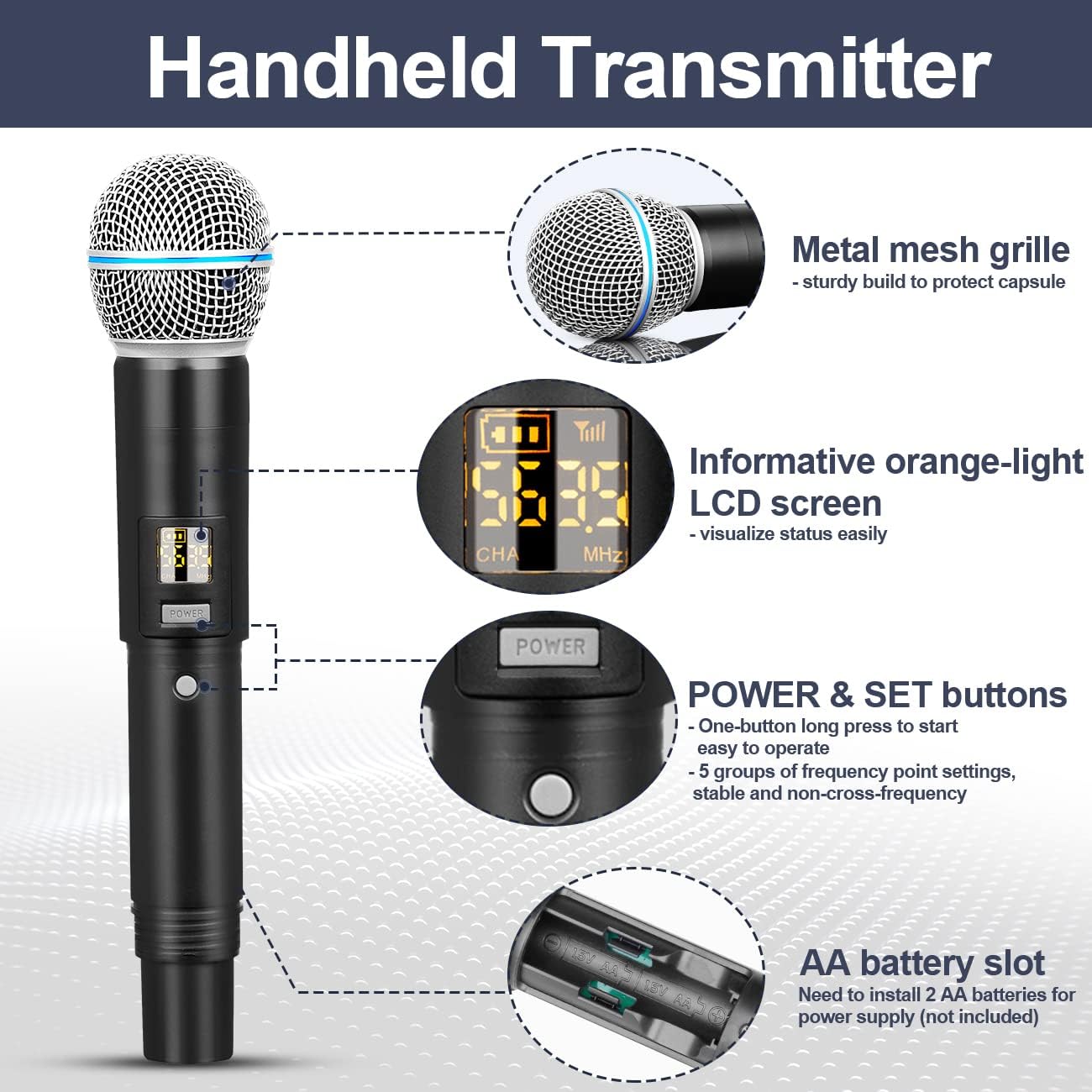
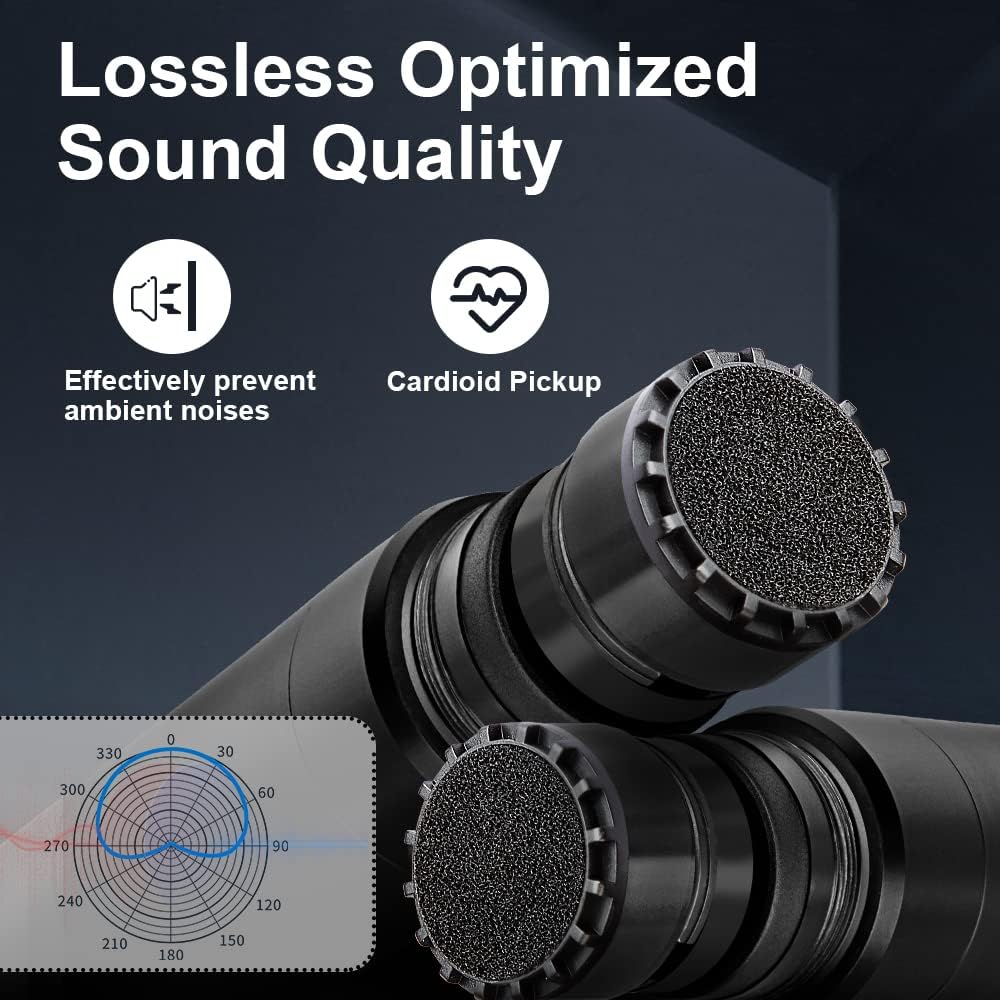
The handheld microphones are made of metal, providing a robust and durable design. They feature an advanced chip and a cardioid dynamic microphone core, designed to accurately capture sound and deliver clear, pure, and full audio. Each microphone includes an informative LCD screen and POWER & SET buttons for operation.
4. Setup Instructions
- Unpack Components: Carefully remove all items from the packaging.
- Install Antennas: Screw the two antennas onto the corresponding connectors at the rear of the receiver.
- Power the Receiver: Connect the power adapter to the DC-12V input on the receiver and plug it into a power outlet.
- Install Microphone Batteries: Open the battery compartment of each handheld microphone and insert 2 AA batteries (not included), ensuring correct polarity.
- Connect to Audio System:
- For a single mixed output, use the provided 6.35mm audio cable to connect the receiver's 1/4" audio output to your mixer, amplifier, or powered speaker.
- For individual microphone outputs, use XLR cables (not included) to connect the balanced XLR outputs (BAL.A, BAL.B, BAL.C, BAL.D) on the receiver to corresponding inputs on your audio mixer.
5. Operating Instructions
- Power On:
- Flip the POWER switch on the receiver to the "ON" position.
- Press and hold the POWER button on each microphone to turn it on. The LCD screen will illuminate.
The system is designed for automatic connection. The signal will be automatically paired between the microphones and the receiver upon power-up.
- Adjust Volume: Use the individual volume knobs (VOL.A, VOL.B, VOL.C, VOL.D) on the receiver to adjust the output level of each microphone independently.
- Frequency Adjustment (if needed): The microphones offer 5 groups of frequency point settings. Refer to the microphone's LCD screen and POWER & SET buttons for advanced frequency adjustments to avoid interference.
- Optimal Usage:
- Maintain a clear line of sight between the microphones and the receiver for optimal signal stability. The system supports reception up to 50 meters.
- The cardioid dynamic microphone core is designed to accurately capture sound and minimize ambient noise.
- Power Off:
- Press and hold the POWER button on each microphone to turn it off.
- Flip the POWER switch on the receiver to the "OFF" position.

6. Maintenance
- Cleaning: Use a soft, dry cloth to clean the receiver and microphones. Do not use liquid cleaners or solvents.
- Storage: When not in use for extended periods, remove batteries from the microphones and store the system in a cool, dry place away from direct sunlight and extreme temperatures.
- Battery Replacement: Replace AA batteries in the microphones when the battery indicator on the LCD screen shows low power.
7. Troubleshooting
| Problem | Possible Cause | Solution |
|---|---|---|
| No sound from microphone |
|
|
| Interference or poor signal |
|
|
| Microphone LCD not displaying |
|
|
8. Specifications
| Feature | Detail |
|---|---|
| Model Name | R4 |
| Brand | Depusheng |
| Connectivity Technology | UHF, XLR |
| Microphone Form Factor | Handheld |
| Number of Channels | 4 |
| Material | Metal |
| Signal-to-Noise Ratio | 98 dB |
| Power Source | Corded Electric (Receiver), 8 AA batteries (Microphones) |
| Special Features | Volume Control, Noise Reduction, Battery Indicator |
| Polar Pattern | Unidirectional (Cardioid) |
| Recommended Uses | Singing, Karaoke |
| Item Weight | 2.5 Kilograms |
9. Warranty and Support
Depusheng products are manufactured to high-quality standards. For warranty information and technical support, please refer to the documentation provided with your purchase or contact Depusheng customer service directly. Keep your proof of purchase for warranty claims.
For further assistance, please visit the official Depusheng website or contact your retailer.