
Introduction
Thank you for choosing the WeHere KB6096 96-Key Wall Mounted Lock Box. This manual provides essential information for the safe and efficient installation, operation, and maintenance of your key cabinet. Please read these instructions thoroughly before use and retain them for future reference.
Important Safety Information
- Always use two people for installation to avoid injury from heavy lifting.
- Be cautious of pinch points during installation and operation.
- Always follow the manufacturer's instructions for safe use and maintenance.
Product Overview
The WeHere KB6096 is a durable, wall-mounted key cabinet designed for organizing and securing up to 96 keys. It features a 3-digit combination lock for daily access and a mechanical backup key for emergency override.
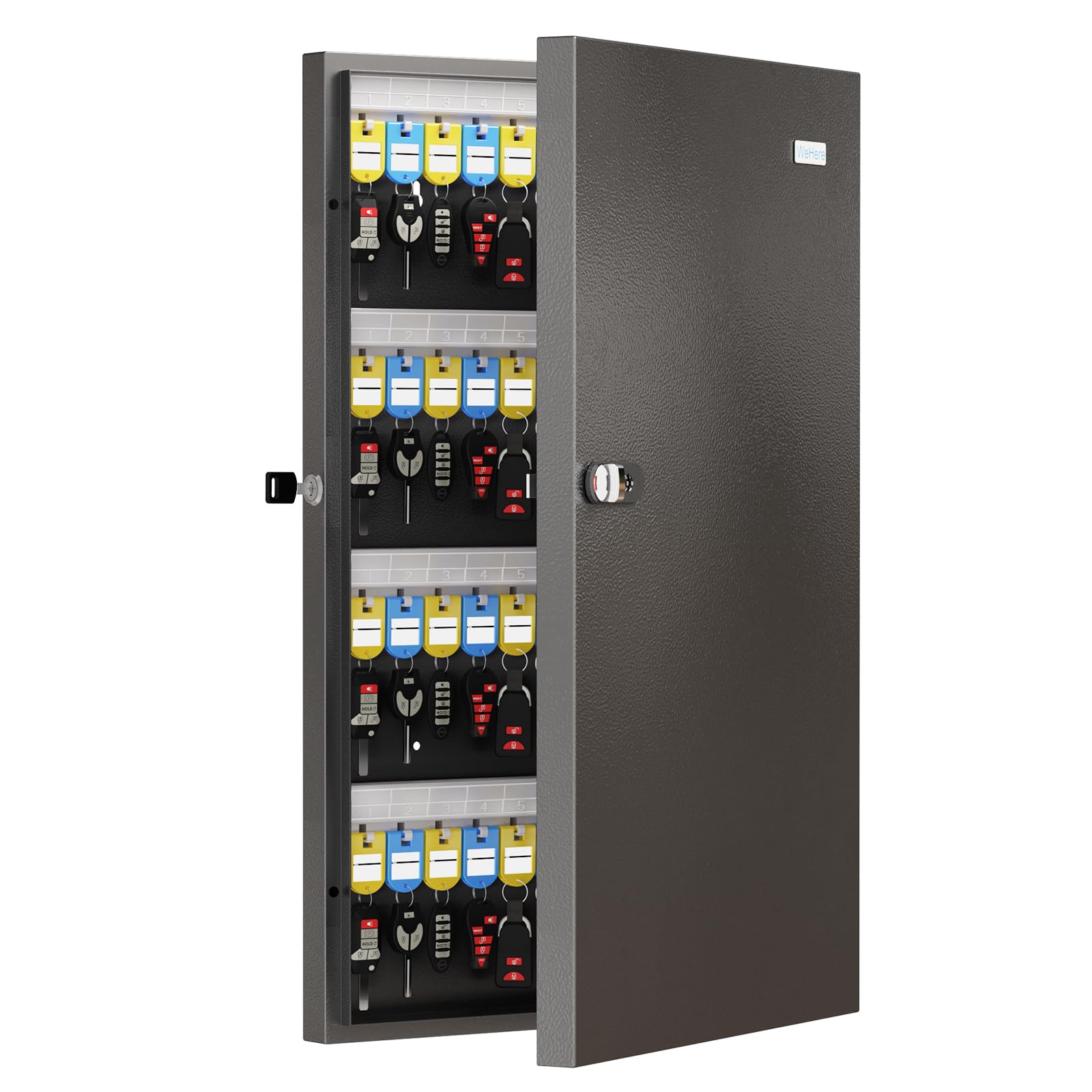
Image: The WeHere KB6096 96-Key Wall Mounted Lock Box, closed view.
Key Features:
- Combination Lock & Backup Key: Provides dual access methods for enhanced security.
- Durable Construction: Made with cold-rolled steel and anti-corrosion layers for long-term use.
- Magnetic Auto-Close Door: Ensures the door closes securely and quietly.
- Customizable Key Tags: Allows for easy labeling and organization of keys.

Image: Detailed view of the lock box dimensions (2.3"D x 15.7"W x 26"H) and its reinforced cold-rolled steel construction with 3-layer anti-corrosion protection.

Image: Close-up of the key organization system, showing erasable and reusable key tags, and the magnetic closure mechanism.
Setup and Installation
Wall Mounting:
The WeHere KB6096 is designed for wall mounting. Ensure you select a sturdy wall capable of supporting the weight of the cabinet and its contents. Use appropriate hardware (not included) for your wall type.
- Choose a suitable location on a solid wall.
- Mark the drilling points using the cabinet's mounting holes as a template.
- Drill pilot holes.
- Secure the cabinet to the wall using appropriate screws and anchors.

Image: A wall-mounted WeHere key cabinet in a professional environment, demonstrating its integration into a front desk or office setting.
Setting the Combination Lock:
The initial code for the 3-digit combination lock is 000.
- Turn the dial to the correct code (initial code: 000), then twist the button to unlock.
- Locate the setting switch on the inside of the lock mechanism. Move the setting switch from point A to point B.
- Turn the dial to your desired new 3-digit password.
- Move the setting switch back to point A to save the new combination.

Image: Step-by-step visual guide on how to change the 3-digit combination lock password.
Operation
Accessing the Lock Box:
- Using the Combination Lock: Enter your set 3-digit combination and twist the button to open the door.
- Using the Backup Key: In case of a forgotten combination or emergency, insert the backup key into the keyhole and turn to unlock the cabinet.
Key Organization:
Utilize the included key tags to label and organize your keys. The rewritable design allows for flexible tag positioning and easy identification.
Video: Demonstrates the features and organization of the WeHere Basic Key Box (96 position), including key tag usage and overall design.
App Password Record & Recovery (Optional):
For enhanced management, you can use the WeHere app to record and retrieve your combination. This feature helps prevent lockouts and improves key storage management.
- Download the WeHere app from your device's app store.
- Scan the QR code located on the lock box to bind the device to your app.
- Follow the in-app instructions to save your combination or utilize other smart key management features.
Video: Illustrates the WeHere Mini ERP app functionality for managing keys, including taking out and saving keys, and tracking their positions.
Maintenance
To ensure the longevity and proper functioning of your WeHere key lock box, follow these simple maintenance guidelines:
- Cleaning: Wipe the exterior and interior surfaces with a damp cloth. Avoid abrasive cleaners or solvents that could damage the finish.
- Lock Mechanism: Periodically check the combination dial and backup key mechanism for smooth operation. Do not force the lock if it feels stiff.
- Hinges: Ensure hinges are free of debris and operate smoothly.
Troubleshooting
Common Issues and Solutions:
- Door will not open with combination:
- Ensure the correct 3-digit combination is entered.
- Verify the setting switch is in the correct position (point A) after setting the code.
- Try the backup key if the combination is forgotten or the lock is jammed.
- Door does not close securely:
- Check for any obstructions preventing the door from fully closing.
- Ensure the magnetic closure is clean and free of debris.
Specifications
| Feature | Detail |
|---|---|
| Brand | WeHere |
| Model Number | KB6096 |
| Color | Black |
| Material | Metal (Cold-rolled steel, Alloy Steel) |
| Product Dimensions (D x W x H) | 2.3" x 15.7" x 26" |
| Storage Capacity | 96 keys |
| Lock Type | Combination, Key |
| Mounting Type | Wall Mount |
| Additional Features | Lockable, Magnetic Auto-Close Door |
Warranty and Support
For warranty information, technical support, or any inquiries regarding your WeHere KB6096 key lock box, please contact WeHere customer service.
You can find contact details through the WeHere app or by visiting the official WeHere website.
Video: A short guide on how to contact WeHere customer service for support and inquiries.