
Introduction
This manual provides detailed instructions for the installation, operation, and maintenance of your Eaglerich 1Din Car Radio. This device features a 7-inch HD auto-retractable touch screen, offering advanced connectivity options including CarPlay, Android Auto, USB, Bluetooth, and AUX. Please read this manual thoroughly before using the product to ensure proper function and safety.
Safety Information
- Always operate the device responsibly and in accordance with local traffic laws. Distracted driving can lead to accidents.
- Do not attempt to disassemble or modify the unit. This may cause damage, electric shock, or fire.
- Ensure proper wiring and installation to prevent short circuits or electrical hazards. Consult a professional for installation if you are unsure.
- Keep the screen clean and free from obstructions to maintain clear visibility.
- Avoid exposing the unit to extreme temperatures, direct sunlight for prolonged periods, or excessive moisture.
Package Contents
Verify that all items are present in the package:
- 1x Eaglerich Car Radio Unit
- 1x Power/Speaker Cable
- 1x User Manual (this document)
- 1x Disassembly Key
- 1x Steering Wheel Remote Control (optional, if purchased)
- 1x 4LED Camera (optional, if purchased)
Product Overview
The Eaglerich 1Din Car Radio is an advanced in-car entertainment and navigation system designed for a seamless driving experience. Key features include:
- 7-inch HD Capacitive Touch Screen: Provides clear visuals and responsive touch control.
- Auto-Retractable Display: The screen automatically extends and retracts for convenience and protection.
- CarPlay Support: Seamless integration with iOS phones for navigation, music, calls, and messages.
- Android Auto Support: Connect Android phones for access to maps, music, and voice commands.
- Mirror Link Function: Project your smartphone screen (iOS and Android) directly onto the radio display via USB.
- Built-in GPS Navigation: Supports online and offline maps for convenient travel guidance.
- FM Radio: Full frequency radio (87.5-108MHz) with automatic search and station presets.
- Bluetooth Handsfree: For safe calling and audio streaming.
- USB/TF/AUX Connectivity: Multiple options for media playback and device charging.
- High Definition Video Playback: Supports 1080P video.
- Android System (2GB RAM + 16GB ROM): Allows for app downloads and smooth operation.
Setup and Installation
This unit is designed for a standard 1Din car radio slot. Professional installation is recommended.
Dimensions
Refer to the diagram below for the product dimensions to ensure compatibility with your vehicle's dashboard.

Image: Product dimensions. The main unit measures approximately 178mm (width) x 50mm (height) x 128mm (depth). The retractable screen extends to a total width of 225mm and a height of 225mm from the bottom of the unit.
Wiring
Use the provided power/speaker cable to connect the unit to your vehicle's electrical system. Ensure all connections are secure and correctly matched according to your vehicle's wiring diagram. Incorrect wiring can cause damage to the unit or vehicle.
Mounting
Insert the unit into the 1Din slot. Use the included disassembly keys to secure or remove the unit from the dashboard.
Optional Accessories
- Steering Wheel Remote Control: If you have the optional steering wheel remote, follow its specific instructions for pairing and function mapping.
- 4LED Camera: For rear view functionality, connect the camera to the designated input on the car radio.
Operating Instructions
Power On/Off
Press the power button on the front panel to turn the unit on or off. The screen will automatically retract or extend upon power cycle.
Touch Screen Operation
The 7-inch HD capacitive touch screen responds to finger gestures. Tap to select, swipe to scroll, and pinch to zoom where applicable.
Screen Adjustment
The auto-retractable screen can be adjusted to various angles to minimize glare and optimize viewing comfort. Use the on-screen controls or physical buttons (if available) to adjust the screen position.

Image: Automatic retractable screen. The screen can be adjusted to reflect light at multiple angles for optimal viewing.
Radio Function
Access the FM radio function to tune into stations. The unit supports 87.5-108MHz. Use the search function to find stations or manually tune. You can save your favorite stations as presets.

Image: Full Frequency Radio. The unit features a digital stereo FM radio with self-search, semi-automatic search, and fine-tuning capabilities.
Media Playback
The unit supports various media sources:
- USB: Insert a USB disk into the USB port.
- TF Card: Insert a TF card into the designated slot.
- AUX: Connect external audio devices via the AUX input.
Supported formats include RMV, BRM, FLV for video; MP3, WMA, OGG for audio; and JPG, PNG, 3MP for pictures. The unit supports 1080P high definition video playback.

Image: High Definition Video. The unit supports 1080P high definition playback for various video formats.
CarPlay (for iOS devices)
Connect your iPhone to the unit via a USB cable. The CarPlay interface will appear on the screen, allowing you to access phone functions like navigation, music, messages, and calls directly from the car radio display.

Image: CarPlay. Connect your iOS phone to access navigation, music, messages, and other information directly on the car radio screen.
Android Auto (for Android devices)
Connect your Android phone to the unit via a USB cable. Download the Android Auto app from Google Play if not already installed. The Android Auto interface will display, providing access to navigation, music, and other apps optimized for driving.

Image: Android Auto. Simply connect via USB cable and download the app from Google Play to control apps from your phone on the car radio screen.
Mirror Link
The radio player supports Mirror Link for both iOS and Android phones. Connect your mobile phone via a USB data cable, and the phone's screen content will be projected onto the car radio display.
GPS Navigation
The unit has a built-in GPS receiver. It supports both online and offline maps. You can download map data for offline use. The system provides voice reports to assist with navigation and traffic avoidance.

Image: GPS Navigation. Built-in GPS function supports offline maps and provides voice reports for convenient travel.
Bluetooth Handsfree
Pair your mobile phone with the car radio via Bluetooth for hands-free calling and audio streaming. Access your phone's address book and make calls directly from the unit.
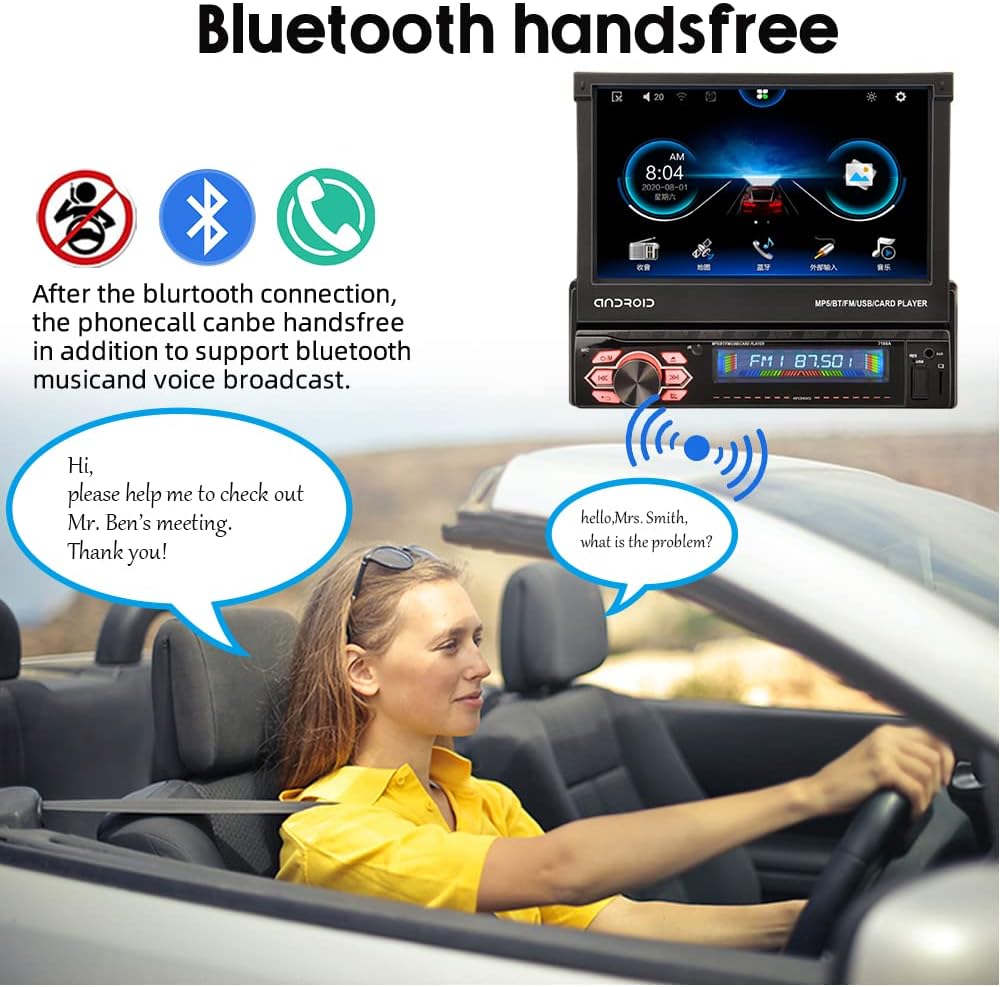
Image: Bluetooth Handsfree. After connecting via Bluetooth, phone calls can be made hands-free, supporting music and voice broadcast.
USB Charging
The USB port can also provide power output for charging mobile phones or other USB devices.
Steering Wheel Control
The unit supports connection to your vehicle's original steering wheel controls for convenient operation without taking your hands off the wheel.
Maintenance
- Screen Cleaning: Use a soft, lint-free cloth slightly dampened with water or a screen cleaner to wipe the touch screen. Avoid abrasive materials or harsh chemicals.
- General Cleaning: Keep the unit's exterior clean by wiping it with a dry, soft cloth.
- Software Updates: Periodically check the manufacturer's website for any available software updates to ensure optimal performance and new features.
Troubleshooting
If you encounter issues with your Eaglerich car radio, refer to the following common problems and solutions:
- No Power:
- Check all power connections to ensure they are secure.
- Verify the vehicle's fuse for the radio is not blown.
- No Sound:
- Check speaker connections.
- Ensure volume is not muted or set too low.
- Verify audio source selection is correct (e.g., FM, USB, Bluetooth).
- Screen Not Responding:
- Restart the unit by turning off and on the vehicle ignition.
- Ensure the screen is clean and free from debris.
- Bluetooth Connectivity Issues:
- Ensure Bluetooth is enabled on both the car radio and your mobile device.
- Delete previous pairings and attempt to re-pair the devices.
- Move the mobile device closer to the car radio.
- CarPlay/Android Auto Not Connecting:
- Use a high-quality USB cable, preferably the original cable from your phone.
- Ensure CarPlay/Android Auto is enabled in your phone's settings.
- Restart both the phone and the car radio.
If problems persist, contact customer support for further assistance.
Specifications
| Feature | Specification |
|---|---|
| Model | B0BJTBKX28 |
| Screen Size | 7-inch HD |
| Screen Type | Capacitive Touch, Auto-Retractable |
| Operating System | Android 9.0 |
| Memory | 2GB RAM + 16GB ROM |
| Output Power | 7388 High Power Output |
| Input Voltage | DC12V |
| FM Frequency Range | 87.5-108MHz |
| Connectivity | USB, TF Card, AUX, Bluetooth, CarPlay, Android Auto, Mirror Link |
| Max External Storage | Up to 64GB (USB/TF) |
| Supported Video Formats | RMV, BRM, FLV (1080P playback) |
| Supported Audio Formats | MP3, WMA, OGG |
| Supported Picture Formats | JPG, PNG, 3MP |
| Dimensions (Unit) | 22.5 x 9.6 x 22.5 cm (approximate overall) |
| Weight | 1700g |
Warranty and Support
This product comes with a standard manufacturer's warranty. For specific warranty terms and conditions, please refer to the documentation provided at the time of purchase or contact the seller directly. For technical support or service inquiries, please reach out to the Eaglerich customer service team or the retailer from whom you purchased the product.