1. Introduction
Welcome to the instruction manual for your new ELENKER Upright Rollator Walker. This manual provides essential information for the safe assembly, operation, maintenance, and troubleshooting of your mobility aid. Please read this manual thoroughly before using the rollator to ensure proper function and user safety.
The ELENKER Upright Rollator Walker is designed to provide stable support and enhance mobility for seniors and individuals requiring assistance with walking. It features 10-inch all-terrain wheels, adjustable padded armrests, a comfortable seat, and practical accessories for convenience.
2. Important Safety Information
Your safety is paramount. Please adhere to the following guidelines:
- Weight Capacity: Do not exceed the maximum weight capacity of 350 lbs (158 kg).
- Brakes: Always engage the parking brakes before sitting on the rollator or when stationary. Regularly check brake functionality.
- Stability: Ensure all wheels are on a stable, level surface before using the seat. Avoid uneven terrain or steep inclines without proper caution.
- Adjustments: Verify that all adjustable components (armrests, handle height) are securely locked in place before use.
- Supervision: If you have balance issues or cognitive impairments, use the rollator under supervision.
- Obstacles: Be aware of your surroundings and avoid obstacles that could cause the rollator to tip.
Legal Disclaimer: Statements regarding medical devices have not been evaluated by regulatory bodies and are not intended to diagnose, treat, cure, or prevent any disease or health condition. Consult with a healthcare professional for medical advice.
3. Product Components
The ELENKER Upright Rollator Walker consists of the main frame, four wheels, adjustable armrests, handgrips with brakes, a padded seat, a backrest, and a storage basket.
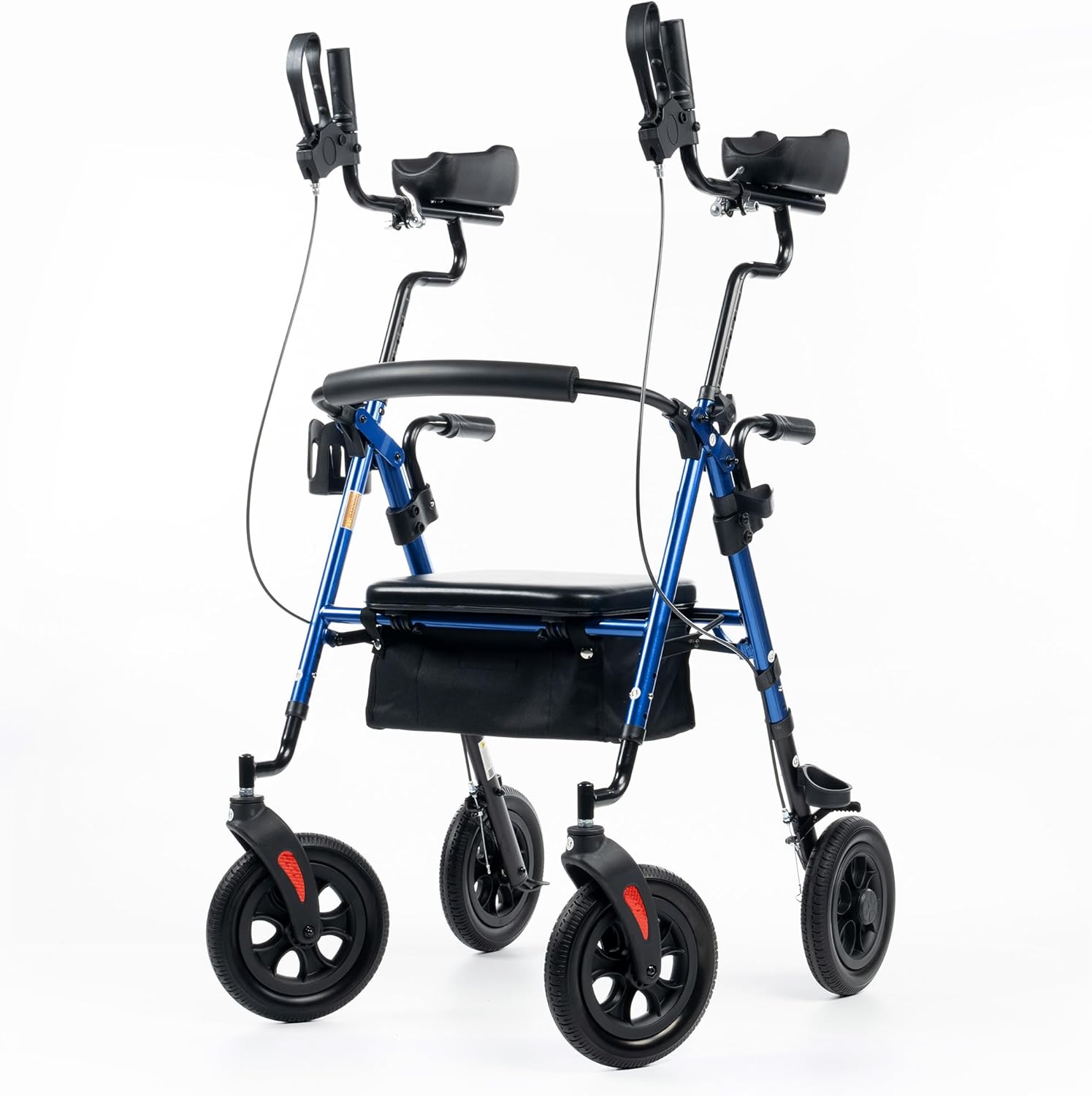
Figure 3.1: Overview of the ELENKER Upright Rollator Walker.
4. Setup and Assembly
Your rollator walker requires minimal assembly. Follow these general steps:
- Unfold the main frame carefully.
- Insert the adjustable armrest assemblies into the main frame until they click into place or are secured by pins/screws.
- Ensure the wheels are correctly oriented and securely attached.
- Attach the storage basket and any other accessories.
Adjusting the Rollator
The rollator features multiple adjustment points to customize it for your comfort and height (suitable for users from 4'8" to 6'4").
- Seat Height: Adjust the seat to a comfortable height that allows your feet to rest flat on the ground when seated.
- Handle Bar Height: Adjust the main handle bars so your elbows are slightly bent when holding them, promoting an upright posture.
- Handgrip Length & Angle: The padded armrests can be adjusted in length and angle to provide optimal support and comfort, allowing you to stand upright and look forward.

Figure 4.1: Adjustable components and dimensions of the rollator.
5. Operating Your Rollator Walker
5.1 Walking with the Rollator
Position yourself between the armrests, maintaining an upright posture. Push the rollator forward a short distance, then step forward. Keep your weight centered and use the armrests for support and balance.

Figure 5.1: Proper walking posture with the rollator.
5.2 Using the Brakes
The ergonomic handbrakes are located on the handgrips. To slow down or stop, gently squeeze the brake levers. To engage the parking brake, push the brake levers down until they lock into place. Pull them up to release. Always engage the parking brake when sitting or standing still.
Figure 5.2: Engaging the handbrake.
5.3 Using the Seat
To use the seat, ensure the rollator is on a level surface and the parking brakes are engaged. Turn around and slowly lower yourself onto the padded seat. Use the backrest for support. To stand up, engage the parking brakes, then use the sit-to-stand handle bars for assistance.
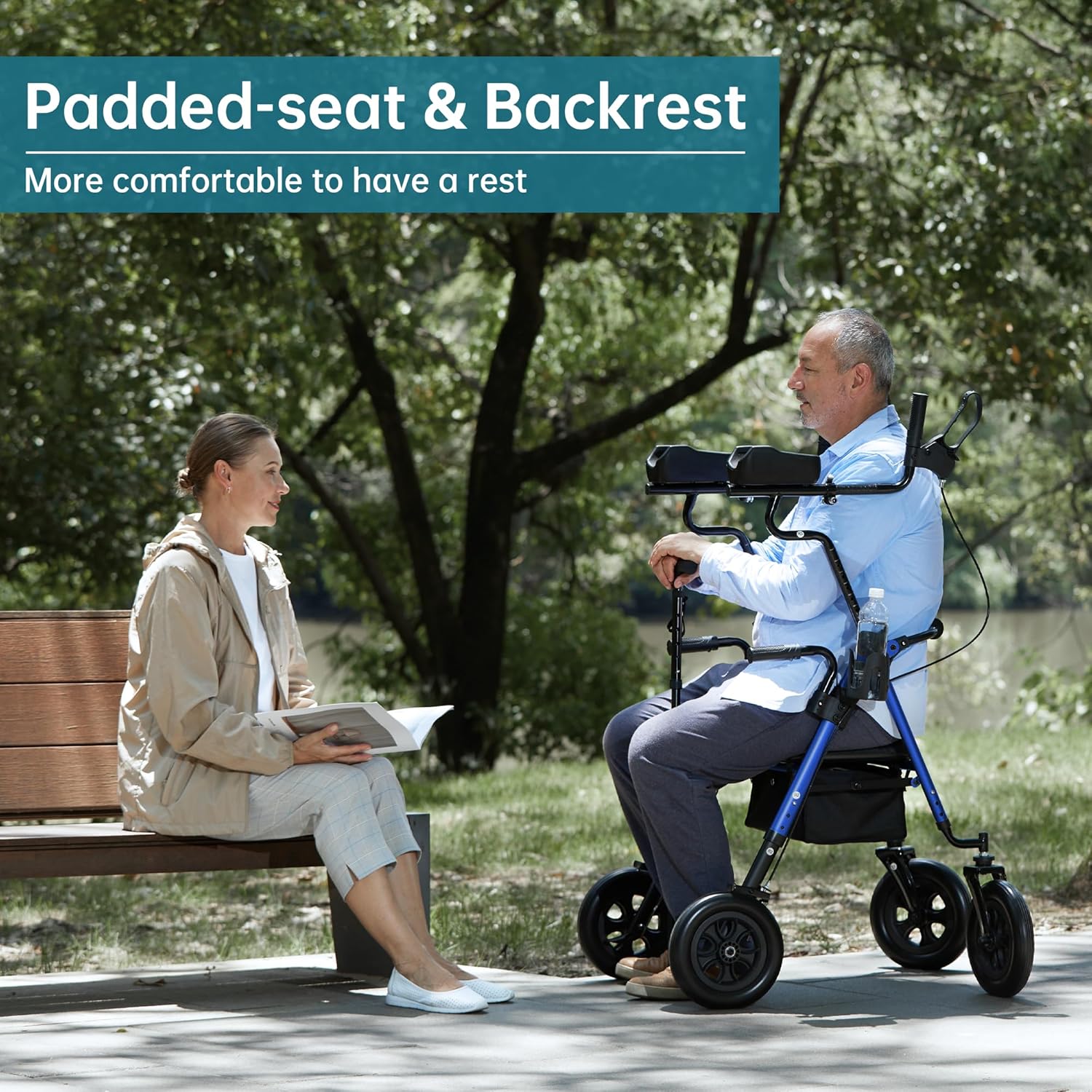
Figure 5.3: Using the padded seat for rest.
5.4 Sit-to-Stand Function
The rollator is equipped with handle bars designed to assist in standing up from a seated position. While seated, firmly grasp these lower handle bars and push up, using the rollator for stability.

Figure 5.4: Utilizing the sit-to-stand handle bars.
5.5 Storage and Accessories
The rollator includes a large capacity storage basket for personal items and a cane/umbrella holder, allowing for hands-free transport of essentials.
Figure 5.5: Under-seat storage basket.
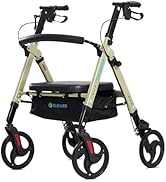
Figure 5.6: Integrated cup holder.
5.6 All-Terrain Wheels
Equipped with large 10-inch high-quality PU wheels, the rollator offers excellent shock absorption and smooth rolling over various surfaces, including uneven pavement. These explosion-proof, puncture-proof wheels require no inflation and are non-slip and wear-resistant.

Figure 5.7: Detail of the 10-inch all-terrain wheels.
6. Maintenance and Care
Regular maintenance ensures the longevity and safe operation of your rollator walker.
- Cleaning: Wipe the frame and seat with a damp cloth and mild detergent. Avoid abrasive cleaners.
- Brakes: Periodically check the brake cables and levers for proper tension and function. Adjust if necessary, or consult a professional.
- Wheels: Inspect wheels for wear and tear. Ensure they spin freely and are free of debris. The PU wheels are designed to be puncture-proof and require no inflation.
- Frame: Check all bolts, screws, and locking mechanisms regularly to ensure they are tight and secure.
- Storage: Store the rollator in a dry place away from extreme temperatures.
7. Troubleshooting
If you encounter issues with your rollator, refer to the table below for common problems and solutions.
| Problem | Possible Cause | Solution |
|---|---|---|
| Brakes are not engaging or holding securely. | Loose brake cable or worn brake pads. | Adjust brake cable tension. If pads are worn, contact customer support for replacement. |
| Rollator feels unstable or wobbly. | Loose frame connections or uneven leg adjustments. | Check all locking pins and screws. Ensure all four legs are adjusted to the same height. |
| Wheels are not rolling smoothly. | Debris in wheel mechanism or damaged wheel. | Clean wheels and axles. If damage is present, contact customer support. |
| Difficulty adjusting armrests or handle height. | Locking pins or adjustment mechanisms are stiff or obstructed. | Ensure no debris is blocking the mechanism. Apply a small amount of silicone lubricant if stiff. Do not force adjustments. |
8. Product Specifications
| Feature | Specification |
|---|---|
| Brand | ELENKER |
| Model Number | B0BJQRPV96 |
| Material | Aluminum |
| Product Dimensions (D x W x H) | 30"D x 25"W x 48"H (76.2cm D x 63.5cm W x 121.9cm H) |
| Item Weight | 30 Pounds (13.6 kg) |
| Wheel Size | 10-inch PU Wheels |
| Maximum User Weight | 350 lbs (158 kg) |
| Adjustable Height Range | Suitable for users from 4'8" to 6'4" |
9. Warranty and Customer Support
For warranty information, specific product inquiries, or technical support, please contact ELENKER customer service directly. Refer to the product packaging or the ELENKER official website for contact details. ELENKER is committed to providing high-performance mobility equipment, with every product tested before delivery.