
1. Introduction
This manual provides essential instructions for the installation, operation, and maintenance of your Wiser Outdoor IP Camera, model CCT724319. Designed for outdoor surveillance, this camera integrates into the Wiser smart home ecosystem to enhance your property's security.
Key Features:
- Outdoor DC power surveillance capability.
- Integrated Micro USB port for power supply.
- Supports 2.4 GHz Wi-Fi connectivity (IEEE 802.11 b/g/).
- Features video motion detection for enhanced security alerts.
- Designed for outdoor use with durable plastic material.
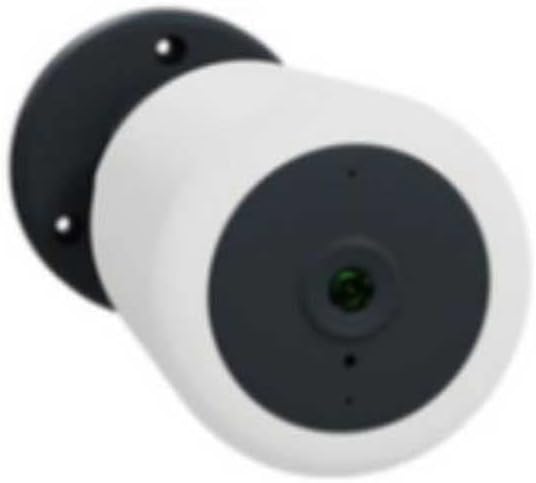
Figure 1: Wiser Outdoor IP Camera CCT724319. This image shows the camera's white cylindrical body, a dark grey front panel housing the lens, and a black mounting base with two screw holes for secure installation.
2. Package Contents
Please check the package for the following items:
- 1 x Wiser Outdoor IP Camera (Model CCT724319)
- Mounting screws and anchors (typically included, though not explicitly listed)
- Power adapter (for Micro USB port, typically included)
- Quick Start Guide (not explicitly listed, but standard)
3. Setup and Installation
3.1. Mounting the Camera
- Choose a Location: Select an outdoor location that provides the desired surveillance coverage and has access to a power outlet. Ensure the Wi-Fi signal is strong at the chosen spot.
- Mark Drill Holes: Use the camera's mounting base as a template to mark the positions for drilling on the wall or surface.
- Drill Holes: Drill pilot holes at the marked positions. Insert wall anchors if necessary for secure mounting.
- Secure the Camera: Align the camera's mounting base with the drilled holes and secure it using the provided screws.
3.2. Powering On
- Connect the power adapter to the camera's Micro USB port.
- Plug the power adapter into a suitable outdoor power outlet.
- The camera will power on, and an indicator light (if present) will show its status.
3.3. Wi-Fi Connection and App Setup
- Download the Wiser App: Search for "Wiser Home" or "Wiser by Schneider Electric" in your smartphone's app store (iOS or Android) and download it.
- Create an Account: Open the app and follow the on-screen instructions to create a new user account or log in if you already have one.
- Add Device: In the app, select the option to add a new device. Choose "Camera" or "Security Camera" from the list.
- Follow In-App Instructions: The app will guide you through connecting the camera to your 2.4 GHz Wi-Fi network. This typically involves scanning a QR code on the camera or entering your Wi-Fi credentials.
- Complete Setup: Once connected, you can name your camera and adjust initial settings within the app.
4. Operating the Camera
4.1. Live View and Recording
- Open the Wiser app and select your camera to view the live feed.
- The app allows you to manually record video, take snapshots, and access recorded footage.
4.2. Motion Detection
- The camera features video motion detection. You can configure sensitivity levels and detection zones within the Wiser app.
- When motion is detected, the camera can trigger recordings and send notifications to your smartphone.
4.3. Multi-Device Support
The Wiser system supports connecting multiple devices. You can manage up to 4 devices per output (e.g., per gateway or specific Wiser hub) through the app, allowing for comprehensive home surveillance.
4.4. Camera Selector Switch (if applicable)
If your Wiser system includes a camera selector switch, refer to its specific manual for operation. This feature allows switching between different camera feeds within a multi-camera setup.
5. Care and Maintenance
- Cleaning: Gently wipe the camera lens and body with a soft, damp cloth. Avoid abrasive cleaners or solvents.
- Firmware Updates: Regularly check the Wiser app for available firmware updates to ensure optimal performance and security.
- Cable Inspection: Periodically inspect the power cable and connections for any signs of wear or damage, especially in outdoor environments.
- Environmental Protection: While designed for outdoor use, ensure the camera is not directly exposed to extreme weather conditions beyond its operating limits.
6. Troubleshooting
Common Issues and Solutions:
- No Power:
- Ensure the power adapter is securely connected to the camera and the power outlet.
- Check if the power outlet is functional.
- Wi-Fi Disconnection:
- Verify your Wi-Fi router is working and the internet connection is stable.
- Ensure the camera is within range of your 2.4 GHz Wi-Fi network.
- Restart the camera and your Wi-Fi router.
- If issues persist, try re-pairing the camera with the Wiser app.
- Motion Detection Not Working:
- Check the motion detection settings in the Wiser app (sensitivity, detection zones).
- Ensure there are no obstructions blocking the camera's view.
- Verify that notifications are enabled on your smartphone and in the app.
- Poor Video Quality:
- Clean the camera lens.
- Ensure a strong Wi-Fi signal.
- Check your internet upload speed.
7. Product Specifications
| Brand | Wiser |
| Model Number | CCT724319 |
| Manufacturer | APC Schneider Electric |
| Recommended Use | Outdoor Security |
| Connectivity Technology | Wired, Wireless (Wi-Fi 2.4 GHz) |
| Power Source | DC Power (via Micro USB port), also listed as Battery Powered (may refer to compatibility with external battery packs or a general power category) |
| Power Consumption | 12 Watts |
| Material | Plastic |
| Color | White |
| Item Dimensions (L x W x H) | 50 x 50 x 28 cm |
| Weight | 428 Grams |
| Special Feature | Outdoor Use |
| Infrared Type | Infrared |
| Batteries Included/Required | No |
| Country of Origin | Spain |
8. Warranty and Support
For warranty information, please refer to the documentation provided with your purchase or contact your retailer. The manufacturer of this product is APC Schneider Electric.
Spare parts availability information is currently unavailable. For technical support or further assistance, please visit the official Wiser or Schneider Electric website, or contact their customer service department.


