
Introduction
Thank you for purchasing the lehaha X8 Wireless Car Charger FM Transmitter. This device allows you to stream music from your smartphone, USB drive, or TF card to your car's FM radio, make hands-free calls, and charge your devices simultaneously. Please read this manual carefully to ensure proper use and optimal performance.
Safety Information
Important Safety Instructions:
- Do not leave the device in the car during hot weather, as it may overheat and cause damage or fire risk.
- Avoid using the device while operating other wireless devices, such as a phone, to avoid interference.
- Do not expose the device to moisture or extreme temperatures.
- Do not disassemble or attempt to repair the device yourself.
Product Overview
The lehaha X8 combines multiple functions into one compact device for your car. It features:
- FM Transmitter: Broadcasts audio to your car radio.
- Bluetooth Connectivity: For wireless audio streaming and hands-free calls.
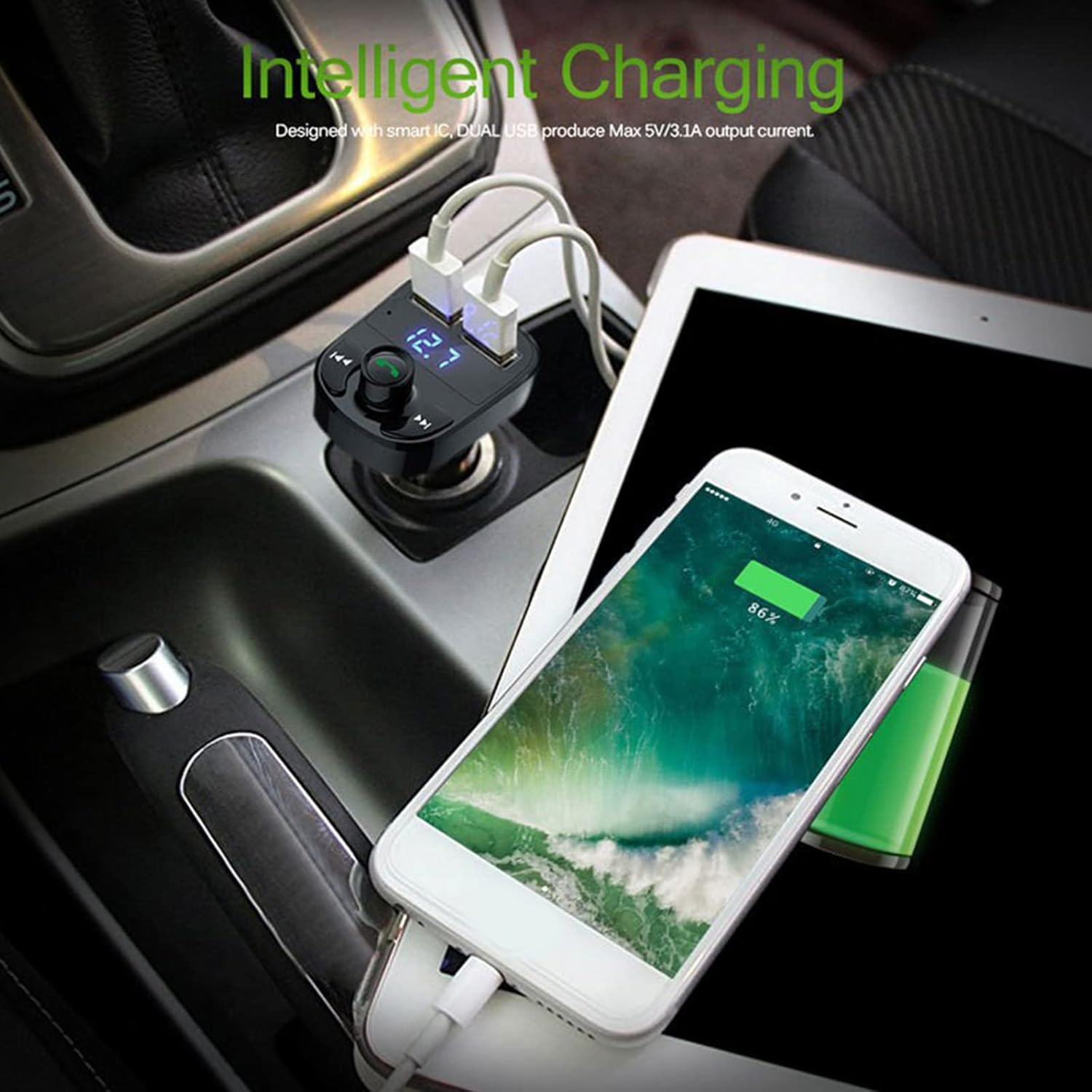
- Dual USB Charging Ports: One 3.1A port for fast charging and one 1.0A port for standard charging.
- MP3 Player: Supports music playback from USB drives and TF cards.
- LED Display: Shows FM frequency and car battery voltage.

Setup Instructions
- Insert into Car Cigarette Lighter: Plug the X8 FM Transmitter into your car's 12V/24V cigarette lighter socket. The LED display will light up, showing the car battery voltage for a few seconds, then switch to the FM frequency.
- Set FM Frequency:
- Tune your car radio to an empty FM frequency (one with no station broadcasting).
- Press and hold the multi-function knob (phone button) on the X8 until the FM frequency on the LED display starts flashing.
- Rotate the multi-function knob left or right to adjust the X8's frequency to match your car radio's empty frequency.
- Once matched, wait a few seconds for the frequency to stop flashing, or press the multi-function knob once to confirm.
- Bluetooth Pairing:
- On your smartphone, enable Bluetooth and search for available devices.
- Select "X8" from the list of devices to pair.
- Once paired, you will hear a confirmation tone from your car speakers.
Operating Instructions
Music Playback
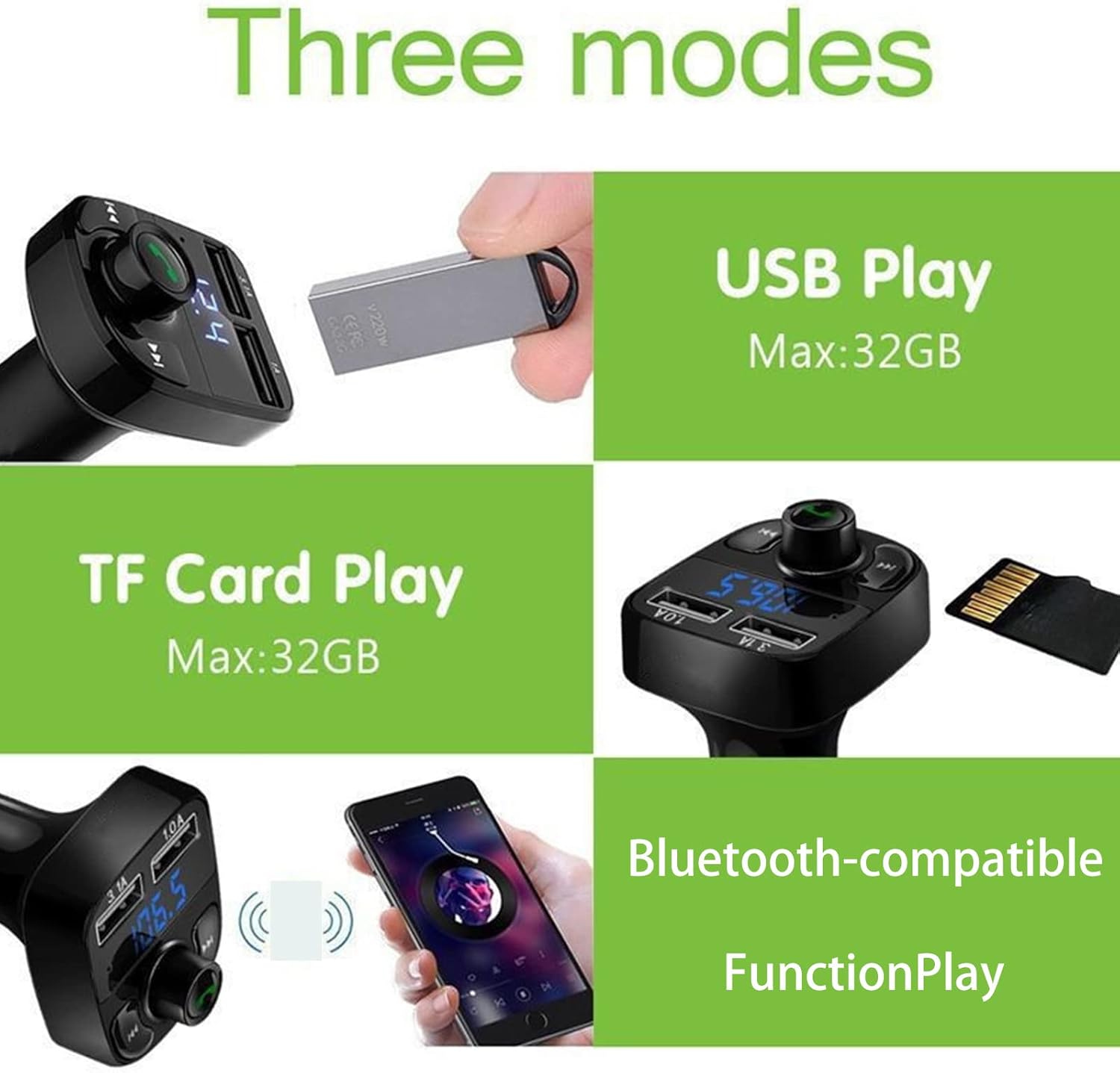
The X8 supports three music playback modes: Bluetooth, USB Disk, and TF Card.
- Bluetooth Mode: After successful Bluetooth pairing, music played on your smartphone will automatically stream through your car's speakers via the set FM frequency.
- USB Disk Mode: Insert a USB flash drive (up to 32GB) containing MP3 files into the USB port labeled '1.0A' or '3.1A'. The device will automatically detect and play music from the USB drive.
- TF Card Mode: Insert a TF (MicroSD) card (up to 32GB) containing MP3 files into the TF card slot. The device will automatically detect and play music from the TF card.
Controls
- Multi-function Knob (Phone Button):
- Short Press: Play/Pause music; Answer/End calls.
- Long Press (3-5 seconds): Enter FM frequency adjustment mode.
- Double Press: Redial last number.
- Previous Track Button (◀◀): Short press to go to the previous song.
- Next Track Button (▶▶): Short press to go to the next song.
- Volume Adjustment: Rotate the multi-function knob clockwise for Volume+ and counter-clockwise for Volume-.

Hands-Free Calling
- Answer Call: When an incoming call rings, short press the multi-function knob (phone button) to answer.
- End Call: During a call, short press the multi-function knob to end the call.
- Reject Call: When an incoming call rings, long press the multi-function knob to reject the call.
- Redial: Double press the multi-function knob to redial the last outgoing number.
Charging Devices
The X8 features two USB charging ports:
- USB 3.1A Port: Designed for faster charging of compatible devices.
- USB 1.0A Port: Suitable for standard charging of smartphones and other devices.
Simply connect your device's USB charging cable to the appropriate port on the X8.
Maintenance
- Cleaning: Use a soft, dry cloth to clean the device. Do not use liquid cleaners or aerosols.
- Storage: When not in use for extended periods, store the device in a cool, dry place away from direct sunlight and extreme temperatures.
- Avoid Physical Damage: Handle the device with care to prevent drops or impacts.
Troubleshooting
- No Power/LED Display Off:
- Ensure the device is fully inserted into the car's cigarette lighter socket.
- Check your car's fuse for the cigarette lighter socket.
- Static/Interference During Playback:
- Adjust the FM frequency on both the X8 and your car radio to a different, clearer, unused frequency.
- Ensure there are no strong radio signals or other wireless devices causing interference nearby.
- Lower the volume on the X8 and increase it on your car radio to reduce potential noise.
- Bluetooth Connection Issues:
- Ensure Bluetooth is enabled on your smartphone and the X8 is powered on.
- Delete "X8" from your phone's paired devices list and attempt to re-pair.
- Move your phone closer to the X8.
- USB/TF Card Not Playing:
- Ensure the USB drive or TF card is formatted correctly (FAT32 recommended) and contains supported audio files (MP3).
- Check if the USB drive or TF card is inserted correctly and fully.
- Try a different USB drive or TF card to rule out media issues.
- Slow Charging or No Charging:
- Ensure your charging cable is functional and properly connected.
- Verify that your device supports the charging current provided by the X8's USB ports.
- The 3.1A port offers faster charging; ensure you are using it for devices that support it.
Specifications
| Feature | Specification |
|---|---|
| Brand | lehaha |
| Model | X8 |
| Hardware Interface | Bluetooth, USB 2.0 |
| Compatible Devices | Smartphone, Car stereo system |
| Audio Output Mode | FM Radio, Bluetooth |
| Power Source | Car battery powered (12V/24V) |
| Wireless Standard | Bluetooth |
| Connectivity Technology | USB |
| Compatible Media Types | TF Card (Max 32GB), MP3, USB Flash Drive (Max 32GB) |
| USB Output 1 | 3.1A |
| USB Output 2 | 1.0A |
| Color | Black |
| Product Dimensions | 14.2 x 14.2 x 8.1 cm |
| Product Weight | 40 g |

Warranty and Support
Specific warranty information for the lehaha X8 Wireless Car Charger FM Transmitter is not provided in the product details. Please refer to your purchase documentation or contact the retailer for warranty terms.
For technical support or further assistance, please contact the seller or retailer from whom you purchased the product.