
NN BEN NEVIS 2024
NN BEN NEVIS Kids Digital Sport Watch User Manual
Model: 2024
Brand: NN BEN NEVIS
Introduction
Welcome to the user manual for your NN BEN NEVIS Kids Digital Sport Watch. This watch is designed for children aged 5-12, offering a range of features including a fitness tracker, alarm clock, and stopwatch, all without the need for a smartphone app. Its durable and waterproof design makes it suitable for daily activities. Please read this manual carefully to understand how to set up and use your new watch.

Figure 1: NN BEN NEVIS Kids Digital Sport Watch (Yellow Model)
Setup
Charging the Watch
Your NN BEN NEVIS Kids Digital Sport Watch features a convenient USB charging interface.
- To access the charging port, gently pop out the watch face from one end of the silicone band. The USB connector is integrated into the watch face itself.
- Plug the exposed USB connector directly into any standard USB power source, such as a smartphone adapter, computer USB port, or a portable charger.
- A small light on the watch face will illuminate to indicate that it is successfully charging.
- A full charge typically takes approximately 1 hour and provides a battery life of about 15 days.
- Once charging is complete, carefully reinsert the watch face back into the silicone band until it is securely in place.
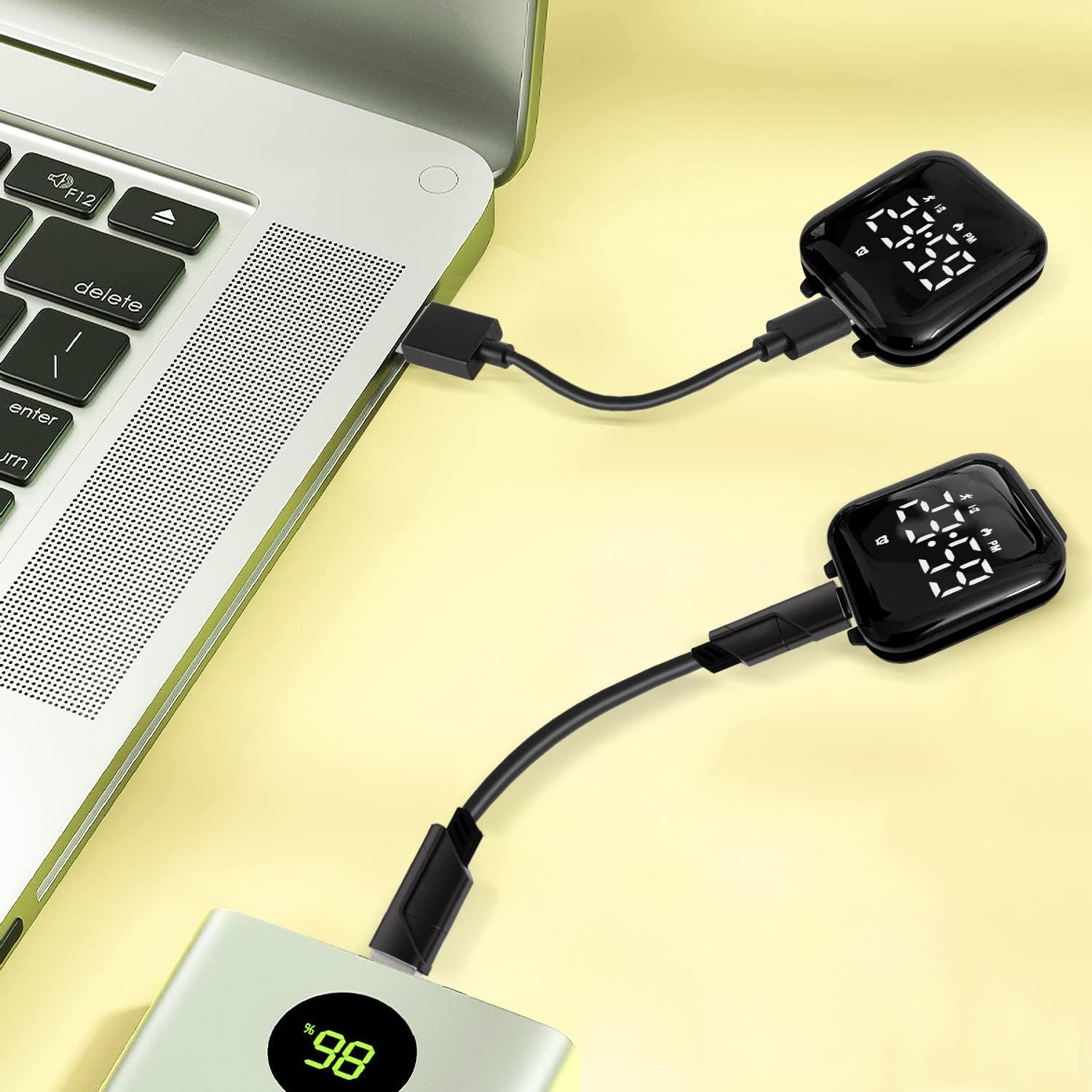
Figure 2: USB Charging Port Integration

Figure 3: Charging the Watch
Adjusting the Band
The watch features a soft, adjustable silicone band designed to fit various wrist sizes. Use the traditional buckle clasp to secure the watch comfortably on the wearer's wrist.
Video 1: Unboxing and Initial Setup Instructions for the Watch
Operating Instructions
The watch is operated using two buttons located on the side of the watch face.
Setting Time and Date
Press the top button to cycle through display modes (Time, Date, Steps, Calories, Distance, Stopwatch). To adjust settings, press and hold the top button until the display flashes, then use the bottom button to change values and the top button to confirm and move to the next setting.
Using the Fitness Tracker
The watch integrates step counting, calorie tracking, and mileage. These features operate automatically once the watch is powered on.
- Step Counting: The watch automatically tracks the number of steps taken throughout the day.
- Calorie Tracking: Based on your activity, the watch estimates calories burned. For more accurate results, you can input your height and weight into the watch settings.
- Mileage: The watch calculates the distance covered based on your steps.
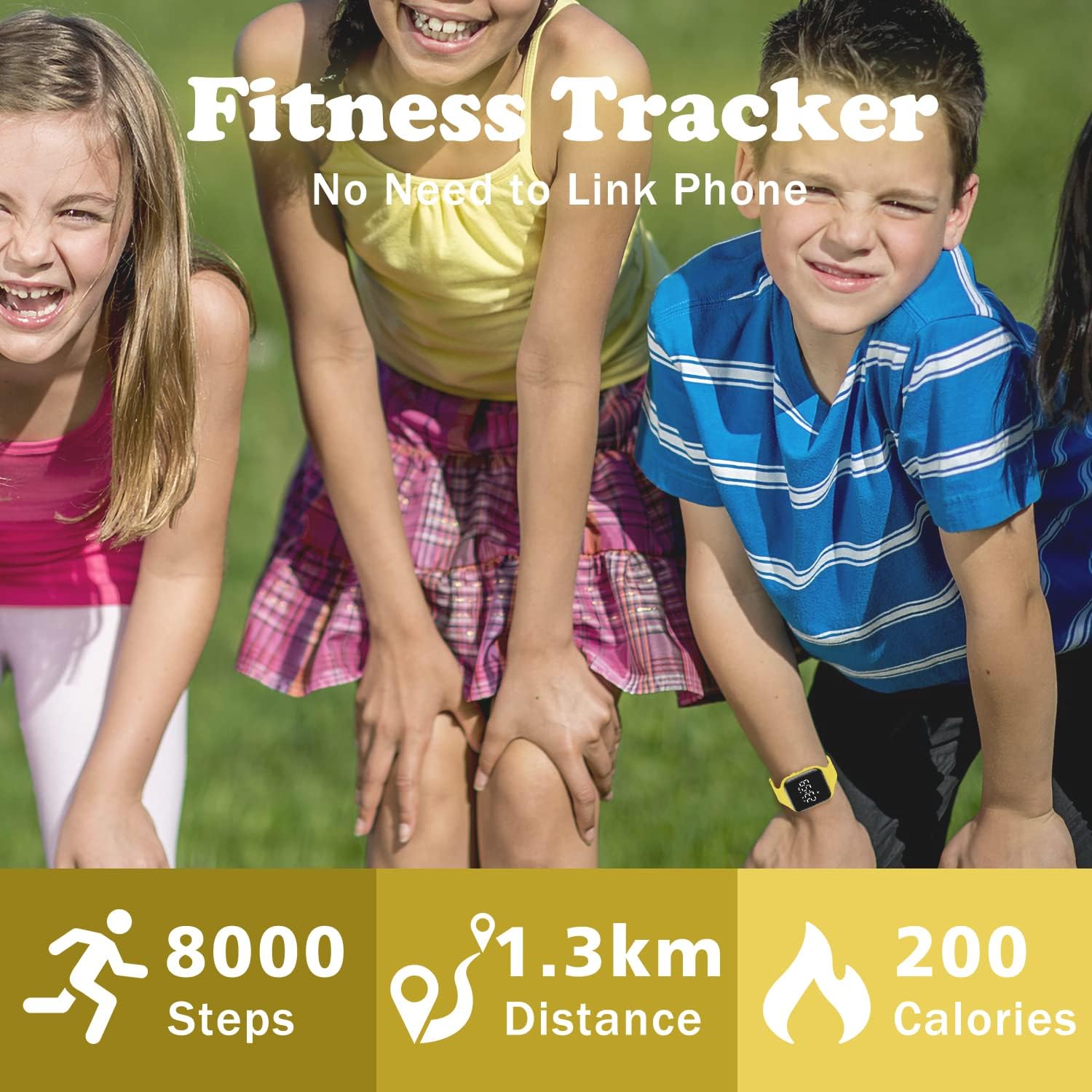
Figure 4: Fitness Tracking Features
Setting the Silent Vibrating Alarm
The watch allows you to set up to two vibrating alarms. This feature is ideal for discreet reminders without disturbing others.
- Navigate to the alarm setting mode using the top button.
- Press and hold the top button to enter alarm edit mode.
- Use the bottom button to adjust the hour and minute, and the top button to confirm each selection.
- Once set, the watch will vibrate at the designated time.

Figure 5: Silent Vibrating Alarm
Using the Stopwatch
The watch includes a stopwatch function for timing activities.
- Cycle through the modes until you reach the stopwatch display.
- Press the top button to start and stop the stopwatch.
- Press and hold the top button to reset the stopwatch.
Video 2: Kids Watch Settings Reference Video
Key Features
- Kids Sport Watch: Integrated step counting, stopwatch, calories, and mileage. No app connection required, easy to set.
- Powerful Battery Life: USB interface for charging. Approximately 15 days of battery life on a single charge.
- Silent Vibrating Alarm: Set two alarms to remind children without disturbing others.
- Reliable Quality: Lightweight and soft silicone band, adorable design, adjustable for various wrist sizes.
- Waterproof Resistant: 5 ATM water-resistant, suitable for hand washing, facial washing, and rain. Not recommended for swimming, hot baths, or saunas.

Figure 6: Overview of Watch Features

Figure 7: Waterproof Capabilities
Maintenance
- Cleaning: Wipe the watch and band with a soft, damp cloth. Avoid harsh chemicals or abrasive cleaners.
- Water Exposure: While the watch is 5 ATM water-resistant, it is designed for splashes, hand washing, and rain. Avoid prolonged immersion, swimming, hot baths, or saunas, as frequent contact with water can reduce its service life. Do not press buttons underwater.
- Storage: Store the watch in a cool, dry place when not in use.
Troubleshooting
- Watch not turning on: Ensure the watch is fully charged. Connect it to a USB power source and check for the charging indicator light.
- Display is dim or unresponsive: The battery might be low. Charge the watch. If the issue persists, ensure the watch face is securely seated in the band.
- Time/Date is incorrect: Follow the operating instructions to manually set the time and date.
- Fitness tracking seems inaccurate: Ensure the watch is worn snugly on the wrist. For calorie tracking, verify that height and weight settings are correctly entered if applicable. Note that fitness data is for reference only and not for medical purposes.
Specifications
| Feature | Detail |
|---|---|
| Model Number | 2024 |
| Package Dimensions | 5.83 x 2.68 x 1.34 inches |
| Item Weight | 2.4 ounces |
| Water Resistance | 5 ATM |
| Clasp Type | Tang Buckle |
| Battery Life | Approx. 15 days |
| Charging Interface | Integrated USB |

Figure 8: Watch Dimensions and Specifications
Warranty and Support
NN BEN NEVIS is committed to providing quality products. While specific warranty details are not provided in this manual, if you encounter any issues or have questions regarding your watch, please contact the seller or manufacturer for assistance. We are dedicated to helping you resolve any problems.
Ask a question about this manual
Ask about setup, troubleshooting, compatibility, parts, safety, or missing instructions. Manuals+ will review the question and use this page’s manual context to help answer it.