
Hero1999
Xdobo Hero Bluetooth Wireless Speaker User Manual
Model: Hero1999
1. Introduction
Thank you for choosing the Xdobo Hero Bluetooth Wireless Speaker. This manual provides essential information for the safe and optimal use of your device. The Xdobo Hero is a powerful 50W portable speaker featuring a super loud subwoofer bass sound, True Wireless Stereo (TWS) functionality, a 6600mAh battery with power bank capability, and IPX7 waterproof rating, making it suitable for various indoor and outdoor environments.
2. Safety Information
Please read and understand all safety instructions before using this product. Keep this manual for future reference.
- Do not expose the speaker to extreme temperatures, direct sunlight, or high humidity.
- While the speaker is IPX7 waterproof, it is designed to withstand immersion in water up to 1 meter for 30 minutes. Do not submerge it for extended periods or in depths greater than 1 meter. Ensure all port covers are securely closed before exposure to water.
- Do not disassemble, repair, or modify the speaker. This may void the warranty and pose safety risks.
- Use only the provided charging cable or a certified Type-C cable for charging.
- Keep the speaker away from medical devices, as its magnetic components may interfere.
- Dispose of the product and its battery responsibly according to local regulations.
- Avoid listening at high volume levels for prolonged periods to prevent hearing damage.
3. Package Contents
Verify that all items are present in the package:
- Xdobo Hero Bluetooth Wireless Speaker
- Type-C USB Charging Cable
- AUX Audio Cable
- User Manual (this document)
4. Product Overview
Familiarize yourself with the speaker's components and controls.

Figure 4.1: Front view of the Xdobo Hero speaker, highlighting the control buttons and speaker grille.

Figure 4.2: Close-up view of the Xdobo Hero's connection options, including the AUX port, TF Card slot, USB port, and Type-C charging port.
Control Panel Functions:
- Power Button (⏻): Press and hold to power on/off. Short press to play/pause.
- Volume Down (-): Short press to decrease volume. Long press for previous track.
- Volume Up (+): Short press to increase volume. Long press for next track.
- Mode Button (M): Short press to switch between Bluetooth, AUX, USB Disk, and TF Card modes.
- Play/Pause Button (⏸): Short press to play/pause.
- Bluetooth Indicator Light: Indicates Bluetooth status (flashing for pairing, solid for connected).
Ports:
- Type-C Charging Port: For charging the speaker's internal battery.
- USB Port: For playing music from a USB flash drive or for power bank function.
- AUX Port: For connecting external audio devices via the 3.5mm audio cable.
- TF Card Slot: For playing music from a Micro SD (TF) card.
5. Setup
5.1 Charging the Speaker
Before first use, fully charge the speaker. The charging time is approximately 2-3 hours.
- Open the rubber cover protecting the ports.
- Connect the Type-C end of the charging cable to the speaker's Type-C port.
- Connect the USB-A end of the charging cable to a USB power adapter (not included) or a computer's USB port.
- The charging indicator light will illuminate during charging and turn off when fully charged.
5.2 Power On/Off
- Power On: Press and hold the Power button (⏻) for 2-3 seconds until you hear an audible prompt.
- Power Off: Press and hold the Power button (⏻) for 2-3 seconds until you hear an audible prompt.
6. Operating Instructions
6.1 Bluetooth Pairing
Connect your Xdobo Hero speaker to a Bluetooth-enabled device.
- Power on the speaker. It will automatically enter Bluetooth pairing mode, indicated by a flashing blue LED light.
- Enable Bluetooth on your device (smartphone, tablet, computer).
- Search for "Xdobo Hero" in the list of available Bluetooth devices.
- Select "Xdobo Hero" to connect. Once connected, the blue LED light will become solid, and you will hear a confirmation sound.
- If prompted for a password, enter "0000".
6.2 True Wireless Stereo (TWS) Function
Pair two Xdobo Hero speakers for a stereo sound experience.
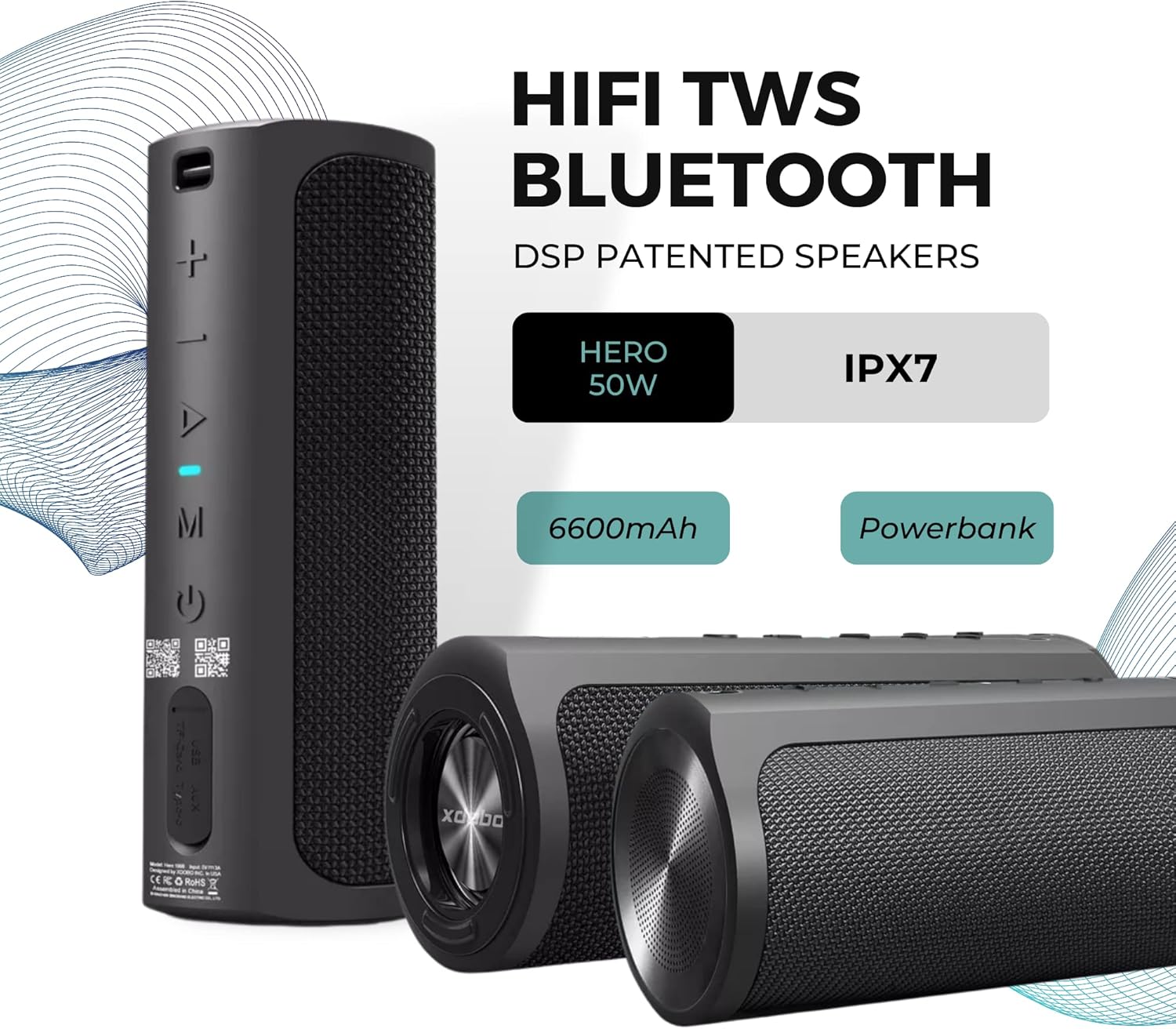
Figure 6.1: Two Xdobo Hero speakers ready for True Wireless Stereo (TWS) pairing.
- Ensure both Xdobo Hero speakers are powered on and not connected to any Bluetooth device.
- On one of the speakers (this will be the primary speaker), double-press the Power button. You will hear a prompt indicating TWS pairing mode.
- The two speakers will automatically search and pair with each other. Once connected, you will hear a confirmation sound, and the LED on the primary speaker will flash, while the secondary speaker's LED will be solid.
- Now, connect your device to the primary speaker via Bluetooth as described in Section 6.1.
6.3 AUX Mode
Use the speaker with devices that do not have Bluetooth capability.
- Connect one end of the 3.5mm AUX audio cable to the speaker's AUX port.
- Connect the other end to the audio output jack of your device (e.g., MP3 player, computer).
- Short press the Mode button (M) on the speaker until it enters AUX mode.
- Audio will now play through the speaker. Control playback from your connected device.
6.4 USB Disk / TF Card Mode
Play music directly from a USB flash drive or TF (Micro SD) card.
- Insert a USB flash drive into the USB port or a TF card into the TF card slot.
- Short press the Mode button (M) on the speaker until it enters USB Disk or TF Card mode.
- The speaker will automatically begin playing audio files from the inserted storage device.
- Use the Volume Up/Down buttons for track navigation (long press) and volume control (short press).
6.5 Power Bank Function
Use the Xdobo Hero's 6600mAh battery to charge other devices.

Figure 6.2: The Xdobo Hero speaker functioning as a power bank, charging a smartphone via its USB port.
- Connect your device's charging cable (e.g., smartphone, tablet) to the USB port on the Xdobo Hero speaker.
- The speaker will automatically begin charging your connected device.
- Note: Using the power bank function will consume the speaker's battery.
7. Maintenance
- Cleaning: Wipe the speaker with a soft, damp cloth. Do not use abrasive cleaners or solvents. Ensure port covers are closed when cleaning with a damp cloth.
- Storage: Store the speaker in a cool, dry place away from direct sunlight and extreme temperatures. If storing for a long period, charge the battery to about 50% every few months to maintain battery health.
- Water Protection: Always ensure the rubber port cover is securely sealed when using the speaker near water or in wet conditions to maintain its IPX7 waterproof rating.
8. Troubleshooting
If you encounter issues with your Xdobo Hero speaker, refer to the following common problems and solutions:
| Problem | Possible Cause | Solution |
|---|---|---|
| Speaker does not power on. | Low battery. | Charge the speaker fully. |
| Cannot pair via Bluetooth. | Speaker is not in pairing mode; device's Bluetooth is off; speaker is already connected to another device. | Ensure speaker is flashing blue LED; turn on device's Bluetooth; disconnect from other devices. |
| No sound. | Volume too low; incorrect mode selected; cable not fully inserted (AUX). | Increase volume on speaker and device; press Mode button to select correct input; ensure cables are securely connected. |
| TWS pairing fails. | Speakers are too far apart; one speaker is already connected to a device. | Place speakers closer; ensure both speakers are disconnected from other devices before initiating TWS pairing. |
| Power bank function not working. | Speaker battery is too low; cable issue. | Ensure speaker has sufficient charge; try a different USB cable. |
9. Specifications
Detailed technical specifications for the Xdobo Hero Bluetooth Wireless Speaker.

Figure 9.1: Physical dimensions of the Xdobo Hero speaker.
- Model Name: Hero
- Item Model Number: Hero1999
- Output Power: 50W
- Speaker Type: Soundbar, Full-Range with Passive Bass
- Frequency Range: 80Hz-20KHz
- Bluetooth Version: 5.0
- Transmission Distance: ≥18m (Open area)
- Battery Capacity: 6600mAh Lithium Battery
- Playing Time: ≥6 hours (at 50% volume)
- Charging Time: ≤2-3 hours
- Waterproof Rating: IPX7
- Material: ABS Plastic
- Product Dimensions: 10D x 25W x 10H centimetres
- Item Weight: 0.87 Kilograms (870 g)
- Connectivity: Bluetooth, AUX, USB, TF Card
- Special Features: DSP Patented Speakers, TWS Function, Power Bank Function, Lanyard Slot
10. Warranty and Support
The Xdobo Hero Bluetooth Wireless Speaker comes with a 7 Day Replacement Warranty from the date of purchase. This warranty covers manufacturing defects and issues arising from normal use.
For technical support, warranty claims, or any questions regarding your product, please contact your retailer or the manufacturer's customer service. Please have your purchase receipt and product model number (Hero1999) ready when contacting support.
For more information, visit the official Xdobo website or contact your point of purchase.