
1. Introduction
Thank you for purchasing the TWINBIRD Steam Oven Range DR-FH71B. This appliance combines the functions of a microwave, oven, and steamer, offering versatile cooking options. Please read this manual thoroughly before use to ensure safe and optimal operation. Keep this manual for future reference.
2. Safety Information
WARNING: To reduce the risk of fire, electric shock, injury to persons, or exposure to excessive microwave energy, observe the following basic precautions:
- Read all instructions before using the appliance.
- Ensure the appliance is properly grounded.
- Do not operate the oven if the door is damaged or if the seals are not functioning correctly.
- Do not heat liquids or other foods in sealed containers as they are liable to explode.
- Regularly clean the oven cavity and remove any food debris.
- Keep children away from the appliance during operation.
3. Product Features
- W Steam Technology: Inspired by traditional steaming, this unique technology uses steam from both top and bottom outlets to evenly envelop food, ensuring authentic and delicious results for low-temperature cooking and steaming.
- Versatile Cooking Modes: Offers dedicated modes for Microwave (Range), Steam, and Oven functions, allowing for a wide range of culinary preparations.
- Low-Temperature Cooking: Achieve precise low-temperature cooking between 65°C and 85°C, perfect for tender meats and delicate dishes.
- Easy Operation: Features intuitive 'Mode Dial' for selecting cooking functions and a 'Selection Dial' for setting time and temperature. A large 5.8-inch white backlit LCD panel guides you through each step.
- Infrared Sensor & Inverter Control: An infrared sensor measures food surface temperature, while inverter technology provides flexible power output. Combined with a unique heating program, this ensures food is heated evenly to its core.
- Adjustable Power Output: Microwave power can be adjusted from 100W up to 1000W (maximum 3 minutes at 1000W, then switches to 600W), accommodating various heating needs from quick reheating to gentle defrosting.
- Simplified Menu Selection: Focuses on four core cooking methods, eliminating complex recipe-specific automatic menus for straightforward use.
- Easy-Clean Interior: The oven interior is coated with a material that makes it easy to wipe away water and food residue, simplifying maintenance.
- Removable Water Tank: The large-capacity water tank is designed for easy removal and emptying, with a 'Discard Water' indicator to prompt timely cleaning.
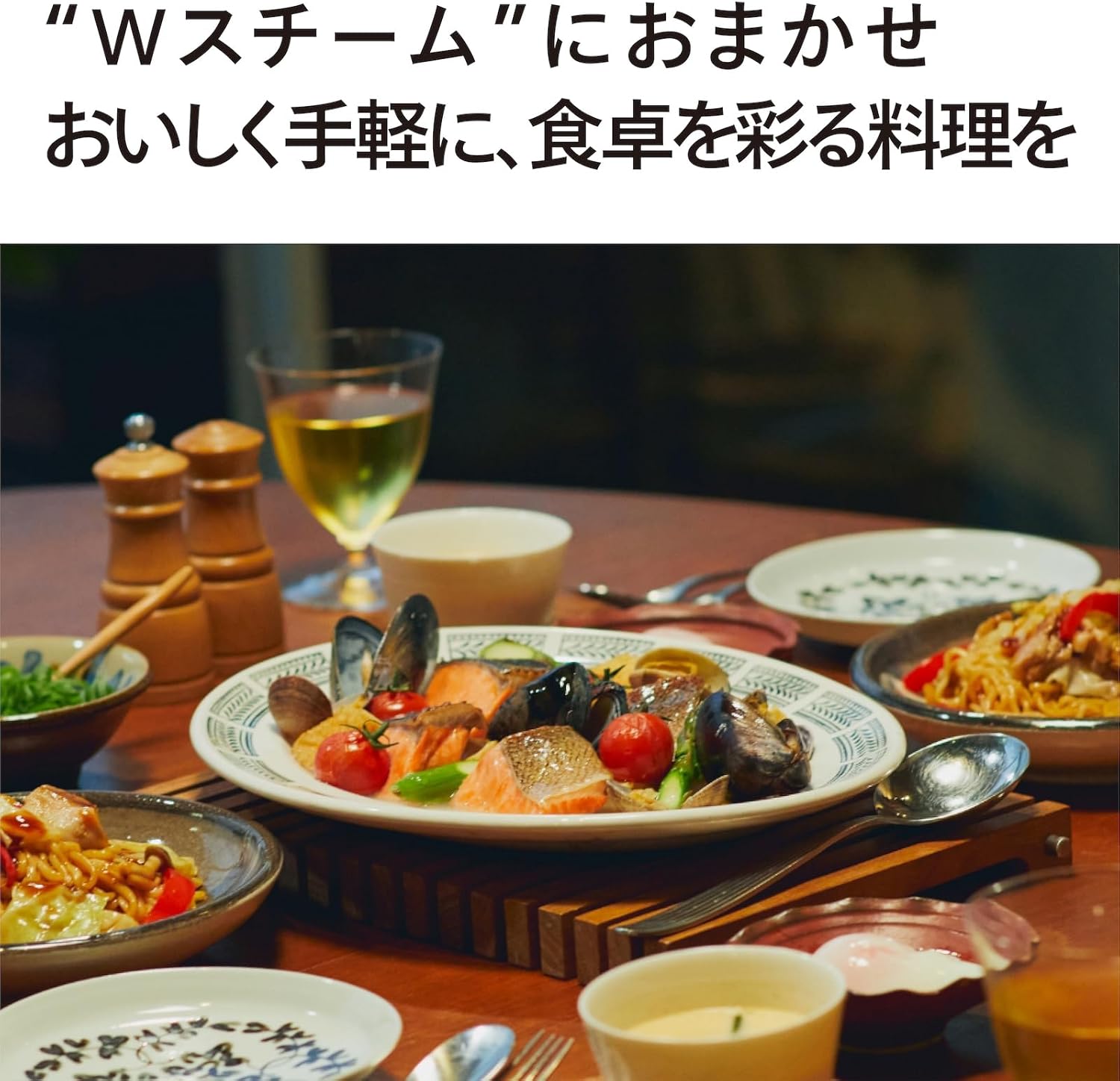
Image: The TWINBIRD Steam Oven Range DR-FH71B in a kitchen setting, showcasing a prepared meal.
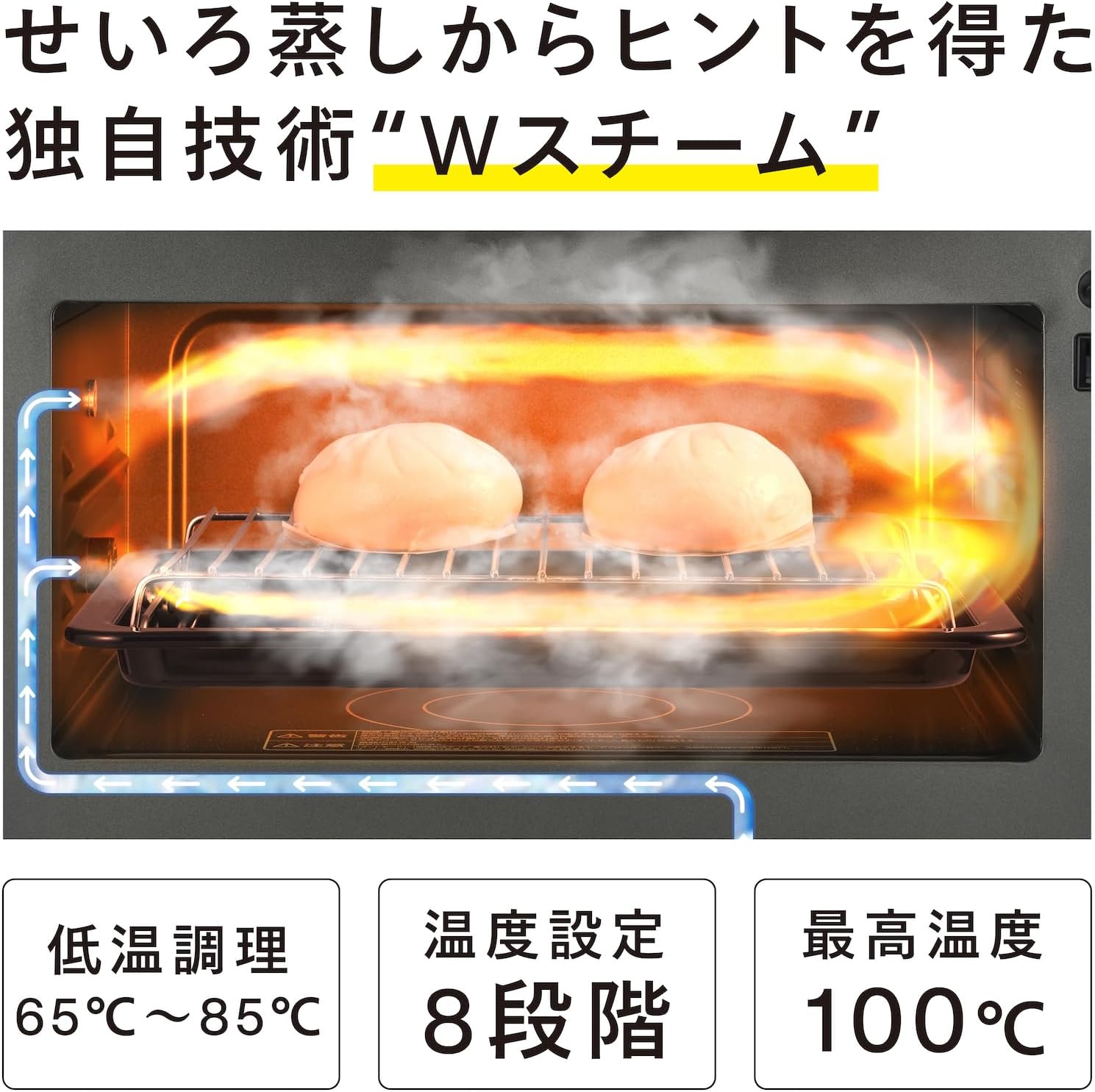
Image: A visual representation of the 'W Steam' technology, showing steam flow from both upper and lower vents.

Image: Examples of various dishes that can be prepared with the steam oven range, such as roast pork, dumplings, and desserts.
4. Setup
- Unpacking: Carefully remove the appliance from its packaging. Retain packaging materials for future transport or storage.
- Placement: Place the oven on a stable, level surface capable of supporting its weight. Ensure adequate ventilation by leaving at least 10 cm of space around the sides and back, and 30 cm above the unit. Do not place near heat sources or in direct sunlight.
- Power Connection: Plug the power cord into a grounded electrical outlet. Ensure the voltage matches the appliance's requirements (100V AC).
- Water Tank Installation: Fill the removable water tank with fresh tap water up to the MAX line. Insert the water tank securely into its designated slot.

Image: Product dimensions for proper placement and installation.
5. Operating Instructions
The TWINBIRD DR-FH71B offers intuitive control through its two main dials and LCD display.
5.1 Basic Operation
- Power On: Ensure the appliance is plugged in. The display will light up.
- Select Mode: Turn the 'Mode Dial' to choose your desired cooking function: 'Range' (Microwave), 'Steam', or 'Oven'.
- Set Time/Temperature: Once a mode is selected, use the 'Selection Dial' to adjust the cooking time, temperature, or power level as indicated on the LCD display.
- Start Cooking: Press the 'Start' button to begin the cooking process.
5.2 Specific Cooking Functions
- Microwave (Range) Mode:
- Select 'Range' mode.
- Use the 'Selection Dial' to choose power level (100W, 200W, 500W, 600W, 900W, 1000W) and cooking time.
- Press 'Start'. - Steam Mode:
- Select 'Steam' mode.
- Ensure the water tank is filled.
- Use the 'Selection Dial' to set the steaming time or temperature (e.g., for low-temperature cooking between 65°C and 85°C).
- Press 'Start'. - Oven Mode:
- Select 'Oven' mode.
- Use the 'Selection Dial' to set the desired oven temperature and cooking time.
- Press 'Start'.

Image: Close-up of the control panel, showing the mode and selection dials for easy operation.

Image: A hand demonstrating the use of the control dial to select cooking options.

Image: A dish of salmon and vegetables being steamed, highlighting the ability to cook without an open flame.

Image: A plate of low-temperature cooked chicken breast, illustrating healthy cooking options.
6. Maintenance and Cleaning
Regular cleaning ensures the longevity and hygiene of your appliance.
6.1 Interior Cleaning
- After each use, especially after steaming, wipe the interior of the oven with a soft, damp cloth.
- For stubborn stains, use a mild detergent and then wipe thoroughly with a clean, damp cloth.
- The special coating on the interior makes it easy to clean water and dirt.
6.2 Water Tank Cleaning
- After each use of the steam function, remove the water tank.
- Empty any remaining water from the tank. The 'Discard Water' indicator will remind you.
- Rinse the water tank with clean water. For thorough cleaning, use a soft brush and mild detergent if necessary.
- Allow the tank to air dry completely before reinserting.

Image: A hand wiping the interior of the oven, demonstrating the ease of cleaning.

Image: The removable water tank, shown for easy access and cleaning.
7. Troubleshooting
If you encounter any issues, please refer to the following common problems and solutions before contacting customer service.
| Problem | Possible Cause | Solution |
|---|---|---|
| Appliance does not turn on. | Power cord not properly plugged in. | Check power cord connection. |
| No steam is generated. | Water tank is empty or not installed correctly. | Fill the water tank and ensure it is securely in place. |
| Food is not heating evenly. | Incorrect power level or cooking time selected. Food placed too close to oven walls. | Adjust settings. Ensure proper spacing around food for even heat distribution. |
| Display shows an error code. | Specific internal issue. | Refer to the full user manual for specific error code meanings or contact customer support. |
8. Specifications
| Feature | Specification |
|---|---|
| Manufacturer | TWINBIRD |
| Model Number | DR-FH71B |
| Package Dimensions | 53 x 52 x 40 cm |
| Color | Matte Black |
| Capacity | 23 Liters |
| Wattage (W) | 1420 W |
| Other Features | W Steam |
| Power Source | AC |
| Voltage (V) | 100.0 |
| Package Weight | 20.2 Kilograms |
| Battery Use | No |
| Care Instructions | Wipe gently with a cloth |
| Manufacturer Warranty | 1 year manufacturer warranty. Please keep proof of purchase. |
| Item Weight | 16.9 Kilograms |
| Heating Method | Convection |
| Installation Type | Countertop |
9. Warranty and Support
This product comes with a 1-year manufacturer's warranty from the date of purchase. Please retain your proof of purchase for warranty claims. For technical support, troubleshooting beyond this manual, or warranty service, please contact TWINBIRD customer service through their official website or the contact information provided with your purchase.