1. Introduction
This user manual provides comprehensive instructions for the safe operation, maintenance, and troubleshooting of your Hoodiess C186 RC Helicopter. Please read this manual thoroughly before operating the helicopter to ensure proper use and to maximize its lifespan.

Image 1.1: The Hoodiess C186 RC Helicopter, its remote control, and two 7.4V batteries included in the package.
2. Safety Precautions
Always prioritize safety when operating the C186 RC Helicopter. Failure to follow these guidelines may result in injury or damage to the product.
- Operate in open areas, away from people, animals, and obstacles.
- Do not fly near power lines, buildings, or busy roads.
- Ensure batteries are fully charged and securely installed before flight.
- Do not touch rotating blades during operation.
- Supervise children during operation.
- Avoid flying in strong winds or adverse weather conditions.
- Store the helicopter and batteries in a cool, dry place.
3. Product Components
The Hoodiess C186 RC Helicopter package includes the following items:
- C186 RC Helicopter (1)
- 2.4GHz Remote Control (1)
- 7.4V Lithium Ion Batteries (2)
- USB Charger (1)
- Spare Main Rotor Blades (Set)
- Spare Tail Rotor Blade (1)
- Screwdriver (1)
- Hex Wrench (1)
- User Manual (1)
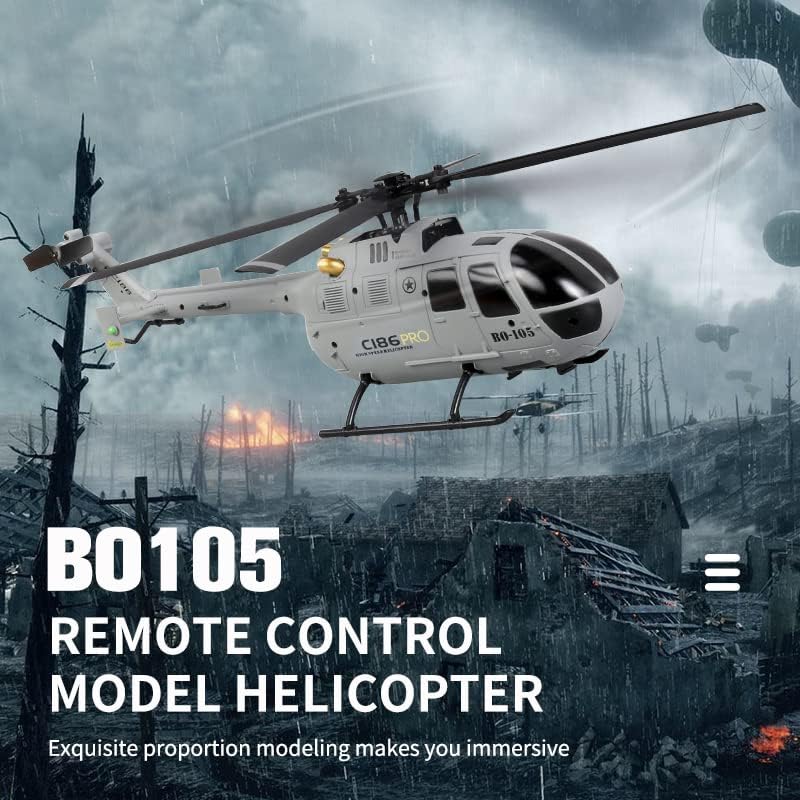
Image 3.1: Overview of the C186 RC Helicopter, remote control, and included batteries.

Image 3.2: A visual representation of the spare parts included with the C186 helicopter, such as extra blades, a battery, and maintenance tools.
4. Setup and Charging
4.1 Charging the Battery
The C186 helicopter uses 7.4V Lithium Ion batteries. Each battery provides approximately 15 minutes of flight time, for a total of 30 minutes with both included batteries. Use only the provided USB charger.
- Connect the USB charger to a compatible USB power source (e.g., computer USB port, USB wall adapter).
- Connect the battery to the USB charger.
- The charger's indicator light will show charging status (refer to charger's specific light indications).
- Charging time is approximately 60 minutes per battery. Do not overcharge.
- Disconnect the battery once fully charged.

Image 4.1: Close-up of the intelligent flight battery, highlighting its quick disassembly design and LED indicator lights for battery status.
4.2 Installing Batteries
Install the charged battery into the helicopter and batteries into the remote control.
- Helicopter Battery: Slide the charged 7.4V battery into the designated compartment on the helicopter until it clicks into place. Ensure it is securely connected.
- Remote Control Batteries: Open the battery compartment on the back of the remote control. Insert the required batteries (not specified in product data, assume standard AA/AAA, user should check remote for type) observing polarity. Close the compartment.
5. Operating Instructions
5.1 Pairing the Remote Control
- Ensure the helicopter battery is installed and the helicopter is powered on.
- Power on the remote control.
- Move the throttle stick (left stick) all the way up, then all the way down. The remote control and helicopter will pair automatically. A successful pairing is usually indicated by a solid light on both devices.
5.2 Flight Controls (4 Channel Design)
The C186 features a 4-channel design, offering precise control over its movements. It also incorporates a 6-axis gyroscope for stable flight, making it suitable for beginners.

Image 5.1: A visual guide to the flight functions of the C186 helicopter, illustrating how controls translate to movement in various directions.
- Throttle (Left Stick Up/Down): Controls altitude (Upward/Downward movement).
- Yaw (Left Stick Left/Right): Controls rotation around the vertical axis (Turn Left/Turn Right).
- Pitch (Right Stick Up/Down): Controls forward and backward movement (Forward/Backward).
- Roll (Right Stick Left/Right): Controls sideways movement (On the left side of the flight/On the right side of the flight).
5.3 One-Key Take Off/Landing
The C186 is equipped with a one-key take-off and landing function for ease of use.
- One-Key Take Off: After pairing, press the designated One-Key Take Off button on the remote control. The helicopter will automatically ascend to a stable hovering altitude.
- One-Key Landing: During flight, press the designated One-Key Landing button. The helicopter will slowly descend and land automatically.
5.4 6-Axis Gyroscope and 6G Mode
The integrated 6-axis gyroscope provides enhanced stability and effective correction offset, enabling the helicopter to fly steadily. This is particularly beneficial for beginners.

Image 5.2: The C186 helicopter in flight, illustrating the benefit of its 6-axis gyroscope for stable and steady operation.
5.5 Low Voltage Alarm and Protection Functions
The helicopter features an intelligent power management system with a low voltage alarm, locked rotor protection, and runaway protection. These functions help ensure safe operation and extend the product's lifespan.
- Low Voltage Alarm: The helicopter will provide an indication (e.g., flashing lights, reduced power) when the battery voltage is low, signaling it's time to land.
- Locked Rotor Protection: Prevents damage to the motor and components if the rotor blades are obstructed.
- Runaway Protection: A safety feature that initiates a controlled landing if the helicopter loses signal from the remote control.
6. Maintenance
Regular maintenance ensures the longevity and optimal performance of your C186 RC Helicopter.
- Cleaning: After each flight, gently wipe down the helicopter with a soft, dry cloth to remove dust and debris. Do not use water or chemical cleaners.
- Blade Inspection: Regularly inspect the main and tail rotor blades for any signs of damage (cracks, bends, chips). Replace damaged blades immediately using the provided spare parts and tools.
- Battery Care:
- Store batteries in a cool, dry place, away from direct sunlight and extreme temperatures.
- Do not fully discharge batteries. Charge them before storage if they are low.
- If not used for extended periods, charge batteries every 3 months to maintain their health.
- Motor and Gear Inspection: Periodically check for any obstructions around the motors and gears. Ensure smooth rotation of all moving parts.
- Screw Tightness: Occasionally check that all screws are tight. Do not overtighten.
7. Troubleshooting
This section addresses common issues you might encounter with your C186 RC Helicopter.
| Problem | Possible Cause | Solution |
|---|---|---|
| Helicopter does not respond to remote control. | Not paired; low battery in remote or helicopter; interference. | Re-pair the remote control and helicopter. Charge/replace batteries. Move to an area with less interference. |
| Helicopter flies erratically or is unstable. | Damaged blades; gyroscope calibration needed; strong wind. | Inspect and replace damaged blades. Recalibrate the gyroscope (refer to remote control manual for specific steps). Fly in calm conditions. |
| Short flight time. | Battery not fully charged; aging battery. | Ensure battery is fully charged before flight. Consider replacing old batteries if performance degrades significantly. |
| Helicopter does not take off. | Low battery; blades obstructed; throttle not engaged. | Charge battery. Clear any obstructions from blades. Ensure throttle stick is moved up and down to arm motors after pairing. |
8. Specifications
Key technical specifications for the Hoodiess C186 RC Helicopter:
| Feature | Detail |
|---|---|
| Model Name | C186 |
| Brand | Hoodiess |
| Material | PC (Polycarbonate) |
| Control Type | Remote Control (RF) |
| Frequency | 2.4GHz |
| Channels | 4 Channel |
| Gyroscope | 6-Axis Gyro |
| Battery Type | 7.4V Lithium Ion |
| Battery Capacity | 350mAh (per battery, based on image) |
| Flight Time | Approx. 15 minutes per battery (30 minutes total with two batteries) |
| Charging Time | Approx. 60 minutes |
| Dimensions | 11 x 3 x 13 inches |
| Item Weight | 1.54 pounds (700 Grams) |
| Age Range | Adult (14+) |
Image 8.1: Detailed parameter information for the C186 (BO105) RC Helicopter, including material, frequency, weight, flight time, charging time, and battery capacity.
9. Warranty and Support
For warranty information, technical support, or replacement parts, please contact Hoodiess customer service. Refer to the product packaging or the seller's information on the purchase platform for specific contact details.
Return Policy: The product has a 30-day return policy for refund/replacement as per Amazon's policy.