
1. Product Overview
The Nispira 4-in-1 True HEPA Filter is a high-efficiency replacement filter designed for use with the Morpilot Keenstone Air Purifier (Part APF-1). This integrated filter system combines multiple layers to provide comprehensive air purification, capturing a wide range of airborne contaminants.
The filter consists of four distinct layers:
- Mesh Pre-filter: Traps larger particles such as hair, dust, and lint, extending the life of subsequent filters.
- H13 True HEPA Filter: Captures up to 99.97% of airborne particles as small as 0.3 microns, including pollen, pet dander, and dust mites.
- Activated Charcoal Filter: Effectively absorbs and neutralizes unpleasant household odors, smoke, cooking smells, and volatile organic compounds (VOCs).
- Cold Catalyst Filter: Breaks down harmful toxic household chemicals such as formaldehyde, ammonia, benzene, and hydrogen sulfide.
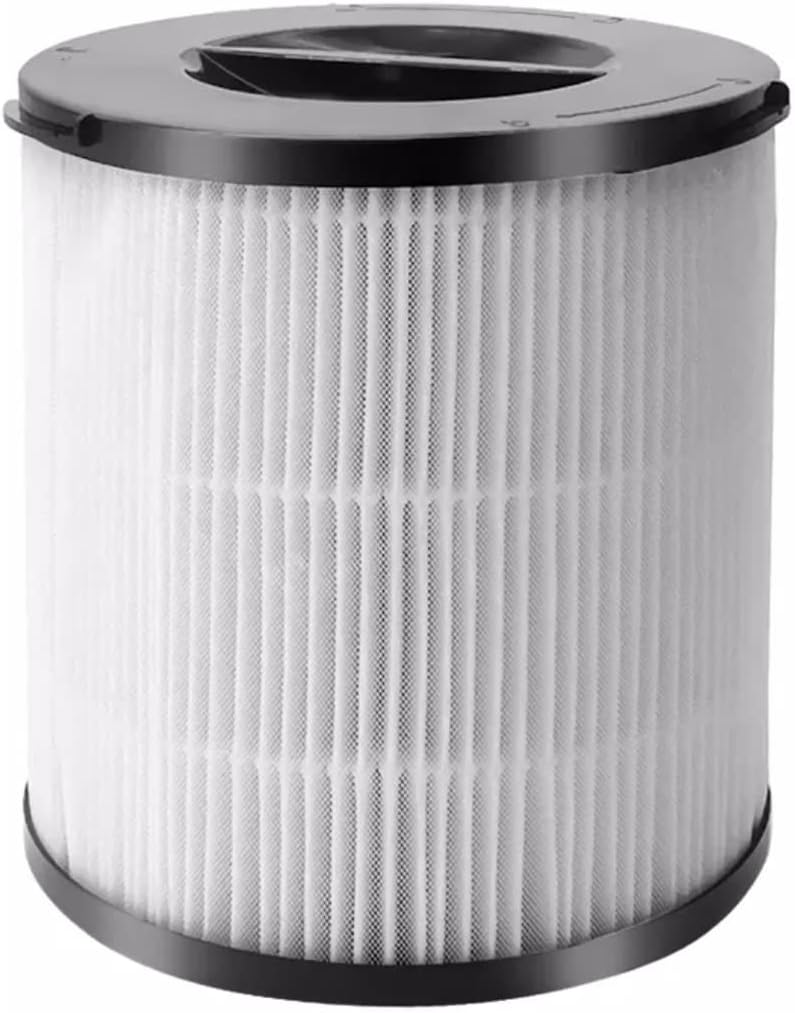
Image 1.1: The Nispira 4-in-1 True HEPA Filter, showcasing its cylindrical design and pleated filter material.
2. Safety Information
- Always unplug the air purifier from the power outlet before attempting to replace the filter.
- Handle the new filter by its frame to avoid touching the filter media directly.
- Keep replacement filters in their sealed packaging until ready for installation to maintain their effectiveness.
- Dispose of used filters according to local regulations for household waste.
- Do not wash or attempt to clean the filter; it is designed for replacement.
3. Package Contents
Your Nispira 4-in-1 True HEPA Filter Replacement package includes:
- 1 x Nispira 4-in-1 True HEPA Filter (Model: HBAPF-1)
4. Specifications
| Feature | Detail |
|---|---|
| Brand | Nispira |
| Model Info | HBAPF-1 |
| Part Number | HBEPI130 |
| Compatible Device | Morpilot Keenstone Air Purifier (Part APF-1) |
| Filter Type | 4-in-1 True HEPA Filter |
| Filtration Layers | Mesh Pre-filter, H13 True HEPA, Cold Catalyst, Activated Charcoal |
| MERV Rating | 13 |
| Product Dimensions | 6.25 x 6.25 x 6 inches |
| Item Weight | 12 ounces |
| UPC | 810701038598 |
5. Installation (Filter Replacement)
Follow these steps to replace the filter in your Morpilot Keenstone Air Purifier:
- Power Off and Unplug: Ensure the air purifier is turned off and unplugged from the electrical outlet before proceeding.
- Access Filter Compartment: Locate the filter compartment on your Morpilot Keenstone Air Purifier. This is typically at the bottom or back of the unit. Refer to your air purifier's specific manual for instructions on opening the compartment.
- Remove Old Filter: Carefully remove the old filter from the air purifier. It may be dusty, so handle it over a waste bin.
- Prepare New Filter: Unpack the new Nispira 4-in-1 True HEPA Filter from its protective packaging.
- Insert New Filter: Insert the new Nispira filter into the air purifier's filter compartment. Ensure the filter is oriented correctly. The top of the filter often has indicators for proper alignment (e.g., arrows or tabs).
- Secure Compartment: Close and secure the filter compartment door or cover.
- Plug In and Reset: Plug the air purifier back into the power outlet. If your air purifier has a filter reset indicator, follow its instructions to reset the filter life counter. This typically involves pressing and holding a specific button for a few seconds.
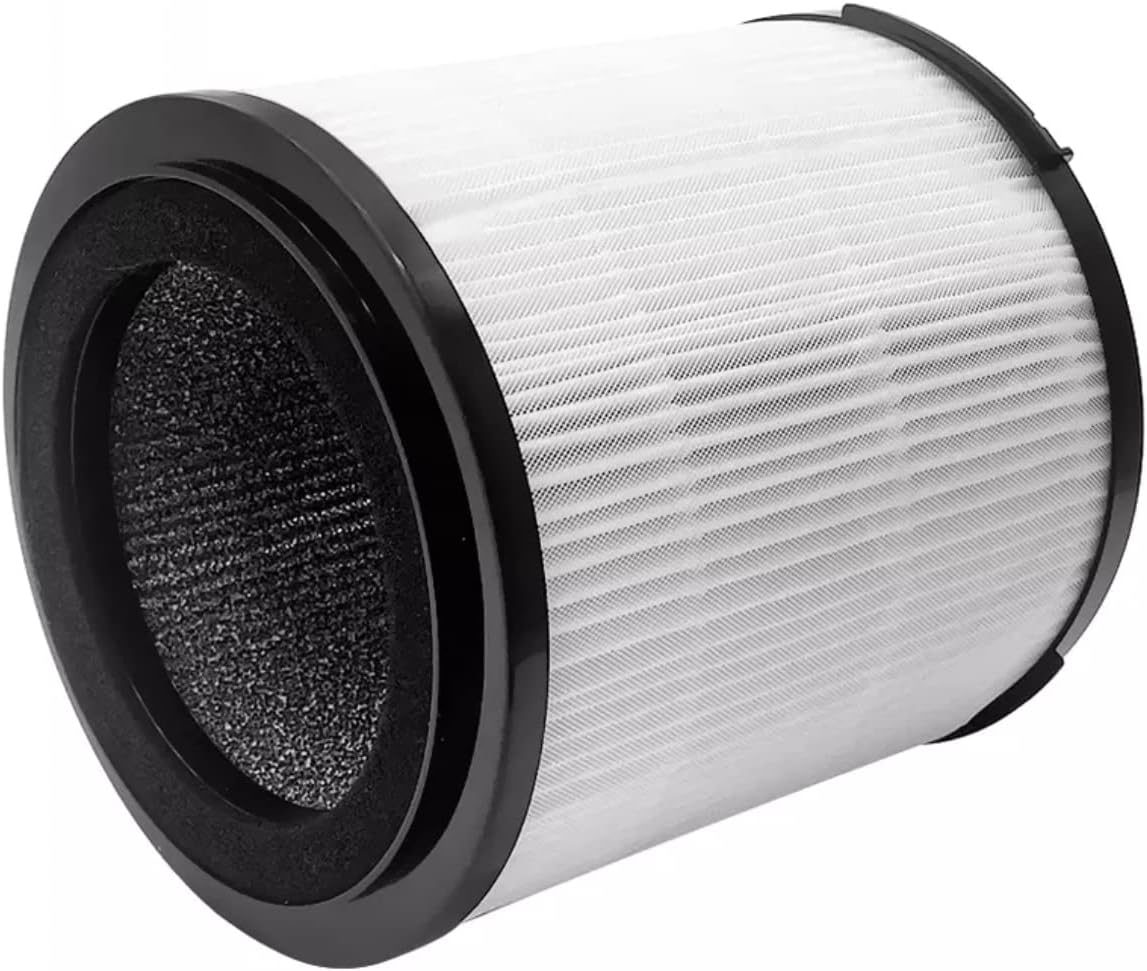
Image 5.1: Side view of the filter, highlighting the black foam seal at one end, which ensures a tight fit within the air purifier.
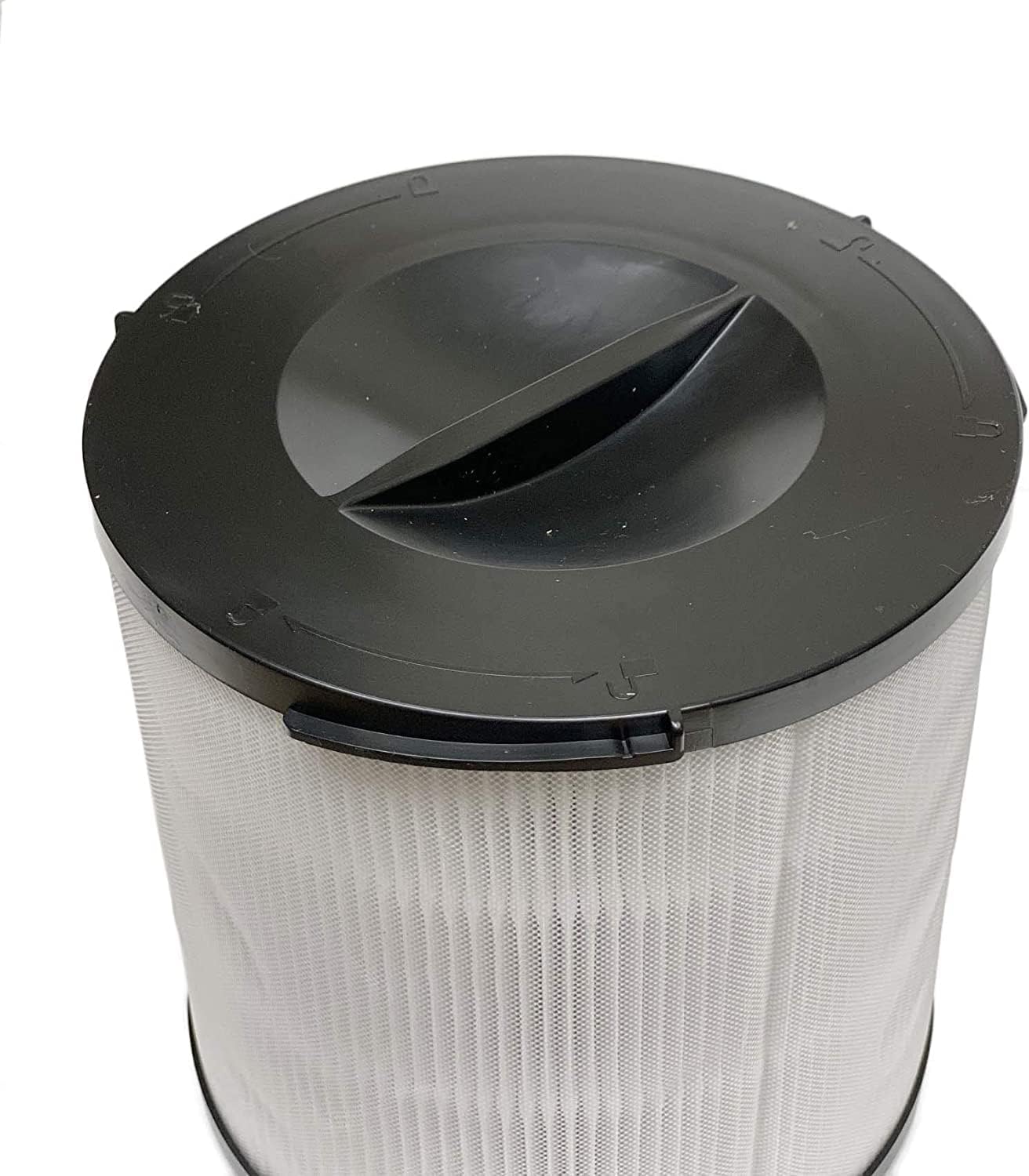
Image 5.2: Close-up of the filter's top cap, showing directional arrows for proper insertion and locking into the air purifier.
6. Operation
Once the new filter is installed and the air purifier is plugged in, the unit will operate as normal. The Nispira 4-in-1 filter works continuously to purify the air as the air purifier runs. No specific operational steps are required for the filter itself beyond proper installation.
7. Maintenance
Regular filter replacement is crucial for maintaining optimal air purification performance.
- Replacement Frequency: It is recommended to replace the Nispira 4-in-1 True HEPA Filter every 6 months, or more frequently depending on air quality and usage. High levels of pollutants, pet dander, or continuous operation may necessitate earlier replacement.
- Disposal: The used filter should be disposed of with regular household waste. Do not attempt to clean or reuse the filter.
- Filter Indicator: Pay attention to your air purifier's filter replacement indicator light, if available. This light signals when a filter change is due.
8. Troubleshooting
If you encounter issues after replacing your filter, consider the following:
- Air Purifier Not Turning On: Ensure the filter compartment is securely closed and latched. Some air purifiers have a safety switch that prevents operation if the compartment is not properly sealed. Also, confirm the unit is correctly plugged into a working power outlet.
- Filter Indicator Light Remains On: After replacing the filter, you may need to manually reset the filter life indicator on your air purifier. Refer to your air purifier's manual for specific instructions on how to reset this light.
- Reduced Airflow or Odors: If airflow seems reduced or odors persist shortly after replacement, double-check that the filter is installed correctly and that its packaging was fully removed. Ensure the air purifier's intake and output vents are not obstructed.
- Unusual Noise: Verify that the filter is seated firmly and correctly within its compartment. A loose filter can cause rattling or unusual noises during operation.
9. Warranty and Support
Nispira is committed to providing high-quality products. For any questions regarding your Nispira 4-in-1 True HEPA Filter, or if you experience any issues, please contact Nispira customer support. While specific warranty details are not provided in this manual, general product support is available to assist with product inquiries and performance concerns.
Please visit the official Nispira website or contact their customer service for the most up-to-date warranty information and support options.