
NJALNKHM G009
NJALNKHM Universal Remote Control G009 Instruction Manual
Model: G009
Introduction
This manual provides comprehensive instructions for the setup, operation, and maintenance of your NJALNKHM G009 Universal Remote Control. This remote is designed for compatibility with various devices, including TVs, Blu-ray/DVD players, streaming media players, sound bars, and cable boxes.
Please read this manual thoroughly to ensure proper use and to maximize the functionality of your new remote control.
Product Overview
The NJALNKHM G009 Universal Remote Control offers a convenient solution for managing multiple entertainment devices. Key features include:
- Universal Compatibility: Designed to work with a wide range of brands including Samsung, Sharp, LG, Sony, Panasonic, Toshiba, and various device types.
- Easy Setup: Supports both direct code input and automatic code search methods for programming.
- User-Friendly Design: Lightweight, made from durable ABS material, with comfortable and responsive buttons.
- Stable Performance: Ensures reliable signal transmission for consistent operation.

Image 1: Front view of the NJALNKHM G009 Universal Remote Control, showcasing its ergonomic design and button layout.

Image 2: The remote control positioned next to a television, highlighting its construction from environmentally friendly ABS materials, sensitive buttons, and stable signal transmission.
Setup Instructions
1. Battery Installation
- Locate the battery compartment on the back of the remote control.
- Slide the battery cover downwards to open it.
- Insert two (2) AAA batteries (not included), ensuring the positive (+) and negative (-) terminals match the diagrams inside the compartment.
- Slide the battery cover back into place until it clicks securely.
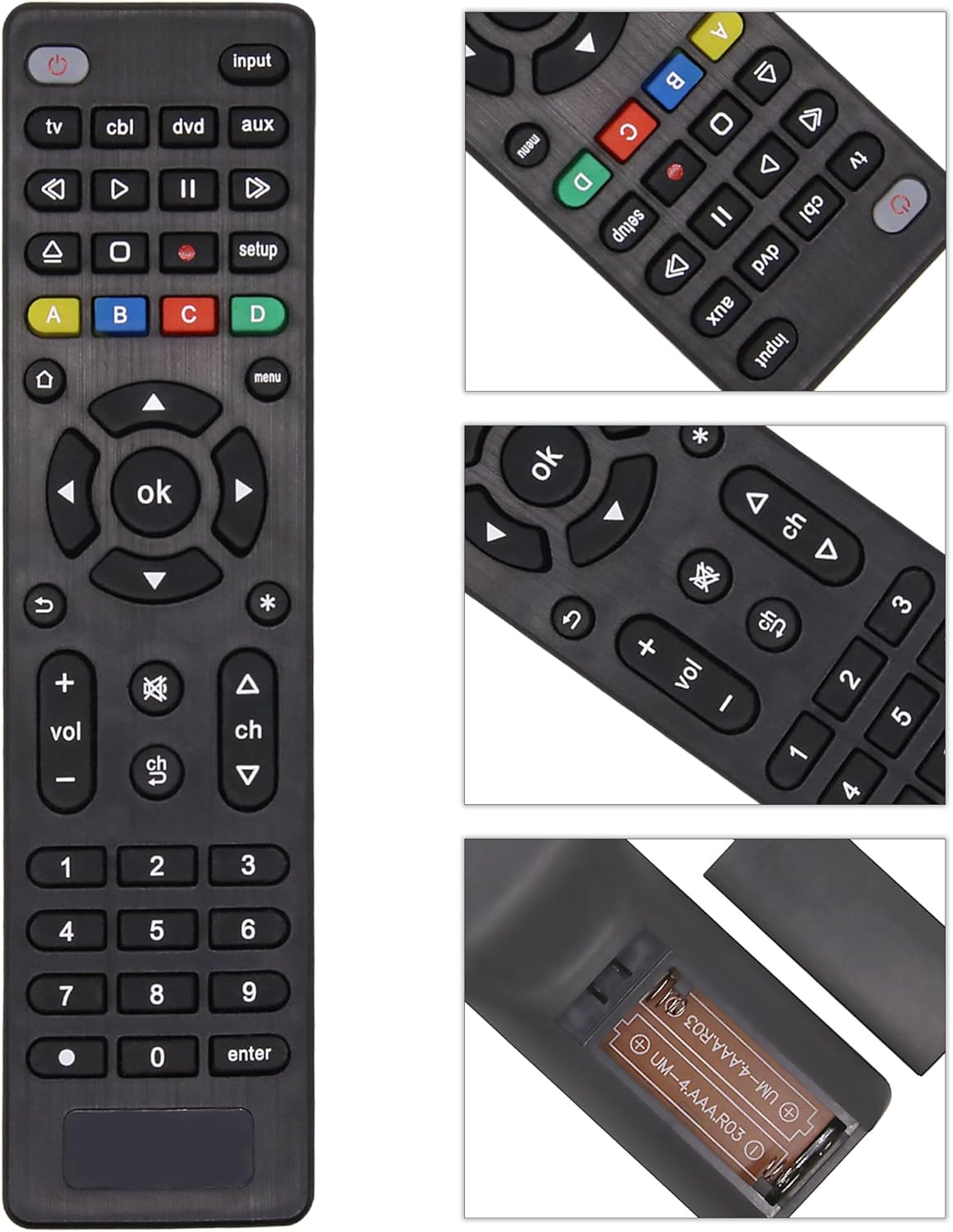
Image 3: Close-up view of the remote control, including a detailed shot of the open battery compartment with AAA batteries inserted, illustrating correct battery placement.
2. Programming the Remote Control
The G009 remote control can be programmed using two primary methods: Direct Code Input or Automatic Code Search. Refer to the detailed code list provided with your remote for specific brand codes.
Method A: Direct Code Input
- Turn on the device you wish to control (e.g., TV, DVD player).
- Press and hold the SETUP button on the remote until the indicator light illuminates.
- Press the device button you want to program (e.g., TV, DVD, CBL). The indicator light will flash once and then remain lit.
- Enter the 3-digit code for your device's brand using the number buttons. The indicator light should turn off after the last digit is entered.
- Point the remote at your device and test its functions (e.g., Power, Volume, Channel). If the device responds, programming is complete.
- If the device does not respond, repeat the process with the next code listed for your brand.
Method B: Automatic Code Search
- Turn on the device you wish to control.
- Press and hold the SETUP button on the remote until the indicator light illuminates.
- Press the device button you want to program (e.g., TV, DVD, CBL). The indicator light will flash once and then remain lit.
- Press the POWER button repeatedly (approximately every 2 seconds) until your device turns off. This indicates the remote has found a compatible code.
- Once the device turns off, immediately press the SETUP button to save the code. The indicator light will turn off.
- Test other functions (e.g., Volume, Channel). If all functions work correctly, programming is complete. If not, repeat the process, as the remote may have stopped on a partial match.
Note: For basic TV functions, no programming may be required. Simply insert batteries and test the remote with your TV. If it works, no further setup is needed.
Operating Instructions
Once programmed, your NJALNKHM G009 remote control is ready for use. Below is a guide to the remote's buttons and their functions.

Image 4: Detailed diagram of the NJALNKHM G009 remote control, with labels indicating the function of each button for easy identification and use.
| Button | Function |
|---|---|
| POWER | Turns the selected device On or Off. |
| INPUT | Cycles through available input sources (HDMI, AV, etc.). |
| TV / CBL / DVD / AUX | Device selection buttons. Press to control the corresponding device. |
| PLAY / PAUSE / STOP / REWIND / FORWARD / RECORD | Media playback controls for DVD/Blu-ray players or streaming devices. |
| SETUP | Used for programming the remote control. |
| A / B / C / D (Colored Buttons) | Access additional features for DVR, cable, and satellite boxes, or specific smart TV functions. |
| HOME (House Icon) | Displays the Home Screen or Smart Hub on compatible TVs. |
| MENU | Opens the device's main menu. |
| D-pad (Up/Down/Left/Right Arrows) | Navigation buttons for menus and selections. |
| OK | Confirmation button for selections. |
| EXIT (Curved Arrow) | Exits current menu or function. |
| INFO (Asterisk Icon) | Displays program information or device status. |
| VOL + / - | Adjusts the volume up or down. |
| MUTE | Mutes or unmutes the audio. |
| CH ▲ / ▼ | Changes channels up or down. |
| Number Buttons (0-9) | Direct channel selection or numerical input. |
| DOT (.) | Used for decimal points in channel numbers (e.g., 4.1). |
| ENTER | Confirms channel selection or other inputs. |
Ensure a clear line of sight between the remote control and the device's infrared receiver for optimal performance. The remote has a sensitive signal range exceeding 26 feet.
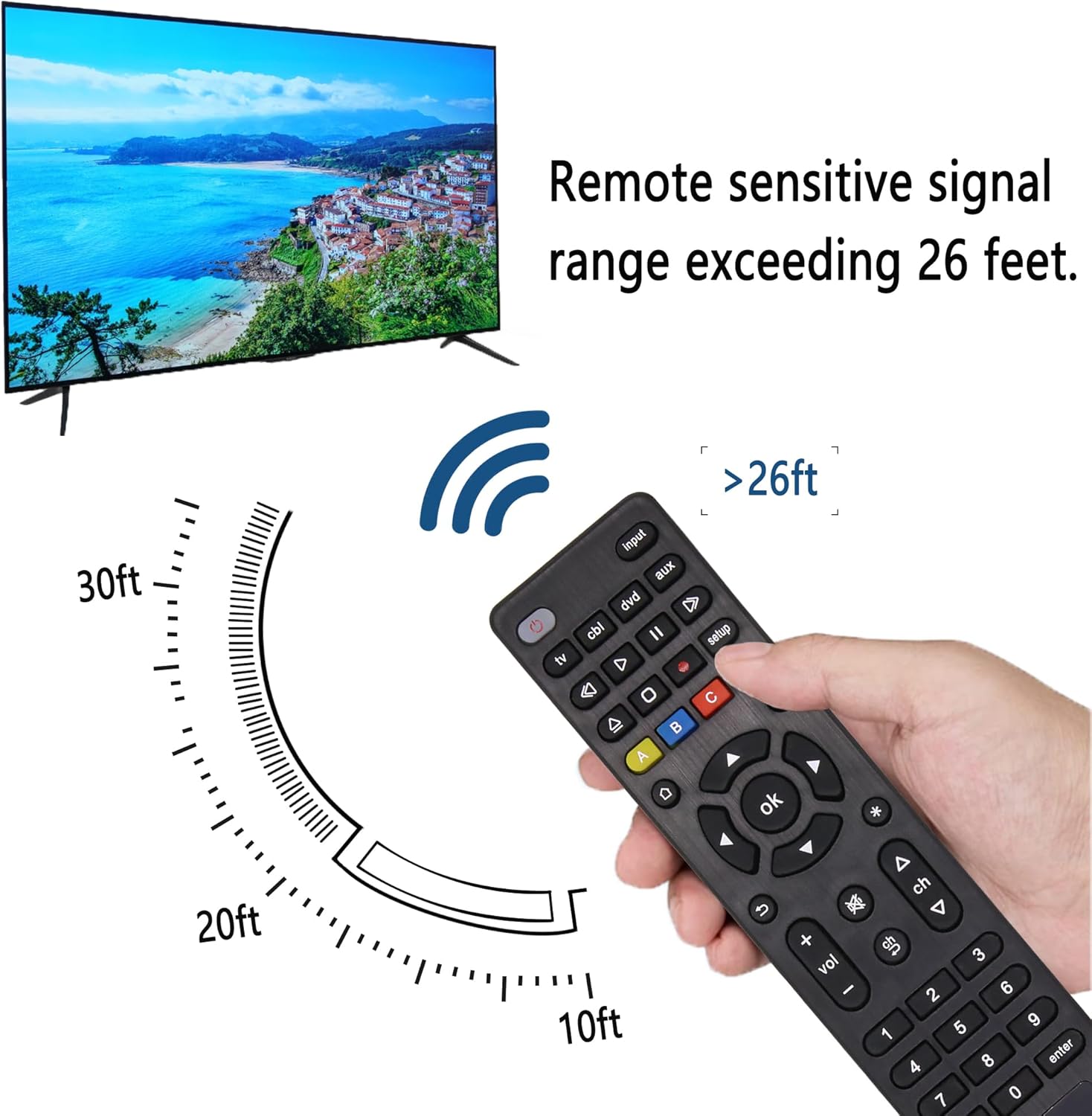
Image 5: Illustration demonstrating the effective signal range of the remote control, indicating it can operate devices from over 26 feet away.
Maintenance
- Cleaning: Wipe the remote control with a soft, dry cloth. Do not use abrasive cleaners, waxes, or solvents.
- Battery Care: Replace batteries when the remote's performance diminishes. If the remote will not be used for an extended period, remove the batteries to prevent leakage.
- Storage: Store the remote in a cool, dry place away from direct sunlight and extreme temperatures.
- Avoid Moisture: Do not expose the remote to water or excessive humidity.
Troubleshooting
| Problem | Solution |
|---|---|
| Remote does not work at all. |
|
| Only some buttons work (e.g., Power, Volume). |
|
| Remote is unresponsive or slow. |
|
| Device does not respond to programming. |
|
Specifications
- Model: G009
- Brand: NJALNKHM
- Product Dimensions: 6.54 x 1.97 x 0.79 inches (16.6 x 5.0 x 2.0 cm)
- Item Weight: 2.47 ounces (70 grams)
- Batteries Required: 2 x AAA (not included)
- Material: ABS
- Color: Black
- Max Number of Supported Devices: 1 (at a time, per programmed device button)
- Compatible Devices: Television, Blu-ray/DVD Players, Streaming Media Players, Sound Bars, Cable Boxes.
- Special Feature: Ergonomic design

Image 6: Diagram illustrating the physical dimensions of the NJALNKHM G009 remote control, showing its length (17.5cm / 6.88in) and width (4.4cm / 1.73in).
Warranty and Support
NJALNKHM is committed to providing quality products. If you encounter any quality problems or require assistance with your G009 Universal Remote Control, please contact our customer support team.
For support, please refer to the contact information provided with your purchase or visit the official NJALNKHM website. Please have your model number (G009) and purchase details ready when contacting support.