
NEBO DAVINCI 18000
NEBO DAVINCI 18000 Mag Dial Flashlight User Manual
Model: DAVINCI 18000 (NEB-FLT-1015)
1. Introduction
Thank you for choosing the NEBO DAVINCI 18000 Mag Dial Flashlight. This manual provides detailed instructions for the safe and efficient operation, maintenance, and care of your new flashlight. Please read this manual thoroughly before use and retain it for future reference.

Image 1.1: The NEBO DAVINCI 18000 Mag Dial Flashlight, showcasing its robust design and textured grip.
2. Safety Information
- Eye Safety: Do not look directly into the LED light beam or shine it directly into the eyes of others. The high intensity light can cause temporary vision impairment or permanent eye damage.
- Children: Keep this flashlight out of reach of children.
- Heat: The flashlight may become warm during prolonged use, especially on higher modes. This is normal. Avoid direct contact with hot surfaces for extended periods.
- Battery: Use only the specified rechargeable Lithium-ion battery. Do not attempt to open, disassemble, or short-circuit the battery. Dispose of batteries according to local regulations.
- Water Resistance: This flashlight is IP67 rated, meaning it is protected from dust and can withstand immersion in water up to 1 meter for 30 minutes. Ensure the charging port cover is securely closed before exposure to water.
- Modifications: Do not attempt to modify or repair the flashlight yourself. Contact customer support for assistance.
3. Package Contents
Verify that all items are present in your package:
- NEBO DAVINCI 18000 Mag Dial Flashlight
- USB-C Charging Cable
- Detachable Lanyard
- User Manual (this document)
4. Product Overview
Familiarize yourself with the main components and controls of your DAVINCI 18000 flashlight.
- Mag Dial: Rotational dial for selecting light modes.
- Power Button: Activates and deactivates the flashlight. Features a backlit indicator for charging and power levels.
- USB-C Charging Port: Located under a protective cover, used for recharging the internal battery.
- Zoom Function: The head of the flashlight can be extended to adjust the beam focus.

Image 4.1: Close-up of the flashlight's body, highlighting the power button and Mag Dial, indicating its IP67 waterproof rating.

Image 4.2: The USB-C charging port with the protective cover open, showing the connection point.
5. Setup
5.1 Initial Charging
Before first use, it is recommended to fully charge your DAVINCI 18000 flashlight. This ensures optimal battery performance and runtime.
- Locate the USB-C charging port on the flashlight, typically covered by a rubber flap for protection.
- Open the protective cover.
- Connect the included USB-C charging cable to the flashlight's port.
- Connect the other end of the USB-C cable to a compatible USB power source (e.g., wall adapter, computer USB port).
- The power button's backlight will indicate charging status. A full charge may take approximately 20 hours.
- Once fully charged, disconnect the cable and securely close the protective cover to maintain water resistance.
6. Operating Instructions
6.1 Power On/Off
- To turn the flashlight ON, press the power button once.
- To turn the flashlight OFF, press the power button again.
6.2 Light Mode Selection (Mag Dial)
The DAVINCI 18000 features a Mag Dial for intuitive selection of its 5 light modes. Rotate the dial to choose your desired mode before pressing the power button.
Image 6.1: Detail of the Mag Dial, showing the mode indicators for easy selection.
- Turbo (18,000 Lumens): Provides maximum brightness. This mode is temporary and will step down to prevent overheating.
- High: Offers strong illumination for general use.
- Medium: Balanced light output for extended runtime.
- Low (800 Lumens): Provides minimal light for long-duration use (up to 12 hours).
- Strobe: Flashing light for signaling or emergency situations.
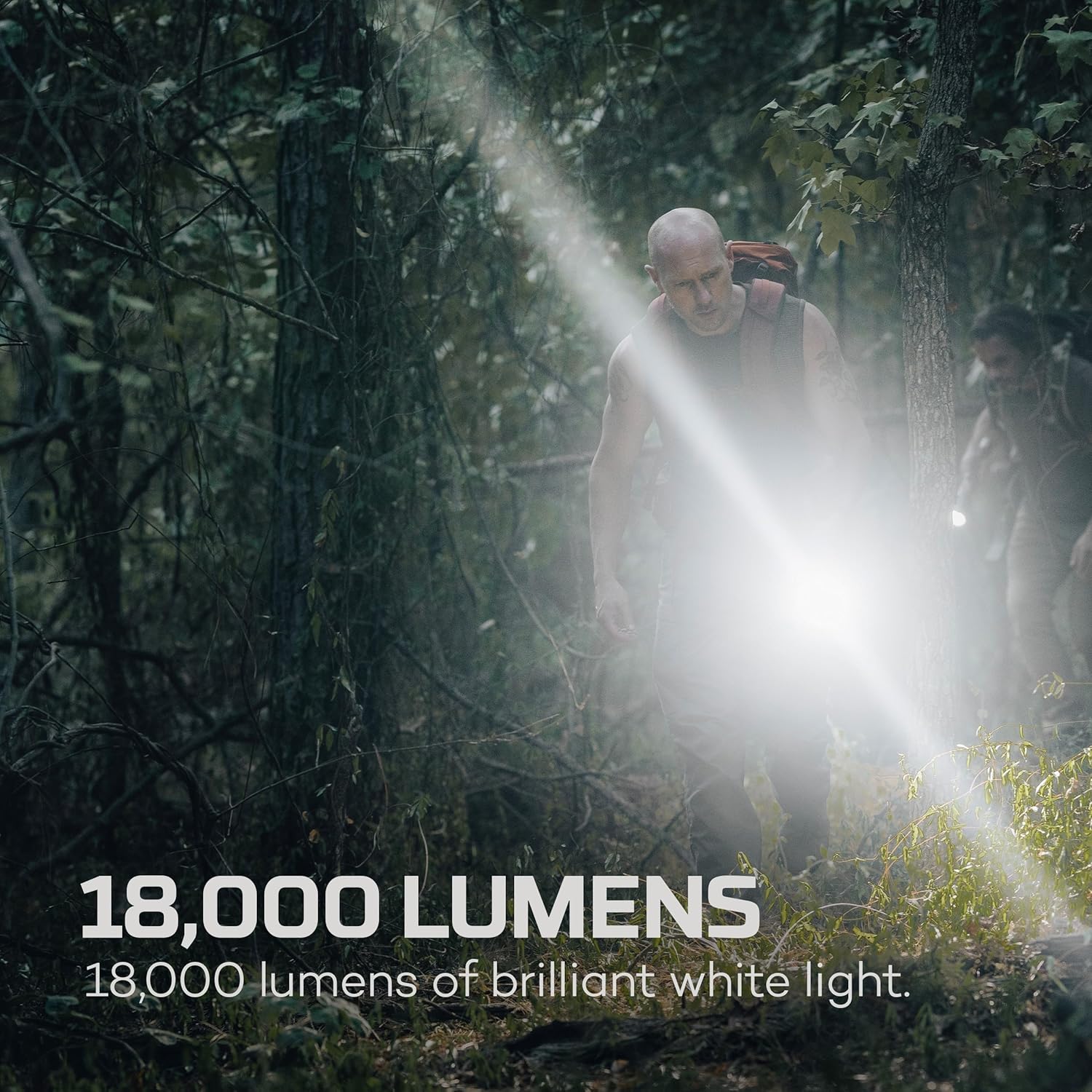
Image 6.2: The flashlight illuminating a wide area with its 18,000 lumen output.
6.3 Zoom Function (2X Zoom)
The flashlight features a 2X adjustable zoom to focus the light beam.
- To adjust the beam, gently push or pull the head of the flashlight forward or backward.
- Extend the head for a tighter, more focused beam.
- Retract the head for a wider, more dispersed floodlight.
Image 6.3: Demonstrating the focused beam capability of the 2X zoom function.
7. Charging the Flashlight
The DAVINCI 18000 is equipped with a rechargeable Lithium-ion battery (5,000 mAh, 7.4V) and a USB-C charging port.
- Open the protective cover of the USB-C charging port.
- Insert the USB-C cable into the port.
- Connect the other end of the cable to a USB power source.
- The power button's backlight indicates the charging status:
- Red: Charging
- Blue: Fully Charged
- Charging time is approximately 20 hours from a fully depleted state.
- After charging, remove the cable and ensure the port cover is sealed to maintain water resistance.
7.1 Battery Level Indicator
The power button's backlight also serves as a battery level indicator when the flashlight is in use:
- Blue: 100% - 25% battery
- Red: 25% - 10% battery
- Flashing Red: Less than 10% battery (recharge soon)
8. Maintenance
- Cleaning: Wipe the flashlight with a soft, damp cloth. Do not use abrasive cleaners or solvents.
- Storage: Store the flashlight in a cool, dry place away from direct sunlight. For long-term storage, charge the battery to approximately 50% every 3-6 months to prolong battery life.
- Water Resistance: Regularly inspect the USB-C port cover for any damage to ensure the IP67 rating is maintained.
- Smart Temperature Control: The flashlight features Smart Temperature Control to prevent overheating. If the flashlight becomes excessively hot, the output will automatically reduce. This is a protective feature and not a malfunction.
9. Troubleshooting
| Problem | Possible Cause | Solution |
|---|---|---|
| Flashlight does not turn on. | Battery is depleted. | Charge the flashlight using the provided USB-C cable. |
| Flashlight does not charge. | USB-C cable or power source issue; charging port cover not fully open. | Ensure the USB-C cable is properly connected and the power source is functional. Check if the charging port cover is fully open for proper connection. Try a different cable or power adapter. |
| Light output is dim or inconsistent. | Low battery; Smart Temperature Control activated. | Recharge the battery. If the flashlight has been in high mode for an extended period, the Smart Temperature Control may have reduced output to prevent damage. Allow it to cool down. |
| Water ingress after exposure. | USB-C port cover not properly sealed. | Ensure the USB-C port cover is always securely closed before exposing the flashlight to water. If water has entered, discontinue use and allow to dry completely before attempting to use or charge. |
10. Specifications
| Feature | Detail |
|---|---|
| Model | DAVINCI 18000 (NEB-FLT-1015) |
| Light Output | Up to 18,000 Lumens (Turbo) |
| Light Modes | Turbo, High, Medium, Low, Strobe |
| Battery | 5,000 mAh (7.4V) Lithium-ion rechargeable |
| Charging Port | USB-C |
| Charging Time | Approximately 20 hours |
| Water Resistance | IP67 (Waterproof up to 1 meter for 30 minutes) |
| Impact Resistance | Yes |
| Material | Aircraft-grade Anodized Aluminum |
| Dimensions | 13.78" x 2.56" x 2.56" |
| Weight | 2.27 lbs |
| Special Features | Mag Dial, 2X Zoom, Smart Power Control, Smart Temperature Control |
11. Warranty and Support
11.1 Warranty Information
NEBO products are typically covered by a limited warranty against defects in materials and workmanship. Please refer to the official NEBO website or your purchase documentation for the most current and detailed warranty policy, including duration and terms. A 1-year warranty is commonly offered for manufacturing defects.
11.2 Customer Support
For technical assistance, warranty claims, or product inquiries, please visit the official NEBO website or contact their customer support directly. Contact information can usually be found on the product packaging or the manufacturer's website.
NEBO Official Website: www.nebo.acgbrands.com