
1. Introduction
Thank you for choosing the Zamkol ZH300 Pro Bluetooth Kids Headphones. These headphones are designed to provide a safe and enjoyable audio experience for children, featuring volume limiting technology, wireless connectivity, and a comfortable, foldable design. This manual provides detailed instructions for setup, operation, and maintenance to ensure optimal performance and longevity of your device.

Image 1.1: Front view of the Zamkol ZH300 Pro Bluetooth Kids Headphones.
2. Package Contents
Please check the package contents upon unboxing. If any items are missing or damaged, please contact customer support.
- Zamkol ZH300 Pro Bluetooth Kids Headphones
- USB-C Charging Cable
- 3.5mm Audio Cable
- User Manual (this document)
3. Product Features
- Clear Stereo Sound: Provides a vivid and three-dimensional listening environment.
- Volume Limiting: Adjustable 85dB or 94dB volume limit for hearing protection.
- Bluetooth 5.0: Stable and low-power wireless connectivity.
- Built-in Microphone: For calls and online learning.
- Extended Playtime: Up to 50 hours of playtime on a single charge via Bluetooth.
- Colorful LED Lights: Integrated lights that can dance to music.
- Comfortable Design: Over-ear design with soft, memory-protein ear-pads.
- Foldable and Portable: Compact design for easy storage and travel.
- Wired Option: 3.5mm audio cable for use when battery is depleted or with non-Bluetooth devices.

Image 3.1: Illustration of the comfortable and durable design features of the headphones.
4. Setup
4.1 Charging the Headphones
Before first use, fully charge the headphones. A full charge provides up to 50 hours of playtime.
- Locate the USB-C charging port on the headphone ear cup.
- Connect the provided USB-C charging cable to the port.
- Connect the other end of the USB-C cable to a USB power source (e.g., computer USB port, wall adapter).
- The LED indicator will show charging status (e.g., red for charging, off or blue for fully charged).
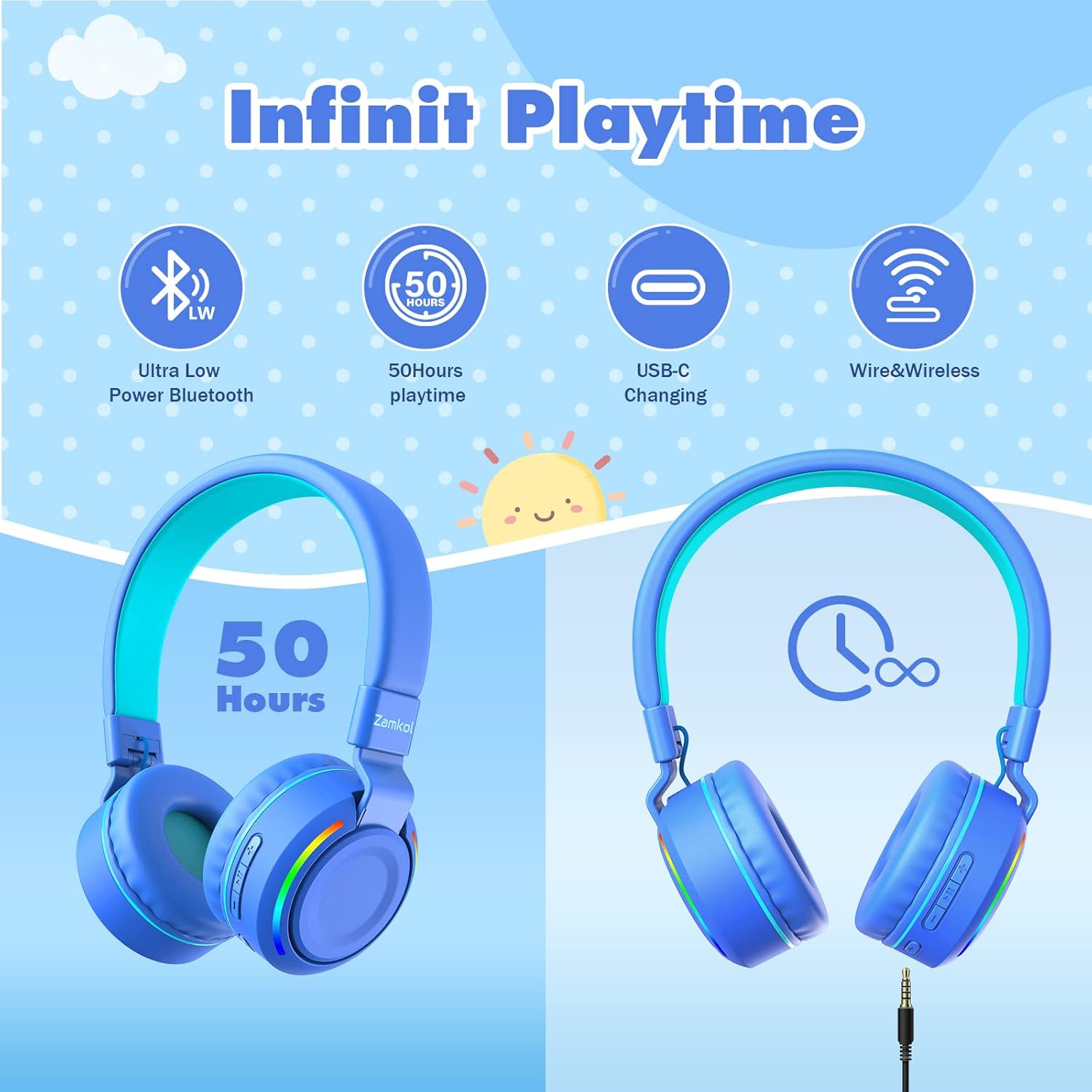
Image 4.1: Visual representation of the 50-hour playtime and USB-C charging capability.
4.2 Bluetooth Pairing
To connect the headphones wirelessly to a device:
- Ensure the headphones are charged and powered off.
- Press and hold the Power button on the headphones until the LED indicator flashes blue and red, indicating pairing mode.
- On your device (smartphone, tablet, computer), go to Bluetooth settings and enable Bluetooth.
- Search for available devices and select "Zamkol ZH300 Pro" (or similar name) from the list.
- Once connected, the LED indicator on the headphones will typically show a solid blue light or flash slowly.

Image 4.2: Depiction of Bluetooth 5.0 connectivity for stable wireless use.
4.3 Wired Connection
The headphones can also be used with a 3.5mm audio cable, which is useful when the battery is low or for devices without Bluetooth.
- Plug one end of the 3.5mm audio cable into the audio jack on the headphone ear cup.
- Plug the other end into the 3.5mm audio output of your device.
- The headphones will automatically switch to wired mode. Bluetooth functions will be disabled.
5. Operating Instructions
5.1 Power On/Off
- Power On: Press and hold the Power button for approximately 3 seconds until the LED indicator lights up.
- Power Off: Press and hold the Power button for approximately 3-5 seconds until the LED indicator turns off.
5.2 Volume Control
- Volume Up: Press the '+' button.
- Volume Down: Press the '-' button.
5.3 Playback Control
- Play/Pause: Press the Power button once.
- Next Track: Press and hold the '+' button.
- Previous Track: Press and hold the '-' button.
5.4 Call Functions
When connected via Bluetooth, the built-in microphone allows for hands-free calls.
- Answer/End Call: Press the Power button once.
- Reject Call: Press and hold the Power button for 2 seconds.

Image 5.1: Highlighting the HD microphone and stereo sound for online communication.
5.5 LED Lights Control
The headphones feature colorful LED lights.
- Turn On/Off LED Lights: Locate the dedicated LED light button (often marked with a light bulb icon) on the ear cup and press it once to toggle the lights.

Image 5.2: Demonstrating how to activate the colorful LED lights on the headphones.
5.6 Volume Limit Switch (85dB/94dB)
To protect children's hearing, the headphones offer two volume limit settings.
- Switch Volume Limit: Press and hold the volume limit button (often integrated with other controls or a small dedicated button) for approximately 10 seconds to toggle between the 85dB and 94dB limits. A sound prompt may indicate the change.
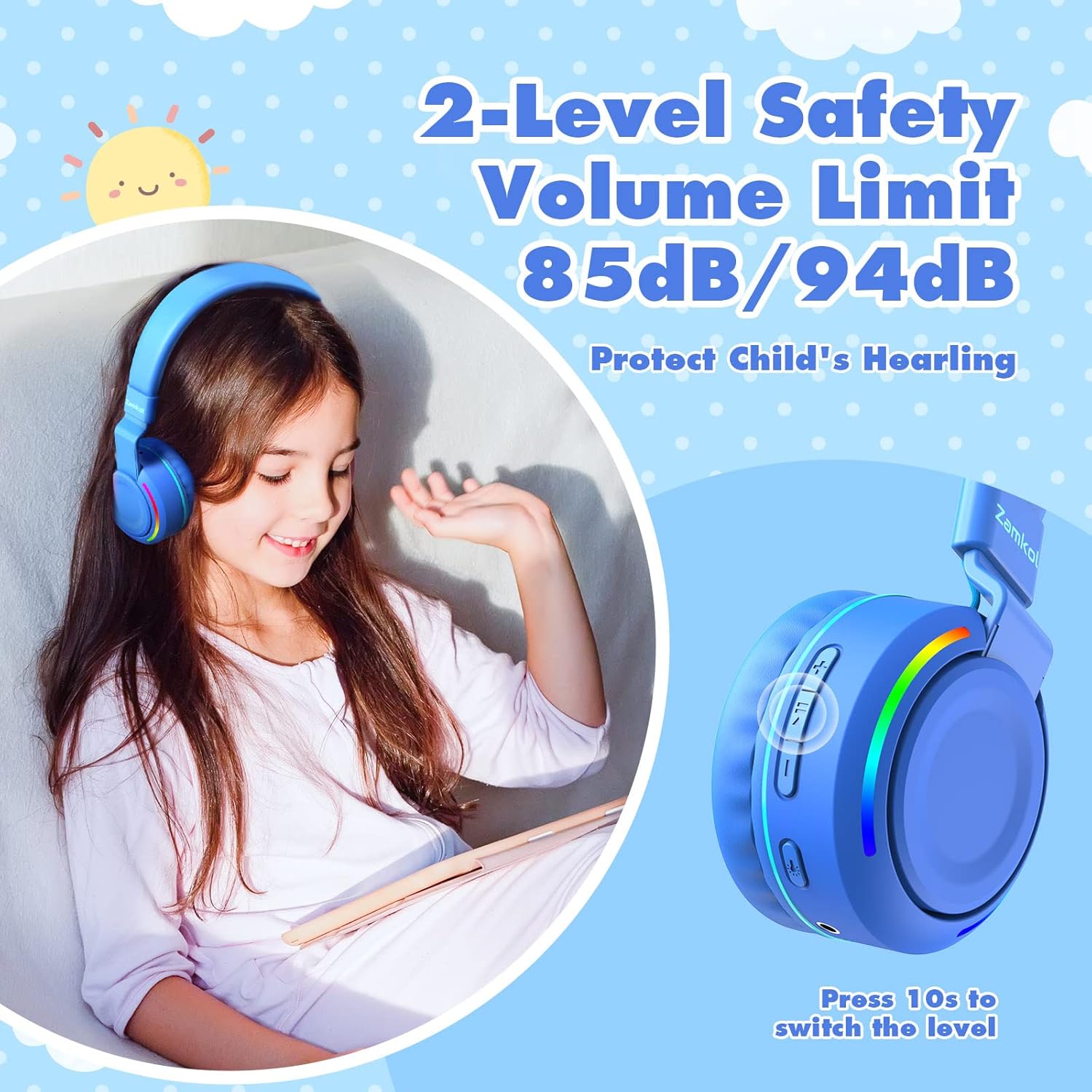
Image 5.3: Highlighting the 2-level safety volume limit feature and how to switch between 85dB and 94dB.
6. Maintenance
6.1 Cleaning
- Use a soft, dry cloth to wipe the headphones.
- Do not use liquid cleaners or abrasive materials.
- Keep the charging port and audio jack free of dust and debris.
6.2 Storage
- Store the headphones in a cool, dry place away from direct sunlight and extreme temperatures.
- Utilize the foldable design for compact storage when not in use.

Image 6.1: The foldable design makes the headphones portable and easy to store.
7. Troubleshooting
If you encounter issues with your headphones, refer to the following common problems and solutions:
- Headphones do not power on:
Ensure the headphones are fully charged. Connect them to a power source using the USB-C cable. - Cannot pair via Bluetooth:
Make sure the headphones are in pairing mode (flashing blue and red LED). Ensure Bluetooth is enabled on your device and it is within range (up to 33 feet). Try turning Bluetooth off and on again on your device. - No sound in Bluetooth mode:
Check the volume levels on both the headphones and your connected device. Ensure the headphones are properly paired. Try disconnecting and re-pairing the headphones. - No sound in wired mode:
Ensure the 3.5mm audio cable is securely plugged into both the headphones and the audio source. Test with a different audio cable if available. - LED lights are not working:
Press the dedicated LED light button to toggle them on/off. Ensure the headphones have sufficient battery charge.
8. Specifications
| Model Name | ZH300 Pro |
| Connectivity Technology | Bluetooth 5.0, 3.5mm Audio Jack |
| Form Factor | On Ear |
| Volume Limit | 85dB / 94dB (switchable) |
| Playtime | Up to 50 hours (Bluetooth mode) |
| Microphone | Built-in HD Microphone |
| Included Components | Headphones, USB-C Charging Cable, 3.5mm Audio Cable |
| Material | Plastic, Memory-protein ear-pads |
| Color | Blue |
| Package Dimensions | 14.2 x 13.8 x 7.6 cm |
| Weight | 260 g |
9. Safety Information
- Always use the headphones with the volume limit feature enabled to protect children's hearing.
- Do not expose the headphones to extreme temperatures, humidity, or liquids.
- Keep small parts, such as cables, away from young children to prevent choking hazards.
- Do not attempt to disassemble or repair the headphones yourself. Contact customer support for assistance.
- Dispose of batteries and electronic components responsibly according to local regulations.
10. Warranty and Support
Zamkol products are designed for reliability and performance. For warranty information, please refer to the documentation included with your purchase or visit the official Zamkol website. For technical support or customer service inquiries, please contact Zamkol customer support through their official channels.


