
Product Overview
The Victor DCX610 is a versatile height-adjustable compact standing desk designed to transform any traditional sit-down desk into a dynamic sit-stand workstation. It features a gas spring system for smooth and easy height adjustments, a spacious work surface, and a removable keyboard tray.
- Transforms Any Sit-Down Desk: Easily converts your existing desk into a sitting or standing workstation using a gas spring system and a single, intuitive lever.
- Compact Yet Spacious: Designed with a compact footprint (16.5" deep frame) to fit standard 24" depth desks, yet offers a generous 33" wide by 18" deep work surface for monitors, laptops, and other essentials.
- Split-Level Keyboard Tray: Features a 32" wide by 12.5" deep keyboard tray with integrated slots for phones, tablets, or writing utensils. The tray is also easily removable if not needed.
- Adjustable Height: The work surface raises up to 20" and the keyboard tray up to 15" above the table, providing ergonomic comfort for users of varying heights.
- Quick Assembly: The main unit comes fully assembled. Simply attach the keyboard tray to begin using your new sit-stand desk.

The Victor DCX610 standing desk converter in its lowest position, featuring a spacious black work surface and a lower keyboard tray, ready for use on an existing desk.
Setup and Assembly
The Victor DCX610 desk converter comes largely pre-assembled. The primary setup involves attaching the keyboard tray.
Keyboard Tray Attachment
- Align the brackets on the keyboard tray with the designated slots on the underside of the main desk unit.
- Slide the keyboard tray brackets into place until they are securely seated.
- Use the provided screws and Allen wrench to firmly attach the brackets to the keyboard tray, ensuring a stable connection.

A close-up view illustrating the process of attaching the keyboard tray to the main desk unit using screws and an Allen wrench.
Assembly Video Guide
This video provides step-by-step instructions for assembling the Victor DCX610 Height Adjustable Compact Standing Desk, focusing on attaching the keyboard tray.
Operating Instructions
The Victor DCX610 features a gas spring system for effortless height adjustment, allowing you to seamlessly transition between sitting and standing positions.
Adjusting Desk Height
- To Raise: Lightly squeeze the single lever located on the side of the desk converter. While holding the lever, gently lift the work surface to your desired standing height. Release the lever to lock it in place.
- To Lower: Lightly squeeze the single lever. While holding the lever, gently push down on the work surface to your desired sitting height. Release the lever to lock it in place.
A user's hand is shown engaging the single lever located on the side of the desk converter to smoothly adjust its height.
Ergonomic Use
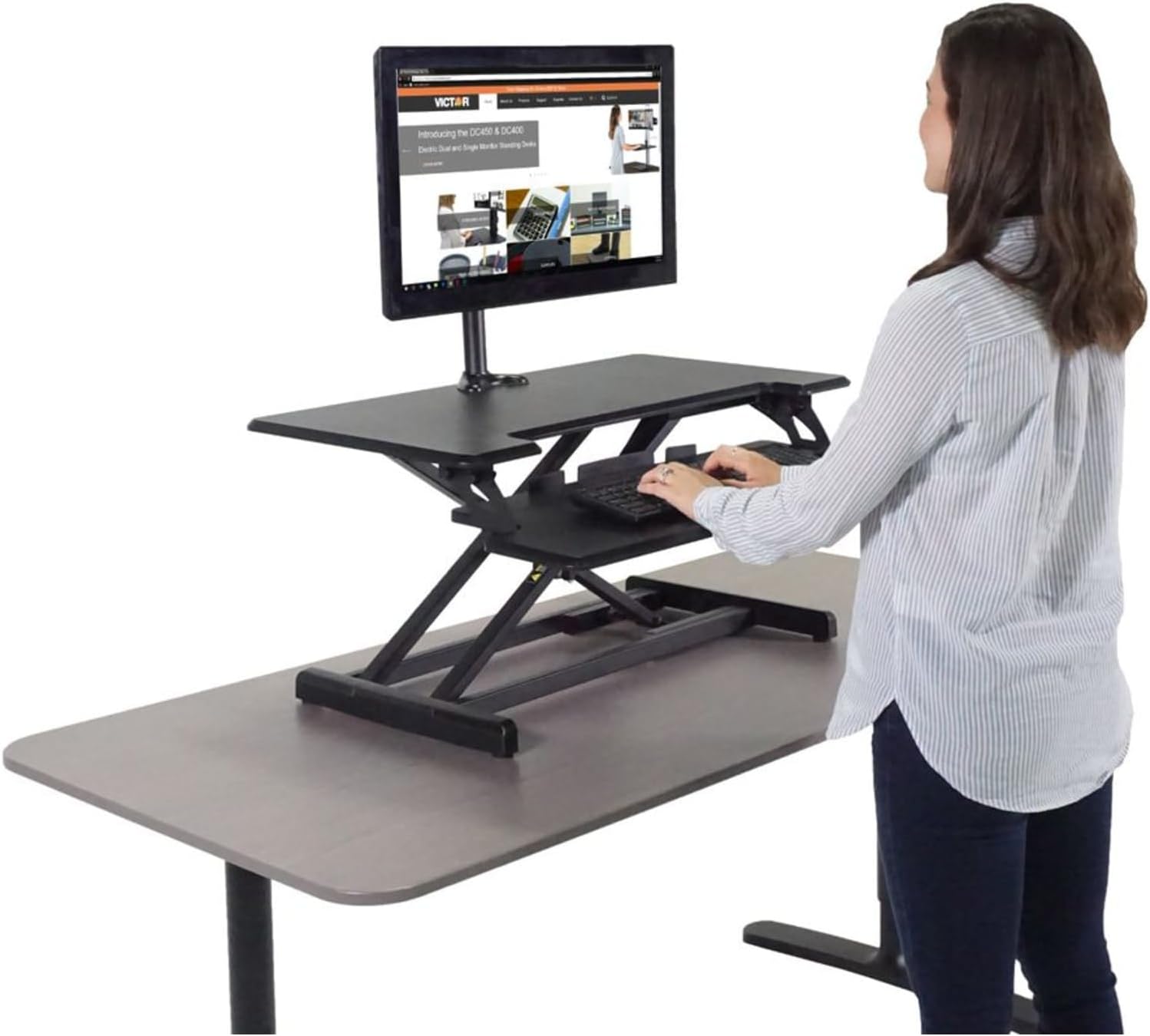
- When standing, ensure your elbows are at a 90-degree angle when typing, and your monitor is at eye level.
- When sitting, maintain good posture with your feet flat on the floor and your monitor at eye level.

A user is standing and working at the Victor DCX610 converter, which is raised to an ergonomic standing height.
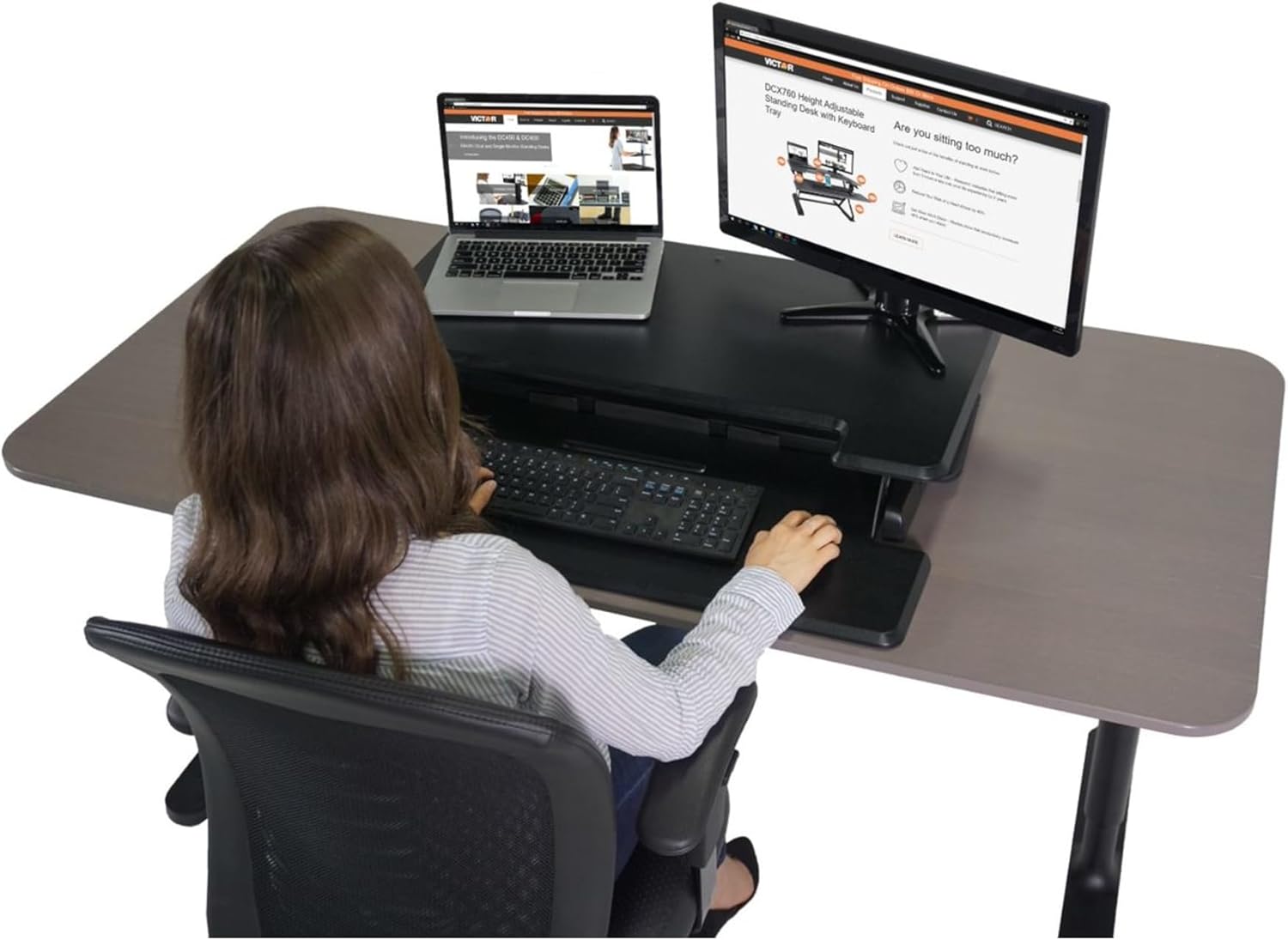
A user is seated at a desk with the Victor DCX610 converter in its lowest position, demonstrating comfortable use while sitting.
Product Operation Video
This video showcases the Victor DCX610 Compact Standing Desk in use, highlighting its easy single-lever operation for raising and lowering, compact design, and mobile device holders.
Maintenance
To ensure the longevity and smooth operation of your Victor DCX610 standing desk, follow these simple maintenance guidelines:
- Cleaning: Wipe surfaces regularly with a soft, damp cloth. Avoid harsh chemicals or abrasive cleaners that could damage the finish.
- Inspection: Periodically check all screws and connections to ensure they are secure. Tighten any loose fasteners.
- Smooth Operation: If the gas spring mechanism feels stiff, ensure no obstructions are present. Do not attempt to lubricate internal components unless specifically instructed by Victor support.
- Weight Capacity: Do not exceed the recommended weight capacity of the desk to prevent damage and ensure safe operation.
Troubleshooting
If you encounter any issues with your Victor DCX610 standing desk, refer to the following common troubleshooting tips:
- Desk not adjusting smoothly: Check for any obstructions beneath the desk or around the lifting mechanism. Ensure the release lever is fully engaged or disengaged as needed.
- Desk feels unstable: Verify that the desk converter is placed on a flat, stable surface. Check all assembly screws for tightness.
- Keyboard tray is loose: Ensure the knobs securing the keyboard tray are fully tightened.
- Cables are too short: When adjusting the desk height, ensure all connected cables (monitor, keyboard, mouse, power) have sufficient slack to avoid tension or disconnection. Consider using longer cables if necessary.
For persistent issues not resolved by these steps, please contact Victor customer support.
Product Specifications
| Color | Black |
| Material | Alloy Steel, Wood |
| Item Weight | 33.8 Pounds |
| Item Dimensions (L x W x H) | 35 x 20.2 x 7 inches |
| Work Surface Height Adjustment | Up to 20 inches |
| Keyboard Tray Height Adjustment | Up to 15 inches |
| Keyboard Tray Dimensions | 32" wide by 12.5" deep |
| Number of Levels | 2 |
| Required Assembly | Yes (minimal) |
| UPC | 014751006105 |
Warranty and Support
The Victor DCX610 Height Adjustable Compact Standing Desk comes with a 3-year warranty.
For warranty claims, technical assistance, or further inquiries, please visit the official Victor website or contact their customer support.
Official Website: www.victortech.com


