1. Introduction
This manual provides detailed instructions for the proper use and maintenance of your Generic K8 2.4GHz Wireless Microphone. Please read this manual thoroughly before operating the device to ensure optimal performance and longevity. The K8 wireless microphone system is designed for clear audio recording and transmission, suitable for various applications including vlogging, online classes, interviews, and live streaming.
2. Package Contents
Verify that all items are present in your package:
- 1 x K8 Wireless Microphone Transmitter with Back Clip
- 1 x K8 Wireless Microphone Receiver (Type-C or Lightning connector)
- 1 x Type-C Charging Cable
- 1 x User Manual (this document)
3. Product Overview
The K8 wireless microphone system consists of a compact transmitter and a receiver. The transmitter features an omnidirectional microphone for 360° sound reception and a clip for easy attachment. The receiver connects directly to your recording device.

Image 3.1: Overview of the K8 Wireless Microphone system, showing the transmitter, receiver, and charging cable.
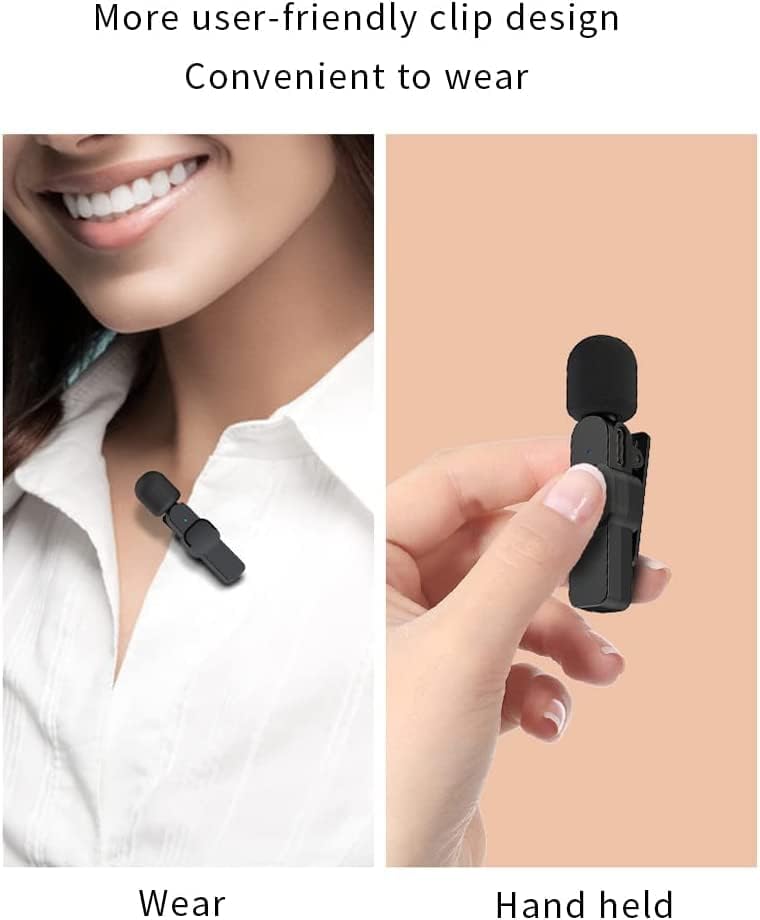
Image 3.2: Close-up of the K8 microphone transmitter, highlighting its clip design for convenient wear.
4. Setup Instructions
The K8 wireless microphone system is designed for plug-and-play operation, requiring no additional applications or Bluetooth pairing.
- Charge the Transmitter: Before first use, ensure the microphone transmitter is fully charged using the provided Type-C charging cable. The charging indicator light will show its status.
- Connect the Receiver: Plug the receiver directly into the appropriate port of your recording device (Type-C for Android phones/laptops, Lightning for iPhones/iPads). The red light on the receiver will flash, indicating it is searching for the transmitter.
- Power On the Transmitter: Press the power switch on the microphone transmitter. The indicator light will turn green.
- Automatic Pairing: The transmitter and receiver will automatically pair. Once connected, the red indicator light on the receiver and the blue indicator light on the microphone will remain solid.
- Begin Recording: Open your desired recording application (e.g., camera app, live streaming app, voice recorder) on your device and start recording. The microphone will now capture audio.
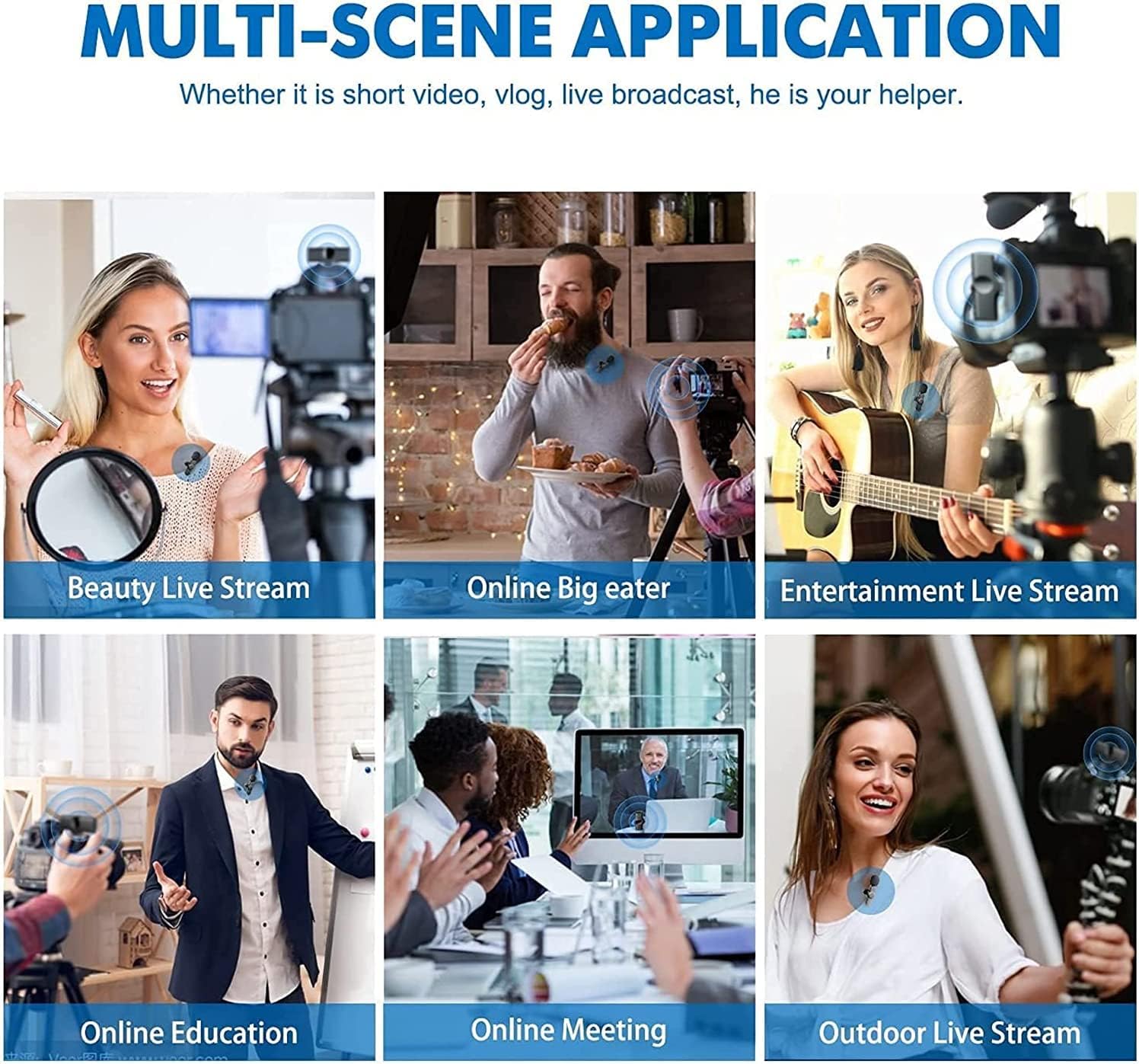
Image 4.1: Visual guide for the plug-and-play setup process, showing receiver connection, transmitter power-on, and connected status.
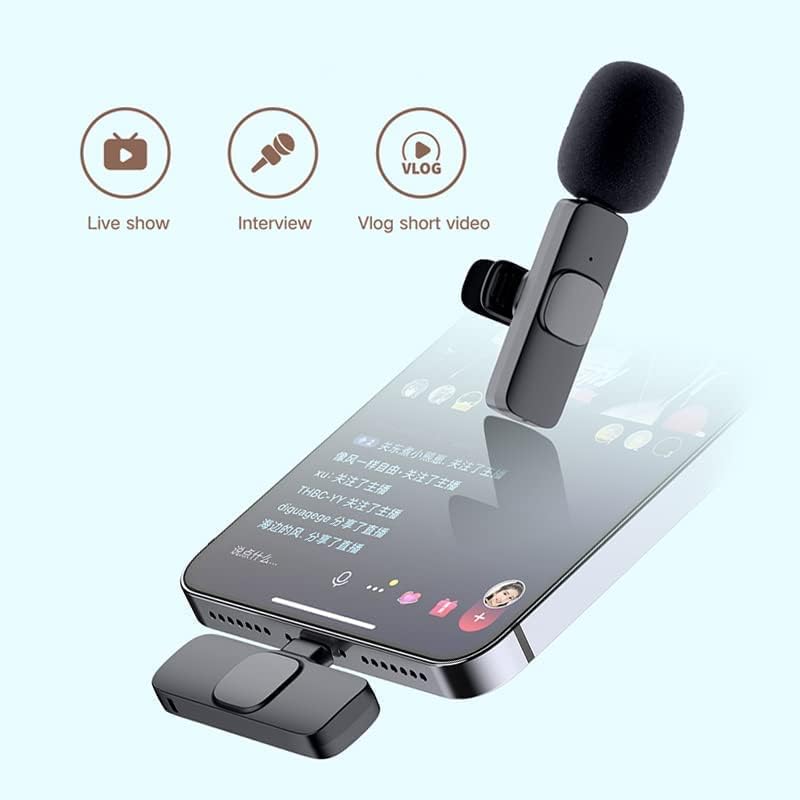
Image 4.2: Illustration of devices compatible with the K8 microphone, including phones, tablets, PCs, and cameras.
5. Operating Instructions
The K8 microphone offers stable and clear audio transmission for various recording scenarios.
- Omnidirectional Sound: The microphone captures sound from all directions, making it suitable for interviews, presentations, and general recording.
- Wireless Range: The system operates effectively within a range of up to 20 meters (65 feet) without significant obstacles. Maintain a clear line of sight between the transmitter and receiver for optimal performance.
- Real-Time Auto-Sync: The microphone utilizes real-time auto-sync technology to minimize latency and ensure synchronized audio with your video.
- Noise Cancellation: The microphone incorporates noise cancellation technology to reduce ambient background noise, enhancing the clarity of your voice.

Image 5.1: Features of the K8 wireless connection, including plug and play, lossless sound quality, wireless connections, and a 20-meter range.

Image 5.2: Examples of multi-scene applications for the K8 microphone, such as beauty live streams, online education, and outdoor live streams.
6. Charging and Battery
The K8 microphone transmitter is equipped with an 80mAh polymer battery, providing approximately 6 hours of working time on a single charge. A full charge typically takes about 1 hour.
- Connect the provided Type-C charging cable to the transmitter's charging port and a standard USB power source.
- The indicator light will show charging status (e.g., red while charging, off or blue when fully charged, refer to specific product indicator behavior if available).
- Avoid overcharging the device to prolong battery life.

Image 6.1: Information regarding the K8 microphone's 80mAh polymer battery, providing approximately 6 hours of working time and requiring 1 hour for a full charge.
7. Maintenance
Proper care ensures the longevity and performance of your K8 wireless microphone.
- Cleaning: Use a soft, dry cloth to clean the microphone and receiver. Avoid using liquid cleaners or solvents.
- Storage: Store the device in a cool, dry place away from direct sunlight and extreme temperatures.
- Handling: Handle the microphone and receiver with care. Avoid dropping or subjecting them to strong impacts.
- Moisture: Keep the device away from water and high humidity to prevent damage to internal components.
8. Troubleshooting
If you encounter issues with your K8 wireless microphone, refer to the following common solutions:
- No Sound/Weak Sound:
- Ensure the receiver is fully inserted into your device's port.
- Verify the microphone transmitter is powered on and paired (solid indicator lights).
- Check your device's audio input settings to ensure the external microphone is selected.
- Confirm the microphone is charged.
- Test in a quieter environment to rule out excessive background noise affecting perceived sound quality.
- Connection Issues:
- Ensure the transmitter and receiver are within the 20-meter operating range and have a clear line of sight.
- Power off both the transmitter and receiver, then restart them to re-initiate pairing.
- Check for potential interference from other 2.4GHz wireless devices.
- Receiver Not Fitting Properly:
- Ensure you have the correct receiver type (Type-C or Lightning) for your device.
- Remove any phone cases that might obstruct the receiver's full insertion.
- Device Not Recognizing Microphone:
- Some Android devices may require enabling OTG (On-The-Go) functionality in their settings for external devices to be recognized.
- Ensure your device's operating system is up to date.
9. Specifications
| Feature | Detail |
|---|---|
| Model Name | K8 |
| Brand Name | Generic |
| Connectivity Technology | Digital Wireless (2.4GHz) |
| Connector Type | Lightning / Type-C |
| Polar Pattern | Omnidirectional |
| Special Features | Clip, Durable, Portable, Wireless, Noise Cancellation |
| Compatible Devices | Smartphone, Tablet, Camera, Laptop |
| Recommended Uses | Vlogging, Video Production, Conference Calls, Online Classes |
| Product Dimensions | 5 x 5 x 5 cm |
| Item Weight | 200 g |
| Battery Capacity | 80mAh (Polymer) |
| Working Hours | Approx. 6 hours |
| Charging Time | Approx. 1 hour |
10. Warranty and Support
For warranty information and customer support, please refer to the retailer where you purchased the Generic K8 Wireless Microphone or contact the manufacturer directly. Keep your proof of purchase for any warranty claims.