
1. Introduction
Welcome to the DRUMS GM8 True Wireless Earbuds user manual. These earbuds are designed to provide a high-quality audio experience with features tailored for both gaming and music enthusiasts. Enjoy stable Bluetooth connectivity, low latency performance, and effective noise cancellation for clear communication and immersive sound. This manual will guide you through the setup, operation, and maintenance of your new earbuds.
2. What's in the Box
- 2 x Wireless Earbuds (Left and Right)
- 1 x Charging Case
- 1 x Charging Cable
3. Product Overview
The DRUMS GM8 earbuds feature an ergonomic in-ear design for comfortable, long-term wear. They are equipped with Bluetooth 5.0 technology for stable connections and low power consumption. The charging case provides convenient power on the go, ensuring your earbuds are ready when you are.
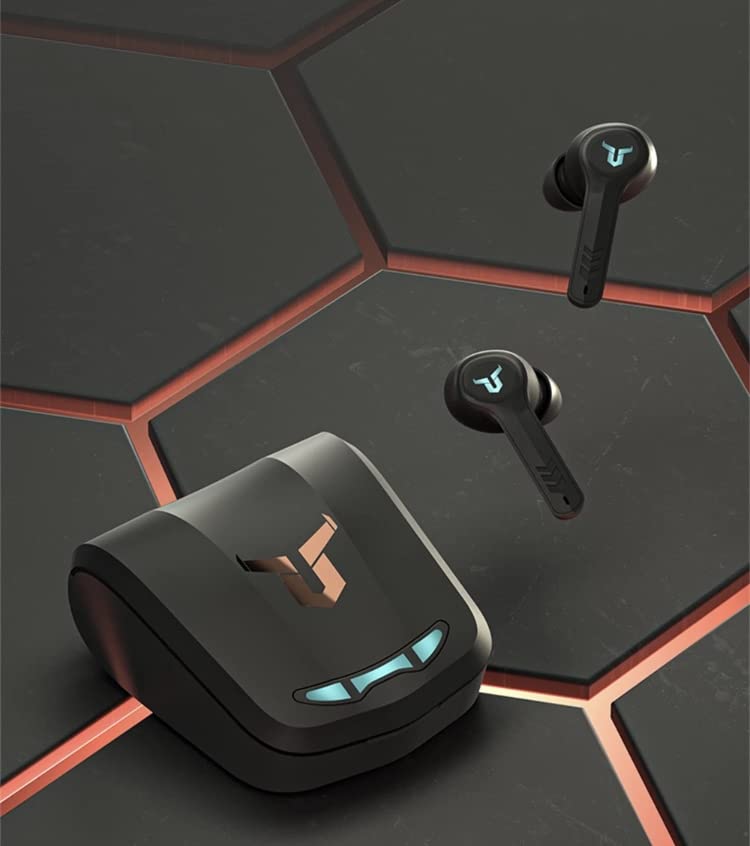
Image 1: DRUMS GM8 Earbuds and Charging Case. This image displays the two wireless earbuds alongside their compact charging case, highlighting their sleek black design.
Key Features:
- Bluetooth 5.0 Technology: Ensures high-speed data transmission, stable connection, and low power consumption.
- Extended Battery Life: Each earbud has a 50mAh battery, providing approximately 4-4.5 hours of working time. The 500mAh charging case can recharge the earbuds multiple times.
- Automatic Pairing: Earbuds power on automatically and pair quickly with each other upon removal from the charging case.
- Ergonomic Design: Designed for a secure and comfortable fit within the ear canal.
- 3D Stereo Sound: Delivers an immersive audio experience.
- Water-Resistant: Provides protection against splashes and sweat.
- Environmental Noise Reduction (ENC): Built-in high-sensitivity microphone with voice call noise reduction technology for clear calls in noisy environments.
- MEMS Silicon: Offers noise elimination and good performance, with effective RF and EMI suppression.
4. Setup
4.1. Charging the Earbuds and Case
Before first use, fully charge the charging case and earbuds. Place the earbuds into the charging case. Connect the charging cable to the case and a USB power source. The charging case has a 500mAh battery, and each earbud has a 50mAh battery, providing approximately 4-4.5 hours of playback per charge. The charging case typically takes about 4 hours to fully charge.
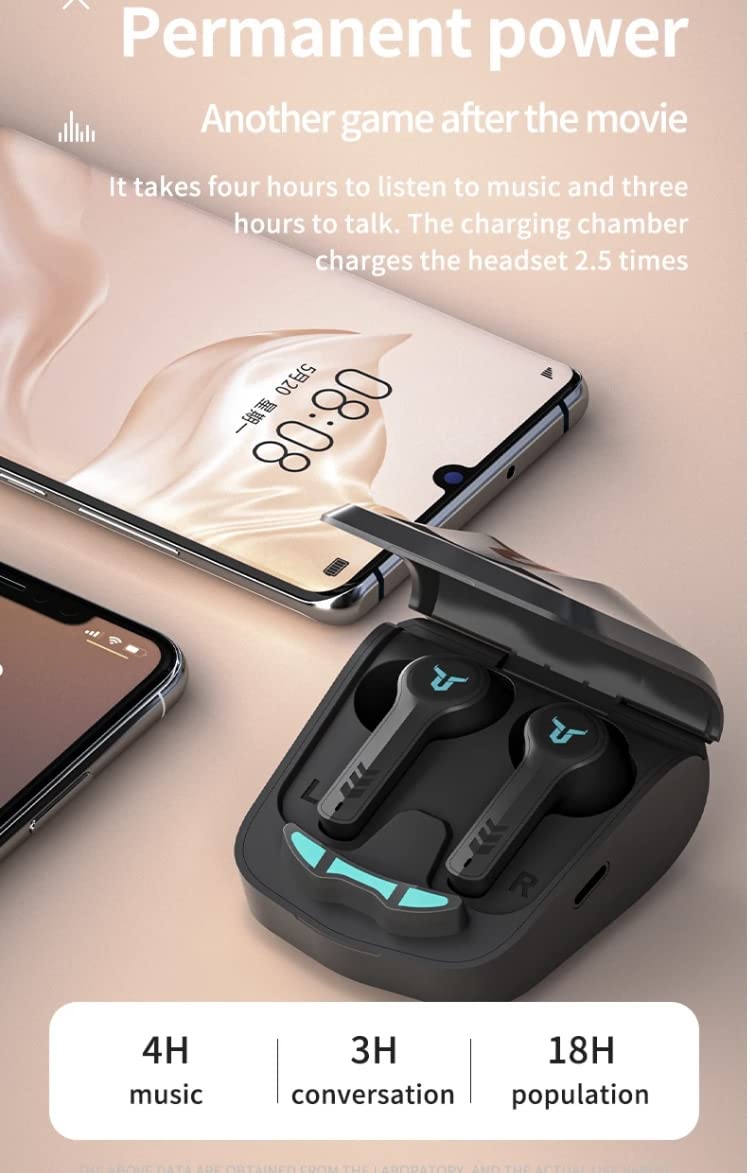
Image 2: DRUMS GM8 Earbuds Charging and Battery Life. This image illustrates the charging case with earbuds, indicating battery performance with 4 hours of music playback, 3 hours of conversation, and 18 hours of total usage with the charging case.
4.2. Pairing with a Bluetooth Device
- Ensure the charging case is charged and the earbuds are inside.
- Open the charging case and remove both earbuds. They will automatically power on and pair with each other.
- On your Bluetooth-enabled device (smartphone, tablet, laptop), go to the Bluetooth settings.
- Search for available devices and select "GM8" (or similar name) from the list.
- Once connected, you will hear a confirmation tone, and the earbuds will be ready for use.
5. Operating Instructions
5.1. Touch Controls
The DRUMS GM8 earbuds feature touch controls for easy management of music, calls, and voice assistants. Specific touch gestures may vary slightly; refer to the quick start guide for detailed commands.
5.2. Music Playback
- Play/Pause: Single tap on either earbud.
- Next Track: Double tap on the right earbud.
- Previous Track: Double tap on the left earbud.
5.3. Call Management
- Answer/End Call: Single tap on either earbud.
- Reject Call: Press and hold either earbud for 2 seconds.
5.4. Voice Assistant
- Activate Voice Assistant: Triple tap on either earbud (e.g., Siri, Google Assistant).
5.5. Low Latency Gaming Mode
The GM8 earbuds are equipped with a Bluetooth 5.1 low delay chip, providing a dual-mode decoding feature to synchronize sound and picture, which is ideal for gaming. This minimizes audio lag, enhancing your gaming experience.

Image 3: DRUMS GM8 Low Latency Gaming Mode. This image highlights the earbuds and charging case, emphasizing the low latency feature powered by a Bluetooth 5.1 chip for synchronized audio and video.

Image 4: DRUMS GM8 360-degree Stereo Sound for Gaming. This image depicts a gaming scenario with a smartphone displaying a game, alongside the earbuds and charging case, illustrating the immersive 360-degree stereo sound experience.
5.6. Noise Cancellation
The earbuds feature Active Noise Cancellation (ANC) and Environmental Noise Reduction (ENC) for calls. The built-in high-sensitivity microphone utilizes strong voice call noise reduction technology to eliminate background noise, ensuring your voice is clear to the other party, even in noisy environments.

Image 5: DRUMS GM8 Environmental Noise Reduction (ENC). This image shows a diagram illustrating the effect of noise reduction, highlighting the high-sensitivity microphone and its ability to reduce environmental noise during calls.

Image 6: DRUMS GM8 MEMS Silicon for Noise Elimination. This image features a person wearing an earbud while driving, illustrating the benefits of MEMS silicon technology for noise elimination and improved performance, including RF and EMI suppression.

Image 7: DRUMS GM8 Speaker Quality. This image provides an exploded view of a speaker driver, emphasizing the quality components that contribute to good sound reproduction for music.
6. Maintenance
6.1. Cleaning
Regularly clean your earbuds and charging case to ensure optimal performance and hygiene. Use a soft, dry, lint-free cloth to wipe the surfaces. Avoid using abrasive materials or harsh chemicals. For earbud tips, gently remove them and clean with a damp cloth, ensuring they are completely dry before reattaching.
6.2. Storage
When not in use, store the earbuds in their charging case to protect them from dust, damage, and to keep them charged. Store the case in a cool, dry place away from direct sunlight and extreme temperatures.
6.3. Water Resistance
The DRUMS GM8 earbuds are water-resistant, meaning they can withstand splashes and sweat. They are not designed for submersion in water. Avoid using them during swimming or showering. If they get wet, wipe them dry immediately before placing them back in the charging case.
7. Troubleshooting
7.1. Earbuds Not Pairing with Each Other
- Ensure both earbuds are fully charged.
- Place both earbuds back into the charging case, close the lid, wait a few seconds, then open the lid and remove them again. They should automatically pair.
7.2. Earbuds Not Connecting to Device
- Make sure Bluetooth is enabled on your device.
- Ensure the earbuds are charged and out of the case.
- Forget the "GM8" device from your device's Bluetooth settings and attempt to pair again.
- Try restarting your Bluetooth device.
7.3. No Sound or Low Volume
- Check the volume levels on both your device and the earbuds.
- Ensure the earbuds are properly seated in your ears.
- Confirm the earbuds are connected to the correct device.
7.4. Charging Case Not Charging
- Verify the charging cable is securely connected to both the case and the power source.
- Try using a different charging cable or power adapter.
- Ensure the power source is active.
8. Specifications
| Feature | Specification |
|---|---|
| Model Name | GM8 |
| Connectivity Technology | Wireless (Bluetooth) |
| Bluetooth Version | 5.0 |
| Earbud Battery Capacity | 50mAh (each) |
| Charging Case Battery Capacity | 500mAh |
| Working Time (Earbuds) | Approx. 4-4.5 hours |
| Charging Time (Case) | Approx. 4 hours |
| Control Method | Touch |
| Special Features | Noise Cancellation, Low Latency, Water Resistant |
| Water Resistance Level | Water Resistant |
| Included Components | 2 wireless earphone, 1 charging box, 1 charging cable |
| Material | Plastic |
| Item Weight | 300 g |
| Compatible Devices | Smartphones, Tablets, Laptops, Desktops, Bluetooth-enabled Devices |
9. Warranty and Support
9.1. Warranty Information
The DRUMS GM8 earbuds come with a 6-month warranty from the date of purchase. This warranty covers manufacturing defects. Please retain your proof of purchase for warranty claims. The warranty does not cover damage caused by misuse, accidents, unauthorized modifications, or normal wear and tear.
9.2. Customer Support
For any questions, technical assistance, or warranty claims, please refer to the retailer where you purchased the product or visit the official DRUMS website for contact information.