Introduction
Thank you for choosing the House of Marley Stir It Up Wireless Bluetooth Turntable. This manual provides essential information for setting up, operating, and maintaining your turntable to ensure a high-quality listening experience. The Stir It Up Wireless turntable is crafted with sustainable materials such as bamboo, REGRIND Silicone, and REWIND Fabric, reflecting a commitment to eco-conscious design.
This turntable features a built-in switchable pre-amp, a replaceable Audio-Technica cartridge, and Bluetooth connectivity, allowing for versatile audio setups.
What's in the Box
Upon unboxing, please ensure all components are present and in good condition. The package typically includes:
- Stir It Up Wireless Bluetooth Turntable
- Power Adapter with various international plugs
- RCA cables
- USB cable
- Slipmat (REGRIND Silicone)
- Counterweight
- Anti-skating weight
- Quick Start Guide and Warranty Information
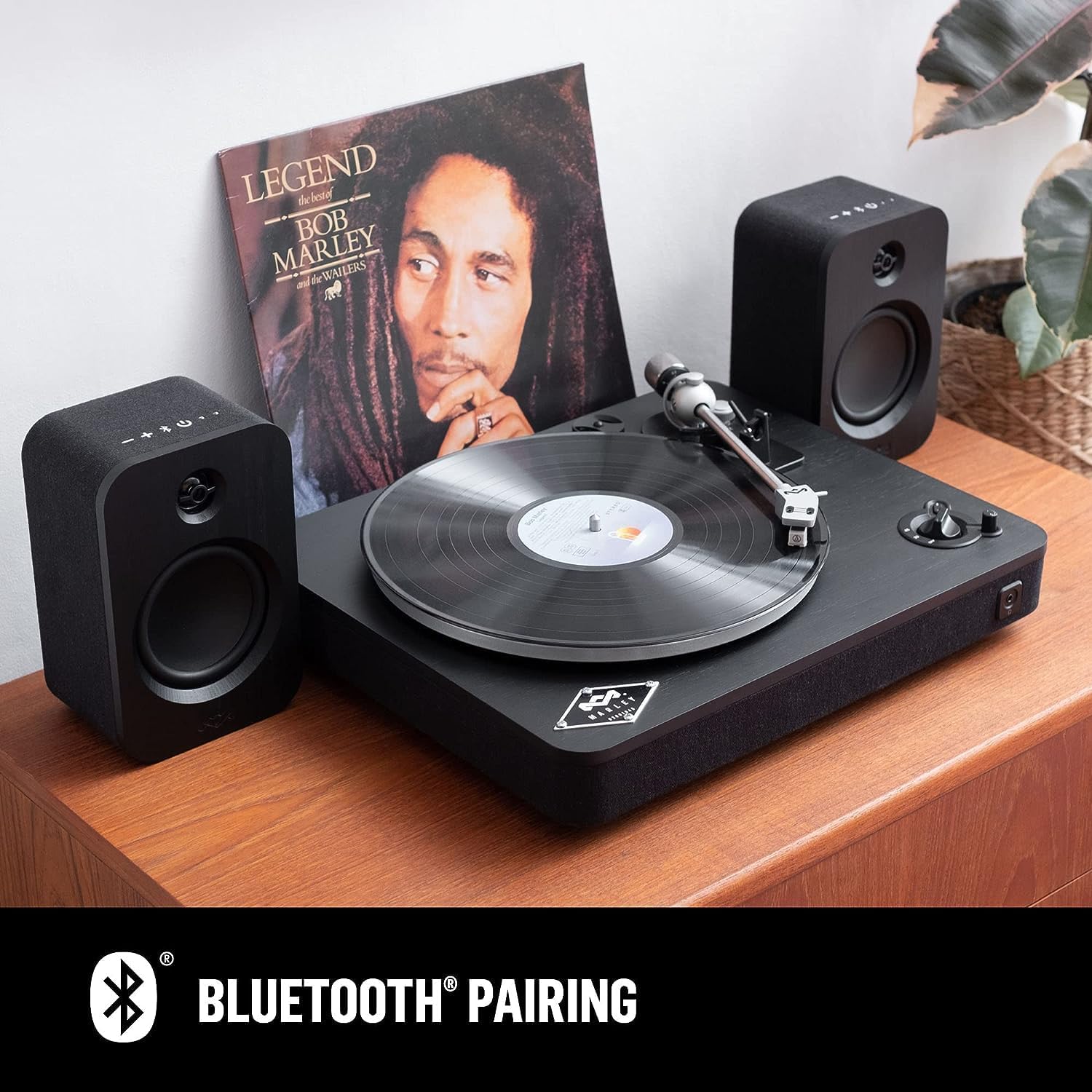
Image: All components of the House of Marley Stir It Up Wireless Turntable, including the turntable unit, speakers, cables, and power adapters.
Video: An unboxing and initial setup guide for the House of Marley Stir It Up Wireless Turntable, demonstrating the contents and basic assembly.
Setup Instructions
1. Platter and Belt Installation
- Carefully place the aluminum platter onto the center spindle of the turntable.
- Locate the drive belt. Gently stretch the belt around the sub-platter and hook it onto the motor pulley. Ensure the belt is not twisted.
- Place the REGRIND Silicone slipmat on top of the platter.
2. Tonearm Balancing and Anti-Skating
- Attach the counterweight to the rear of the tonearm. Rotate it until the tonearm is balanced and floats parallel to the platter.
- Once balanced, hold the counterweight steady and rotate the numbered ring on the front of the counterweight to '0'.
- Rotate the entire counterweight counter-clockwise to set the tracking force. For the included Audio-Technica cartridge, a tracking force of 1.0 gram is recommended.
- Set the anti-skating dial to '1' or a value corresponding to your tracking force.

Image: Detailed view of the tonearm's adjustable counterbalance and anti-skating control, crucial for proper record playback.
3. Audio Connections
- Ensure the turntable is powered off.
- Connect the RCA cables from the 'LINE OUT' ports on the back of the turntable to your amplifier or powered speakers.
- If your amplifier has a dedicated 'PHONO' input, set the 'PRE-AMP' switch on the turntable to 'OFF'. If connecting to a standard 'LINE IN' or 'AUX' input, set the 'PRE-AMP' switch to 'ON'.
- Connect the power adapter to the '15V DC IN' port on the turntable and then to a wall outlet.
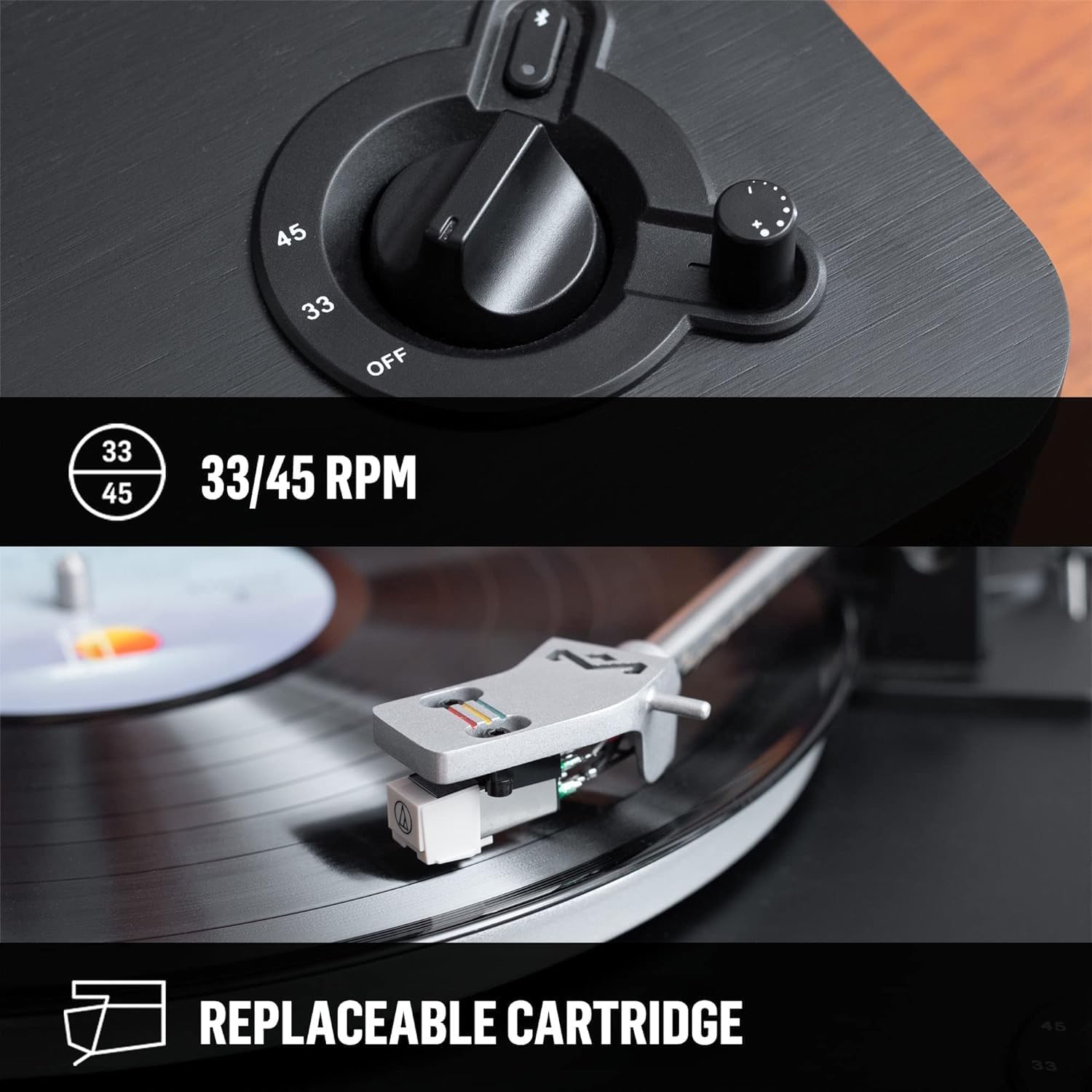
Image: The rear panel of the turntable, highlighting the RCA output, the ON/OFF switch for the built-in pre-amplifier, and the 15V DC power input.
Operating Instructions
1. Playing a Record
- Place a record on the slipmat.
- Remove the stylus needle cover.
- Turn the RPM dial to the correct speed (33 1/3 or 45 RPM) for your record. The platter will begin to spin.
- Gently lift the tonearm using the lift lever.
- Position the tonearm over the desired starting groove of the record.
- Slowly lower the tonearm using the lift lever. The stylus will make contact with the record, and playback will begin.
- To stop playback, lift the tonearm using the lever and return it to its rest. Turn the RPM dial to 'OFF'.
Video: A demonstration of placing a vinyl record on the turntable and initiating playback, showing the tonearm operation.
2. Bluetooth Pairing
The Stir It Up Wireless turntable can connect wirelessly to any Bluetooth speaker or receiver.
- Ensure your external Bluetooth device (speaker, headphones, etc.) is in pairing mode.
- On the turntable, press the Bluetooth pairing button (located near the RPM dial). The Bluetooth indicator light will flash, indicating it is searching for devices.
- Once connected, the Bluetooth indicator light will become solid blue.
- Adjust the volume using the volume dial on the turntable or your connected Bluetooth device.

Image: Top-down view of the turntable, highlighting the Bluetooth pairing button with integrated volume dial and the front-facing headphone jack.
Maintenance
Regular maintenance ensures the longevity and optimal performance of your turntable.
- Cleaning the Stylus: Use a soft brush to gently clean the stylus from back to front. Avoid touching the stylus with your fingers.
- Cleaning the Turntable: Wipe the bamboo plinth and other surfaces with a soft, dry cloth. Avoid abrasive cleaners.
- Dust Cover: Use the provided REWIND Fabric dust cover to protect the turntable from dust when not in use.
- Cartridge Replacement: The Audio-Technica cartridge is replaceable. Refer to the Audio-Technica manual for specific replacement instructions if needed.
Troubleshooting
| Problem | Possible Cause | Solution |
|---|---|---|
| No sound or low volume | Pre-amp switch incorrect; cables loose; volume too low. | Ensure 'PRE-AMP' switch is set correctly (ON for LINE IN, OFF for PHONO). Check all cable connections. Increase volume on turntable and connected device. |
| Skipping or distorted sound | Stylus dirty or worn; tracking force incorrect; anti-skating incorrect; record dirty or damaged. | Clean stylus. Re-balance tonearm and adjust tracking force. Adjust anti-skating. Clean record or try a different record. |
| Bluetooth not connecting | Device not in pairing mode; too many devices trying to connect; interference. | Ensure only one external Bluetooth device is in pairing mode. Move closer to the turntable. Restart both devices. |
| Turntable stops playing mid-record | This model does not feature an auto-stop function. | This is normal operation. Manually lift the tonearm at the end of the record. |
Specifications
- Product Dimensions: 13.78 x 16.54 x 4.72 inches
- Item Weight: 8.88 pounds
- Item Model Number: EM-JT002-BK
- Brand: Marley
- Maximum Rotational Speed: 45 RPM
- Special Feature: Bluetooth
- Material: Wood (Bamboo)
- Style: Wireless/Bluetooth
- Color: Black
- Compatible Devices: Headphone, Speaker
Warranty and Support
The House of Marley Stir It Up Wireless Bluetooth Turntable comes with a 2-year guarantee, as indicated in the product features. For warranty claims, technical support, or further assistance, please refer to the contact information provided in your Quick Start Guide or visit the official House of Marley website.


