

1. Introduction
This manual provides detailed instructions for the safe and efficient use of your yobola Wireless Earbuds, model LY-20230101. Please read this manual thoroughly before using the product and retain it for future reference.

Image: yobola Wireless Earbuds, highlighting features like HiFi Lossless Audio and a Big Brand Chipset for superior sound quality.
2. What's in the Box
The product package includes the following items:
- Wireless Earbuds
- Charging Case
- USB-C Cable
- User Manual
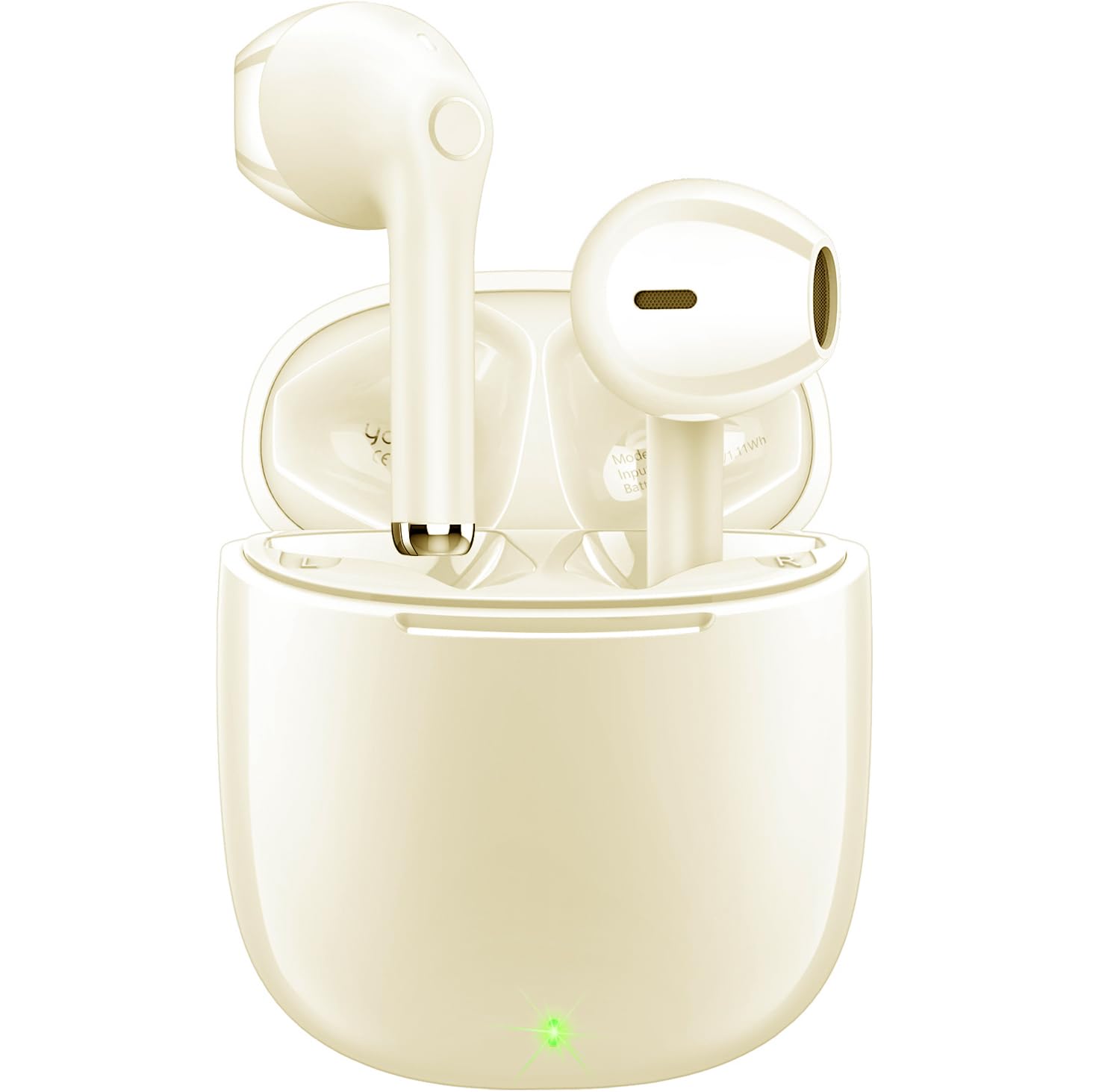
Image: The yobola Wireless Earbuds and their charging case, as typically found in the product packaging.
3. Specifications
| Feature | Detail |
|---|---|
| Model Name | LY-20230101 |
| Brand | yobola |
| Connectivity Technology | Wireless (Bluetooth 5.0) |
| Bluetooth Range | 10 Meters |
| Noise Control | Sound Isolation (ENC for calls) |
| Control Method | Touch |
| Battery Life | 5 Hours (earbuds) |
| Charging Interface | USB-C |
| Water Resistance Level | Waterproof (IPX7) |
| Item Weight | 4 Grams (each earbud) / 0.141 ounces |
| Product Dimensions | 0.71 x 0.71 x 1.34 inches |
| Material | Acrylonitrile Butadiene Styrene (ABS), Polycarbonate (PC) |
| Compatible Devices | iOS, Android, Windows, Smartphones, Laptops (all Bluetooth devices) |

Image: The lightweight design of the earbuds, weighing only 3.7g each, for comfortable wear.
4. Setup and Pairing
Follow these steps to set up and pair your yobola Wireless Earbuds with your device:
- Charge the Earbuds: Before first use, ensure the earbuds and charging case are fully charged using the provided USB-C cable. The indicator lights on the case will show charging status.
- Power On: Open the charging case. The earbuds will automatically power on and enter pairing mode.
- Activate Bluetooth: On your device (smartphone, tablet, laptop), enable Bluetooth.
- Select Device: In your device's Bluetooth settings, search for available devices and select "T7" (or similar name, refer to product packaging if different) from the list.
- Confirm Connection: Once selected, the earbuds will connect automatically. You will hear an audio prompt confirming the connection.
The earbuds are designed for automatic pairing. After the initial setup, they will automatically connect to the last paired device when removed from the charging case.

Image: Illustration of the automatic pairing process with a smartphone.
5. Operating Instructions
5.1 Touch Controls
The earbuds feature intuitive touch controls for managing audio playback and calls:
- Play/Pause: Single tap on either earbud.
- Next Track: Double tap the right earbud.
- Previous Track: Double tap the left earbud.
- Answer/End Call: Single tap on either earbud.
- Reject Call: Press and hold either earbud for 2 seconds.
- Volume Up: Press and hold the right earbud.
- Volume Down: Press and hold the left earbud.
- Activate Voice Assistant (Siri/Google Assistant): Triple tap on either earbud.

Image: Proper placement of the earbud in the ear for optimal comfort and sound.
5.2 Call Management
The earbuds are equipped with a 4-microphone system and Environmental Noise Cancellation (ENC) technology to ensure clear calls by reducing up to 90% of ambient noise.
- Answering Calls: Tap either earbud once.
- Ending Calls: Tap either earbud once during a call.
- Rejecting Calls: Press and hold either earbud for approximately 2 seconds when a call comes in.

Image: The earbud's 4-microphone system and ENC technology for clearer calls.
6. Maintenance and Care
To ensure the longevity and optimal performance of your earbuds, follow these maintenance guidelines:
- Cleaning: Regularly clean the earbuds and charging case with a soft, dry, lint-free cloth. Avoid using abrasive materials or harsh chemicals.
- Water Resistance: The earbuds have an IPX7 waterproof rating, meaning they can withstand immersion in water up to 1 meter for 30 minutes. However, the charging case is not waterproof. Ensure earbuds are dry before placing them back in the charging case.
- Storage: Store the earbuds in their charging case when not in use to protect them from dust and damage. Store in a cool, dry place away from extreme temperatures.
- Charging: Use only the provided USB-C cable or a certified equivalent for charging. Avoid overcharging.

Image: The earbuds demonstrating their waterproof capability.
7. Troubleshooting
If you encounter issues with your yobola Wireless Earbuds, refer to the following common solutions:
- Earbuds not pairing:
- Ensure both earbuds are charged.
- Place earbuds back in the case, close the lid, then open it again to reset.
- Turn off and on your device's Bluetooth.
- Forget "T7" (or similar) from your device's Bluetooth list and try pairing again.
- No sound from one earbud:
- Ensure both earbuds are charged and connected.
- Try placing both earbuds back in the charging case and taking them out again.
- Perform a factory reset if available (refer to specific product instructions if a reset button is present).
- Charging issues:
- Check the USB-C cable and charging adapter for damage.
- Ensure the charging port on the case is clean and free of debris.
- Verify the power source is working.
- Poor call quality:
- Ensure earbuds are clean, especially the microphone areas.
- Check for strong Bluetooth interference in your environment.
- Ensure your phone's signal is strong.
8. Device Compatibility
The yobola Wireless Earbuds are designed for broad compatibility:
- Compatible with iOS devices (Apple iPhones, iPads).
- Compatible with Android devices (smartphones, tablets).
- Compatible with Windows devices (laptops, desktops).
- Supports all devices with Bluetooth connectivity.

Image: The earbuds are compatible with various operating systems including iOS, Android, and Windows.
9. Official Product Video
Video: An official product video showcasing the yobola Wireless Bluetooth Earbuds, demonstrating their features and usage. This video provides a visual overview of the product's design, functionality, and key benefits.
10. Warranty and Support
Specific warranty information is typically provided with your product packaging or can be found on the official yobola website. For technical support, troubleshooting assistance, or warranty claims, please refer to the contact information provided in your product documentation or visit the yobola brand store on Amazon.
yobola Brand Store: Visit the yobola Store


