
Introduction
Thank you for choosing the PENO SB-228 Dual Mode Aquarium Rechargeable Air Pump. This device is designed to provide essential oxygenation for your fish tank or for outdoor fishing activities. Featuring a quiet operation, intelligent protection, and dual-mode functionality, this air pump ensures a healthy aquatic environment. Please read this manual thoroughly before use to ensure proper installation, operation, and maintenance.
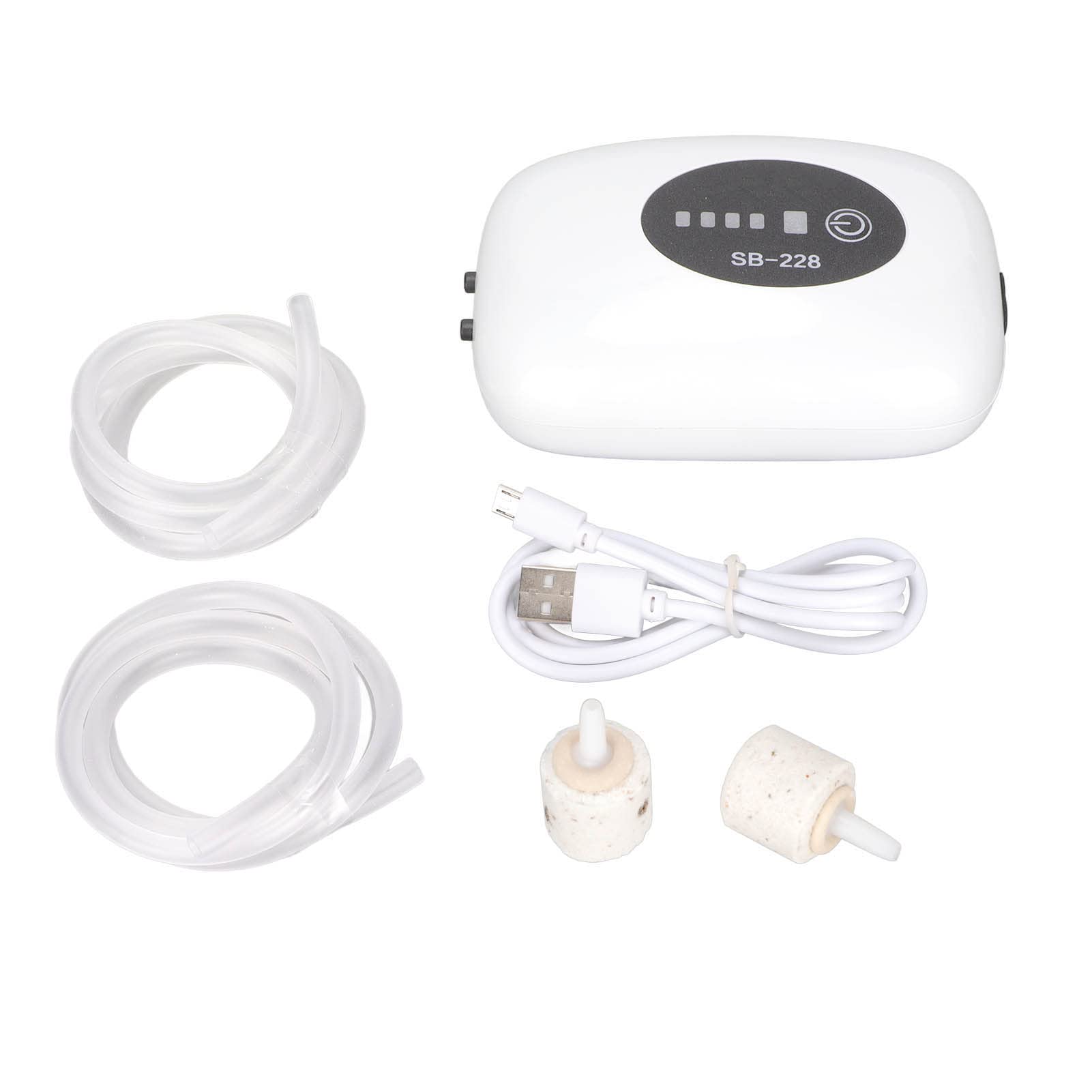
Image: The PENO SB-228 Dual Mode Aquarium Rechargeable Air Pump shown in a home setting with a large aquarium in the background, illustrating its intended use.
Product Features
- ABS Shell Technology: Features an ABS noise reduction shell, precision CNC machine cutting, and anti-oxidation treatment for good sound insulation and strong bearing capacity.
- Quiet Operation: Designed for ultra-quiet performance (≤30dB) with multiple shock absorption and noise reduction features, including silicone shock-absorbing pads to minimize vibration and noise.
- Dual Mode Functionality: Easily switch between continuous oxygen supply and intermittent oxygen supply with a single key, allowing selection based on specific needs.
- Intelligent Protection: Automatically starts when power is off (AC and DC dual use). Equipped with an intelligent protection chip, it can be charged while operating. Once fully charged, it operates without further charging.
- Dustproof USB Port: The USB charging port is protected by a sealed screw cover, enhancing durability.
- Convenient Fixing Clip: A clip at the bottom allows for attachment to a waist belt or the wall of a fish tank.
Package Contents
Please verify that all items are present in the package:
- 1 x PENO SB-228 Dual Hole Air Pump
- 2 x Air Tubes
- 2 x Air Stones
- 1 x USB Charging Cable

Image: The PENO SB-228 air pump displayed alongside its included accessories: two air tubes, two air stones, and a USB charging cable.
Specifications
| Specification | Detail |
|---|---|
| Model | SB-228 (Double Hole) |
| Material | ABS Plastic |
| Dimensions (Approx.) | 8.5cm x 12cm (3.3in x 4.7in) |
| Power | 2W |
| Air Volume | 2 x 3L/min |
| Battery Type | Lithium Battery |
| Battery Capacity | 4800mAh |
| Suitable for Fish Tank Size | 30-100L |
| Operation Mode | Automatic / Dual Mode |
| Noise Level | ≤30dB |

Image: A visual representation of the PENO SB-228 air pump with its approximate dimensions: 8.5cm (3.3in) width and 12cm (4.7in) height.
Safety Information
- Always ensure the oxygen pump is placed at a position higher than the water level of the aquarium to prevent backflow of water, which can damage the pump.
- If the pump must be placed at a position lower than the water level, install a check valve on the air tube to prevent water backflow.
- This is an external oxygen pump. Do not immerse the pump in water.
- Keep the USB port dry and ensure the sealed screw cover is properly closed when not charging.
- Do not attempt to disassemble or repair the unit yourself. Contact customer support if service is required.
Setup
1. Initial Charging
- Before first use, charge the air pump for 6-8 hours.
- Connect the USB charging cable to the pump's USB port and a suitable power adapter (not included).
- During charging, all four power indicators will illuminate.
- Once the battery is fully charged, the four power indicators will automatically turn off, and the charging process will cease.
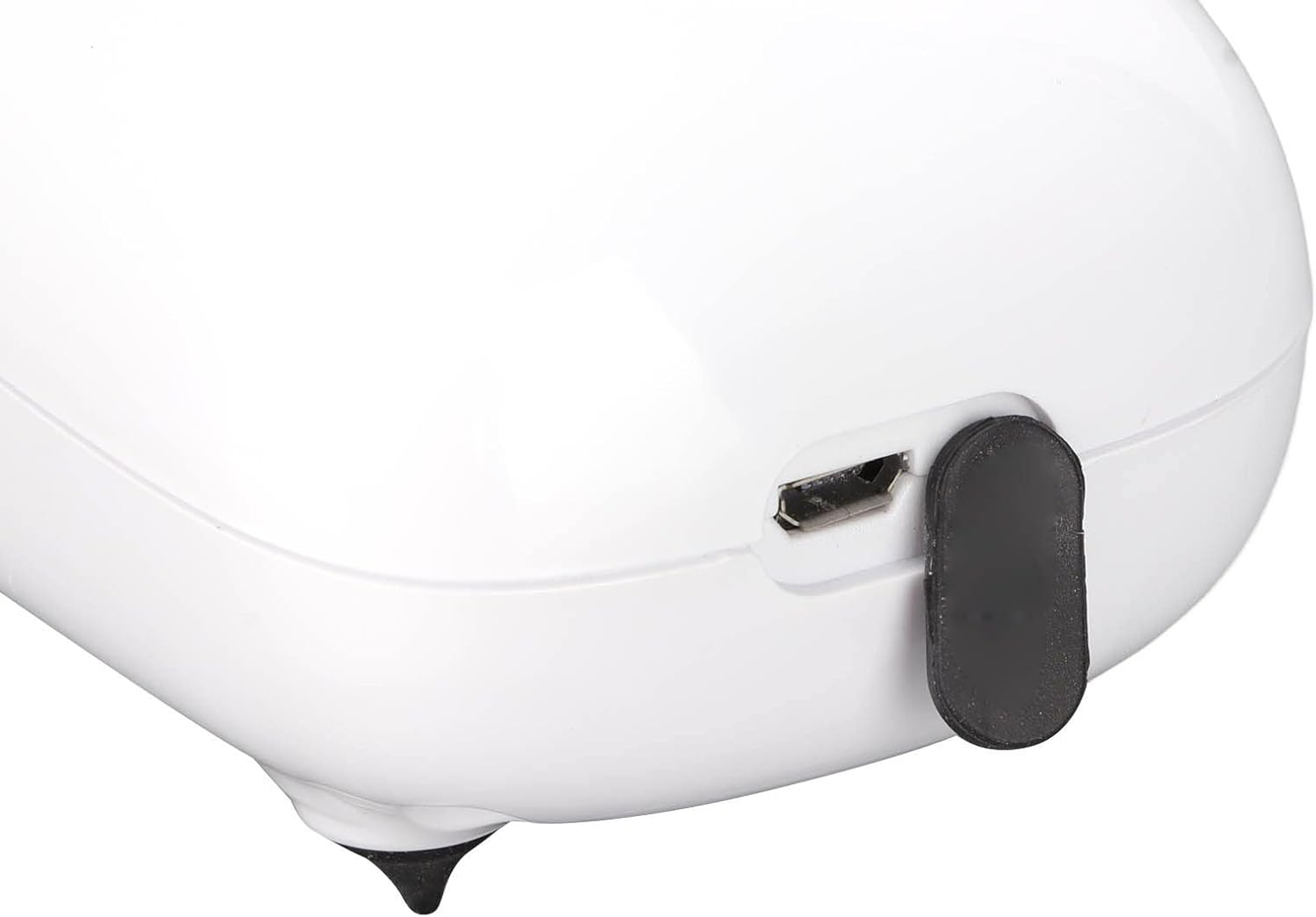
Image: A detailed view of the dustproof USB port on the PENO SB-228 air pump, showing its sealed screw cover for protection.
2. Installation
- Connect one end of each air tube to the air outlets on the pump.
- Attach an air stone to the other end of each air tube.
- Place the air stones into the aquarium.
- Position the air pump:
- Option A (Recommended): Place the air pump at a position higher than the water level of the fish tank. This prevents water backflow.
- Option B (With Check Valve): If the pump must be placed on the ground or a table below the water level, ensure a check valve is installed on the air tube to prevent water from flowing back into the pump and causing damage.
- Utilize the fixing clip at the bottom of the pump to secure it to the edge of the fish tank or your waist for outdoor use.

Image: A diagram illustrating two installation methods for the air pump: one with the pump above the water level, and another with the pump below the water level requiring a check valve to prevent water backflow.

Image: A pair of clear, flexible air tubes, essential for connecting the air pump to the air stones in the aquarium.

Image: A close-up showing the bottom clip for securing the air pump and the dustproof USB port.
Operation
1. Power On/Off
Lightly press the power button (usually indicated by a circle with a vertical line) to turn the pump on or off. The indicator lights will show the operational status.
2. Mode Selection
The pump offers dual operating modes: continuous oxygen supply and intermittent oxygen supply. Press the mode selection button (if available, otherwise the power button might cycle modes) to switch between these two modes according to your aquarium's needs or fishing requirements.
3. Intelligent Protection Feature
The air pump is equipped with an intelligent protection chip. In the event of a power outage, the pump will automatically switch to battery power to continue oxygen supply. It can operate while charging, and once fully charged, it will stop charging and continue to operate on its internal battery.

Image: A close-up of a circuit board, representing the intelligent protection chip that enables automatic power-off startup and charging management.
Maintenance
- Cleaning: Periodically wipe the exterior of the pump with a soft, damp cloth. Do not use harsh chemicals or abrasive cleaners. Ensure the USB port cover is closed during cleaning.
- Air Stones: Over time, air stones can become clogged, reducing air output. Replace air stones when you notice a significant decrease in bubble production.
- Air Tubes: Check air tubes for kinks, cracks, or blockages. Replace them if they become brittle or damaged.
- Storage: When not in use for extended periods, ensure the pump is fully charged and stored in a cool, dry place away from direct sunlight.
Troubleshooting
- No Air Output:
- Check if the pump is turned on and fully charged.
- Inspect air tubes for kinks or blockages.
- Ensure air stones are not clogged. Clean or replace if necessary.
- Low Air Output:
- Verify the battery level; recharge if low.
- Check for partial blockages in air tubes or air stones.
- Ensure the pump is not obstructed.
- Pump Not Charging:
- Ensure the USB cable is securely connected to both the pump and the power source.
- Try a different USB cable or power adapter.
- Check the USB port for debris.
- Unusual Noise:
- Ensure the pump is placed on a stable, flat surface.
- Check for any loose parts or external obstructions.
Warranty and Support
PENO products are manufactured to high-quality standards. For warranty information, technical support, or any questions regarding your SB-228 air pump, please refer to the contact information provided at the point of purchase or visit the official PENO website. Please retain your proof of purchase for warranty claims.