
VIVO DESK-V028KW
VIVO 28-inch K Series Height Adjustable Sit-to-Stand Desk Converter (DESK-V028KW) Instruction Manual
Model: DESK-V028KW
Introduction
Thank you for choosing the VIVO 28-inch K Series Height Adjustable Sit-to-Stand Desk Converter. This manual provides essential information for the safe and efficient use of your new workstation. Please read all instructions carefully before assembly and operation.
Key Features:
- Instant Active Standing: Provides on-demand standing throughout the day to relieve muscle tension, reduce stress, and increase productivity.
- Space-Efficient Design: The top surface measures 27.9” x 15.7”, fitting easily into most workspaces. The 27.9” x 11.8” keyboard tray (11” in center) raises in sync with the top surface for a comfortable setup.
- Strong and Durable Construction: Features a robust steel frame that resists scratches and provides sturdy support.
- Smooth Lift Assist: Transition from sitting to standing with ease using the innovative simple touch height locking mechanism. The adjustment range is from 4.5” to 16.9”.
- Minimal Assembly: The riser is nearly ready out of the box. Simply place it on your existing desk and attach the keyboard tray.
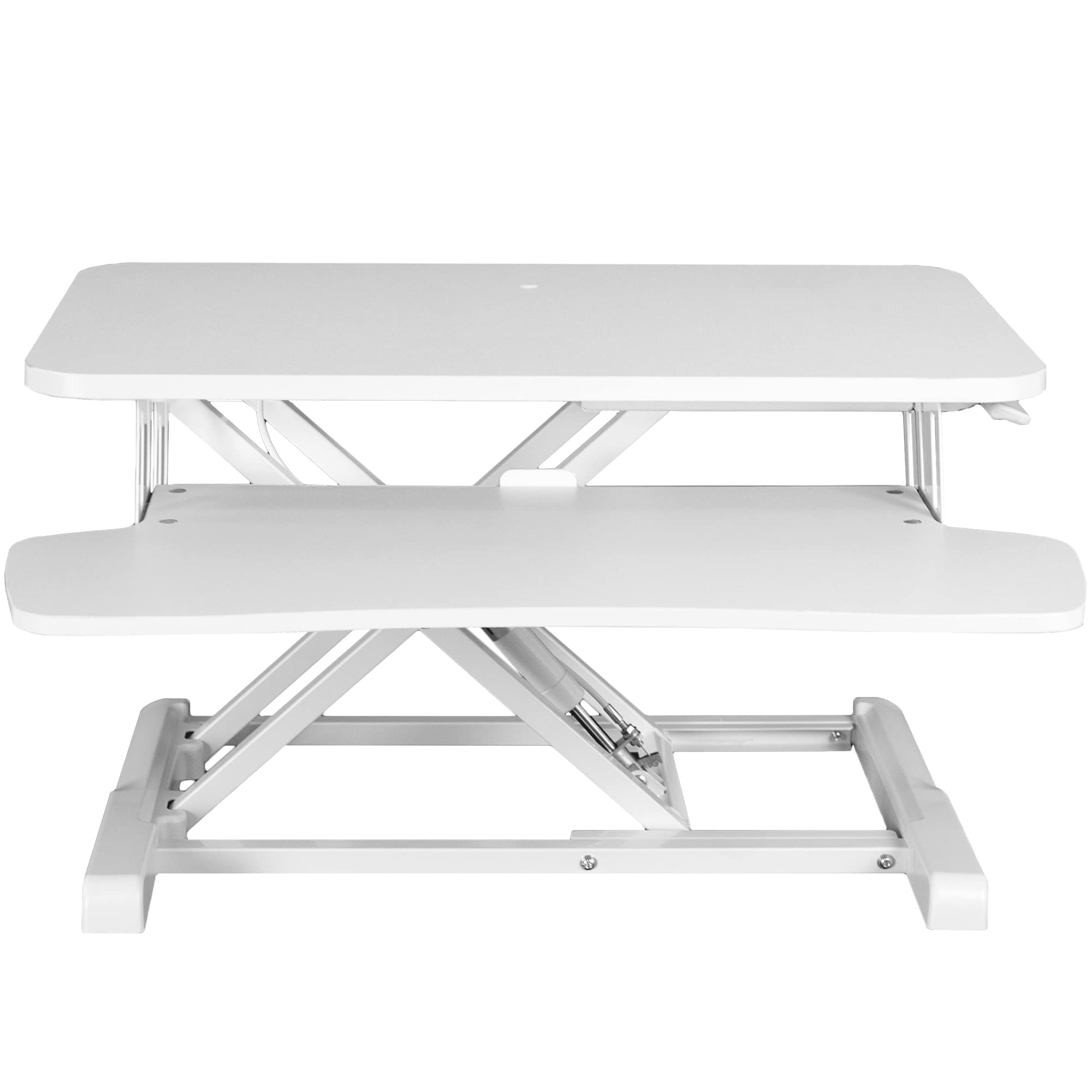
Image: The VIVO 28-inch K Series Desk Converter in white, featuring a monitor and keyboard, ready for use.
Important Safety Information
- Always use both hands when adjusting the height to maintain stability.
- Be cautious when lowering the desk to prevent sudden movements.
- Ensure the desk is properly secured to your existing desk to prevent wobbling.
- Do not exceed the weight limit of 33 lbs (15 kg) on the desktop.
- Do not exceed the weight limit of 4.4 lbs (2 kg) on the keyboard tray.
Setup and Assembly
The VIVO DESK-V028KW is designed for minimal assembly. Follow these steps to set up your desk converter:
- Unpack Components: Carefully remove all parts from the packaging. Ensure all components listed in the packing list are present.
- Place on Existing Desk: Position the main riser unit on your existing desk in the desired location.
- Attach Keyboard Tray: Secure the keyboard tray to the main unit using the provided screws and tools. Ensure it is firmly attached.
- Organize Cables: Utilize the integrated cable management features (if any) to keep your workspace tidy.

Image: Visual instructions detailing the simple three-step assembly process for the desk converter, including placing rubber feet, removing zip ties, and attaching the keyboard tray.
Operating Instructions
Adjusting Height:
The VIVO DESK-V028KW features a pneumatic lift assist system for smooth height adjustments. Always ensure your hands are clear of moving parts during adjustment.
- To Raise: While holding the side lever, gently lift the desktop with both hands. The pneumatic spring will assist in raising the unit. Release the lever at your desired height to lock it in place.
- To Lower: While holding the side lever, gently push down on the desktop with both hands. Guide the unit down to your desired sitting height and release the lever to lock.

Image: A user standing at the VIVO desk converter, demonstrating the ergonomic benefits of the raised position for productivity.

Image: The VIVO desk converter in its lowest position, integrated seamlessly into a sitting workstation with a monitor and keyboard.
Maintenance
To ensure the longevity and optimal performance of your VIVO desk converter, follow these maintenance guidelines:
- Cleaning: Wipe surfaces with a soft, damp cloth. Avoid harsh chemicals or abrasive cleaners that may damage the finish.
- Regular Checks: Periodically inspect all screws and connections to ensure they are tight. Tighten if necessary.
- Lubrication: The pneumatic lift mechanism is designed for maintenance-free operation. Do not attempt to lubricate or disassemble it.
Troubleshooting
If you encounter any issues with your desk converter, refer to the following common problems and solutions:
| Problem | Possible Cause | Solution |
|---|---|---|
| Desk is wobbly or unstable. | Loose connections or uneven surface. | Ensure all screws are tightened. Place the unit on a flat, stable desk surface. |
| Difficulty adjusting height. | Weight exceeds capacity or mechanism obstruction. | Reduce the weight on the desktop/keyboard tray. Check for any obstructions around the lift mechanism. Ensure the lever is fully engaged. |
| Desk lowers too quickly. | Lever not fully engaged or pneumatic assist issue. | Ensure the lever is fully engaged when lowering. Always use both hands to guide the desk down smoothly. If the issue persists, contact support. |
Specifications
- Model Number: DESK-V028KW
- Color: White
- Desktop Dimensions: 27.9” (W) x 15.7” (D)
- Keyboard Tray Dimensions: 27.9” (W) x 11.8” (D) (11” in center)
- Height Adjustment Range: 4.5” to 16.9”
- Desktop Weight Capacity: 33 lbs (15 kg)
- Keyboard Tray Weight Capacity: 4.4 lbs (2 kg)
- Materials: Engineered Wood, Alloy Steel
- Assembly Required: Minimal (tools included)

Image: Detailed diagram illustrating the key measurements and weight capacities of the VIVO desk converter.
Warranty and Support
This VIVO product is covered by a 3-year manufacturer's warranty. For technical assistance, missing parts, or any questions regarding your product, please contact VIVO customer support.
You can find contact information and additional resources on the official VIVO website or through your retailer.
Ask a question about this manual
Ask about setup, troubleshooting, compatibility, parts, safety, or missing instructions. Manuals+ will review the question and use this page’s manual context to help answer it.