
iLive Electronics IAEBT411W
iLive Electronics IAEBT411W True Wireless Earbuds User Manual
Model: IAEBT411W
Active Noise-Canceling True Wireless Bluetooth Earbuds with Microphones and Charging Case
Introduction
Thank you for purchasing the iLive Electronics IAEBT411W True Wireless Earbuds. These earbuds are designed to provide a superior audio experience with active noise cancellation, ensuring clear and immersive sound. Their sweatproof design makes them ideal for active lifestyles, and intuitive touch controls offer seamless management of your audio and calls.
Key features include:
- Active Noise Cancellation (ANC): Blocks out unwanted background noise for an immersive listening experience.
- True Wireless Stereo (TWS): Easy pairing and automatic connection right out of the box.
- Voice Assistant Compatibility: Works seamlessly with Siri and Google voice assistants.
- Sweatproof Design: Durable and safe for use during intense workouts.
- On-Ear Controls: Convenient touch controls for volume, playback, skipping tracks, phone answering, and ANC activation.
- Built-in Microphone: Enables clear hands-free calls with both earbuds active.
- 13mm Neodymium Drivers: Delivers powerful, crisp, and clear audio with deep bass.
- Rechargeable Charging Case: Provides extended battery life and convenient storage.
- Extended Wireless Range: Maintains connection up to 49 feet from your device.
What's in the Box
Please check the package contents to ensure all items are present:
- iLive Electronics IAEBT411W True Wireless Earbuds (Left and Right)
- Wireless Charging Case
- 3 sets of eartips (1 small, 1 medium, 1 large)
- USB-C Charging Cable
Product Overview

Image: The iLive IAEBT411W True Wireless Earbuds resting inside their open white charging case, ready for use or charging.

Image: A comprehensive view of the iLive IAEBT411W earbuds and their charging case, highlighting key features such as Active Noise Cancellation, Sweatproof design, compatibility with Siri & Google Assistants, and the included Charging Case.
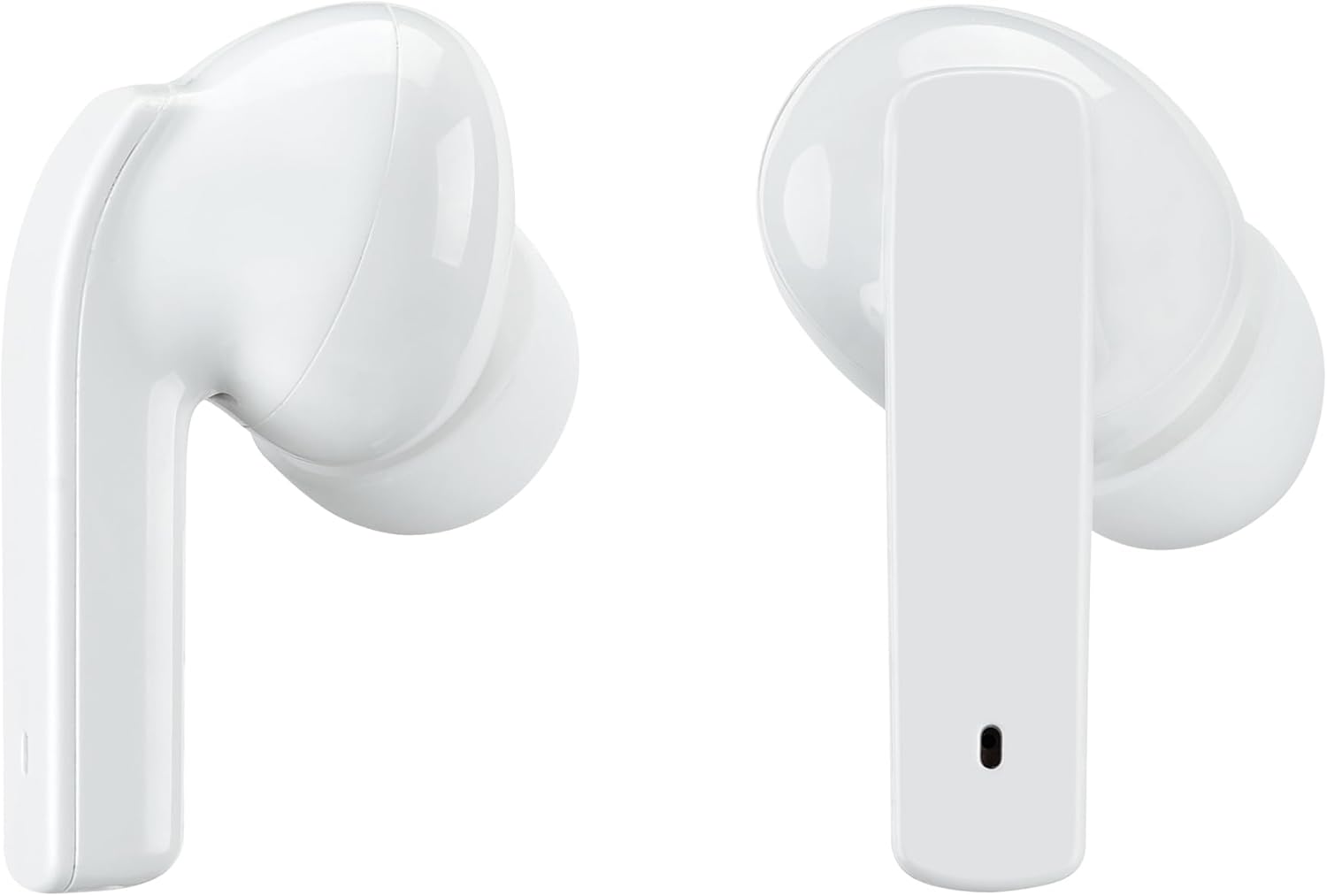
Image: A side profile view of both the left and right iLive IAEBT411W earbuds, showcasing their ergonomic design and the microphone placement.

Image: The iLive IAEBT411W charging case shown open, revealing the molded compartments designed to securely hold and charge the earbuds.
Setup Guide
1. Charging the Earbuds and Case
Before first use, fully charge the earbuds and the charging case. The case provides backup battery power for on-the-go charging.
- Insert the earbuds into the charging case. Ensure they are properly seated in their respective slots.
- Connect the supplied USB-C cable to the charging port on the case and the other end to a USB power source (e.g., wall adapter, computer USB port).
- The indicator lights on the case will show charging status. Once fully charged, the lights will indicate completion or turn off.
- A 20-minute charge can provide approximately 1.5 hours of playtime, with a total playtime of up to 10 hours with the charging case.
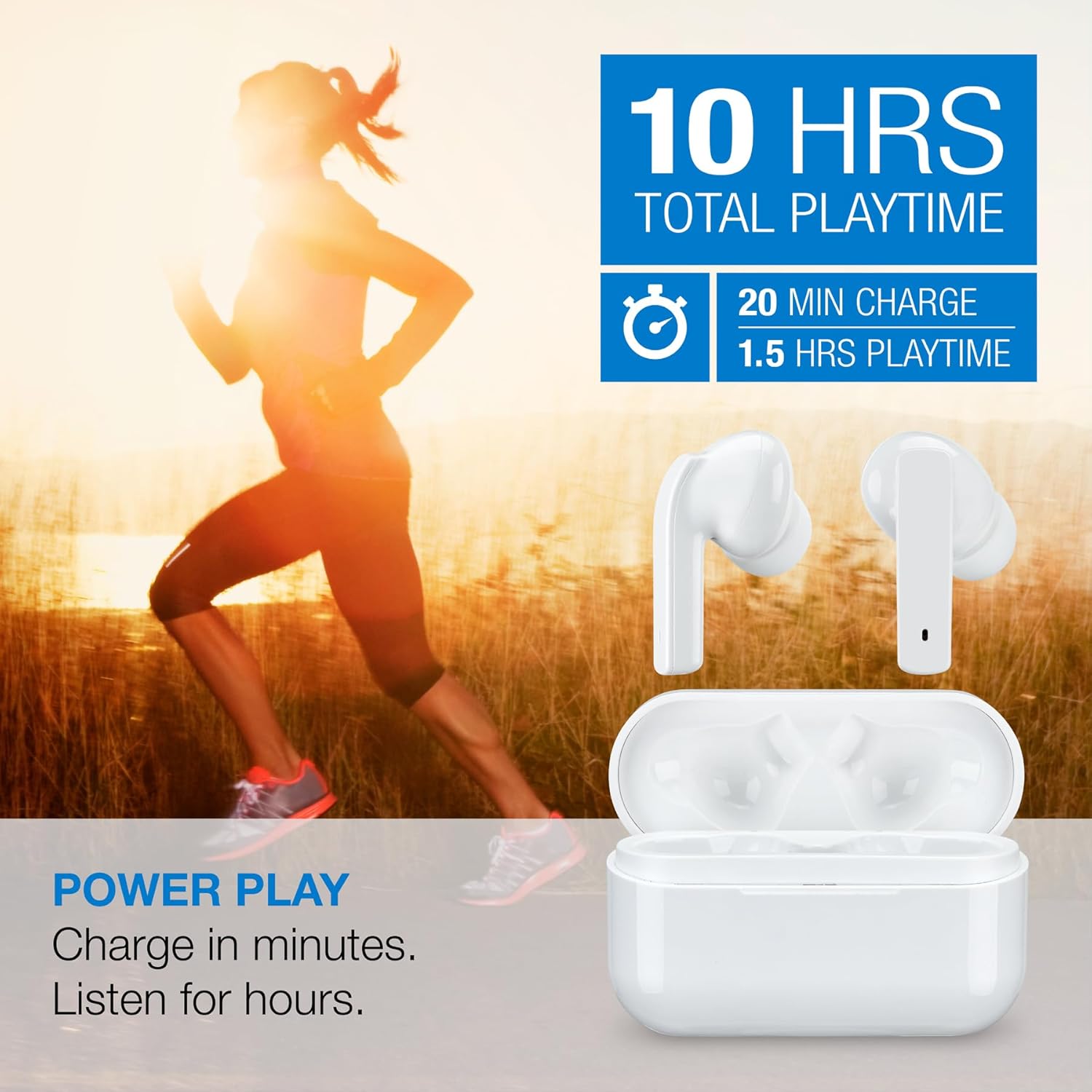
Image: Visual representation of the earbuds and charging case, illustrating the 10 hours total playtime and quick charge capability (20 min charge for 1.5 hours playtime).
2. Pairing with Your Device
The IAEBT411W earbuds feature True Wireless Stereo (TWS) for automatic pairing between the left and right earbuds, and easy pairing with your Bluetooth-enabled device.
- Open the charging case. The earbuds will automatically power on and enter pairing mode.
- On your smartphone, tablet, or other Bluetooth device, go to the Bluetooth settings.
- Search for available devices and select "IAEBT411W" from the list.
- Once connected, you will hear an audible confirmation, and the indicator lights on the earbuds may change.
- The earbuds will automatically reconnect to the last paired device when taken out of the case, if Bluetooth is enabled on the device.
3. Choosing the Right Eartips
For optimal sound quality and comfort, select the eartips that best fit your ears. The package includes three sizes: small, medium, and large.
- Experiment with different sizes to find the most secure and comfortable fit that also provides good passive noise isolation.
- A good seal is crucial for effective Active Noise Cancellation and rich bass response.

Image: A person wearing the iLive IAEBT411W earbuds, accompanied by icons indicating the sweatproof feature and the inclusion of 3 eartip sizes for a comfortable and secure fit.
Operating Instructions
Power On/Off
- Power On: The earbuds will automatically power on when removed from the charging case.
- Power Off: Place the earbuds back into the charging case to automatically power them off and begin charging.
On-Ear Touch Controls
The IAEBT411W earbuds feature intuitive touch controls on each earbud. Specific tap patterns control various functions:
- Play/Pause: Single tap on either earbud.
- Next Track: Double tap on the right earbud.
- Previous Track: Double tap on the left earbud.
- Volume Up: Triple tap on the right earbud.
- Volume Down: Triple tap on the left earbud.
- Answer/End Call: Single tap on either earbud during an incoming call.
- Reject Call: Press and hold either earbud for 2 seconds during an incoming call.
- Activate Voice Assistant (Siri/Google Assistant): Press and hold either earbud for 3 seconds.
Active Noise Cancellation (ANC) and Transparency Mode
The earbuds feature Active Noise Cancellation to reduce ambient noise and a Transparency Mode to allow you to hear your surroundings.
- Toggle ANC/Transparency Mode: Press and hold the touch control area on the left earbud for 2 seconds to cycle through ANC On, Transparency Mode, and ANC Off.
- ANC On: Reduces external noise, ideal for travel or noisy environments.
- Transparency Mode: Allows ambient sounds to pass through, keeping you aware of your surroundings.

Image: A visual demonstrating the Active Noise Cancellation (ANC) and Transparency Mode features, showing how the earbuds can block out distractions or allow ambient sound to pass through.
Using Voice Assistants
The earbuds are compatible with Siri and Google Assistant. Activate your device's voice assistant by pressing and holding either earbud for 3 seconds.
- Once activated, you can issue commands directly through the earbud's microphone.
Phone Calls
The built-in microphone allows for hands-free calling. Both earbuds will function during phone calls for a clear stereo experience.
- Answer/End Call: Single tap on either earbud.
- Reject Call: Press and hold either earbud for 2 seconds.
Care and Maintenance
- Cleaning: Regularly clean the earbuds and charging case with a soft, dry, lint-free cloth. Do not use abrasive cleaners, alcohol, or chemical solvents.
- Eartips: Remove the eartips and clean them with mild soap and water if necessary. Ensure they are completely dry before reattaching.
- Sweatproof Design: While sweatproof, it is recommended to wipe down the earbuds after intense workouts to prevent residue buildup. Do not submerge the earbuds or charging case in water.
- Storage: When not in use, store the earbuds in their charging case to protect them and keep them charged. Store in a cool, dry place away from extreme temperatures.
- Battery Care: To preserve battery life, charge the earbuds and case regularly, even if not used frequently. Avoid fully discharging the battery for extended periods.
Troubleshooting
No Power / Not Charging
- Ensure the charging cable is securely connected to both the case and the power source.
- Verify the power source is active (e.g., wall outlet, powered USB port).
- Check for any debris in the charging port of the case or on the charging contacts of the earbuds.
- Try a different USB-C cable or power adapter.
Earbuds Not Pairing with Each Other (TWS)
- Place both earbuds back into the charging case, close the lid, wait a few seconds, then open the lid again. This often resets the TWS connection.
- Ensure both earbuds have sufficient battery charge.
Earbuds Not Connecting to Device (Bluetooth)
- Ensure Bluetooth is enabled on your device.
- Make sure the earbuds are in pairing mode (taken out of the case).
- Forget or remove "IAEBT411W" from your device's Bluetooth list and try pairing again.
- Move the earbuds closer to your device.
- Restart your Bluetooth device (phone, tablet, etc.).
No Sound or Low Volume
- Check the volume level on both your connected device and the earbuds.
- Ensure the earbuds are properly seated in your ears and that the correct eartip size is used for a good seal.
- Try playing audio from a different application or source.
Active Noise Cancellation Not Working Effectively
- Ensure ANC is activated (refer to "Operating Instructions" section).
- Verify that the earbuds have a snug fit in your ears and that you are using the correct eartip size to create a good seal.
Specifications
| Model Name | IAEBT411W |
| Connectivity Technology | Wireless (Bluetooth) |
| Wireless Range | 49 feet (15 meters) |
| Noise Control | Active Noise Cancellation |
| Audio Driver Type | 13mm Neodymium Dynamic Drivers |
| Frequency Range | 20-20,000 Hz |
| Control Type | Touch Control (Media Control, Call Control, Voice Assistant, ANC Toggle) |
| Microphone | Built-in (both earbuds) |
| Battery Type | Built-in Rechargeable Lithium Ion |
| Charging Port | USB-C |
| Sweatproof | Yes |
| Dimensions (Case) | 2.56 x 1.06 x 1.65 inches |
| Item Weight | 1.6 ounces (earbuds + case) |
| Included Components | Earbuds, Wireless Charging Case, 3 sets of eartips (S/M/L), USB-C cable |
Warranty and Support
iLive Electronics products are designed and manufactured to the highest quality standards. For detailed warranty information, technical support, or customer service inquiries, please refer to the warranty card included with your product or visit the official iLive Electronics website.
Please retain your proof of purchase for warranty claims.
Related documentsIAEBT411W


Ask a question about this manual
Ask about setup, troubleshooting, compatibility, parts, safety, or missing instructions. Manuals+ will review the question and use this page’s manual context to help answer it.