
1. Introduction
The Wonder Sphere is an innovative flying toy designed for interactive play. It features a unique rotor system that allows it to hover, float, and perform various tricks. This manual will guide you through its features and operation to ensure a fun and safe experience.

Image 1.1: Front of the Wonder Sphere Magic Hover Ball packaging, showing the blue ball with multi-color LED effects and a person interacting with it. Key features like "Magically Floats in the Air" and "Special 180-Degree Boomerang Action" are highlighted.
2. Safety Information
- Adult Supervision: Recommended for younger users.
- Indoor/Outdoor Use: Suitable for both indoor and outdoor environments. Ensure sufficient clear space to avoid collisions.
- Avoid Obstacles: Keep away from people, pets, and fragile objects during operation.
- Battery Safety: Use only the provided USB charging cable. Do not overcharge.
- Propeller Safety: Keep fingers, hair, and loose clothing away from the spinning propellers. The protective cage is designed to minimize contact.
3. Package Contents
- 1 x Wonder Sphere Magic Hover Ball (Blue)
- 1 x USB Charging Cable
- 1 x Instruction Manual
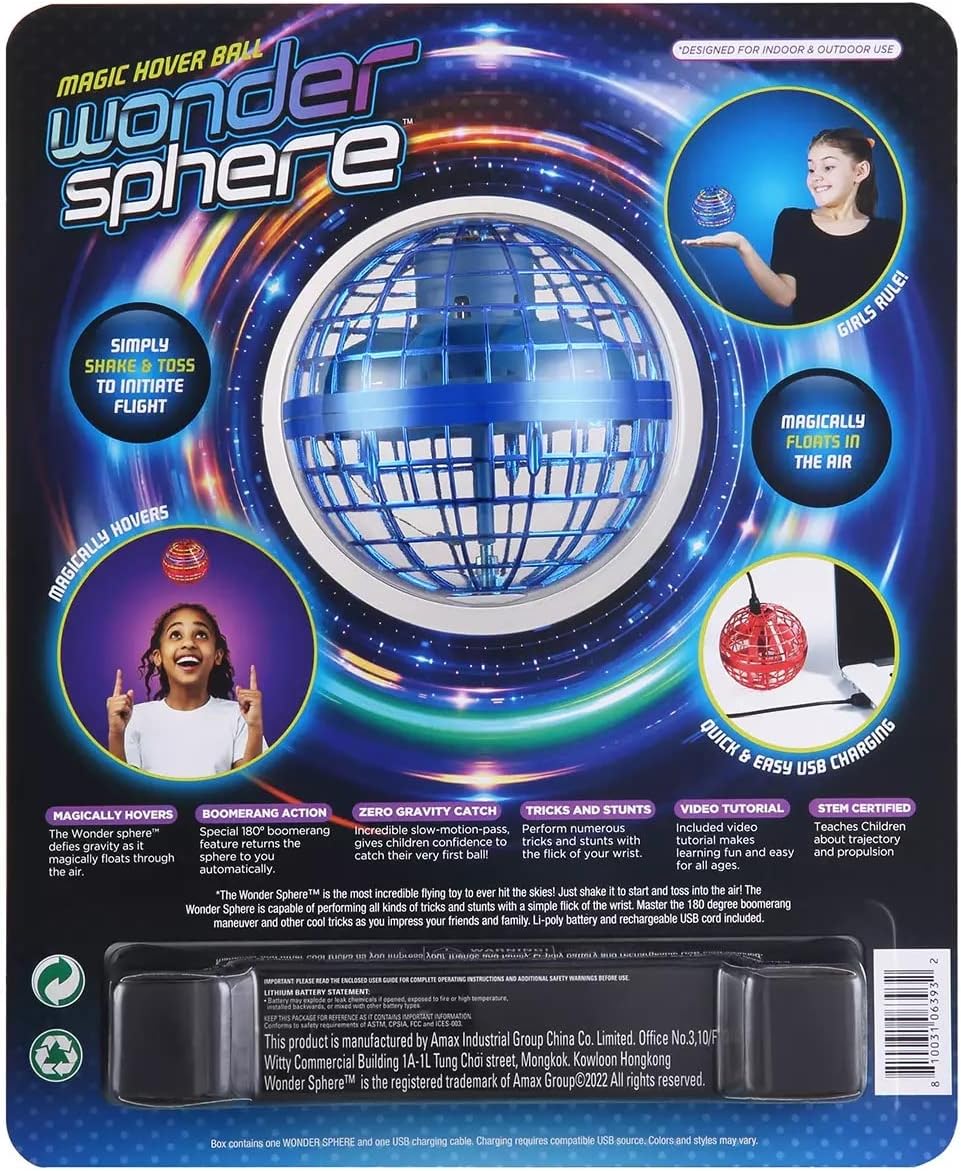
Image 3.1: Back of the Wonder Sphere Magic Hover Ball packaging, detailing features like "Simply Shake & Toss to Initiate Flight" and "Quick & Easy USB Charging."
4. Setup
4.1 Charging the Wonder Sphere
- Locate the USB charging port on the top of the Wonder Sphere.
- Connect the provided USB charging cable to the port on the ball.
- Plug the other end of the USB cable into a compatible USB power source (e.g., computer, wall adapter).
- The indicator light will show charging status (e.g., red for charging, off when fully charged).
- A full charge typically takes approximately 20 minutes and provides 8-15 minutes of play time.

Image 4.1: The blue Wonder Sphere Magic Hover Ball connected via its USB cable to a laptop for charging, demonstrating the charging process.
4.2 Initial Activation
- Ensure the Wonder Sphere is fully charged.
- Locate the ON/OFF switch on the top of the ball.
- Slide the switch to the "ON" position. The LED lights inside the ball will illuminate.
- Gently shake the ball to activate the internal motor and initiate flight.

Image 4.2: A close-up view of the blue Wonder Sphere Magic Hover Ball, showing its intricate cage design and internal components.

Image 4.3: The blue Wonder Sphere Magic Hover Ball with its vibrant multi-color LED lights glowing, indicating it is powered on and ready for flight.
5. Operating Instructions
5.1 Basic Flight
- After activating the motor (shake the ball), gently toss the Wonder Sphere into the air.
- The ball will begin to fly and hover.
5.2 Hovering
- To make the ball hover, place your hand underneath it after the motor is active.
- The ball will sense your hand and adjust its flight to maintain a hovering position above it.
5.3 Boomerang Action
- To achieve the boomerang effect, tilt the Wonder Sphere slightly towards you.
- Gently push it away from you. The ball should curve back towards you.
- Experiment with different angles and force to master this maneuver.
5.4 Playing with Others
- For playing catch with others, gently push the ball in the desired direction.
- Avoid throwing too hard, as this can cause erratic flight.
5.5 Turning Off
- To deactivate the motor, flip the ball upside down and give it a gentle shake.
- Alternatively, slide the ON/OFF switch to the "OFF" position.
5.6 Official Product Video
Video 5.1: A short demonstration by the seller, "BEST Flying Ball," showcasing the "High-Tech Hand Control Flying Ball Toy" in action, highlighting its flight capabilities and interactive features.
6. Maintenance
- Cleaning: Use a soft, dry cloth to wipe the exterior of the Wonder Sphere. Do not use harsh chemicals or immerse in water.
- Storage: Store the ball in a cool, dry place away from direct sunlight when not in use.
- Battery Care: For optimal battery life, avoid completely draining the battery before recharging.
7. Troubleshooting
| Problem | Solution |
|---|---|
| Wonder Sphere does not turn on. | Ensure the battery is charged. Check if the ON/OFF switch is in the "ON" position. |
| Ball does not fly or flies erratically. | Make sure the motor is activated by gently shaking the ball. Ensure there are no obstructions to the propellers. Check for sufficient battery charge. Avoid strong air currents. |
| LED lights are not working. | Check if the ball is powered on. If lights still don't work, contact customer support. |
8. Specifications
- Product Dimensions: 8.5 x 3.5 x 11 inches
- Item Weight: 5.8 ounces
- Model Number: 980417697
- Battery: 1 Lithium Polymer battery (required, included)
- Manufacturer: Wonder Sphere
9. Warranty & Support
For warranty information or technical support, please refer to the product packaging or contact Wonder Sphere customer service directly. Keep your purchase receipt for any warranty claims.
For further assistance, visit the official product page.