
Ice-Watch 021272
Ice-Watch ICE Digit Black Blue Digital Watch User Manual
Model: 021272
1. Product Overview
The Ice-Watch ICE Digit Black Blue is a digital watch designed for boys, featuring a lightweight and soft silicone case and strap. This timepiece combines durability with comfort, making it suitable for daily wear and various activities.
It is water-resistant up to 10 ATM, allowing for immersion and participation in water sports such as swimming, but it is not suitable for diving. The watch comes packaged with an instruction manual and a presentation box.

Front view of the Ice-Watch ICE Digit Black Blue digital watch, showcasing its digital display and black and blue color scheme.
2. Key Features
- Digital Display: Clear and easy-to-read digital time display.
- Compact Size: Small 35mm silicone case, suitable for children.
- Durable Strap: Features a comfortable and robust plastic strap.
- Water Resistance: Rated 10 ATM, suitable for swimming and water sports (not diving).
- Included Accessories: Comes with a user manual and a presentation box.
- ICE Digit Collection: Part of the popular ICE Digit series.

Angled view of the watch, highlighting the blue accents on the bezel and strap buckle.
3. Setup and Initial Configuration
Before first use, familiarize yourself with the watch buttons. The watch typically has four buttons: MODE, RESET, ST/STP (Start/Stop), and LIGHT.
3.1. Setting Time and Date
- Press the MODE button repeatedly until the time setting mode is displayed (usually indicated by flashing digits).
- Use the RESET button to select the digit you wish to adjust (hours, minutes, seconds).
- Use the ST/STP button to increase the value of the selected digit.
- Continue pressing MODE to cycle through setting minutes, year, month, and day, adjusting each with ST/STP.
- Once all settings are complete, press MODE again to return to the normal time display.
3.2. Setting Alarm
- Press the MODE button until the alarm setting mode is displayed.
- Use RESET to select hours or minutes.
- Use ST/STP to adjust the alarm time.
- Press MODE to save and exit.
- To turn the alarm on/off, typically press RESET while in the alarm display mode.
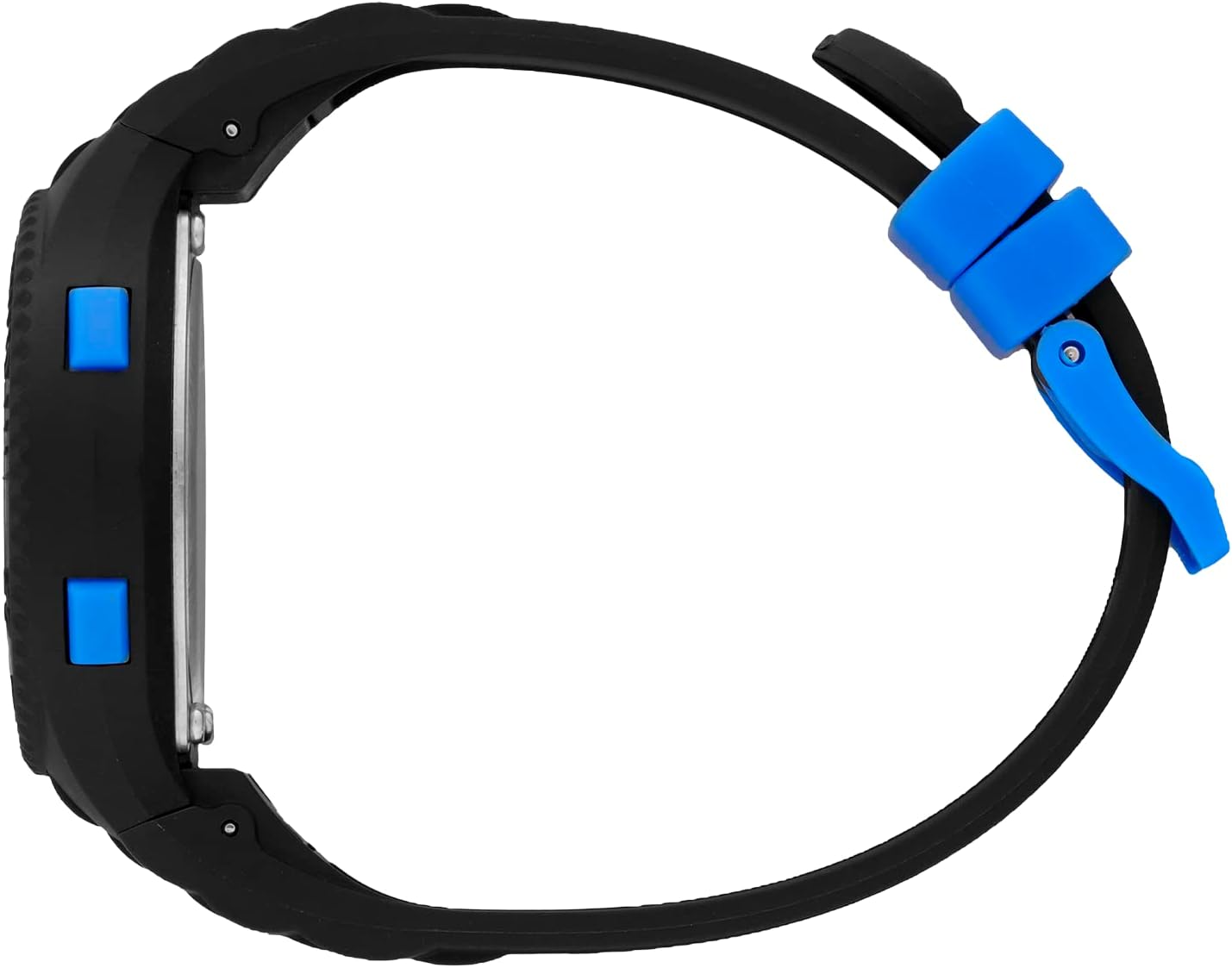
Side view of the watch, illustrating the placement of the control buttons.
4. Operating Instructions
4.1. Switching Modes
Press the MODE button to cycle through different functions: Time Display, Stopwatch, Alarm, and potentially other features like a second time zone or timer, depending on the specific model.
4.2. Using the Stopwatch
- Navigate to the stopwatch mode using the MODE button.
- Press ST/STP to start the stopwatch.
- Press ST/STP again to pause the stopwatch.
- Press RESET to reset the stopwatch to zero.
4.3. Activating Backlight
Press the LIGHT button to illuminate the display for a few seconds, improving visibility in low-light conditions.
5. Maintenance
5.1. Cleaning Your Watch
To clean the watch, wipe it gently with a soft, damp cloth. Avoid using harsh chemicals or abrasive materials, as these can damage the silicone and plastic components.
5.2. Water Resistance Care
While the watch is water-resistant to 10 ATM, it is important to ensure all buttons are not pressed while the watch is submerged or wet. After exposure to chlorinated or salt water, rinse the watch with fresh water and dry it thoroughly.
5.3. Battery Replacement
When the display becomes dim or the watch stops functioning, the battery may need replacement. It is recommended to have the battery replaced by a qualified watch technician to ensure the water resistance seal is maintained.

Rear view of the watch, showing the stainless steel case back and model information.
6. Troubleshooting
- Display is blank or dim: The battery may be low or depleted. Replace the battery.
- Time is incorrect: Re-set the time and date following the instructions in Section 3.1. Ensure you are in the correct 12-hour or 24-hour format if applicable.
- Buttons are unresponsive: This could indicate a low battery or a need for a soft reset. If the issue persists after battery replacement, consult a technician.
- Water inside the watch: If condensation or water appears inside the watch, stop using it immediately and seek professional repair to prevent further damage.
7. Specifications
| Feature | Detail |
|---|---|
| Model Number | 021272 |
| Brand | Ice-Watch |
| Case Material | Silicone |
| Strap Material | Plastic |
| Case Diameter | 35mm (Small) |
| Water Resistance | 10 ATM (100 meters) |
| Package Dimensions | 8.7 x 7.3 x 7.2 cm |
| Item Weight | 79 g |
8. Warranty and Support
This Ice-Watch product is supplied with a standard manufacturer's warranty. For detailed information regarding warranty coverage, duration, and terms, please refer to the warranty card included in the product packaging or visit the official Ice-Watch website.
For technical support, repairs, or any inquiries not covered in this manual, please contact Ice-Watch customer service or an authorized service center. Contact information can typically be found on the manufacturer's website or in the documentation provided with your watch.
Ask a question about this manual
Ask about setup, troubleshooting, compatibility, parts, safety, or missing instructions. Manuals+ will review the question and use this page’s manual context to help answer it.