
1. Introduction to the Unistellar eVscope 2
The Unistellar eVscope 2 is an advanced smart telescope designed to provide an immersive astronomical observation experience. Featuring a 114mm aperture, 450mm focal length, and app-controlled motorized alt-azimuth mount, it simplifies stargazing for both novice and experienced users. This manual provides essential information for setting up, operating, maintaining, and troubleshooting your eVscope 2.

Image 1.1: The Unistellar eVscope 2 Smart Telescope mounted on its tripod.
2. What's Included in Your Package
Before beginning setup, verify that all components are present in your eVscope 2 package:
- eVscope 2 Telescope Body
- Dust Cap & Eyepiece Cover
- Bahtinov Mask
- Original UNISTELLAR Tripod
- Charger with Adapter
- Set of Adjustment Tools
- Documentation (this manual and other guides)

Image 2.1: All items included with the Unistellar eVscope 2 Smart Telescope.
3. Initial Setup
Setting up your eVscope 2 is designed to be quick and straightforward, allowing you to begin observing in minutes.
- Unpack and Assemble: Carefully remove the eVscope 2 and its tripod from the packaging. Extend the tripod legs and securely attach the telescope body to the tripod mount. Ensure all connections are firm.
- Charge the Battery: Before first use, fully charge the eVscope 2's internal battery using the provided charger and adapter. The battery life is up to 9 hours on a full charge.
- Download the App: Download the Unistellar app from your device's app store (compatible with iOS and Android).
- Power On: Press the power button on the eVscope 2. Wait for the telescope's Wi-Fi signal to become active.
- Connect to App: Open the Unistellar app on your smartphone or tablet. Connect to the eVscope 2's Wi-Fi network. Follow the in-app instructions for initial calibration and alignment. The telescope features automatic alignment, eliminating the need for complex polar alignment.
- First Observation: Once connected, select an object from the app's catalog. The motorized mount will automatically point the telescope to your chosen celestial object. Use the manual fine-focus control for optimal image clarity.

Image 3.1: The three simple steps to set up and begin exploring with your eVscope 2.
4. Operating Your eVscope 2
4.1. App Control and Object Tracking
The Unistellar app is your primary interface for controlling the eVscope 2. It provides access to a catalog of over 5,000 celestial objects and a 37-million-star database. Simply select an object, and the telescope's precise GoTo system will automatically track it.
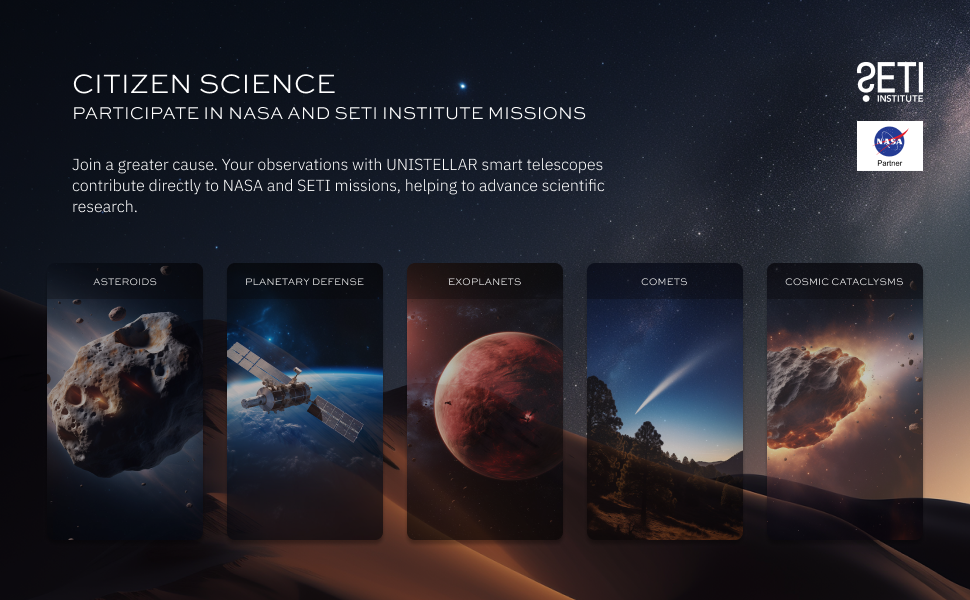
Image 4.1: The Unistellar app allows easy selection and tracking of celestial objects, and sharing observations.
4.2. Eyepiece and Digital Viewing
The eVscope 2 features an exclusive eyepiece technology developed in collaboration with Nikon, offering a comfortable and immersive viewing experience. You can observe directly through the eyepiece or view the enhanced digital image on your connected smartphone or tablet.
Image 4.2: The Nikon-powered eyepiece provides a high-quality viewing experience.
4.3. Enhanced Vision and Image Quality
Utilizing Dynamic Signal Amplification technology, the eVscope 2 accumulates light to reveal galaxies, nebulae, and planets in rich color and detail, surpassing the views typically seen through standard telescopes. This technology allows for deeper observations even in light-polluted environments.

Image 4.3: Visual comparison demonstrating the enhanced vision capabilities of the Unistellar eVscope 2.
5. Advanced Features
5.1. Deep-Sky Observation
The eVscope 2 is designed for deep-sky observation, reaching a limiting magnitude of approximately 18.2. This allows for detailed views of faint galaxies and nebulae, pushing the boundaries of amateur astronomy.
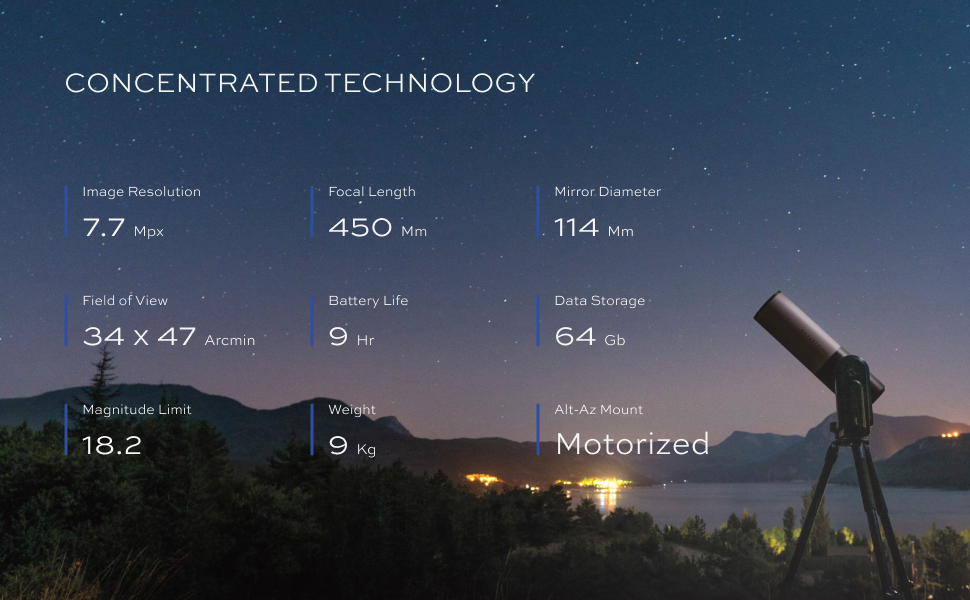
Image 5.1: The Eagle Nebula, an example of deep-sky objects observable with the eVscope 2.
5.2. Citizen Science Participation
Engage in real scientific research by participating in NASA and SETI Institute campaigns. The eVscope 2 allows you to contribute observations for projects such as occultations, exoplanet transits, and asteroid tracking.
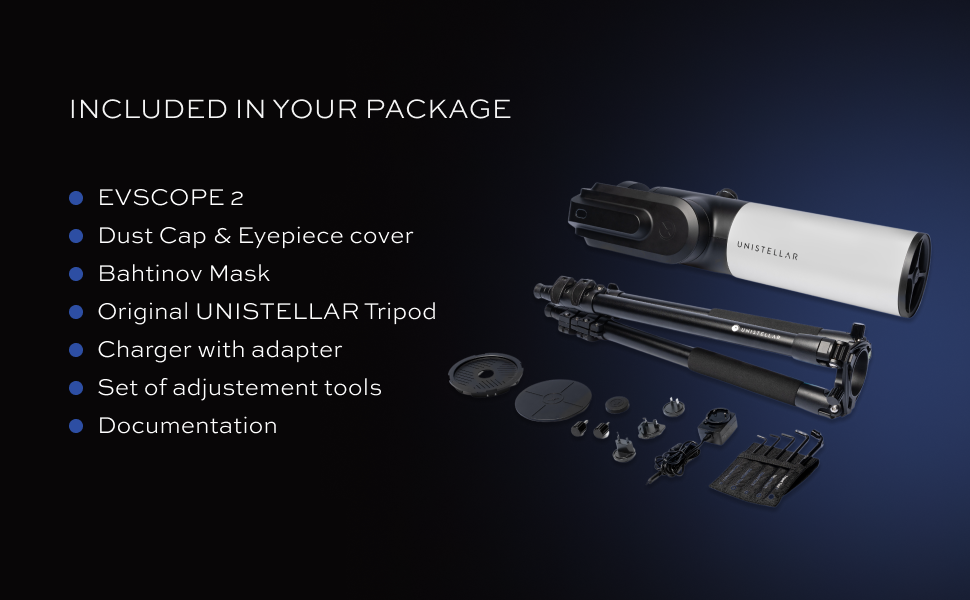
Image 5.2: Key performance metrics of the eVscope 2, highlighting its capabilities for advanced observation.
5.3. Urban Skygazing
The eVscope 2's advanced image processing algorithms and Deep Dark Technology mitigate the effects of light pollution, making it possible to observe celestial objects even from urban environments.
Image 5.3: The eVscope 2 is designed for high performance, offering clear views of celestial objects.
6. Maintenance and Care
Proper maintenance ensures the longevity and optimal performance of your eVscope 2.
- Cleaning Optics: Use a soft, lint-free cloth specifically designed for optical surfaces to gently clean the eyepiece and objective lens. Avoid touching optical surfaces with bare hands. For stubborn dust, use a blower brush. Do not use abrasive cleaners or excessive force.
- Body Cleaning: Wipe the telescope body with a soft, damp cloth. Avoid harsh chemicals.
- Storage: Store the eVscope 2 in a dry, dust-free environment, preferably in its original packaging or a dedicated carrying case. Ensure the dust cap and eyepiece cover are in place when not in use.
- Battery Care: For long-term storage, charge the battery to approximately 50-60% every few months to maintain battery health. Avoid fully discharging the battery for extended periods.
- Software Updates: Regularly check the Unistellar app for software and firmware updates to ensure your telescope has the latest features and performance enhancements.
7. Troubleshooting Common Issues
If you encounter issues with your eVscope 2, refer to the following common solutions:
- No Power:
- Ensure the battery is fully charged.
- Verify the power button is pressed firmly.
- Cannot Connect to App:
- Ensure the eVscope 2 is powered on and its Wi-Fi is active.
- Check your device's Wi-Fi settings to confirm connection to the telescope's network.
- Restart both the telescope and your smart device.
- Ensure the Unistellar app is updated to the latest version.
- Poor Image Quality:
- Adjust the manual fine-focus control for sharpness.
- Ensure the objective lens and eyepiece are clean.
- Allow the telescope to acclimate to the ambient temperature for about 15-30 minutes before observing.
- Observe from a location with minimal light pollution if possible, although the eVscope 2 is designed to mitigate this.
- Telescope Not Tracking:
- Ensure the telescope has a clear view of the sky for accurate star pattern recognition.
- Verify the app shows a successful connection and alignment.
- Check for any obstructions preventing the mount from moving freely.
8. Technical Specifications
Detailed specifications for the Unistellar eVscope 2 Smart Telescope:
| Feature | Specification |
|---|---|
| Brand | Unistellar |
| Model Name | EVSCOPE 2 |
| Optical Tube Length | 114 Millimeters |
| Objective Lens Diameter | 42 Millimeters |
| Focal Length | 450 mm |
| Focal Ratio | f/4 |
| Field of View | 34.2 × 45.6 arcmin |
| Limiting Magnitude | ~18.2 |
| Pixel Size | 2.9 µm |
| Resolving Power | 1.23″ |
| Sampling | 1.33″/px |
| Mount Type | Motorized Alt-Azimuth Mount |
| GoTo System | One-click automatic GoTo |
| Focus Type | Auto Focus with Manual Fine Focus |
| Eyepiece | Complex Lens System with OLED Display (Nikon Technology) |
| Connectivity | Wi-Fi |
| Compatible Devices | iOS & Android Smartphones/Tablets |
| Battery Life | Up to 9 hours |
| Storage | 64 GB |
| Item Weight | 9 Kilograms |
| Product Dimensions | 100"D x 20"W x 20"H |
Image 8.1: A summary of the eVscope 2's core technical specifications.
9. Warranty and Support
9.1. Warranty Information
The Unistellar eVscope 2 comes with a 2-YEAR WARRANTY from the date of purchase. This warranty covers manufacturing defects and ensures the product meets its specified performance standards. Please retain your proof of purchase for warranty claims.
9.2. Customer Support
For further assistance, technical support, or warranty claims, please visit the official Unistellar website or contact their customer service department. Detailed contact information can typically be found on the Unistellar website or in the documentation included with your product.
Online Resources:
- Unistellar Official Website: www.unistellar.com
- Support Portal: Refer to the official website for dedicated support sections, FAQs, and troubleshooting guides.


