
1. Introduction
This user manual provides comprehensive instructions for the installation, operation, maintenance, and troubleshooting of your new Cidava 13.3 Inch Double Din Car Stereo Android Head Unit. Please read this manual thoroughly before using the product to ensure proper functionality and to maximize your user experience. Keep this manual for future reference.
2. Product Overview
2.1 Key Features
- Universal double din stereo compatibility for various car models (e.g., Camry, Tundra, X-Trail, Accord).
- Motorized Rotating 13.3-inch 1080P HD IPS Touch Screen with 90° automatic rotation.
- Android 10.1 Operating System with A55 Octa-Core Processor (1.8GHz CPU, 4GB RAM + 64GB ROM).
- Wireless CarPlay and Android Auto support for seamless smartphone integration.
- Built-in Wi-Fi and 4G LTE connectivity for online browsing and app downloads from Google Play Store.
- Integrated GPS Navigation with preloaded offline maps and Google Map support.
- Bluetooth 5.0 for hands-free phone calls and audio streaming.
- Multi-functional capabilities including Split Screen, Phone Mirror Link (iPhone Airplay, Android), and adjustable illumination panel button light color.
- Support for Rear View Camera display and RCA output for aftermarket amplifiers.
- Digital Sound Processor (DSP) for enhanced audio quality.
2.2 Product Images

Front view of the Cidava 13.3 Inch Double Din Car Stereo Head Unit, showcasing its large touchscreen display and user interface.

The 13.3-inch screen rotated to a vertical orientation, demonstrating its motorized rotation capability within a car dashboard.
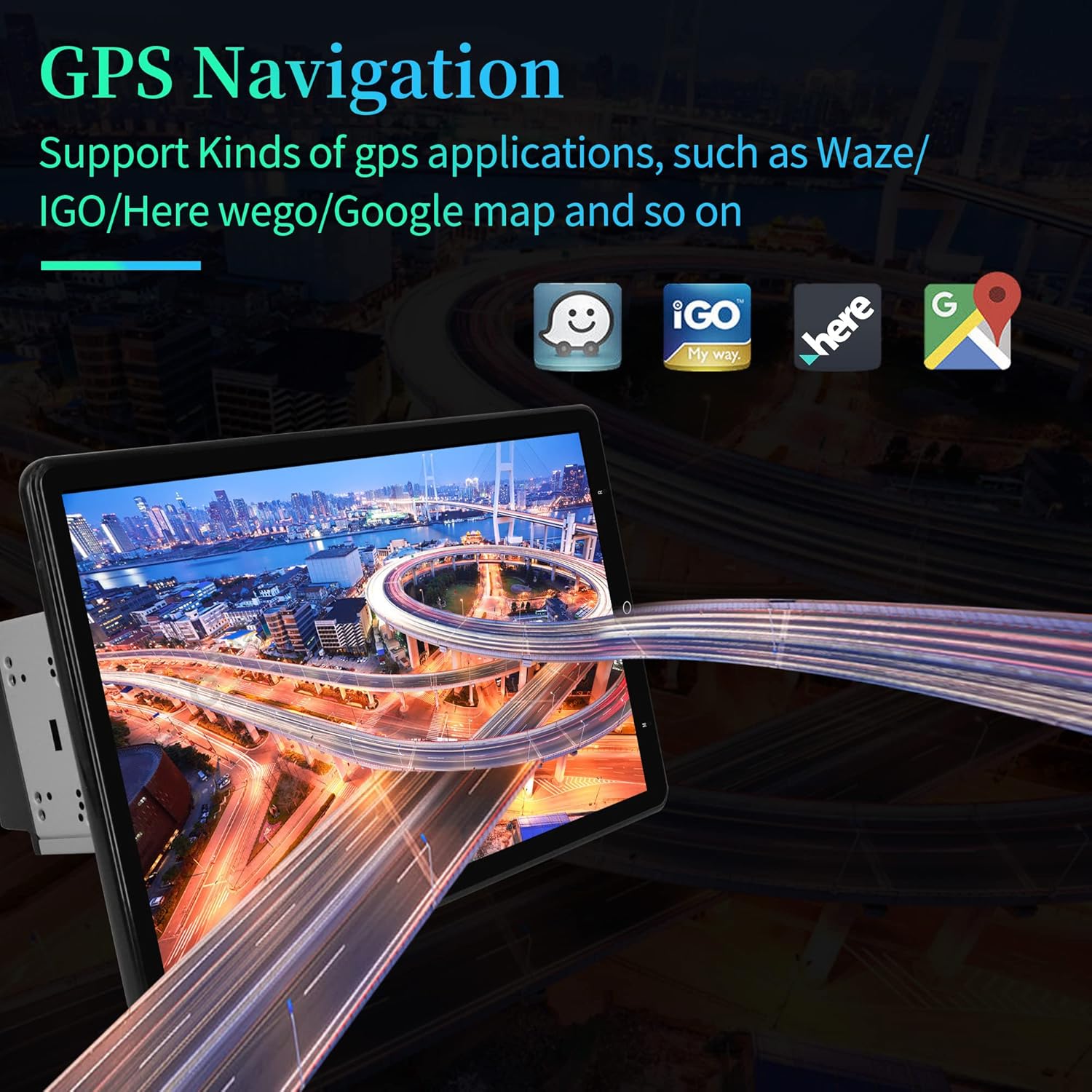
The car stereo displaying GPS navigation with support for various applications like Waze, IGO, Here WeGo, and Google Maps.

The head unit showcasing Apple CarPlay and Android Auto interfaces, highlighting seamless smartphone integration.

Illustration of the head unit's 5G WiFi and 4G LTE capabilities, enabling internet browsing and app downloads.

Visual representation of the head unit supporting a rear view camera, showing parking assistance lines.

A side-by-side comparison illustrating the larger visual impact of the 13.3-inch screen compared to a 10-inch screen.
2.3 Package Contents
- Cidava 13.3 Inch Double Din Car Stereo Head Unit
- WiFi Connection Module
- 4G LTE Module
- Google Play Store Access
- Power Cable
- RCA Output Cables (Front, Rear, Sub)
- Rear Camera Input Cable
- GPS Antenna
- USB Cables (6P and 4P)
- External Microphone
- User Manual (this document)

All components included in the Cidava 13.3 Inch Double Din Car Stereo package, including the main unit, various cables, and accessories.
3. Setup
3.1 Installation Guide
Before beginning installation, ensure your vehicle's battery negative terminal is disconnected to prevent electrical shorts. The Cidava 13.3 Inch Double Din Car Stereo is designed for universal double DIN compatibility. Please verify your original radio size (Length ≥ 178mm, Width ≥ 100mm) before proceeding.
This video demonstrates the installation process of the Cidava 13.3 Inch Head Unit, including removal of the old unit, wiring connections, and mounting the new stereo. It highlights the importance of disconnecting the car battery before starting any electrical work.
For detailed wiring instructions, refer to the wiring diagram provided with your unit. Ensure all connections are secure before re-connecting the battery.
4. Operating
4.1 Basic Functions and Screen Control
The unit features a responsive touch screen for all operations. You can navigate through menus, adjust settings, and control media playback directly from the display. The screen supports 90° automatic rotation for optimal viewing.
This video demonstrates how to set up and adjust the double din stereo screen, including its automatic rotation feature and various display settings.
The unit also supports steering wheel control retention, allowing you to manage basic functions without taking your hands off the wheel. Refer to the "Steering Wheel Controls" section in the video for setup.
4.2 Wireless CarPlay and Android Auto
Connect your iPhone (iOS 10.1 or later) or Android phone (Android 7.0 or later) wirelessly or via USB cable to access navigation, music, calls, and messages directly on the head unit's display. This feature minimizes distraction and keeps you focused on driving.
This video provides a step-by-step guide on how to connect and use Wireless CarPlay with your 13.3-inch double din stereo, demonstrating music playback, navigation, and calling features.
4.3 GPS Navigation
The head unit comes with preloaded offline maps and supports popular navigation apps like Google Maps. You can search for destinations, view routes, and receive voice guidance for a smooth travel experience.
This video showcases the GPS navigation features of the Cidava 13.3-inch rotating universal double din car radio, demonstrating map browsing and destination search.
4.4 Multimedia Playback and Bluetooth
Enjoy your favorite music and videos through various sources, including USB, internal storage, and streaming apps. The unit supports 1080P HD video playback. Bluetooth 5.0 enables hands-free calling and high-quality audio streaming from your connected devices.
This video provides an overview of the Universal Rotating Bluetooth Radio, highlighting its 4GB+64GB memory, WiFi, and 4G LTE capabilities, along with demonstrations of music and video playback.
5. Maintenance
- Screen Cleaning: Use a soft, lint-free cloth to gently wipe the screen. For stubborn smudges, slightly dampen the cloth with water or a screen-safe cleaner. Avoid abrasive materials or harsh chemicals.
- Software Updates: Periodically check for software updates through the unit's settings menu or the manufacturer's website to ensure optimal performance and access to new features.
- General Care: Keep the unit free from dust and debris. Avoid exposing it to extreme temperatures or direct sunlight for prolonged periods.
6. Troubleshooting
| Issue | Possible Cause | Solution |
|---|---|---|
| Unit does not power on. | Loose power connection, blown fuse, vehicle battery issue. | Check power cables and fuse. Ensure battery is properly connected and charged. |
| No sound from speakers. | Incorrect wiring, volume too low, mute activated, speaker issues. | Verify speaker wiring connections. Increase volume. Check mute settings. Test speakers. |
| GPS signal lost or inaccurate. | Poor satellite reception, antenna obstruction, software glitch. | Ensure GPS antenna has a clear view of the sky. Restart the unit. Update GPS software if available. |
| CarPlay/Android Auto not connecting. | Bluetooth/Wi-Fi issues, phone compatibility, cable fault (for wired). | Ensure Bluetooth/Wi-Fi is enabled on both devices. Check phone compatibility. Try a different USB cable. Restart both devices. |
| Touch screen unresponsive. | Software freeze, physical damage. | Perform a soft reset (refer to manual for specific reset procedure). If issue persists, contact support. |
7. Specifications
- Item Weight: 6.12 pounds
- Package Dimensions: 14.72 x 9.69 x 7.87 inches
- Country of Origin: China
- Display Size: 13.3 Inches
- Voice Command: Touchscreen
- Screen Size: 13.3 Inches
- Connectivity Technology: Bluetooth, Wi-Fi, 4G LTE
- Map Type: Google Maps (Road)
- Audio Output Mode: Stereo
- Mounting Type: Dashboard Mount
- Memory Storage Capacity: 64 GB
- Touch Screen Type: Capacitive
- Processor: A55 Octa-Core Processor, 1.8GHz Octa-core CPU
- RAM: 4GB
- ROM: 64GB
8. Warranty and Support
- Warranty: 1 Year Warranty.
- Replacement Policy: 30 days replacement.
- Technical Support: Lifetime technical customer support.
- Customer Service: Professional customer service staff available for 24-hour online service.
For any questions or concerns, please contact Cidava Store customer service.

Icons representing 24-hour quick response, 30-day return/exchange, and lifetime technical support from Cidava.