
1. Introduction
This manual provides essential information for the safe and efficient operation, installation, maintenance, and troubleshooting of your Samsung 10 Kg 5 Star Wi-Fi Enabled Inverter Fully Automatic Top Loading Washing Machine, model WA10BG4546BDTL. Please read this manual thoroughly before using the appliance and retain it for future reference.

Image 1.1: Front view of the Samsung 10 Kg Top Load Washing Machine.
2. Safety Information
To reduce the risk of fire, electric shock, or injury when using your appliance, follow these basic precautions:
- Ensure the appliance is properly grounded.
- Do not install or store the appliance where it will be exposed to the weather or freezing temperatures.
- Do not repair or replace any part of the appliance or attempt any servicing unless specifically recommended in this manual or in published user-repair instructions that you understand and have the skills to carry out.
- Keep flammable materials and vapors away from the appliance.
- Supervise children when they are near the appliance.
- Always unplug the appliance before cleaning or performing any maintenance.
3. Package Contents
Verify that all components are present in the packaging:
- 1 Washing Machine Unit
- Hose Drain
- Hose Inlet
- Warranty Card
- Installation Guide
- User Manual (this document)
- Clip Ring
- Screw Fitting
4. Installation
Proper installation is crucial for the optimal performance and longevity of your washing machine. Refer to the included Installation Guide for detailed instructions.
4.1 Site Requirements
- Install on a firm, level surface to minimize vibration and noise.
- Ensure adequate space around the machine for ventilation and access.
- The appliance requires a standard 230 Volts power supply.
4.2 Water Supply and Drainage
- Connect the inlet hose to a cold water tap.
- Position the drain hose correctly to prevent water backflow.

Image 4.1: Appliance dimensions (540 x 1008 x 568 mm WxHxD) and features like Soft Closing Door and Tempered Glass Window.
5. Operating Instructions
Familiarize yourself with the control panel and various wash programs for effective laundry care.
5.1 Control Panel Overview
The washing machine features a touch control console. The main controls include:
- Power Button: Turns the machine on/off.
- Washing Cycles Button: Selects desired wash program.
- Water Level: Adjusts water volume.
- Rinse/Spin: Customizes rinse and spin cycles.
- Delay End: Sets a delayed finish time for the wash cycle.
- Smart Control: Activates Wi-Fi connectivity for remote operation.

Image 5.1: Close-up of the washing machine's touch control panel.
5.2 Wash Programs
The machine offers 9 distinct wash programs:
- Normal: For everyday laundry.
- Quick Wash: For lightly soiled items requiring a fast cycle.
- Jeans: Optimized for denim fabrics.
- Energy Saving: Designed for reduced power consumption.
- Delicates: Gentle wash for sensitive fabrics.
- Bedding: Suitable for blankets and large items.
- Baby Care: Thorough wash with extra rinses for baby clothes.
- Rinse + Spin: For rinsing and spinning items only.
- Eco Tub Clean: Self-cleaning cycle for the drum.
5.3 Key Features
- EcoBubble™ Technology: Generates bubbles that penetrate fabric faster, improving wash performance.
- Digital Inverter Motor: Provides quiet operation, durability, and energy efficiency.
- Wi-Fi Enabled (Smart Control): Connects to the SmartThings app for remote control, cycle recommendations, and troubleshooting.
- BubbleStorm™ & Dual Storm: Enhances washing effectiveness by creating rich bubbles and powerful water currents.
- Super Speed: Completes a wash cycle in as little as 29 minutes for a 2kg load.
- Diamond Drum: Features a unique soft-curl design with smooth, diamond-shaped ridges that are gentle on clothes.
- Soft Closing Door: Ensures quiet and safe closing of the lid.

Image 5.2: Visual representation of Digital Inverter Technology, Eco Bubble, Wi-Fi Enabled, 10 Wash Programs, Auto Restart, Delay End, and 10kg Capacity.

Image 5.3: Explanation of EcoBubble, BubbleStorm, Dual Storm, and SmartThings app integration for smart laundry care.
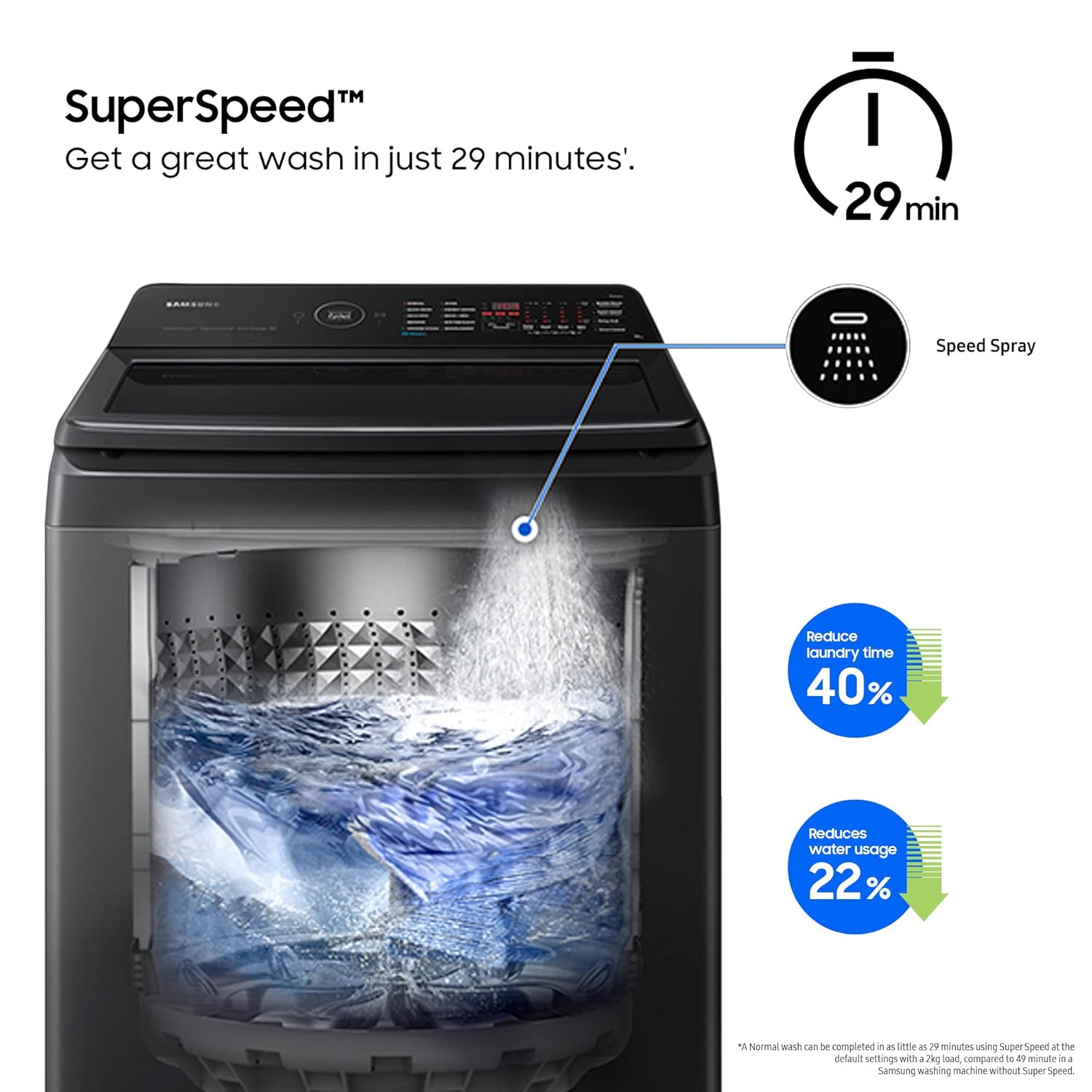
Image 5.4: Illustration of the Super Speed feature, reducing laundry time and water usage.
6. Maintenance
Regular maintenance ensures the longevity and efficiency of your washing machine.
6.1 Eco Tub Clean
Use the Eco Tub Clean cycle periodically to clean the washing machine drum without harsh chemicals. This helps remove dirt and bacteria buildup.

Image 6.1: Features including Dual Wing Pulsator, Eco Tub Clean, and Diamond Drum.
6.2 Magic Filter
Clean the Magic Filter regularly to prevent lint and debris from accumulating. A clogged filter can affect wash performance.
- Open the filter cover.
- Remove the filter and clean it under running water.
- Reinsert the filter and close the cover securely.

Image 6.2: Close-up view of the Magic Filter inside the washing machine drum.
6.3 Detergent Dispenser
Clean the detergent dispenser periodically to remove any residue buildup that could impede detergent flow.

Image 6.3: View of the detergent dispenser with BubbleStorm feature.
7. Troubleshooting
Before contacting service, review these common issues and solutions:
- Machine does not start: Check power connection, ensure the door is closed, and press the Start/Pause button.
- Water does not fill: Check water supply tap, ensure inlet hose is not kinked, and clean the inlet filter.
- Excessive vibration/noise: Ensure the machine is level, remove shipping bolts (if applicable), and check for unbalanced load.
- Poor wash results: Do not overload the machine, use appropriate detergent, and select the correct wash program.
- Smart Control disconnects: Ensure stable Wi-Fi connection and that the 'Smart Control' button on the machine is active.
8. Specifications
| Feature | Specification |
|---|---|
| Brand | Samsung |
| Model | WA10BG4546BDTL |
| Capacity | 10 Kilograms |
| Energy Rating | 5 Star |
| Annual Energy Consumption | 0.09 Kilowatt Hours |
| Noise Level | 75 dB |
| Installation Type | Free Standing |
| Special Features | Inverter, Water Level 10.00, Wi-Fi Enabled, Ecobubble, BubbleStorm, Speed Spray, Dual Storm, Auto Restart, Child Lock, Delay End, Intensive Wash, Magic Filter, Monsoon, Super Speed, Smart Control, Smart Check, Soft Closing Door, Tempered Glass Window |
| Colour | Dark Gray |
| Control Console | Touch Control |
| Number of Option Cycles | 9 |
| Access Location | Top Load |
| Voltage | 230 Volts |
| Wattage | 50 Kilowatt Hours |
| Material | Plastic |
| Item Weight | 29 kg 500 g |
| Item Dimensions (LxWxH) | 56.8 x 54 x 100.8 Centimeters |

Image 8.1: Illustration of the Digital Inverter Motor, highlighting its role in efficiency and durability.

Image 8.2: The 5 Star Energy Efficiency rating, indicating high energy savings.
9. Warranty and Support
9.1 Warranty Information
Your Samsung Washing Machine comes with a 2-year comprehensive warranty on the product and a 20-year warranty on the Digital Inverter Technology (DIT) Motor. Please refer to the warranty card included in your package for full terms and conditions.
9.2 Customer Support
For product-related complaints or assistance, please contact Samsung Customer Care:
- Email: support.india@samsung.com
- Toll-Free Number: 1800 40 7267864 (1800 40 SAMSUNG)
- Registered Office: Samsung India Electronics Pvt. Ltd., 6th Floor, DLF Centre, Sansad Marg, New Delhi-110001


