
Introduction
This instruction manual provides essential information for the safe and correct installation, operation, and maintenance of your Bticino BTKM06H Living Now 1-Module Cover. Please read this manual thoroughly before beginning any installation or use, and retain it for future reference.
The Bticino BTKM06H is a decorative cover (enjoliveur) designed for a single module within the Living Now series, intended for wall mounting. Its purpose is to provide a finished aesthetic to electrical installations.
Safety Information
WARNING: Electrical installations should only be performed by qualified personnel. Always disconnect power at the main circuit breaker before installing or servicing any electrical device to prevent electric shock or injury. Ensure all local and national electrical codes are followed.
- Do not install if the product appears damaged.
- Use only with compatible Bticino Living Now modules and frames.
- Keep away from water and excessive moisture.
Product Overview
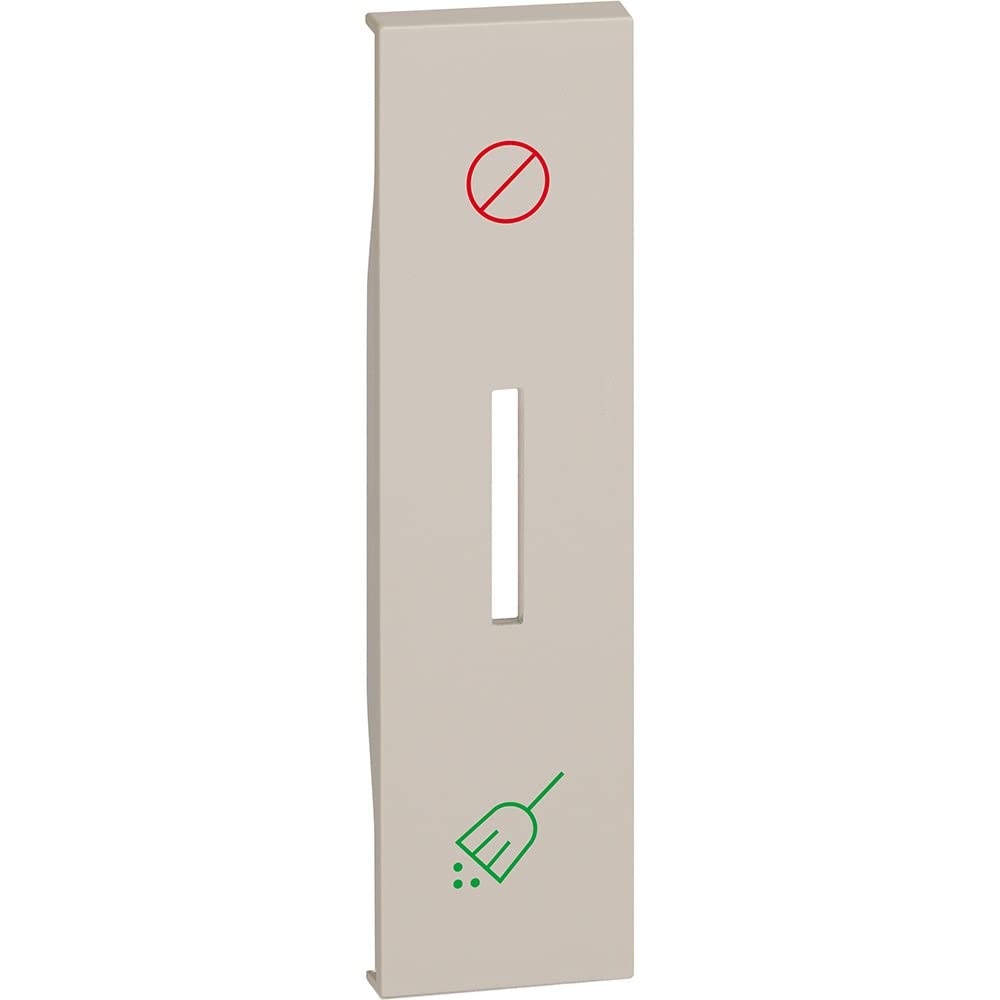
Figure 1: Front view of the Bticino BTKM06H Living Now 1-Module Cover. This image displays the sand-colored trim plate designed to cover a single electrical module, providing a clean and integrated appearance to your wall installation.
The Bticino BTKM06H is a single-module cover from the Living Now range. It is designed to snap onto a compatible support frame and module, providing a finished aesthetic. The color is specified as "Dane 17261" (interpreted as sand/beige based on product title "sable").
Setup and Installation
- Prepare the Installation Area: Ensure the electrical box is properly installed and wired according to local regulations. Verify that the power supply to the circuit is OFF at the main breaker.
- Install the Support Frame: Mount the appropriate Bticino Living Now support frame (not included) to the electrical box using the provided screws. Ensure it is level and securely fastened.
- Install the Module: Insert the desired Bticino Living Now electrical module (e.g., switch, socket, dimmer) into the support frame until it clicks securely into place.
- Attach the Cover: Align the BTKM06H 1-module cover with the installed module and support frame. Gently press the cover onto the frame until it snaps into position. Ensure all edges are flush with the wall.
- Restore Power: Once the cover is securely installed, restore power to the circuit at the main breaker.
Note: For detailed instructions on installing the support frame and electrical modules, refer to their respective manuals.
Operating
The Bticino BTKM06H is a passive decorative cover. Its operation is directly linked to the functionality of the electrical module it houses. Once installed, it provides a finished appearance and protects the internal components of the module. To operate the underlying electrical function (e.g., turn on a light, use a socket), interact directly with the module's interface through the cover's opening.
Maintenance
- Cleaning: To clean the cover, gently wipe it with a soft, damp cloth. Do not use abrasive cleaners, solvents, or harsh chemicals, as these can damage the finish.
- Inspection: Periodically inspect the cover for any signs of damage or loosening. If damage is observed, replace the cover immediately.
- Disassembly: If removal is necessary, carefully pry the cover off the support frame using a non-abrasive tool to avoid scratching. Ensure power is OFF before attempting to remove the cover if it exposes live electrical parts.
Troubleshooting
As a decorative cover, the BTKM06H itself does not typically experience functional issues. Most problems will relate to the underlying electrical module or installation.
- Cover not fitting correctly:
- Ensure the support frame is correctly installed and not warped.
- Verify that the electrical module is fully seated in the frame.
- Check for any obstructions behind the cover.
- Electrical device not working:
- This is likely an issue with the electrical module or wiring, not the cover.
- Consult the manual for the specific electrical module.
- Ensure power is restored at the circuit breaker.
- If issues persist, contact a qualified electrician.
Specifications
| Feature | Specification |
|---|---|
| Brand | Bticino |
| Model Number | KM06H |
| Product Dimensions (L x W x H) | 2.2 x 0.7 x 8.6 cm |
| Item Weight | 500 g |
| Color | Dane 17261 (Sand) |
| Material | dane 171 (Material information not fully specified) |
| Form Factor | Circular |
| Number of Items | 1 |
| Batteries Required | No |
Note: "Dane 171" and "Dane 17261" are placeholder values from the source data. The actual material and color are determined by the manufacturer's specifications for the Living Now series. The "Circular" form factor might refer to an internal design element or be a data entry anomaly, as the product image depicts a standard rectangular module cover.
Warranty and Support
For warranty information and technical support, please refer to the official Bticino website or contact your local Bticino distributor. Keep your purchase receipt as proof of purchase for any warranty claims.
Online Resources: www.bticino.com


