
Introduction
This manual provides instructions for the VINABTY replacement remote control, designed for use with various Samsung Q-Series Soundbar models. It covers setup, operation, and maintenance to ensure optimal performance and functionality.
Product Overview
The VINABTY replacement remote control is a direct substitute for original Samsung soundbar remotes, offering full functionality without the need for programming.
Key Features
- No programming required.
- Direct replacement functionality.
- Compatible with multiple Samsung Q-Series Soundbar models.

Image: Front view of the VINABTY replacement remote control, showing all buttons and the "SOUNDBAR" branding at the bottom.
Setup
Battery Installation
- Locate the battery compartment on the back of the remote control.
- Slide the battery cover downwards to open.
- Insert two (2) AAA batteries, ensuring correct polarity (+/-).
- Slide the battery cover back into place until it clicks securely.
Note: Batteries are not included with the remote control.

Image: Back view of the VINABTY replacement remote control, highlighting the battery compartment.
Operating Instructions
This remote control is designed for immediate use with compatible Samsung Soundbars. Point the remote directly at your soundbar when operating.
Button Functions
| Button | Function |
|---|---|
| Power | Turns the soundbar on or off. |
| Source | Cycles through input sources (e.g., HDMI, Optical, Bluetooth). |
| Pair | Initiates Bluetooth pairing mode. |
| Play/Pause | Plays or pauses audio playback. |
| Volume Up/Down (+/-) | Adjusts the main volume level. |
| Mute | Mutes or unmutes the sound. |
| Sound Mode | Cycles through available sound modes (e.g., Standard, Surround, Game). |
| Info (i) | Displays information on the soundbar's display. |
| Woofer (+/-) | Adjusts the subwoofer level. |
| CH Level | Adjusts individual channel levels (if supported by soundbar). |
| Settings (Gear icon) | Accesses soundbar settings menu. |
| Tone Control | Adjusts bass and treble settings. |
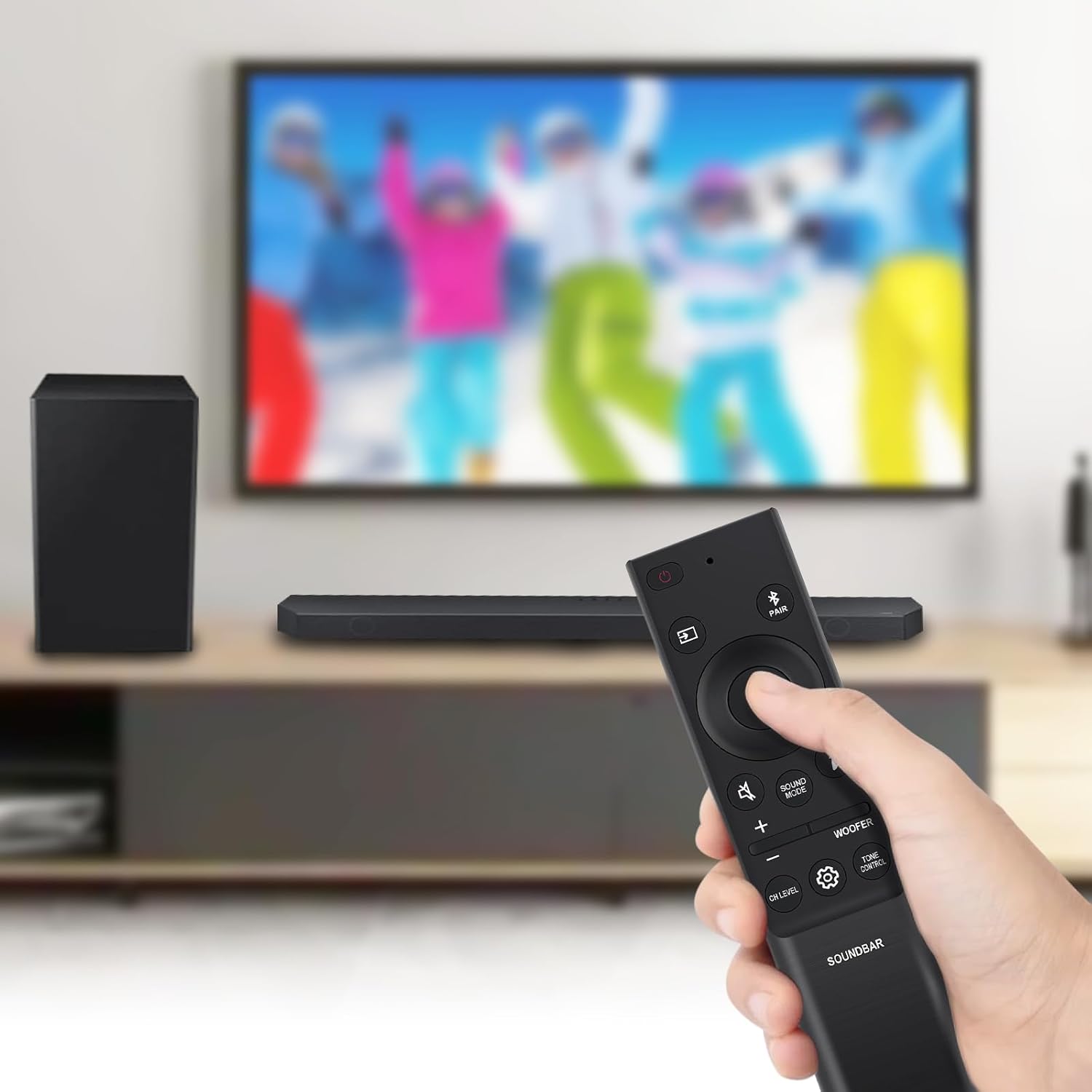
Image: Angled view of the VINABTY replacement remote control, showing the layout of buttons.
Compatible Soundbar Models
This remote control is compatible with the following Samsung Q-Series Soundbar models:
- HW-Q800B/ZA
- HW-Q700B/ZA
- HW-Q910B/ZA
- HW-Q990B/ZA
- HW-Q990B
- HW-Q700B
- HW-Q6CB
- HW-Q600B
- HW-Q67CB
- HW-Q60B
- HW-Q935B
- HW-Q810B
- HW-Q710B
- HW-Q910B
- HW-Q750B
- HW-Q930B
- HW-Q800B
- HW-Q60C
- HW-Q60CC
- AH81-15047A (Original Remote Model)
- AH81-15498A (Original Remote Model)
- AH81-15439A (Original Remote Model)
- AH81-15340A (Original Remote Model)
- AH81-15944A (Original Remote Model)
Also compatible with SAMSUNG Soundbar Home Theater models: HW-B750D/ZA, HW-S60D, HW-S60B/ZC, HW-S61B/ZC, HW-S60B, HW-S61B, HW-M430/ZA, HWM450, AH5902758A, HWM430, HW-MM37, HW-M450/ZA, HWMM36ZA, HW-MM55/Z, HW-B43C, HW-B43M, HWB450.
Maintenance
- Keep the remote control clean by wiping it with a soft, dry cloth.
- Avoid exposing the remote to extreme temperatures, humidity, or direct sunlight.
- Do not drop the remote or subject it to strong impacts.
- If the remote will not be used for an extended period, remove the batteries to prevent leakage.
Troubleshooting
Remote Not Responding
- Check Batteries: Ensure batteries are inserted correctly with the proper polarity. Replace old batteries with new AAA batteries.
- Line of Sight: Make sure there are no obstructions between the remote control and the soundbar. Point the remote directly at the soundbar's sensor.
- Distance: Operate the remote within the effective range (typically up to 40 feet).
- Interference: Move away from sources of strong electromagnetic interference.
Specific Functions Not Working
- Verify that your soundbar model supports the specific function (e.g., CH Level, Tone Control). Refer to your soundbar's original manual.
- Ensure the soundbar is powered on and not in a standby mode that restricts remote commands.
Specifications
- Product Dimensions: 6.6 x 2 x 0.7 inches (16.8 x 5.1 x 1.8 cm)
- Item Weight: 1.44 ounces (40.8 grams)
- Battery Type: 2 x AAA batteries (not included)
- Color: Black
- Material: ABS

Image: The VINABTY replacement remote control with dimensions overlaid, showing a length of 16 cm / 6.3 inches and a width of 3.5 cm / 1.38 inches.
Warranty and Support
For any issues or questions regarding your VINABTY replacement remote control, please contact the seller or refer to the product listing for support information. Keep your purchase receipt for warranty claims, if applicable.